Swagger UI for the REST Gateway
Browse, authorize, and test the OpenCue REST API from a browser
August 26, 2026
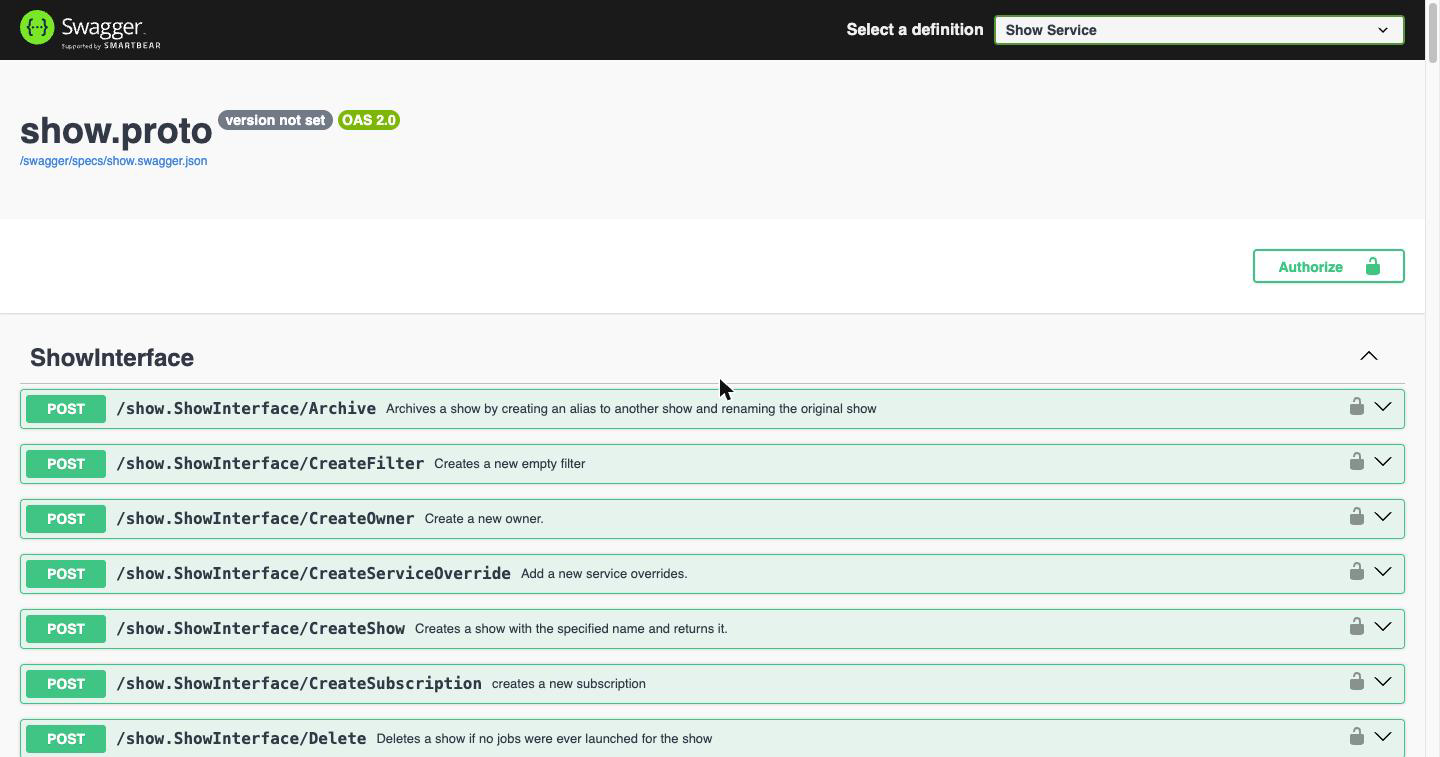
The OpenCue REST Gateway now ships an interactive Swagger UI at /swagger/. Every OpenCue
interface is described by an OpenAPI definition generated from the same .proto files that produce
the gateway’s HTTP handlers, so the documented paths and message schemas stay aligned with those
sources and cannot drift from them. Routing coverage is narrower than what the definitions describe;
Published surface versus routed surface explains where
the two differ.
The Challenge
Until now, working out how to call the REST Gateway meant reading .proto files, cross-referencing
the API reference, and assembling curl commands by hand. Three things made that harder than it
needed to be.
The gateway translates gRPC to HTTP using unbound method routing, so an endpoint’s path is derived
mechanically from its protobuf service and method: /show.ShowInterface/GetShows. That is easy to
generate and hard to guess. Request and response bodies are similarly derived from protobuf
messages, with field names camel-cased along the way, so knowing the RPC signature was not quite
enough to know the JSON.
Nothing in the running system described itself. A newly deployed gateway offered no way to ask what it could do, which mattered most in exactly the situation where it would help: a fresh deployment, on an isolated network, being verified for the first time.
And every request needs a JWT. Getting a first successful call meant getting the endpoint, the body,
and the authentication header all correct simultaneously, with a bare 401 as the only feedback
when any one of them was wrong.
The Solution
A definition per proto file
The Docker build now runs protoc-gen-openapiv2 over the OpenCue protos and packages the result
into the image. The gateway discovers those documents at request time and renders them, so the
Select a definition menu always reflects what the running binary was built with. There are 18
definitions covering 304 endpoints. A single definition can hold several interfaces: Job Service
alone covers JobInterface, LayerInterface, FrameInterface, and GroupInterface.
Each document is downloadable on its own, which is enough to generate a typed client:
curl -s http://localhost:8448/swagger/specs/show.swagger.json -o show.swagger.json
openapi-generator generate -i show.swagger.json -g python -o ./opencue-show-client
Authorize once, then try anything
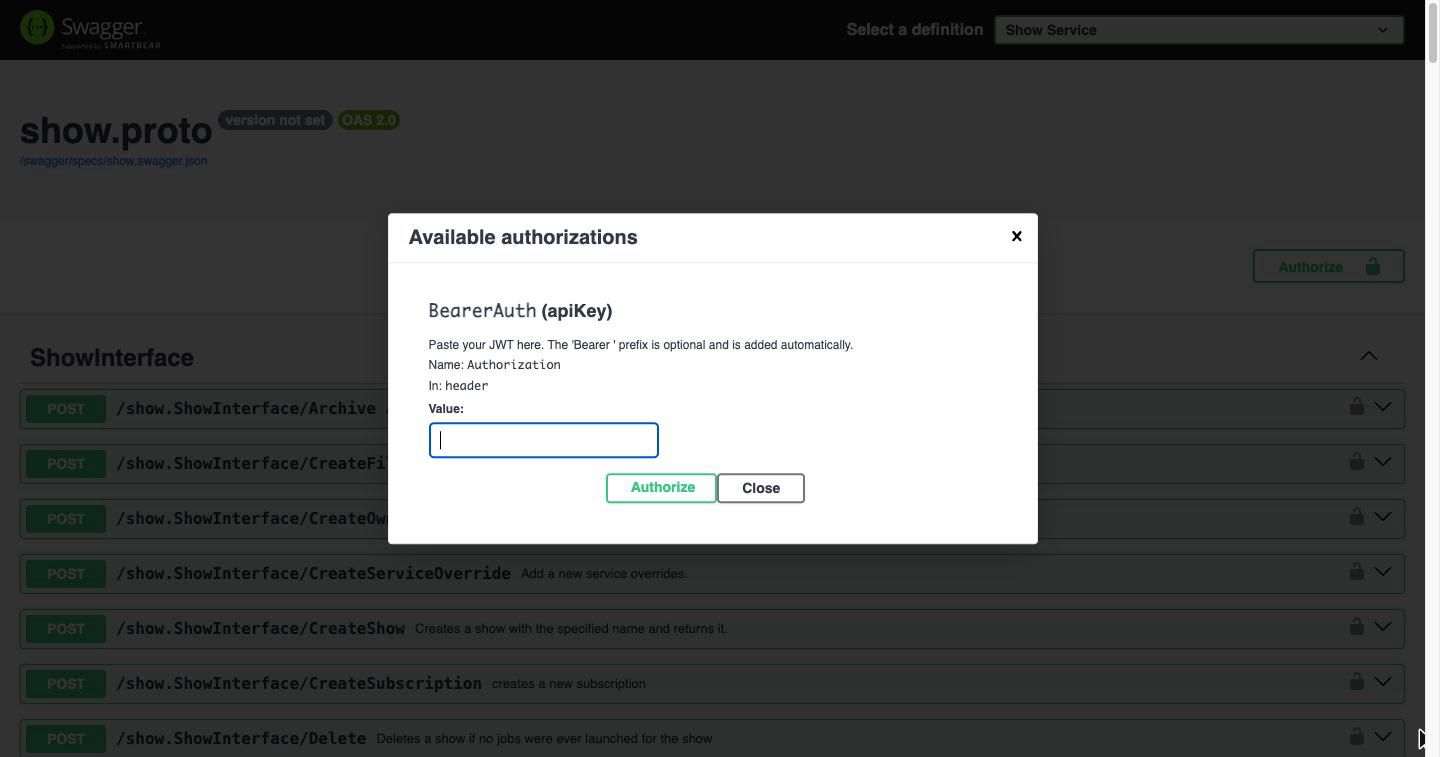
Click Authorize and paste a JWT. The Bearer prefix is optional; the page adds it if you leave
it off.
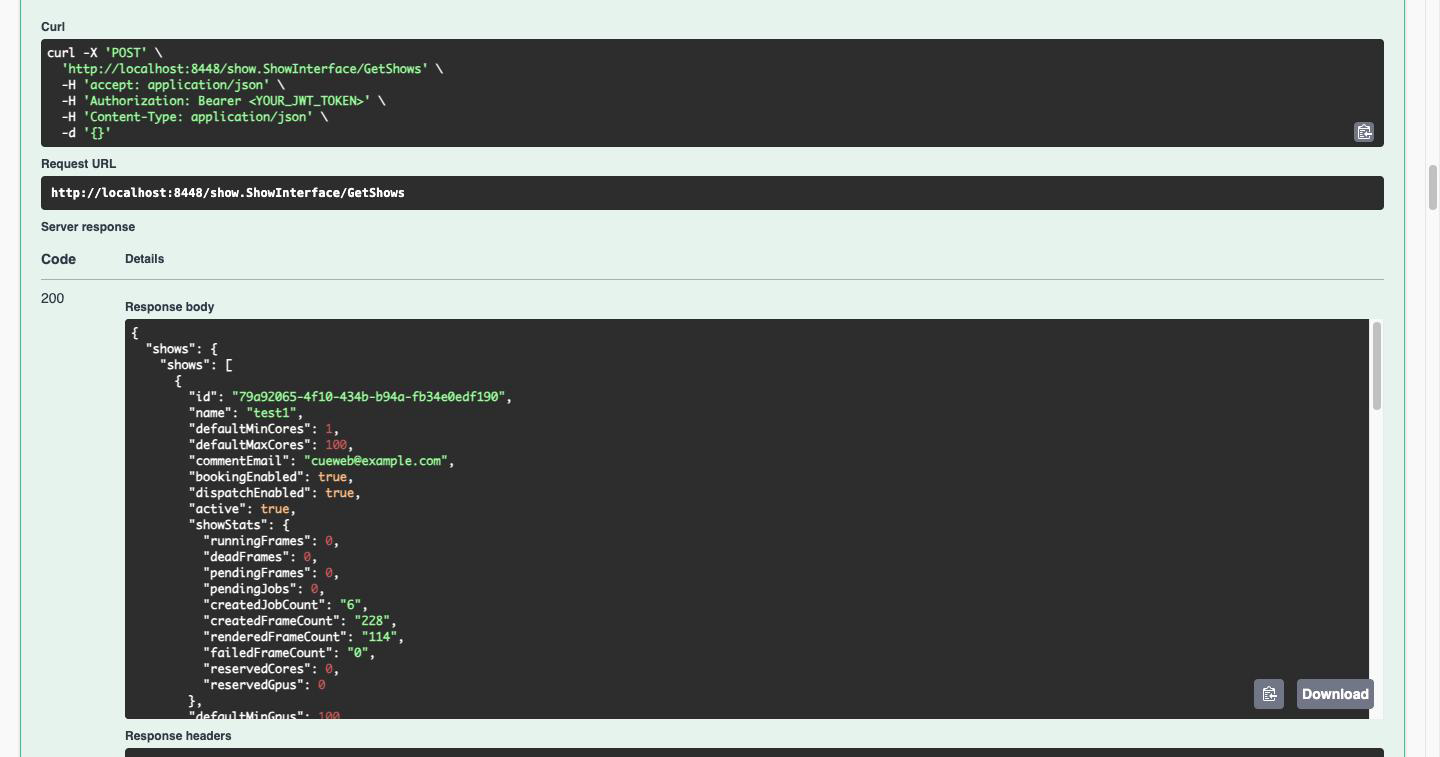
From there, Try it out on any endpoint sends a real request to your farm and shows the response,
the response headers, and the equivalent curl command. That last part turns the page into a
request builder: work out the call in the browser, then copy the command into a script.
Served locally
The Swagger UI JavaScript and CSS are embedded in the gateway binary rather than loaded from a CDN, so the page works on an air-gapped render farm. Only the three asset files the page references are served; the upstream distribution’s demo page and source maps are not exposed.
Published surface versus routed surface
One nuance is worth knowing before you explore. The definitions are generated with
generate_unbound_methods=true, which emits an entry for every method in every .proto file,
whereas the gateway registers handlers for a chosen subset. The published surface is therefore
slightly wider than the routed one: 304 endpoints across 28 interfaces are described, and 273
across 22 interfaces are reachable.
Six interfaces appear in the menu but return 404 even with a valid token, because this gateway
does not register them. Two are implemented by the RQD agent on each host rather than by Cuebot, so
there is nothing for the gateway to forward to. The other four are Cuebot services that are
internal or agent-facing rather than intended for REST clients.
They are spread across five of the menu entries, so the affected definitions are easy to avoid once you know which they are:
| Menu entry | Interface | Endpoints | Implemented by | Use instead |
|---|---|---|---|---|
| Rqd Service | RqdInterface, RunningFrame |
19 | RQD agent | HostInterface and FrameInterface, which relay to RQD |
| Monitoring Service | MonitoringInterface |
6 | Cuebot | The Prometheus and Grafana monitoring stack |
| Report Service | RqdReportInterface |
3 | Cuebot | Agent-facing only; RQD calls it to report in |
| RenderPartition Service | RenderPartitionInterface |
2 | Cuebot | AddRenderPartition to create, HostInterface/GetRenderPartitions to list |
| Cue Service | CueInterface |
1 | Cuebot | Internal statistics, no REST equivalent |
Every other menu entry is fully routed.
Criterion Service is a further special case: criterion.proto defines only message types and no
service, so that definition contains zero endpoints and renders as a Models section with nothing
else. The
API reference carries
the full map.
Security
The /swagger/ routes are mounted outside the JWT middleware, so the documentation can be
browsed without a token. The API endpoints are unchanged and still reject unauthenticated requests.
This is a deliberate trade-off. It makes the API easy to explore, and it also means anyone who can reach the gateway’s port can read the complete API surface, including the interfaces, the method names, and the message schemas. No data is exposed and no operation can be performed without a valid token, but the shape of the system is visible.
Deployments where the gateway is reachable beyond a trusted network should switch the UI off:
docker run -d --name opencue-rest-gateway \
  -e CUEBOT_ENDPOINT=cuebot:8443 \
  -e REST_PORT=8448 \
  -e JWT_SECRET="$JWT_SECRET" \
  -e SWAGGER_ENABLED=false \
  -p 8448:8448 \
  opencue/rest-gateway:latest
With SWAGGER_ENABLED=false the routes are not mounted at all and /swagger/ falls through to the
authenticated handler, returning 401. The alternative is to keep the UI and restrict the path at
your reverse proxy.
Configuration
| Variable | Default | Description |
|---|---|---|
SWAGGER_ENABLED |
true |
Mount the /swagger/ routes. false, 0, no, or off disables them |
SWAGGER_DIR |
./gen/openapiv2 |
Directory holding the generated OpenAPI documents. The Docker image sets this to /app/gen/openapiv2 |
| Route | Serves | Auth |
|---|---|---|
/swagger/ |
The Swagger UI page | None |
/swagger/specs/<name>.swagger.json |
One OpenAPI 2.0 document | None |
/swagger/assets/ |
Swagger UI JavaScript and CSS | None |
Availability
The Swagger UI is available now in the REST Gateway. It is on by default, so rebuilding the gateway image is all that is required:
docker compose build rest-gateway
docker compose --profile all up -d rest-gateway
open http://localhost:8448/swagger/
To read more:
- REST Gateway Quick Start covers a first request end to end
- REST API Tutorial walks through Authorize and Try it out
- Using the REST API lists every definition and its interfaces
- OpenCue REST API Reference documents the routes, the definition map, and the endpoints
- Deploying the REST Gateway covers the production configuration