REST Gateway Quick Start
Get up and running with the OpenCue REST Gateway for HTTP/REST API access to your render farm.
Table of contents
- Overview
- Step 1: Start the OpenCue Stack
- Step 2: Deploy the REST Gateway
- Step 3: Generate a JWT Token
- Step 4: Make Your First API Call
- Step 5: Browse the API in Swagger UI
- Step 6: Basic Operations
- Quick Reference
- Troubleshooting
- Using with Scripts
- Deploy with OpenCueWeb
- Next Steps
- Related Documentation
Overview
The OpenCue REST Gateway provides HTTP/REST endpoints for OpenCue’s gRPC API. It enables web applications, scripts, and HTTP clients to interact with your render farm without requiring gRPC clients.
What you’ll learn
- How to deploy the REST Gateway
- How to authenticate with JWT tokens
- How to make your first API calls
- How to browse and test the API in Swagger UI
- Basic job and show operations
Prerequisites
Before you begin, ensure you have:
- OpenCue stack running (Cuebot and PostgreSQL)
- Docker installed on your system
- curl for testing API calls
- Python 3 (optional, for JWT token generation)
Step 1: Start the OpenCue Stack
If you don’t have OpenCue running yet, start it from the repository root:
# Clone OpenCue if needed
git clone https://github.com/AcademySoftwareFoundation/OpenCue.git
cd OpenCue

# Create required directories
mkdir -p /tmp/rqd/logs /tmp/rqd/shots

# Start OpenCue stack
docker compose up -d

# Verify services are running
docker compose ps
Wait for the services to be healthy before proceeding.
Step 2: Deploy the REST Gateway
The REST Gateway is deployed separately from the main OpenCue stack.
Generate a JWT Secret
# Generate a secure JWT secret
export JWT_SECRET=$(openssl rand -base64 32)
echo "Your JWT_SECRET: $JWT_SECRET"
echo "Save this - you'll need it for API authentication"
Build the REST Gateway Image
# From OpenCue root directory
docker build -f rest_gateway/Dockerfile -t opencue/rest-gateway:latest .
Run the REST Gateway
docker run -d --name opencue-rest-gateway \
  --network opencue_default \
  -p 8448:8448 \
  -e CUEBOT_ENDPOINT=cuebot:8443 \
  -e JWT_SECRET="$JWT_SECRET" \
  -e REST_PORT=8448 \
  -e LOG_LEVEL=info \
  opencue/rest-gateway:latest
Verify the Gateway is Running
# Test connectivity (expects 401 - this confirms the service is up)
response=$(curl -s -o /dev/null -w "%{http_code}" http://localhost:8448/)
if [ "$response" = "401" ]; then
    echo "REST Gateway is running (401 expected without auth)"
else
    echo "REST Gateway may not be running (got HTTP $response)"
fi
Step 3: Generate a JWT Token
All REST Gateway API endpoints require JWT authentication. The Swagger UI on /swagger/ is the only exception; it serves documentation without a token. Generate a token using Python:
Using Python (Recommended)
# Install PyJWT if needed
pip install PyJWT

# Generate token
export JWT_TOKEN=$(python3 -c "
import jwt
import datetime
import os

secret = os.getenv('JWT_SECRET')
payload = {
    'user': 'quickstart',
    'exp': datetime.datetime.now(datetime.timezone.utc) + datetime.timedelta(hours=24)
}
print(jwt.encode(payload, secret, algorithm='HS256'))
")

echo "Your JWT_TOKEN: $JWT_TOKEN"
Using Pure Bash (Alternative)
# Generate a simple test token
export JWT_TOKEN=$(python3 -c "
import base64, hmac, hashlib, json, time, os

secret = os.getenv('JWT_SECRET', 'test-secret')
header = {'alg': 'HS256', 'typ': 'JWT'}
payload = {'sub': 'quickstart', 'exp': int(time.time()) + 86400}

h = base64.urlsafe_b64encode(json.dumps(header).encode()).decode().rstrip('=')
p = base64.urlsafe_b64encode(json.dumps(payload).encode()).decode().rstrip('=')
m = f'{h}.{p}'
s = base64.urlsafe_b64encode(hmac.new(secret.encode(), m.encode(), hashlib.sha256).digest()).decode().rstrip('=')
print(f'{m}.{s}')
")
Step 4: Make Your First API Call
Get All Shows
curl -X POST http://localhost:8448/show.ShowInterface/GetShows \
  -H "Authorization: Bearer $JWT_TOKEN" \
  -H "Content-Type: application/json" \
  -d '{}'
Expected response:
{
  "shows": {
    "shows": [
      {
        "id": "00000000-0000-0000-0000-000000000000",
        "name": "testing",
        "active": true,
        "bookingEnabled": true,
        "dispatchEnabled": true
      }
    ]
  }
}
Get Jobs for a Show
curl -X POST http://localhost:8448/job.JobInterface/GetJobs \
  -H "Authorization: Bearer $JWT_TOKEN" \
  -H "Content-Type: application/json" \
  -d '{"r": {"show": {"name": "testing"}}}'
Get Available Hosts
curl -X POST http://localhost:8448/host.HostInterface/GetHosts \
  -H "Authorization: Bearer $JWT_TOKEN" \
  -H "Content-Type: application/json" \
  -d '{}'
Step 5: Browse the API in Swagger UI
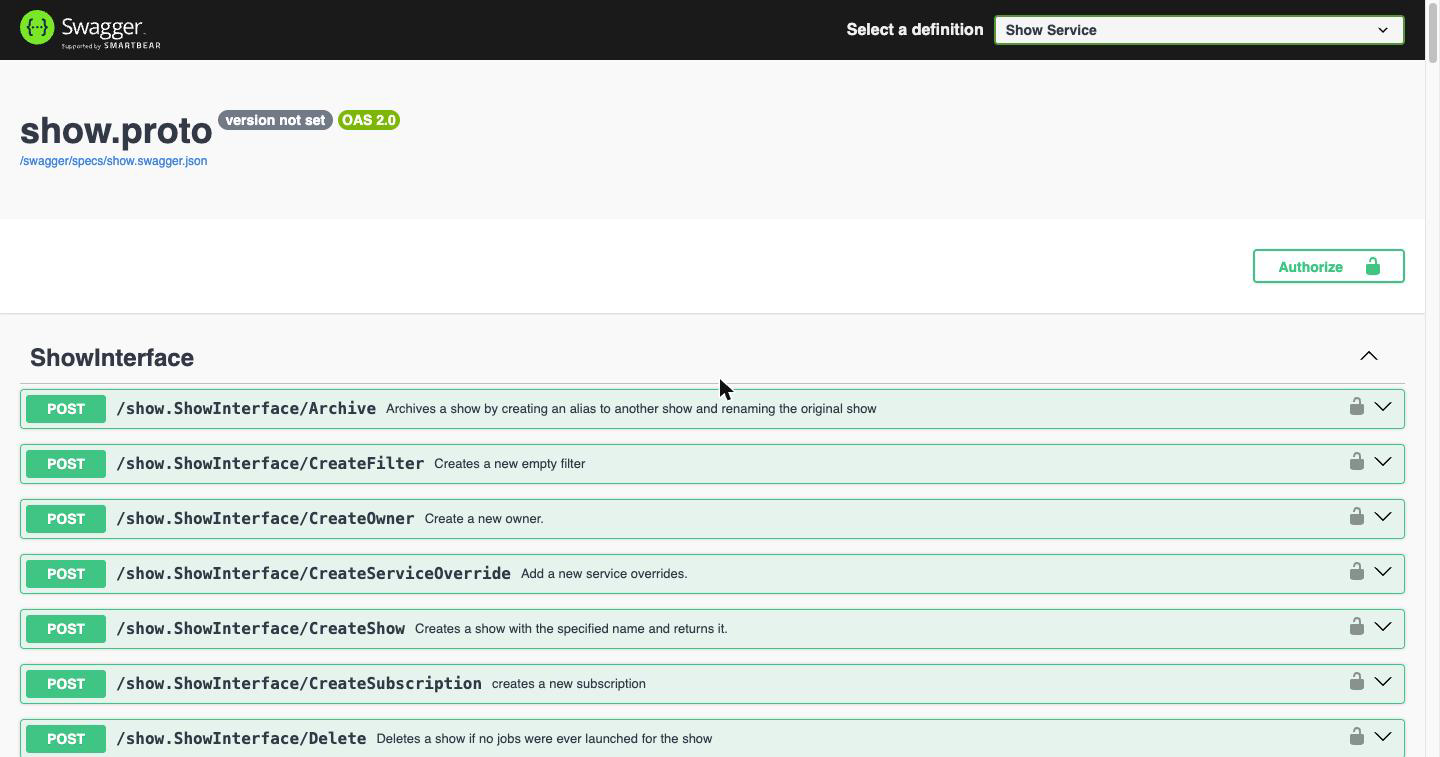
Rather than working from curl alone, open the built-in Swagger UI:
open http://localhost:8448/swagger/
One OpenAPI definition is generated per OpenCue .proto file, and each appears in the Select a definition menu in the top bar. A definition can hold more than one interface: Job Service alone covers JobInterface, LayerInterface, FrameInterface, and GroupInterface. Pick one to browse it:
Authorize
Click Authorize and paste the $JWT_TOKEN you generated in Step 3. The Bearer prefix is optional; the page adds it for you.
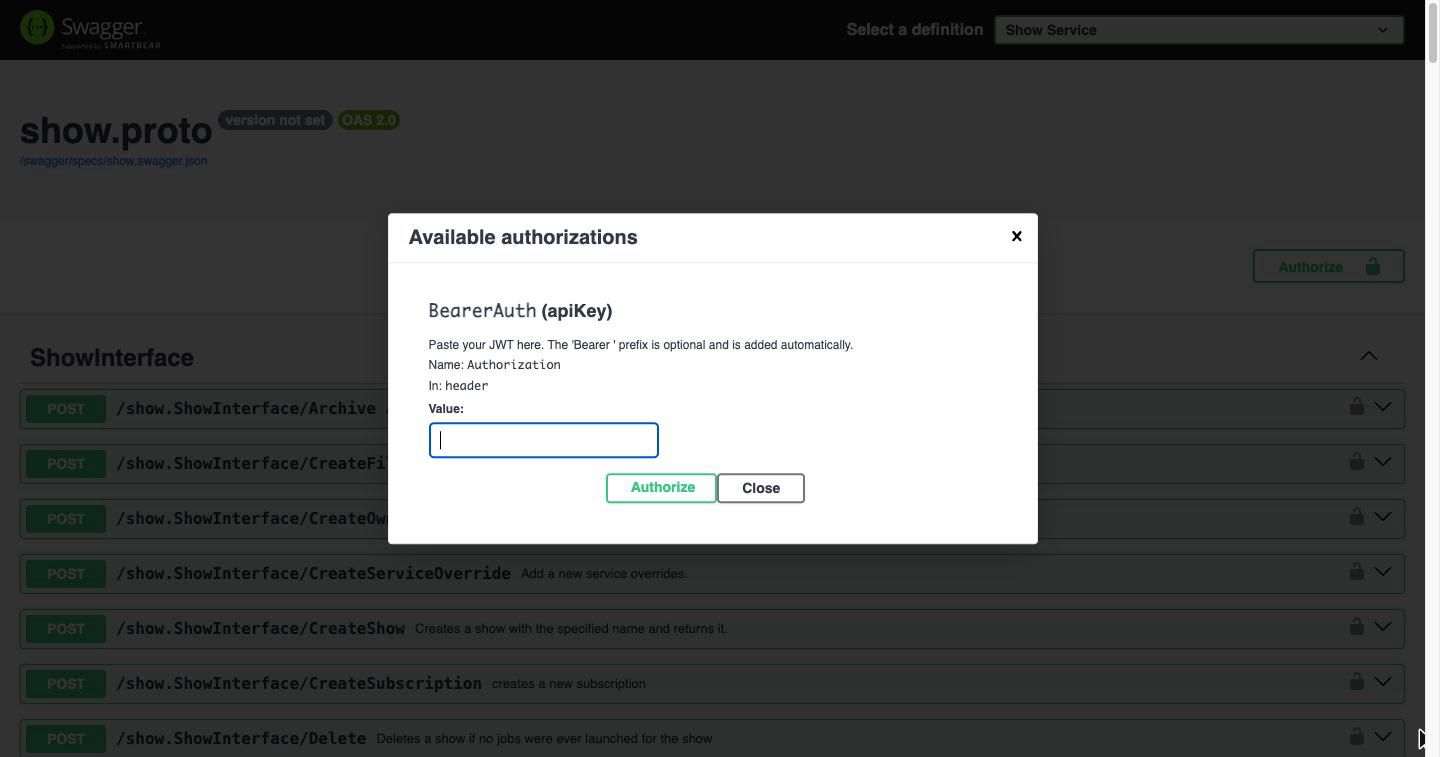
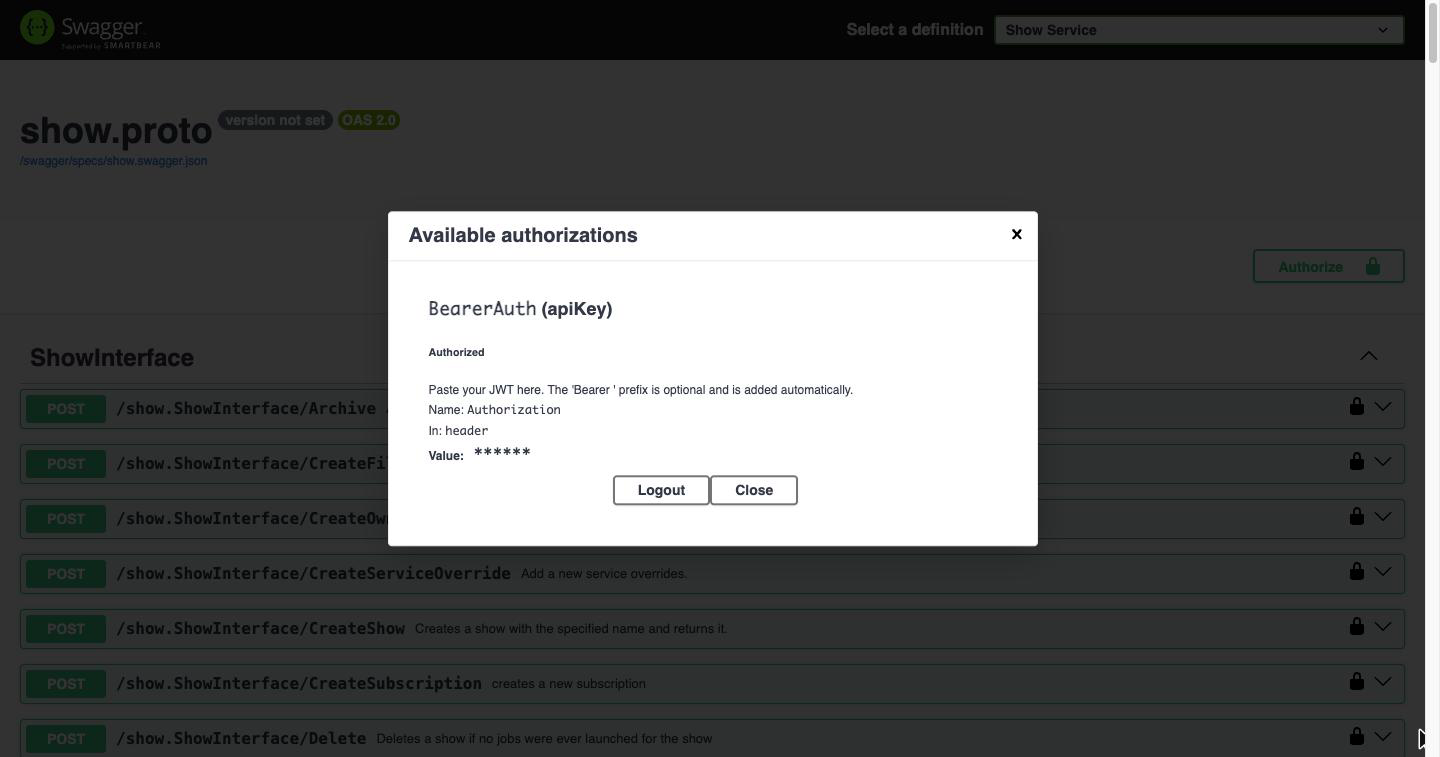
Once authorized, the padlocks on each endpoint close and every request you send from the page carries your token:
Send a request
Expand an endpoint, click Try it out, edit the JSON body if needed, and click Execute. Swagger UI shows the exact curl command it ran, the request URL, and the live response from your farm:
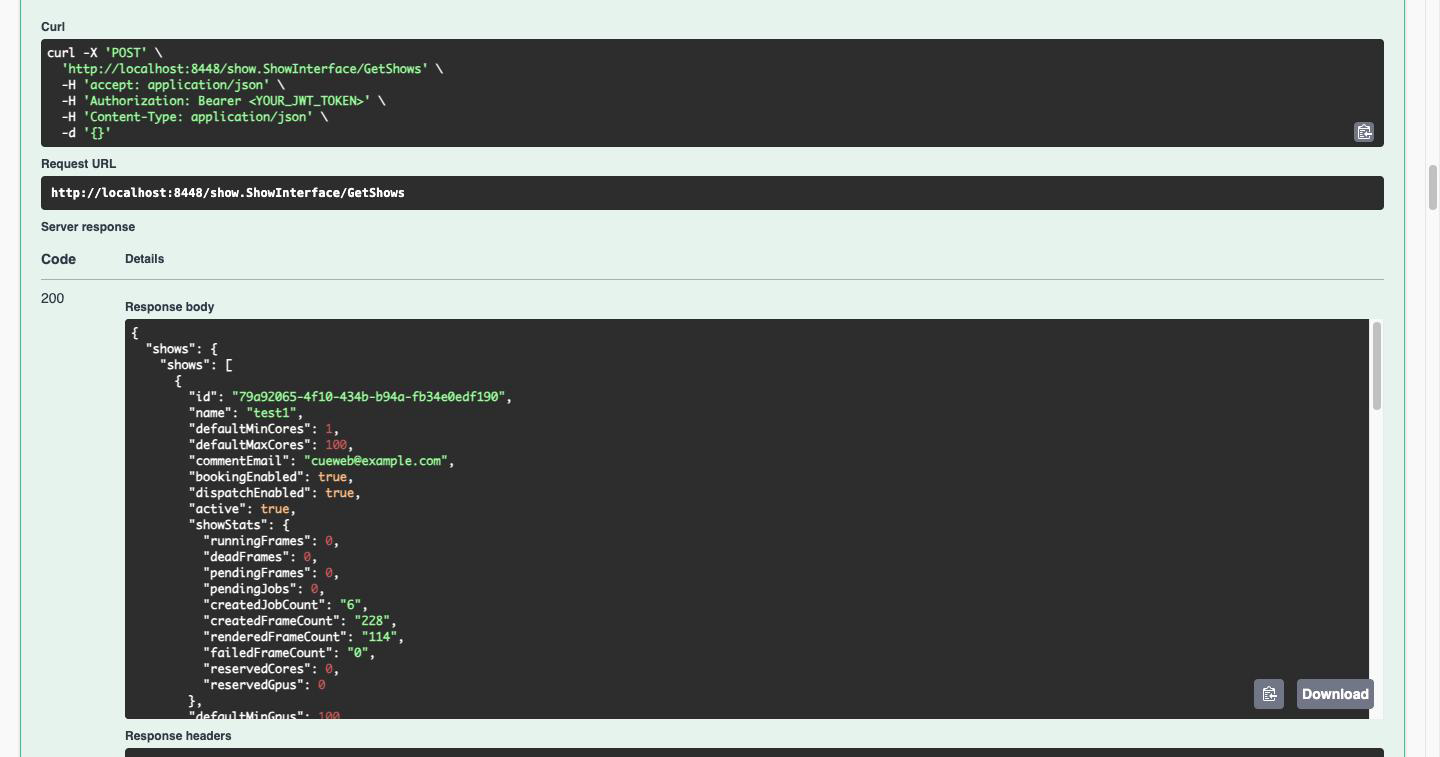
The curl command is copy-pasteable, which makes the Swagger UI a quick way to build up requests before scripting them.
Note: The Swagger UI is served without authentication so the API can be browsed. The API endpoints themselves still require a token. If your gateway is reachable beyond a trusted network, disable the UI with
SWAGGER_ENABLED=false.
Step 6: Basic Operations
Find a Specific Show
curl -X POST http://localhost:8448/show.ShowInterface/FindShow \
  -H "Authorization: Bearer $JWT_TOKEN" \
  -H "Content-Type: application/json" \
  -d '{"name": "testing"}'
Find a Specific Job
curl -X POST http://localhost:8448/job.JobInterface/FindJob \
  -H "Authorization: Bearer $JWT_TOKEN" \
  -H "Content-Type: application/json" \
  -d '{"name": "testing-job-name"}'
Pause a Job
JOB_ID="your-job-id-here"

curl -X POST http://localhost:8448/job.JobInterface/Pause \
  -H "Authorization: Bearer $JWT_TOKEN" \
  -H "Content-Type: application/json" \
  -d "{\"job\": {\"id\": \"$JOB_ID\"}}"
Resume a Job
curl -X POST http://localhost:8448/job.JobInterface/Resume \
  -H "Authorization: Bearer $JWT_TOKEN" \
  -H "Content-Type: application/json" \
  -d "{\"job\": {\"id\": \"$JOB_ID\"}}"
Get Frames for a Job
curl -X POST http://localhost:8448/job.JobInterface/GetFrames \
  -H "Authorization: Bearer $JWT_TOKEN" \
  -H "Content-Type: application/json" \
  -d "{\"job\": {\"id\": \"$JOB_ID\"}, \"req\": {\"include_finished\": true, \"page\": 1, \"limit\": 100}}"
Retry a Failed Frame
FRAME_ID="your-frame-id-here"

curl -X POST http://localhost:8448/frame.FrameInterface/Retry \
  -H "Authorization: Bearer $JWT_TOKEN" \
  -H "Content-Type: application/json" \
  -d "{\"frame\": {\"id\": \"$FRAME_ID\"}}"
Quick Reference
Environment Setup
# Set these variables for easier testing
export GATEWAY_URL="http://localhost:8448"
export JWT_SECRET="your-jwt-secret"
export JWT_TOKEN="your-generated-token"
Common Endpoints
| Operation | Endpoint | Method |
|---|---|---|
| List shows | show.ShowInterface/GetShows |
POST |
| Find show | show.ShowInterface/FindShow |
POST |
| List jobs | job.JobInterface/GetJobs |
POST |
| Find job | job.JobInterface/FindJob |
POST |
| Pause job | job.JobInterface/Pause |
POST |
| Resume job | job.JobInterface/Resume |
POST |
| Kill job | job.JobInterface/Kill |
POST |
| Get frames | job.JobInterface/GetFrames |
POST |
| Retry frame | frame.FrameInterface/Retry |
POST |
| Kill frame | frame.FrameInterface/Kill |
POST |
| List hosts | host.HostInterface/GetHosts |
POST |
| Find host | host.HostInterface/FindHost |
POST |
URL Pattern
All endpoints follow this pattern:
POST http://<gateway-host>:8448/<interface>/<method>
Documentation Routes
| Route | Purpose | Auth required |
|---|---|---|
/swagger/ |
Interactive Swagger UI | No |
/swagger/specs/<name>.swagger.json |
A single OpenAPI definition | No |
/swagger/assets/ |
Swagger UI JavaScript and CSS | No |
The full list of definitions is discovered automatically; GET /swagger/ reflects whatever the gateway was built with. It holds 18 definitions and 304 endpoints, of which 273 are routed. Cue, Monitoring, RenderPartition, Report and Rqd are listed but return 404, and Criterion Service contains no endpoints. See Definitions the Gateway Does Not Route.
Troubleshooting
401 Unauthorized
Problem: API returns 401 error
Solutions:
- Verify JWT token is not expired
- Check
JWT_SECRETmatches between token and gateway - Ensure
Authorization: Bearer <token>header is correct
# Verify your secret matches
docker logs opencue-rest-gateway | grep -i jwt
Connection Refused
Problem: Cannot connect to gateway
Solutions:
- Check gateway container is running:
docker ps | grep rest-gateway - Verify port mapping:
docker port opencue-rest-gateway - Check gateway logs:
docker logs opencue-rest-gateway
502 Bad Gateway
Problem: Gateway cannot connect to Cuebot
Solutions:
- Verify Cuebot is running and healthy
- Check
CUEBOT_ENDPOINTenvironment variable - Ensure containers are on same network:
docker network inspect opencue_default
Empty Response
Problem: API returns empty data
Solutions:
- Check if data exists (e.g., shows created, jobs submitted)
- Verify filter parameters are correct
- Try without filters first
Using with Scripts
Bash Script Example
#!/bin/bash
# list_jobs.sh - List all jobs for a show

SHOW_NAME="${1:-testing}"

curl -s -X POST http://localhost:8448/job.JobInterface/GetJobs \
  -H "Authorization: Bearer $JWT_TOKEN" \
  -H "Content-Type: application/json" \
  -d "{\"r\": {\"show\": {\"name\": \"$SHOW_NAME\"}}}" | jq '.jobs.jobs[] | {name, state, user}'
Python Script Example
Note: pip install requests required to run the script below!
#!/usr/bin/env python3
# list_shows.py - List all shows

import requests
import os

GATEWAY_URL = os.getenv('GATEWAY_URL', 'http://localhost:8448')
JWT_TOKEN = os.getenv('JWT_TOKEN')

headers = {
    'Authorization': f'Bearer {JWT_TOKEN}',
    'Content-Type': 'application/json'
}

response = requests.post(
    f'{GATEWAY_URL}/show.ShowInterface/GetShows',
    headers=headers,
    json={}
)

shows = response.json().get('shows', {}).get('shows', [])
for show in shows:
    print(f"Show: {show['name']} (active: {show.get('active', False)})")
Deploy with OpenCueWeb
For a complete web interface, deploy OpenCueWeb alongside the REST Gateway using the cueweb profile:
# Start core services + Web UI (REST Gateway + OpenCueWeb)
docker compose --profile cueweb up -d
This deploys:
- OpenCueWeb: http://localhost:3000
- REST Gateway: http://localhost:8448
- Cuebot: localhost:8443
- RQD: localhost:8444
- PostgreSQL: localhost:5432
Next Steps
Now that the REST Gateway is running:
- Explore the API: Try different endpoints from the REST API Reference
- Build integrations: Create scripts or applications using the API
- Deploy OpenCueWeb: Set up the web interface for browser access
- Production setup: Review Deploying REST Gateway for production configuration
Related Documentation
- REST API Reference - Complete API documentation
- REST API Tutorial - Step-by-step tutorial
- Deploying REST Gateway - Production deployment
- Using the REST API - User guide
- OpenCueWeb Quick Start - Web interface setup