OpenCueWeb Reference
Complete reference documentation for OpenCueWeb, the web-based interface for OpenCue.
Table of contents
- Overview
- Architecture
- Environment Variables
- User Interface Components
- Jobs Table
- Layers Table
- Frames Table
- Columns dropdown (visibility + ordering)
- Views dropdown (saveable presets)
- Per-table substring filter
- Group By (Jobs table)
- Inline JobDetails (Layers + Frames panel)
- Frame log viewer features
- Frame log backends
- Job dependency graph panel
- Monitor Cue
- Monitor Hosts
- Host detail page
- Allocations
- Shows
- Stuck Frames
- Facility Service Defaults
- Subscriptions
- Subscription Graphs
- Limits
- Redirect
- Job-finished notifications
- Keyboard shortcuts overlay (+ menu access)
- Immersive (full-screen) mode
- Multi-pane split workspace
- Job States
- Frame States
- Frame State Filter Chips
- Job Comments Page
- OpenCueWeb Audit
- Search Functionality
- Context Menu Actions
- CueSubmit (Job Submission UI)
- API Integration
- Configuration Files
- Usage metrics (Prometheus)
- Global Application Header
- Left Sidebar
- Mobile Navigation
- Disable Job Interaction (safety mode)
- Attributes Panel
- Breadcrumbs
- Status Bar
- Plugins
- Theming
- Performance Optimization
- Troubleshooting
- File Structure
- Related Documentation
Overview
OpenCueWeb is a web-based application that provides browser access to OpenCue render farm management. Built with Next.js and React, it offers a responsive interface for monitoring jobs, managing frames, and controlling rendering operations.
System Requirements
| Component | Requirement |
|---|---|
| Node.js | Version 18 or later |
| Browser | Chrome, Firefox, Safari, Edge (latest versions) |
| Network | Access to REST Gateway endpoint |
| Memory | 512MB minimum for container deployment |
Architecture
Component Stack
┌─────────────────────────────────────────────────────────┐
│                      OpenCueWeb                          │
│  ┌─────────────┐  ┌─────────────┐  ┌─────────────────┐  │
│  │   Next.js   │  │    React    │  │   Shadcn UI     │  │
│  │   Server    │  │  Components │  │   Components    │  │
│  └─────────────┘  └─────────────┘  └─────────────────┘  │
│  ┌─────────────┐  ┌─────────────┐  ┌─────────────────┐  │
│  │  NextAuth   │  │  JWT Token  │  │   Web Workers   │  │
│  │    Auth     │  │  Generation │  │   (Filtering)   │  │
│  └─────────────┘  └─────────────┘  └─────────────────┘  │
└─────────────────────────────────────────────────────────┘
                           │
                           ▼ HTTP/JSON
┌─────────────────────────────────────────────────────────┐
│                    REST Gateway                          │
└─────────────────────────────────────────────────────────┘
                           │
                           ▼ gRPC
┌─────────────────────────────────────────────────────────┐
│                       Cuebot                             │
└─────────────────────────────────────────────────────────┘
Data Flow
- User interacts with OpenCueWeb UI
- OpenCueWeb generates JWT token using shared secret
- HTTP request sent to REST Gateway with JWT in Authorization header
- REST Gateway validates JWT and forwards to Cuebot via gRPC
- Response returned through the same path
Environment Variables
Required Variables
| Variable | Description | Example |
|---|---|---|
NEXT_PUBLIC_OPENCUE_ENDPOINT |
REST Gateway URL | http://localhost:8448 |
NEXT_JWT_SECRET |
JWT signing secret (must match REST Gateway) | your-secret-key |
Optional Build-Time Variables
| Variable | Description | Default |
|---|---|---|
NEXT_PUBLIC_APP_VERSION |
Build version shown in the bottom status bar and the About OpenCueWeb dialog. When unset, resolved from cueweb/OVERRIDE_CUEWEB_VERSION.in (the VERSION.in sentinel tracks the repo-root VERSION.in; any other value pins an explicit version), then cueweb/package.json#version. |
(resolved from VERSION.in) |
NEXT_PUBLIC_GIT_SHA |
Short Git SHA shown in the About OpenCueWeb dialog. Build-time only; CI injects $(git rev-parse --short HEAD). Empty → “unknown”. |
(empty) |
NEXT_PUBLIC_CUEBOT_FACILITIES |
Comma-separated facility list shown in the Cuebot Facility menu. | local,dev,cloud,external |
CUEBOT_<NAME>_REST_GATEWAY_URL |
Per-facility REST gateway base URL (server-only; <NAME> is the uppercased facility name). Falls back to NEXT_PUBLIC_OPENCUE_ENDPOINT. |
(unset → default gateway) |
CUEBOT_<NAME>_JWT_SECRET |
Per-facility JWT secret the target gateway trusts (server-only). Falls back to NEXT_JWT_SECRET. |
(unset → default secret) |
CUEWEB_FACILITY_STORE |
Path to the JSON file holding runtime per-facility overrides edited from /settings/facilities (plus a .audit.jsonl log alongside it). Point it at a mounted volume to persist overrides across restarts. |
(a file in the OS temp dir) |
NEXT_PUBLIC_DOCS_URL |
Online User Guide link in the Help menu. | https://www.opencue.io/docs/ |
NEXT_PUBLIC_SUGGESTIONS_URL |
Make a Suggestion link in the Help menu. | CueGUI default (GitHub issues, enhancement template) |
NEXT_PUBLIC_BUGS_URL |
Report a Bug link in the Help menu. | CueGUI default (GitHub issues, bug_report template) |
NEXT_PUBLIC_URL |
Base URL the client uses when calling the Next.js API routes. Default empty = the client builds same-origin relative URLs (/api/job/getjobs, …) so OpenCueWeb works from any host the browser reached it at (http://localhost:3000 on the dev Mac, http://<lan-ip>:3000 from a phone on the same network). Set to an absolute URL only if your deployment serves the API on a different origin than the UI. |
(empty) |
NEXT_PUBLIC_LOG_EDITOR_URL |
URL template for the Frame context menu’s View Log on <editor> item. The literal {path} is substituted with the absolute rqlog path at click time. Common values: vscode://file{path}, vscode-insiders://file{path}, subl://open?url=file://{path}, txmt://open?url=file://{path}, idea://open?file={path}. Empty hides the menu item entirely. The sandbox docker-compose.yml defaults to vscode://file{path}. |
vscode://file{path} (sandbox) / empty (Dockerfile default) |
NEXT_PUBLIC_LOKI_URL |
Base URL of a Grafana Loki HTTP API (no trailing path; OpenCueWeb appends /loki/api/v1/...). When set, the frame log viewer queries Loki by frame_id instead of reading the on-disk .rqlog file (CueGUI LokiViewPlugin parity); when empty, OpenCueWeb uses the default file-based viewer. Read in the browser (NEXT_PUBLIC_*), so the Loki host must be reachable from clients and must allow CORS from the OpenCueWeb origin. See Frame log backends. |
(empty) |
NEXT_PUBLIC_CUEPROGBAR_COMMAND |
Command shown in the job menu’s Show Progress Bar dialog; {job} is substituted with the job name. Sites override it with their own launcher (e.g. spawn launch cueprogbar {job}). |
python -m cuegui.cueguiplugin.cueprogbar {job} |
NEXT_PUBLIC_CUEPROGBAR_URL |
Optional registered URL scheme the Show Progress Bar dialog’s launch button hands off to a local handler. Empty hides the launch button. | (empty) |
NEXT_PUBLIC_PREVIEW_COMMAND |
Command shown/copied by the frame menu’s Preview All dialog to open rendered output in an external image viewer. Placeholders {paths} / {job} / {layer} / {frame} are substituted. |
rv {paths} |
NEXT_PUBLIC_PREVIEW_URL |
Optional registered URL scheme Preview All hands off to a local viewer (e.g. openrv://{paths}). Empty hides the launch button (the command is still shown to copy). |
(empty) |
NEXT_PUBLIC_USAGE_TRACKING |
Set to off to disable the client-side usage beacon behind the cueweb_page_views_total / cueweb_actions_total Prometheus metrics. GET /api/metrics and the server-side API request/latency metrics stay enabled regardless. See Usage metrics. |
on |
NEXT_PUBLIC_EMAIL_DOMAIN |
Email domain used to derive the Email Artist… dialog defaults: <user>@<domain> for To, <show>-<suffix>@<domain> for From and CC. See Email Artist dialog. |
your.domain.com |
NEXT_PUBLIC_EMAIL_SUPPORT_SUFFIX |
Per-show support alias suffix used in the Email Artist… dialog’s From / CC defaults (<show>-<suffix>@<domain>). Matches CueGUI’s “production support team” alias convention. |
pst |
NEXT_PUBLIC_EMAIL_REQUEST_CORES_SUFFIX |
Per-show support alias suffix used in the Request Cores… dialog’s CC default (<show>-<suffix>@<domain>). Distinct from the Email Artist pst alias because CueGUI’s RequestCoresDialog traditionally targets a different team queue. |
support |
NEXT_PUBLIC_SUBSCRIBE_FROM_EMAIL |
Informational From label shown by the Subscribe to Job dialog. The actual email sender is whatever Cuebot is configured with - this is purely a UI hint. See Subscribe to Job dialog. | opencue-noreply@<NEXT_PUBLIC_EMAIL_DOMAIN> |
Authentication Variables
| Variable | Description | Example |
|---|---|---|
NEXT_PUBLIC_AUTH_PROVIDER |
Comma-separated auth providers | google,okta,github,ldap |
NEXTAUTH_URL |
NextAuth callback URL | http://localhost:3000 |
NEXTAUTH_SECRET |
NextAuth session secret | random-secret |
Note: Set NEXT_PUBLIC_AUTH_PROVIDER= (empty) for no authentication.
Authorization Variables
Optional, opt-in group-based access control enforced server-side in middleware.ts. All default to “no restriction”, so behavior is unchanged unless you set them.
| Variable | Description | Default |
|---|---|---|
CUEWEB_AUTHZ_ENABLED |
Master switch for the authorization gate. When off, the middleware is a pure pass-through | unset (off) |
CUEWEB_ALLOWED_GROUPS |
Comma-separated groups allowed to use OpenCueWeb at all (empty ⇒ every signed-in user) | empty |
CUEWEB_ADMIN_GROUPS |
Comma-separated groups allowed to use the entire CueCommander section (all pages), job submission (CueSubmit), and the Manage facilities… screen (empty ⇒ every signed-in user) | empty |
CUEWEB_GROUPS_CLAIM |
JWT/OIDC claim that carries the user’s group memberships | groups |
Behavior: when enabled, a signed-in user not in CUEWEB_ALLOWED_GROUPS is redirected to /unauthorized (API routes get 403); a user not in CUEWEB_ADMIN_GROUPS is blocked the same way from the entire CueCommander section (Allocations, Limits, Monitor Cue, Monitor Hosts, Redirect, Services, Shows, Stuck Frame, Subscription Graphs, Subscriptions), job submission (CueSubmit), the Manage facilities… screen (/settings/facilities), and the OpenCueWeb Audit page - and those admin-only menus are hidden from non-admins. Everything else stays open to non-admins, including Cuetopia Monitor Jobs and the Dashboard; the health probe (/api/health) and metrics (/api/metrics) are never gated. Group gating requires an auth provider whose token carries group memberships; when authentication is disabled the gate is inactive.
Audit Variables
Configuration for the OpenCueWeb Audit trail, an append-only JSONL log of every state-changing action performed through OpenCueWeb. Both default to a working out-of-the-box configuration, so no setup is required to start auditing.
| Variable | Description | Default |
|---|---|---|
CUEWEB_AUDIT_STORE |
Path to the append-only JSONL audit trail (one JSON record per line, newest appended last, 0600 file mode). Point it at a mounted volume to persist the trail across restarts. |
(a cueweb-audit.jsonl file in the OS temp dir) |
CUEWEB_AUDIT_MAX_RECORDS |
Maximum number of records retained; the oldest lines are dropped on write once the cap is reached. Set to 0 for no cap. |
50000 |
Access gating: the OpenCueWeb Audit page (/admin/*) and its read API (/api/admin/*) are gated by the Authorization Variables CUEWEB_AUTHZ_ENABLED and CUEWEB_ADMIN_GROUPS, exactly like the CueCommander admin pages. When the gate is inactive (no auth provider, CUEWEB_AUTHZ_ENABLED off, or no CUEWEB_ADMIN_GROUPS configured) the page is visible to everyone; when the gate is active, only members of CUEWEB_ADMIN_GROUPS can see the menu entry or reach the page/API.
OAuth Provider Variables
Okta
| Variable | Description |
|---|---|
NEXT_AUTH_OKTA_CLIENT_ID |
Okta application client ID |
NEXT_AUTH_OKTA_CLIENT_SECRET |
Okta application client secret |
NEXT_AUTH_OKTA_ISSUER |
Okta issuer URL (e.g., https://company.okta.com) |
| Variable | Description |
|---|---|
GOOGLE_CLIENT_ID |
Google OAuth client ID |
GOOGLE_CLIENT_SECRET |
Google OAuth client secret |
GitHub
| Variable | Description |
|---|---|
GITHUB_ID |
GitHub OAuth application ID |
GITHUB_SECRET |
GitHub OAuth application secret |
LDAP
| Variable | Description |
|---|---|
LDAP_URI |
LDAP server URI (e.g., ldaps://ldap.company.com:636) |
LDAP_LOGIN_DN |
Login DN template with {login} placeholder |
LDAP_CERTIFICATE |
Path to CA certificate for TLS verification |
Monitoring Variables
| Variable | Description |
|---|---|
SENTRY_DSN |
Sentry Data Source Name for error tracking |
SENTRY_ENVIRONMENT |
Sentry environment name |
SENTRY_URL |
Sentry server URL |
SENTRY_ORG |
Sentry organization |
SENTRY_PROJECT |
Sentry project name |
User Interface Components
Jobs Table
The main jobs table (cueweb/app/jobs/columns.tsx + cueweb/app/jobs/data-table.tsx) displays rendering jobs with the following columns, in their default order:
| Column | Description | Sortable |
|---|---|---|
| (select) | Row checkbox. Anchored at the leftmost position - column reorder skips over it. | No |
| Name | Two-line cell: <show>-<shot>-<user> on top, rest of the job name underneath. |
Yes |
| Comments | Sticky-note icon when the job has one or more comments; empty otherwise. Sortable so users can pull jobs-with-comments to the top (CueGUI parity: JobMonitorTree’s note-icon column). Clicking the icon opens the per-job Comments page in a new tab. |
Yes |
| State | Current job state badge (see Job States). | Yes |
| Done / Total | <succeededFrames> of <totalFrames>. |
Yes |
| Running | Running frame count. | Yes |
| Dead | Failed frame count. | Yes |
| Eaten | Eaten frame count. | Yes |
| Wait | Waiting frame count. | Yes |
| MaxRss | Max RSS observed across the job’s frames (human-readable, e.g. 512M). |
Yes |
| Age | Wall-clock job age formatted HHH:MM. |
Yes |
| Readable Age | Same age in human-friendly form (e.g. 2h 14m). |
Yes |
| Launched | job.startTime formatted YYYY-MM-DD HH:MM. Mirrors CueGUI’s “Launched” column. |
Yes |
| Eligible | job.eligibleTime formatted the same way. Blank when the field is zero / unset. |
Yes |
| Finished | job.stopTime. Blank while the job is still running. |
Yes |
| User Color | Per-job color swatch backed by localStorage["cueweb.userColors"] (map of jobId -> #rrggbb). Click the swatch to pick a color from the native picker; right-click or click the × button to clear. Cross-tab sync via the standard storage event plus an internal cueweb:user-colors CustomEvent for same-tab listeners. |
No |
| Progress | Stacked frame-state progress bar with a hover tooltip showing exact frame counts and percentages for SUCCEEDED, RUNNING, WAITING, DEPEND, and DEAD states. |
No |
| Notify | Per-row bell button to subscribe to a notification when the job reaches FINISHED. See Job-finished notifications. |
No |
Layers Table
The inline Layers table (cueweb/app/layers/layer-columns.tsx, rendered by SimpleDataTable inside JobDetailsInline) ships these columns in default order:
| Column | Description |
|---|---|
| Dispatch Order | Per-layer dispatch order assigned by Cuebot. |
| Name | Layer name (clickable to filter the Frames panel and populate the Attributes panel). |
| Services | Render services declared on the layer. |
| Limits | Resource-limit names. |
| Range | Frame range (e.g. 1-100x2). |
| Cores | Minimum reserved cores. |
| Memory | Minimum reserved memory (human-readable). |
| Gpus | Minimum reserved GPUs. |
| Gpu Memory | Minimum reserved GPU memory. |
| MaxRss | High-water RSS observed on the layer. |
| Total | Total frame count on this layer. |
| Done | Succeeded frames. |
| Run | Running frames. |
| Depend | Frames in DEPEND state. |
| Wait | Waiting frames. |
| Eaten | Eaten frames. |
| Dead | Dead frames. |
| Avg | Average frame seconds, formatted HH:MM:SS. |
| Tags | Layer tags. |
| Progress | Same stacked animated bar as the Jobs table, fed by getLayerProgressSegments (cueweb/app/utils/layer_progress_utils.ts). Hover tooltip shows per-state counts. |
| Timeout | Layer timeout (HHH:MM). |
| Timeout LLU | Last-log-update timeout (HHH:MM). |
| Eligible | layer.eligibleTime formatted YYYY-MM-DD HH:MM. |
| Start After | layer.startAfter formatted YYYY-MM-DD HH:MM; blank when unset. The proto field is an int64, so the gateway marshals it as a JSON string - layerStartAfterSeconds (cueweb/app/utils/layer_start_after_utils.ts) normalizes both shapes, and the column sorts on that number rather than the formatted text. The cell’s title carries layer.startAfterReason verbatim, as plain text. While the gate is in the future, layerRowClassName tints the whole row (SimpleDataTable’s getRowClassName hook, the same mechanism the Hosts table uses); the tint self-clears on the first render after the deadline passes. |
Frames Table
The Frames table (cueweb/app/frames/frame-columns.tsx, rendered by SimpleDataTable) ships these columns:
| Column | Description |
|---|---|
| Order | Dispatch order assigned by Cuebot. |
| Frame | Frame number. |
| Layer | Layer name (clickable link into the frame log viewer). |
| Status | Frame state badge (see Frame States). |
| Cores | Cores assigned to the running frame (parsed from lastResource). |
| GPUs | GPUs assigned. |
| Host | lastResource string (host/cores/gpus). |
| Retries | Retry count. |
| CheckP | Checkpoint count. |
| Runtime | (stop - start) if stopped, else (now - start), formatted HH:MM:SS. |
| LLU | Elapsed time since the frame’s log was last updated (now - lluTime, formatted HH:MM:SS). Only populated for RUNNING frames; blank for WAITING / DEPEND / SUCCEEDED / DEAD to match CueGUI. |
| Memory (RSS) | used_memory while RUNNING, max_rss after stop. |
| Memory (PSS) | used_pss while RUNNING, max_pss after stop. |
| GPU Memory | used_gpu_memory while RUNNING, max_gpu_memory after stop. |
| Remain | Placeholder column for CueGUI’s ETA buffer; renders an em-dash until the predictor is wired into OpenCueWeb. Hidden by default in the inline panel. |
| Start Time | frame.startTime formatted YYYY-MM-DD HH:MM. |
| Stop Time | frame.stopTime formatted YYYY-MM-DD HH:MM. |
| Eligible Time | frame.eligibleTime formatted YYYY-MM-DD HH:MM. |
| Submission Time | frame.submissionTime formatted YYYY-MM-DD HH:MM. |
| Last Line | Placeholder column for the per-frame log-tail fetch; renders an em-dash until that fetch is wired in. |
Columns dropdown (visibility + ordering)
Every data table (Jobs, Layers, Frames) renders a Columns dropdown in its per-table toolbar.
| Control | Behavior |
|---|---|
| Reset to Default | Pinned at the top of the dropdown as a secondary button. Clears both column-visibility and column-order back to whatever the column definitions declare. |
| Checkbox (per row) | Toggle the column’s visibility. The menu stays open after every click so the user can chain several toggles without reopening it. |
← / → (per row) |
Nudge the column one slot left / right within the user-reorderable subset. Non-hideable system columns (the row-select checkbox) stay anchored - swaps never reach across them. Buttons are disabled at the bounds of the reorderable set. |
Persistence keys:
| Table | Visibility key | Order key |
|---|---|---|
| Jobs | columnVisibility |
columnOrder |
| Layers | cueweb.layers.columnVisibility |
cueweb.layers.columnOrder |
| Frames | cueweb.frames.columnVisibility |
cueweb.frames.columnOrder |
Implementation: each table wires TanStack’s state.columnOrder + onColumnOrderChange and reads/writes the matching localStorage key. The reorder helper (moveColumn) operates on the hideable subset of columnOrder so non-hideable columns stay in their original positions.
Views dropdown (saveable presets)
A web-native replacement for CueGUI’s Save / Revert Window Settings (cuegui/cuegui/MainWindow.py). Every major table renders a Views dropdown next to its Columns dropdown, letting users save the current layout as a named preset and re-apply it later.
| Control | Behavior |
|---|---|
| Default | Built-in entry pinned at the top. Selecting it restores the table to its documented defaults (natural column order, default visibility, cleared sort/filters, default page size). Cannot be renamed or deleted. |
<preset> (per row) |
Click to apply. A check marks the active preset. Each row carries inline Rename (pencil) and Delete (trash) buttons. |
Update “<name>“ |
Shown only when a user preset is active; overwrites it in place with the current layout. |
| Save as… | Opens a dialog to name and save the current layout as a new preset. |
A View captures { name, columns: { id, visible, order }[], sort: { id, dir }[], filters, pageSize }. Presets persist per page under localStorage["cueweb.views.<page>"] (a View[]) with the active preset name under cueweb.views.<page>.active. Page keys: jobs, hosts, allocations, shows, layers, frames.
| Behavior | Detail |
|---|---|
| Cross-tab sync | Both storage keys broadcast via the native storage event, so a preset saved (or deleted/renamed) in one tab updates the menu in other open tabs without a reload. A remote active change updates the label only - it never yanks the layout out from under the user. |
| Apply / Default | Routes through the table’s own setColumnOrder / setColumnVisibility / setSorting / setColumnFilters / setPageSize, so each table’s existing per-key persistence keeps working unchanged. |
| Validation | Names are trimmed; empty names, the reserved name Default, and duplicates are rejected with an inline error. |
Implementation: cueweb/components/ui/views-menu.tsx (ViewsMenu). It is table-agnostic - it reads/writes everything through the TanStack table instance, which both the Jobs data-table.tsx and the shared SimpleDataTable expose. SimpleDataTable renders it when given a viewsPageKey prop. The pure helpers captureView / applyView / loadViews / saveViews are unit-tested in app/__tests__/components/views-menu.test.ts.
Per-table substring filter
Each data table renders a small Filter jobs / layers / frames… <input type="search"> next to its Columns dropdown.
| Aspect | Description |
|---|---|
| Source | TanStack’s built-in globalFilter state + getFilteredRowModel(). |
| Match | Case-insensitive substring against every visible column’s accessor value (status badge text, runtime strings, etc. - everything that lands in the table’s flat representation). |
| Pagination | Auto-resets to page 1 on every keystroke so the user never sits on an empty page after narrowing. |
| Clear | An × button appears inside the input once it has a value; clears the filter in one click. Pressing Esc while focused also clears the native <input type="search">. |
| Scope | Client-side only - distinct from the top-of-page “Search jobs - Enter to load” box on the Jobs page which hits Cuebot to load matching jobs. |
Group By (Jobs table)
The Jobs table toolbar has a Group By dropdown that mirrors CueGUI’s MonitorJobsPlugin grouping modes:
| Mode | Layout | Notes |
|---|---|---|
| Clear | Flat list (default). | No grouping. |
| Dependent | Parent / child dependency tree. | The Name column renders a chevron + depth-based indent in front of each row. A job that other monitored jobs depend on becomes a parent; the dependents nest under it. Click the chevron to collapse / expand a subtree. |
| Show | One collapsible header per show. | Header text is the show name ((no show) when missing); count in parentheses. |
| Show-Shot | <show> - <shot> headers. |
Same collapse behavior. |
| Show-Shot-Username | <show> - <shot> - <user> headers. |
Same. |
Dependent tree details:
- On entry, the dialog fires
/job.JobInterface/GetWhatDependsOnThisfor every monitored job in parallel and caches the result in component state, keyed byjobId. Adding a new monitored job fires one extra RPC; unmonitoring a job drops the cache entry. The cache is cleared when the page reloads. - The tree builder walks the cached graph: a job’s children are the monitored jobs whose
depend_er_jobfield appears in the parent’s depend list (active depends only, matching CueGUI). Jobs that appear as a child of any other monitored job are pulled under that parent; everyone else is a root. - The Name column reads
table.options.meta.dependencyTree(aMap<jobId, { depth, hasChildren }>plus atoggle(jobId)callback) and renders the chevron + indent. EmptydependencyTreefalls back to the default centered layout. - Filtering, sorting, and pagination all still apply on top of the tree: an orphaned child (parent filtered out) is re-rooted at depth 0 so the row never disappears silently.
Inline JobDetails (Layers + Frames panel)
Clicking a row in the Jobs table populates JobDetailsInline (cueweb/components/ui/job-details-inline.tsx), which renders the Layers and Frames tables stacked below the jobs grid (CueGUI Monitor Jobs + Monitor Job Details parity).
| Behavior | Description |
|---|---|
| Layers panel | Lists every layer in the selected job, including the Progress bar and Eligible time. |
| Layer-click | Toggles a frames-table filter to that layer (frame.layerName === layer.name) and pushes the layer’s attributes into the docked Attributes panel. Clicking the same layer again clears the filter and re-selects the job in Attributes. |
| Frames panel | Lists every frame in the job (or the layer-filtered subset). Total count shows X of Y when filtered. |
| Refresh | Both panels poll every 5 seconds, with cancellation guards so a stale response cannot overwrite a fresh selection. |
| Log viewer | Double-clicking any frame row opens the log viewer (/frames/<frameName>?frameId=...&frameLogDir=...). The viewer serves logs from disk by default, or from Loki when NEXT_PUBLIC_LOKI_URL is set - see Frame log backends. |
Frame log viewer features
The frame log page (app/frames/[frame-name]/page.tsx) wraps the Monaco editor with CueGUI-parity controls:
| Feature | Description |
|---|---|
| Search | An in-log search bar (components/ui/frame-log-search.tsx) highlights matches with an n / total counter; Enter / Shift+Enter step forward/back, with case-sensitive and regex toggles. |
| Follow (tail) mode | Auto-scrolls as new lines arrive, pauses when you scroll up, and offers a Jump to bottom control. The frame menu’s Tail Log opens the viewer in this mode by default (last 200 lines, ~1s poll). |
| Line numbers | Absolute file line numbers (Monaco’s lineNumbers maps editor line N to the file offset), so numbers stay correct while paging through a large log. |
| Per-line copy | A hover copy glyph (and a context-menu action) copies a single line’s text to the clipboard with a confirmation toast (copyLineText). |
| Download | Streams the raw .rqlog as a .log attachment via /api/getlog. |
| Preview panel | components/ui/frame-preview-panel.tsx shows a thumbnail of the frame’s rendered output via /api/frame/preview (web-renderable formats only; EXR/TIFF/DPX fall back to a “not supported in browser” notice). |
Frame log backends
The frame log page (app/frames/[frame-name]/page.tsx) has two interchangeable backends, selected once at render time by whether NEXT_PUBLIC_LOKI_URL is set (isLokiEnabled() in lib/loki.ts). Both render into the same read-only Monaco editor with the same Log versions dropdown and empty/loading states, so they are visually identical.
| File-based (default) | Loki (NEXT_PUBLIC_LOKI_URL set) |
|
|---|---|---|
| Source | Reads the .rqlog file from the render-log directory mounted into the OpenCueWeb server, via /api/getlines, /api/countlines, /api/getlogversions. |
Queries the Loki HTTP API directly from the browser via lib/loki.ts. Mirrors CueGUI’s LokiViewPlugin (cuegui/cuegui/plugins/LokiViewPlugin.py). |
| Log versions dropdown | Rotated log files found on disk for the frame. | Distinct session_start_time Loki label values (one per frame attempt), newest first, from getFrameLogVersions(). |
| Line loading | Paginated/infinite scroll with “Scroll from Top” for very large logs. | getFrameLogLines() runs a backward query_range (so the most recent lines survive the 5000-line per-query cap), re-sorts ascending across streams, and scrolls to the bottom. A Refresh button re-fetches the selected attempt. |
| Empty/missing copy | “Log file not found” / “No log output yet”. | “No logs in Loki” / “No log output yet”. |
lib/loki.ts is a thin, read-only client (no writes, no auth headers): getLokiUrl() trims the configured base URL, isLokiEnabled() reports whether it is set, getFrameLogVersions(frameId, startTime?) reads the session_start_time label values, and getFrameLogLines(frameId, sessionStartTime?, startTime?) fetches and orders the lines. Loki timestamps are unix nanoseconds (compared with BigInt to avoid precision loss); frame/job times are unix seconds and are scaled up to bound queries.
Job dependency graph panel
A read-only, interactive node graph of a job’s dependency tree, rendered with React Flow (@xyflow/react) and laid out with dagre. It mirrors CueGUI’s JobMonitorGraph Monitor-Jobs dock. Lives in JobDependencyGraph (cueweb/components/ui/job-dependency-graph.tsx).
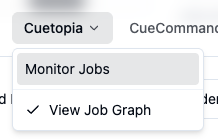
Toggle. The checkable Cuetopia → View Job Graph entry (header dropdown in app-header.tsx, sidebar in app-sidebar.tsx, both expanded and collapsed) drives a shared useShowDependencyGraph() hook. The hook persists to localStorage["cueweb.jobs.showDependencyGraph"] and syncs in-tab via the cueweb:show-dependency-graph-changed CustomEvent and cross-tab via the storage event, so the menu items, the panel header toggle, and the panel itself stay in lockstep without prop drilling.
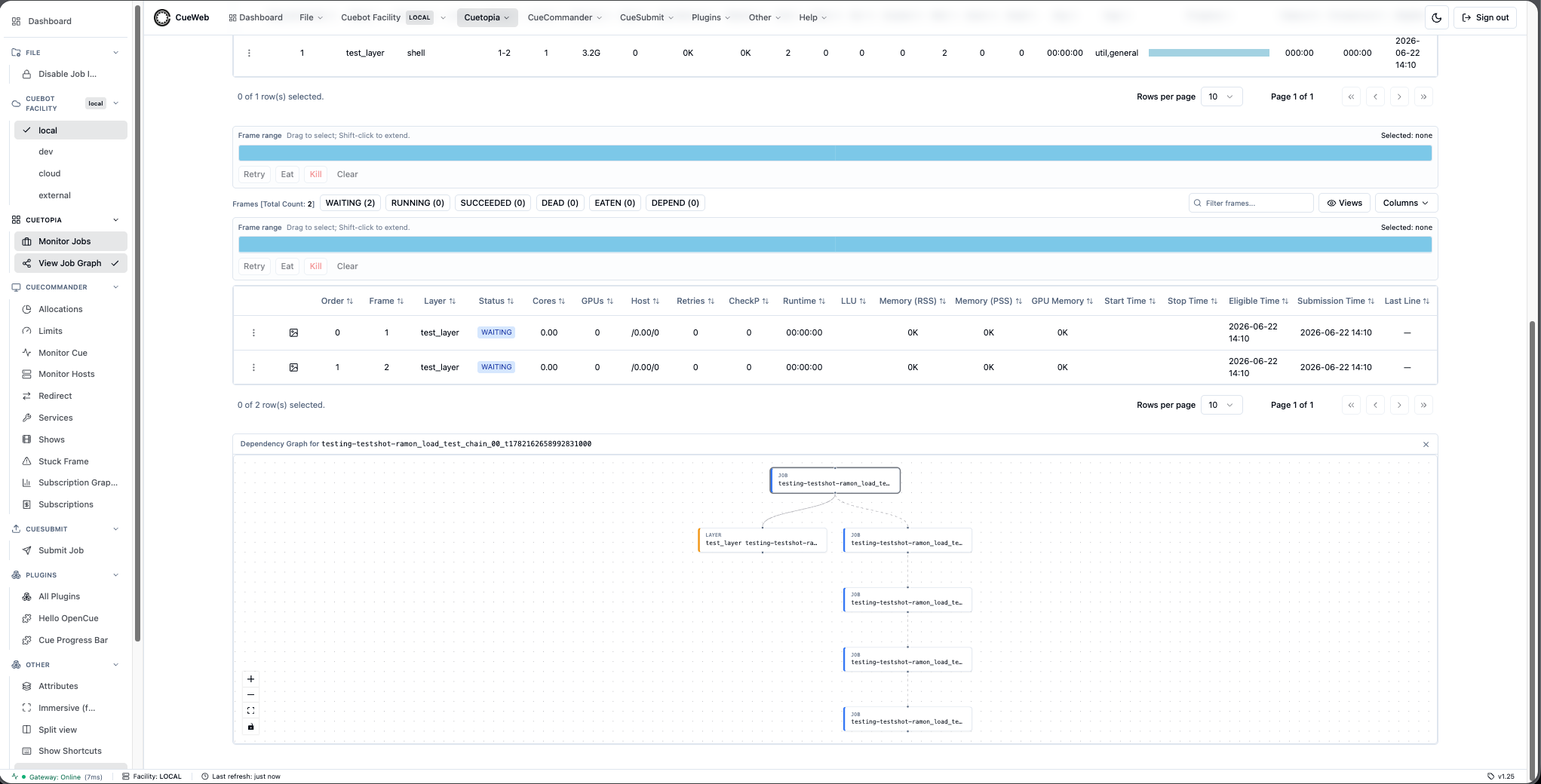
Mounting. When the toggle is on, JobDetailsInline (cueweb/components/ui/job-details-inline.tsx) renders the graph as a third stacked panel (id="job-dependency-graph-panel") under Layers and Frames, with a header naming the focus job and a close button.
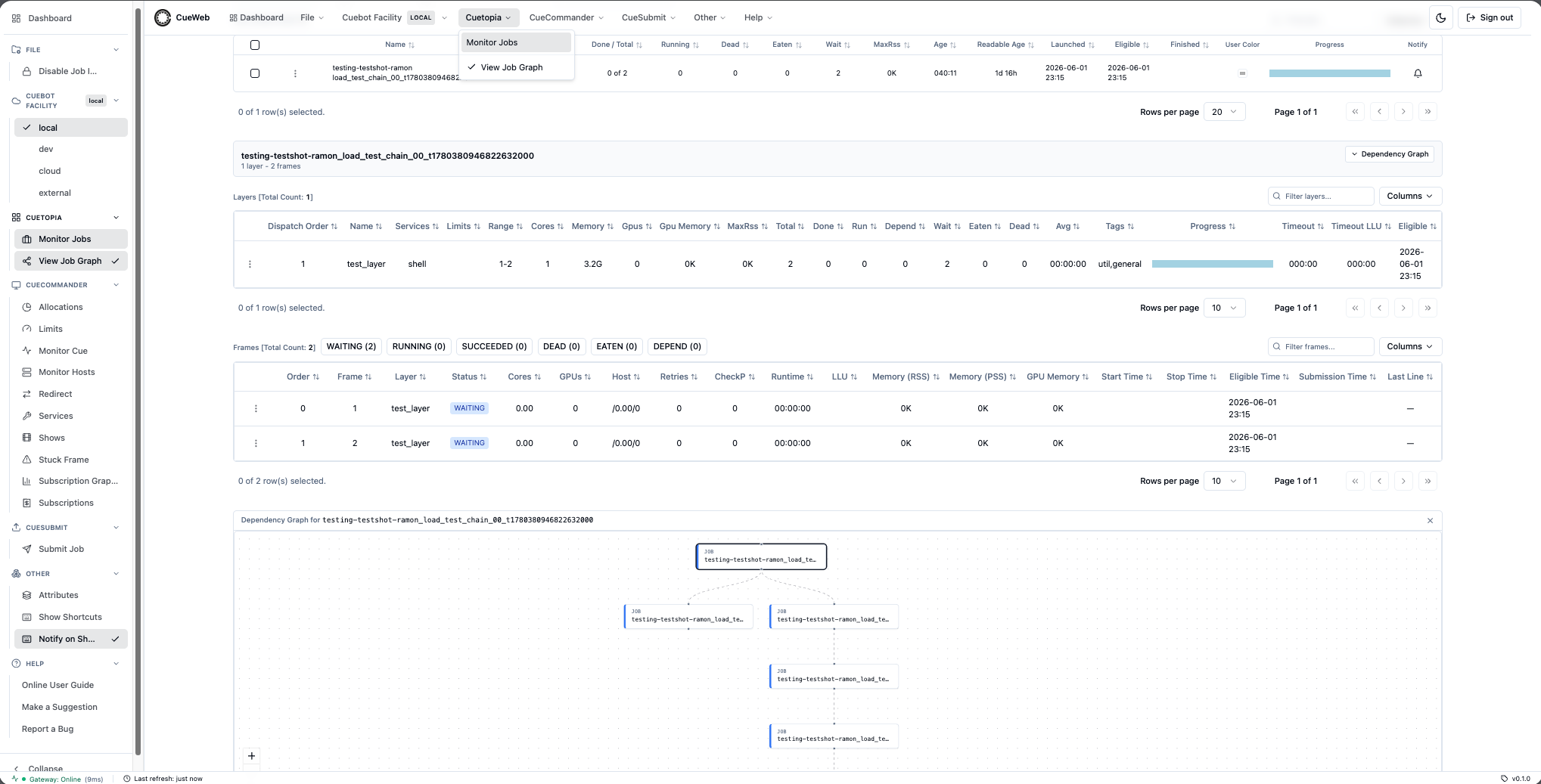
| Behavior | Description |
|---|---|
| Tree walk | Breadth-first search from the focus job over both directions - GetDepends (downstream) and GetWhatDependsOnThis (upstream, active depends only) - bounded by maxDepth (default 4) and a visited-job set to break cycles. Mirrors CueGUI’s JobMonitorGraph.getRecursiveDependentJobs. |
| Name resolution | Each BFS hop first resolves a job name to its UUID via /api/job/getjobs with an anchored ^name$ regex (Cuebot rejects name-only depend lookups). Resolved IDs are memoized in a Map, so a 12-job chain costs ~12 lookups across the whole walk, not 12 per hop. |
| Silent fetches | All BFS requests go through a silentPost helper that bypasses accessGetApi. Partial failures (jobs in other shows, unmonitored/finished + pruned) return null instead of cascading red “Resource not found” toasts. |
| Focus-job layers | ingestFocusLayers() fetches the focus job’s layers (/api/job/getlayers) and adds a LAYER node per layer wired to the job node, so a job with no cross-job dependencies still renders its layers (CueGUI JobMonitorGraph is a layer graph). Layers that also appear via a depend reuse the same node id, so nothing is duplicated. |
| Nodes | Custom DependencyNode renderer: monospace, truncated label with the full name in a title tooltip, a kind label and color-coded left border (JOB = blue, LAYER = amber, FRAME = emerald), and a stronger ring on the focus job. Layer / frame nodes carry a hierarchical label so their parent job/layer is visible. |
| Edges | Directed upstream → downstream (top-to-bottom); animated when the depend is active. Layer nodes also get a structural “contains” edge from the job node. |
| Navigation | Double-clicking a node (onNodeDoubleClick) calls onNodeNavigate(jobName) if supplied, else router.push("/jobs/<jobName>?tab=overview"). A single click only selects the node. |
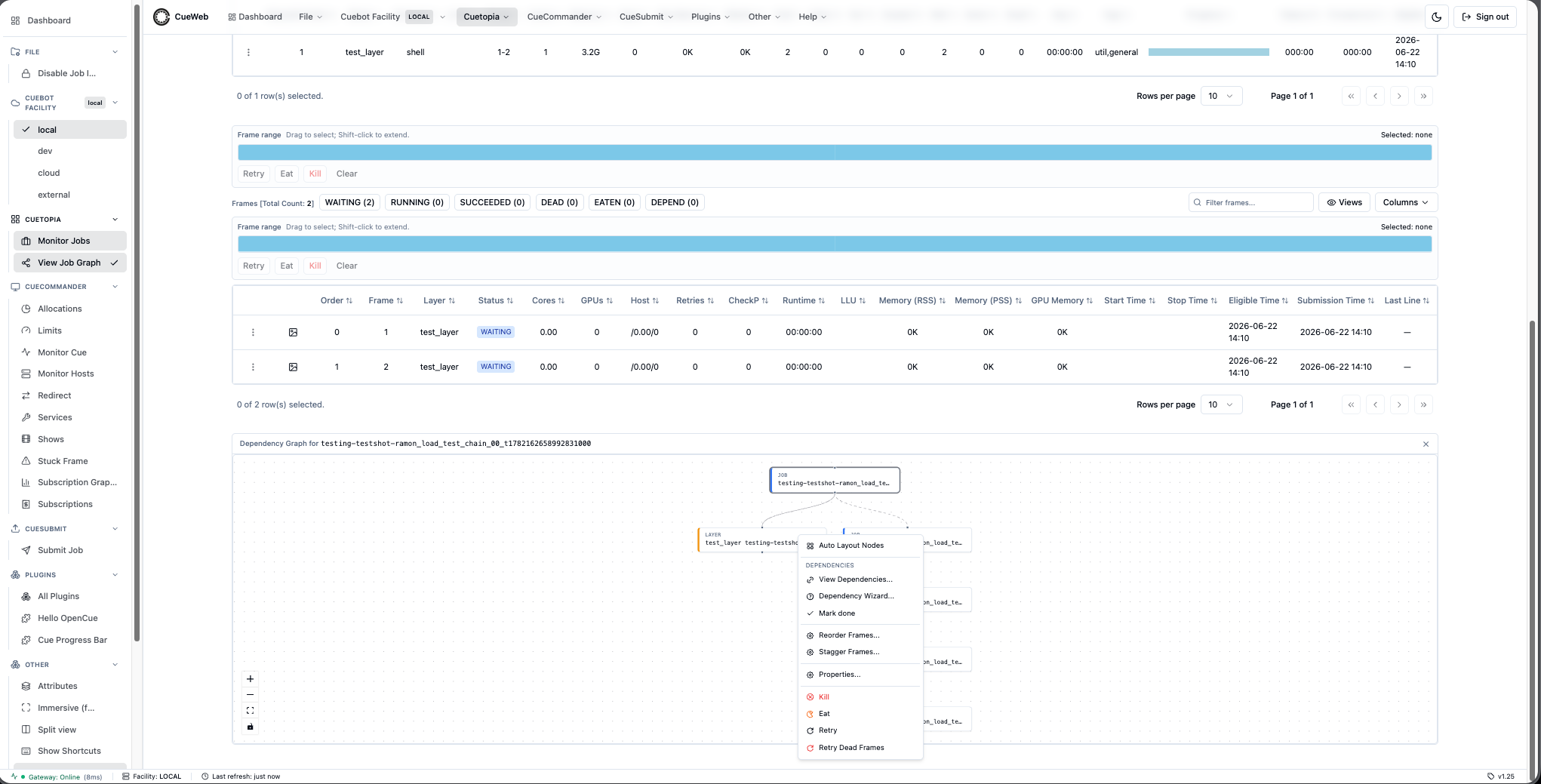
| Node menu | Right-clicking a layer node (onNodeContextMenu) opens a cursor-positioned menu reusing the Layers-table actions via a { original: layer } shim: Auto Layout Nodes (re-layout + fitView), Dependencies (View Dependencies… / Dependency Wizard… / Mark done), Reorder Frames…, Stagger Frames…, Properties…, Set Start After…, Kill, Eat, Retry, Retry Dead Frames. The mutating entries honour the Disable Job Interaction safety flag, gated exactly as their Layers-table counterparts are (useDisableJobInteraction), so the flag does not stop applying when an operator right-clicks a node instead of a row. The same layer dialogs + Dependency Wizard are already mounted by the host page (data-table.tsx / the job page), so the events resolve in both contexts. |
| Theme-aware | dagre lays out fresh per call (no module-level singleton); the data fetch is keyed on job.id so toggling dark/light does not re-walk the tree. The crosshair-cursor SVG is scoped per instance via a data-graph-id attribute so two graphs on a page do not collide. |
| Empty / loading states | Loading dependency graph... while walking; No layers or dependencies found for this job. only when there are zero nodes. |
Monitor Cue
A show-grouped job tree at /monitor-cue (cueweb/app/monitor-cue/page.tsx), the OpenCueWeb equivalent of CueGUI’s CueCommander Monitor Cue window. Reached from CueCommander → Monitor Cue (header dropdown and sidebar) - previously a dead sidebar link.
| Behavior | Description |
|---|---|
| Shows multi-select | A Shows dropdown (monitor-cue-show-menu.tsx): All Shows / Clear / per-show checkboxes. The selection persists to localStorage["cueweb.monitor-cue.shows"]; the table is empty until at least one show is chosen. |
| Data source | getActiveShows() on mount, then per selected show getShowGroups() (/api/show/getgroups) and per group getGroupJobs() (/api/group/getjobs), assembled into a group tree (buildTreeFromGroups). Auto-refreshes every 5s (a monotonic load token discards stale responses) and reloads on cueweb:groups-changed. |
| Columns | Comment icon, Auto-eat icon, Job, Run, Cores, Gpus, Wait, Depend, Total, Booking (job-booking-bar.tsx), Min, Max, Min G, Max G, Pri, ETA (disabled, CueGUI parity), MaxRss, MaxGpuMem, Age, Readable Age, Progress (JobProgressBar). All but Booking / ETA / Progress are sortable (asc/desc with header arrows). |
| Columns dropdown + filter | Top-right Columns dropdown (show/hide + ←/→ reorder + Reset to Default) persists to localStorage["cueweb.monitor-cue.columnOrder"] / ["cueweb.monitor-cue.columnHidden"]; a Filter jobs… box does a client-side substring filter. |
| Booking bar | JobBookingBar mirrors CueGUI’s JobBookingBarDelegate: a yellow (running) / sky-blue (waiting) bar scaled to running+waiting, with a cyan marker at minCores/coresPerFrame and a red marker at maxCores/coresPerFrame. |
| Row coloring | jobRowClass(): paused → blue (bg-blue-950/50); dead frames → red (bg-red-950/50); maxRss over the 5 GB warning level → yellow (bg-yellow-900/40); no running frames with only depends → purple (bg-purple-950/50); no running but waiting frames → green (bg-green-950/40). |
| Toolbar | Eat / Retry (dead frames), Pause / Unpause, Kill (icons; Kill confirms via ConfirmDialog, reason Killed from CueWeb Monitor Cue by <user>), Refresh + Auto-refresh (5s), Expand All / Collapse All, and a Select: name/regex box (live selection) + Clr + select-mine. Select-all header checkbox (with indeterminate state) and Shift+click range selection. |
| Row menu | Reuses JobContextMenu with Monitor-Cue-only entries gated by pathname === "/monitor-cue": View Job, Send To Group…, Use Local Cores, Set Min/Max Cores, Set Minimum/Maximum Cores, Set Minimum/Maximum Gpus, Set Priority (after the cores/gpus setters), Unbook Frames…, and Set User Color / Clear User Color. Auto-eat is a single toggle (Enable/Disable auto eating). Dialogs JobExtraDialogs / JobCommentsDialog / SendToGroupDialog are mounted on the page so every action works. |
| Send To Group | send-to-group-dialog.tsx reparents the job into another group of its show via reparentJobs() → /api/group/reparentjobs → group.GroupInterface/ReparentJobs; on success fires cueweb:refresh-now. |
| No-auth kill fix | The username falls back to UNKNOWN_USER ("unknown") when no session is present, so the username-required kill request validates in no-auth mode. |
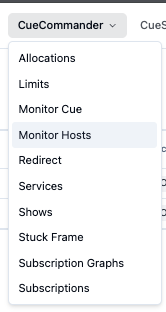
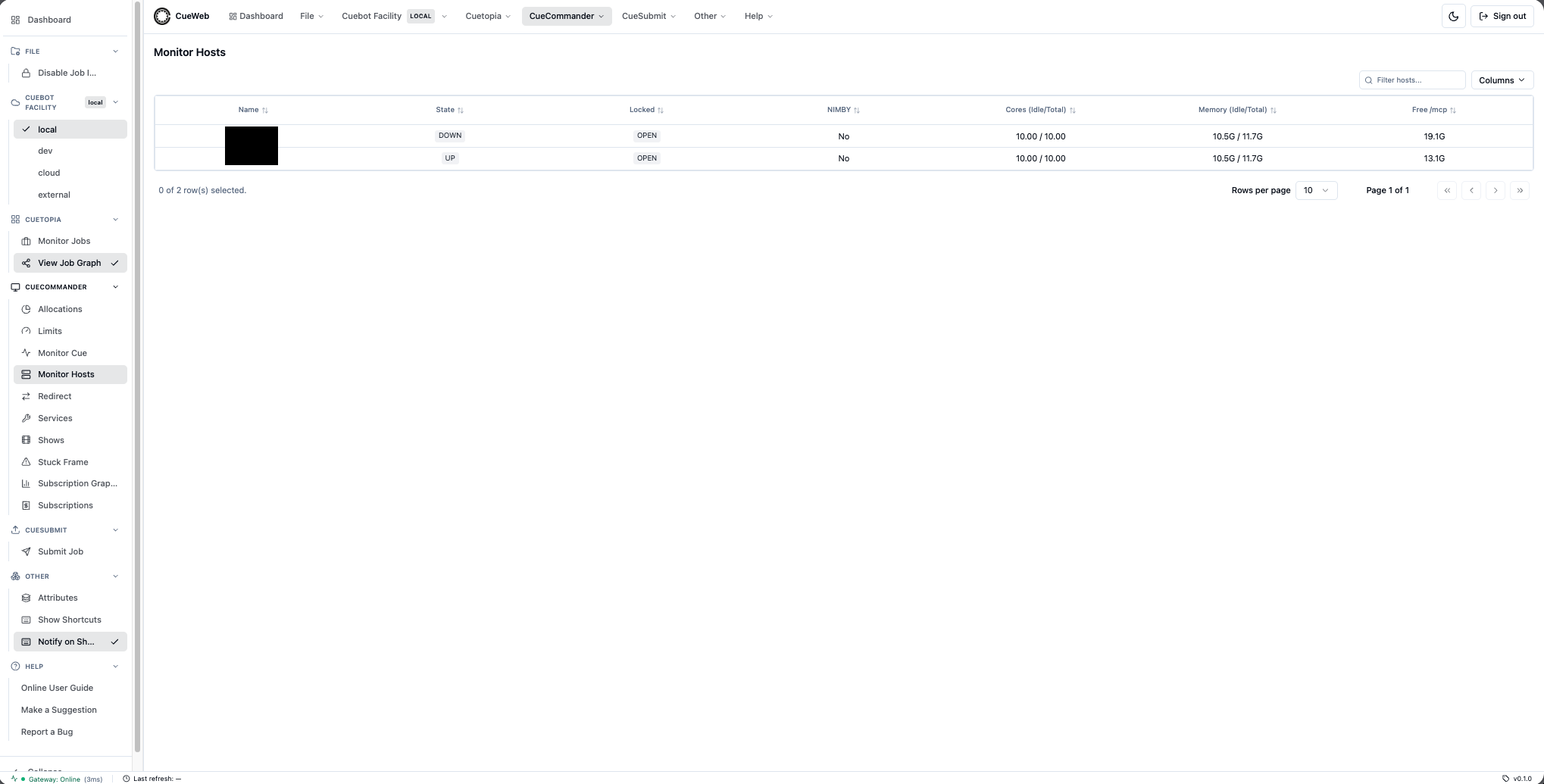
Monitor Hosts
A host registry at /hosts (cueweb/app/hosts/page.tsx), the OpenCueWeb equivalent of CueGUI’s MonitorHostsPlugin / HostMonitorTree. Reached from CueCommander → Monitor Hosts (header dropdown and sidebar) or the dashboard hosts widget’s View hosts link.
| Behavior | Description |
|---|---|
| Data source | Loads via getHosts() (app/utils/get_utils.ts), which posts to the /api/host/gethosts proxy → host.HostInterface/GetHosts. getHosts() returns an array on success and throws on a failed request so the page can tell a real failure from an empty registry. |
| Columns | Full CueGUI parity set (app/hosts/columns.tsx): Name, a Comments icon column, Load %, Swap, Physical, GPU Memory, Total Memory, Idle Memory, Temp, Temp Free, Temp Free %, Cores, Idle Cores, GPUs, Idle GPUs, GPU Mem, GPU Mem Idle, Ping, Boot Time, Hardware, Locked, ThreadMode, OS, Tags. Swap / Physical / GPU Memory / Temp render as red/green used-vs-free bars. |
| Row coloring | hostRowClassName() (app/hosts/host_format_utils.ts), passed through SimpleDataTable’s getRowClassName hook: hardware state REBOOT_WHEN_IDLE → amber (bg-amber-950/40), any other non-UP state → red (bg-red-950/40), UP but LOCKED → yellow (bg-yellow-950/40). |
| Sorting | Resource columns sort by their underlying numeric value, not the formatted string. Memory / mcp arrive from the gateway as KB-in-string and are parsed/formatted by host_format_utils.ts (kbStringToNumber, kbStringToHuman). |
| Table | Rendered by the shared SimpleDataTable with the isHostsTable flag and viewsPageKey="hosts" (saveable Views presets). Column show/hide persists to localStorage["cueweb.hosts.columnVisibility"]. |
| Filter bar | Name/regex box plus four multi-select dropdowns - Allocation and OS (built from the loaded rows) and HardwareState (UP/DOWN/REBOOTING/REBOOT_WHEN_IDLE/REPAIR) and LockState (OPEN/LOCKED/NIMBY_LOCKED), plus Auto-refresh / Refresh / Clear. Filtering is client-side over the loaded rows; the active filters are mirrored in the URL query (?q=&alloc=&hw=&lock=&os=) so a filtered view is shareable. |
| Refresh | Auto-refreshes every 30s. A failed poll keeps previously loaded rows; a failed first load renders an inline error with a Retry button. |
| Row actions | A right-click HostContextMenu (components/ui/context_menus/action-context-menu.tsx): Comments…, View Procs, Lock / Unlock / Take Ownership, Edit Tags… / Rename Tag… / Change Allocation…, Reboot / Reboot when idle / Restart service now / Restart service when idle / Delete Host, Set Repair State / Clear Repair State. Action helpers in app/utils/action_utils.ts post to the /api/host/action/* proxies and return a success boolean from performAction; on success they fire a cueweb:hosts-changed event (host-action-events.ts) so the page optimistically patches the affected row and reconciles on the next fetch. Dialogs live in host-monitor-dialogs.tsx (Comments, Rename Tag, Change Allocation, Delete, Take Ownership), host-lock-dialog.tsx, host-reboot-dialog.tsx, and edit-host-tags-dialog.tsx. Take Ownership posts to /api/host/action/takeownership → host.OwnerInterface/TakeOwnership (owner = the signed-in user). |
| Comment macros | The host Comments dialog supports reusable predefined comments (CueGUI Comments parity), stored per browser in localStorage["cueweb-comment-macros"] via app/utils/comment_macros.ts (load/save/upsert/delete). |
| Gating | Lock enabled when OPEN; Unlock when LOCKED (NIMBY_LOCKED can’t be unlocked); Take Ownership enabled only when NIMBY_LOCKED (CueGUI canTakeOwnership parity); Reboot disabled while REBOOTING; Reboot when idle disabled while REBOOTING/REBOOT_WHEN_IDLE; Set Repair State disabled while already REPAIR; Clear Repair State enabled only while REPAIR. |
| Proc panel | ProcMonitorPanel (components/ui/proc-monitor-panel.tsx) below the table lists procs for hosts entered in its box or sent via VIEW_HOST_PROCS_EVENT. The event is dispatched both by the menu’s View Procs and by a left-click on a host row (the page’s onRowClick fires it alongside the Attributes-panel selection). Loads via /api/proc/getprocs → host.ProcInterface/GetProcs; columns Name, Cores, Mem Reserved, Mem Used, GPU Used, Age, Unbooked, Frame, Job; per-proc right-click View Job / Unbook (/api/proc/action/unbookone) / Kill (/api/proc/action/kill) / Unbook and Kill. Auto-refreshes every 30s. |
Host detail page
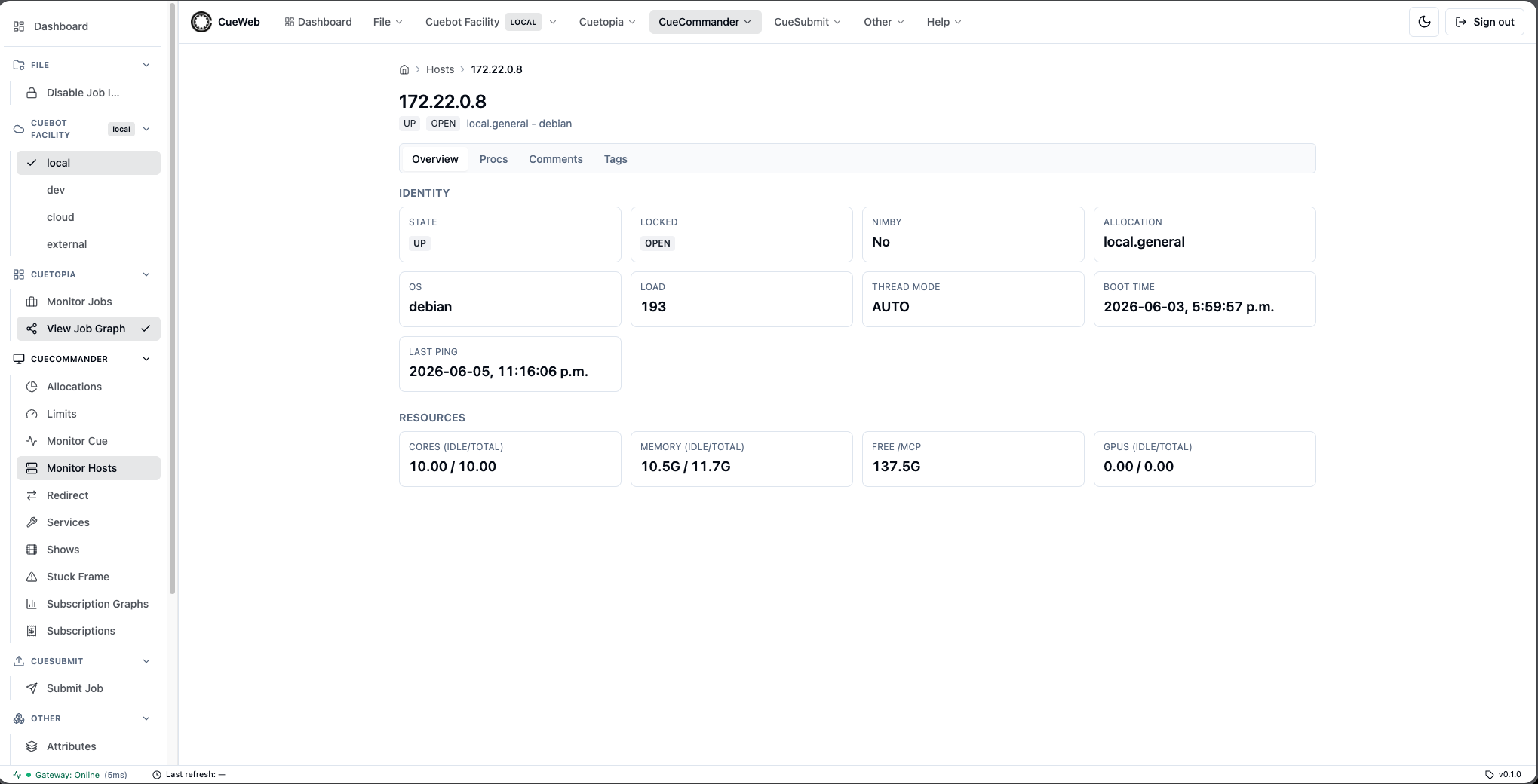
A per-host page at /hosts/[host-name] (cueweb/app/hosts/[host-name]/page.tsx) reached by clicking a host’s Name in the Monitor Hosts table.
| Behavior | Description |
|---|---|
| Resolution | Resolves the host by name via findHostByName() (app/utils/get_utils.ts) → /api/host/findhost → host.HostInterface/FindHost. |
| Tabs | Overview / Procs / Comments / Tags, with the active tab synced to the ?tab= query (same pattern as the job detail page). |
| Procs | Loads via getHostProcs() → /api/host/getprocs → host.HostInterface/GetProcs, rendered by SimpleDataTable with the read-only isProcsTable flag (no row context menu) and proc-columns.tsx. Auto-refreshes every 15s; an onRowClick opens the proc’s frame log using the proc’s logPath as the frameLogDir. |
| Comments | Loads via getHostComments() → /api/host/getcomments → host.HostInterface/GetComments (read-only list). |
| Tags | Renders host.tags; an Edit tags button dispatches the same cueweb:open-host-tags event as the table menu. The page listens for cueweb:hosts-changed to patch and silently reconcile its host. |
Allocations
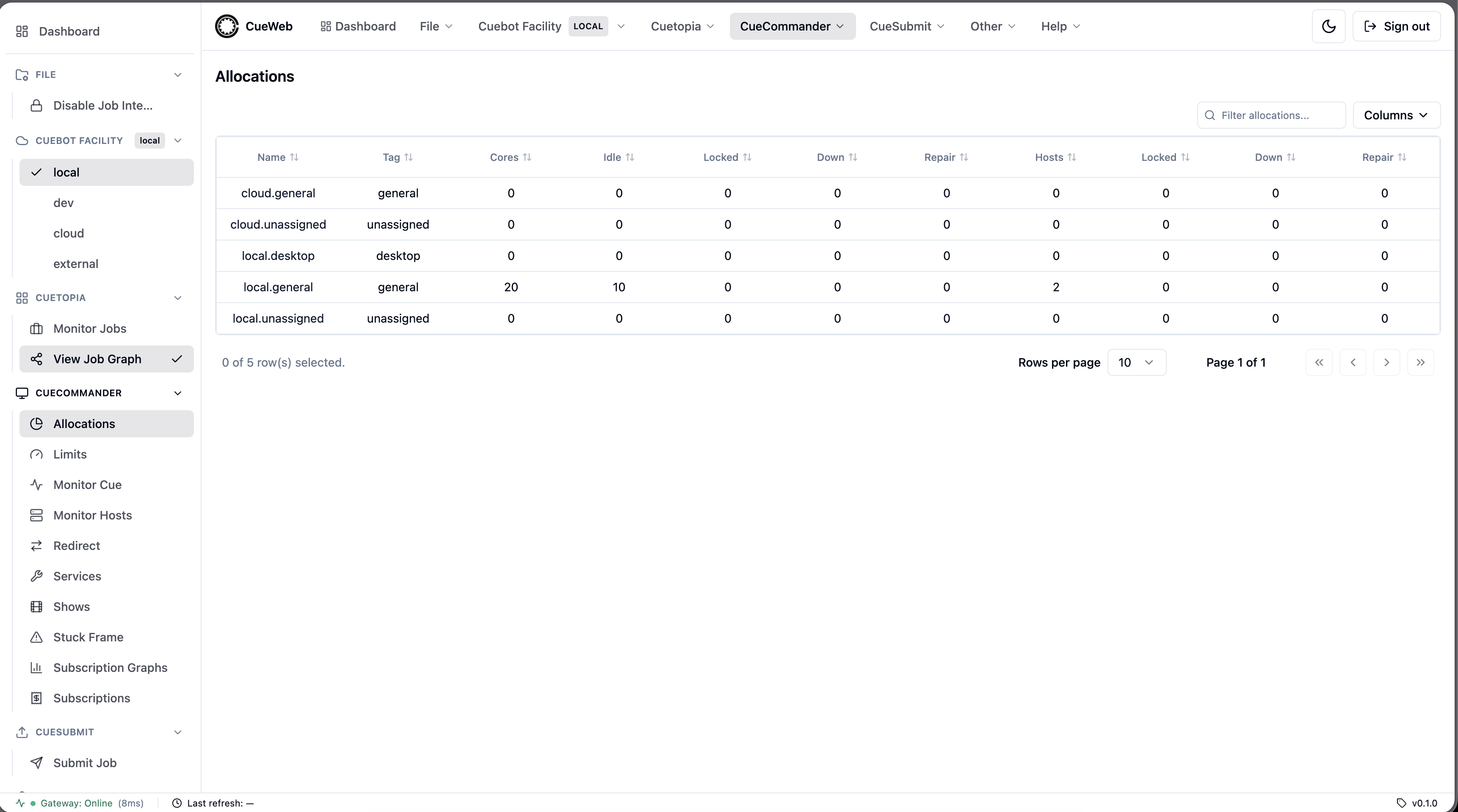
An allocations table at /allocations (cueweb/app/allocations/page.tsx), the OpenCueWeb equivalent of CueGUI’s CueCommander Allocations window. Reached from CueCommander → Allocations (header dropdown and sidebar).
| Behavior | Description |
|---|---|
| Data source | Loads via getAllocations() (app/utils/get_utils.ts) → /api/allocation/getall → facility.AllocationInterface/GetAll. Auto-refreshes every 30s. |
| Columns | Name (links to /hosts?allocation=<name>), Tag, then a cores group (Cores, Idle, Locked, Down, Repair) and a hosts group (Hosts, Locked, Down, Repair) - app/allocations/allocation-columns.tsx. Numeric columns sort by their underlying value; cores render as integers. |
| Derived columns | AllocationStats does not expose Down cores, Repair cores, or Repair hosts, so the page fetches the host list once (getHosts()) and aggregates it on allocName via computeAllocationHostStats / buildAllocationRows (app/allocations/allocation-utils.ts). The host fetch is best-effort - those columns fall back to 0 if it fails. |
| Table | Rendered by the shared SimpleDataTable with the read-only isAllocationsTable flag - allocation-specific filter/empty-state copy and no row context menu. Column show/hide persists to localStorage["cueweb.allocations.columnVisibility"]. |
Shows
A shows registry at /shows (cueweb/app/shows/page.tsx + shows-client.tsx), the OpenCueWeb equivalent of CueGUI’s CueCommander Shows window. Reached from CueCommander → Shows (header dropdown and sidebar).
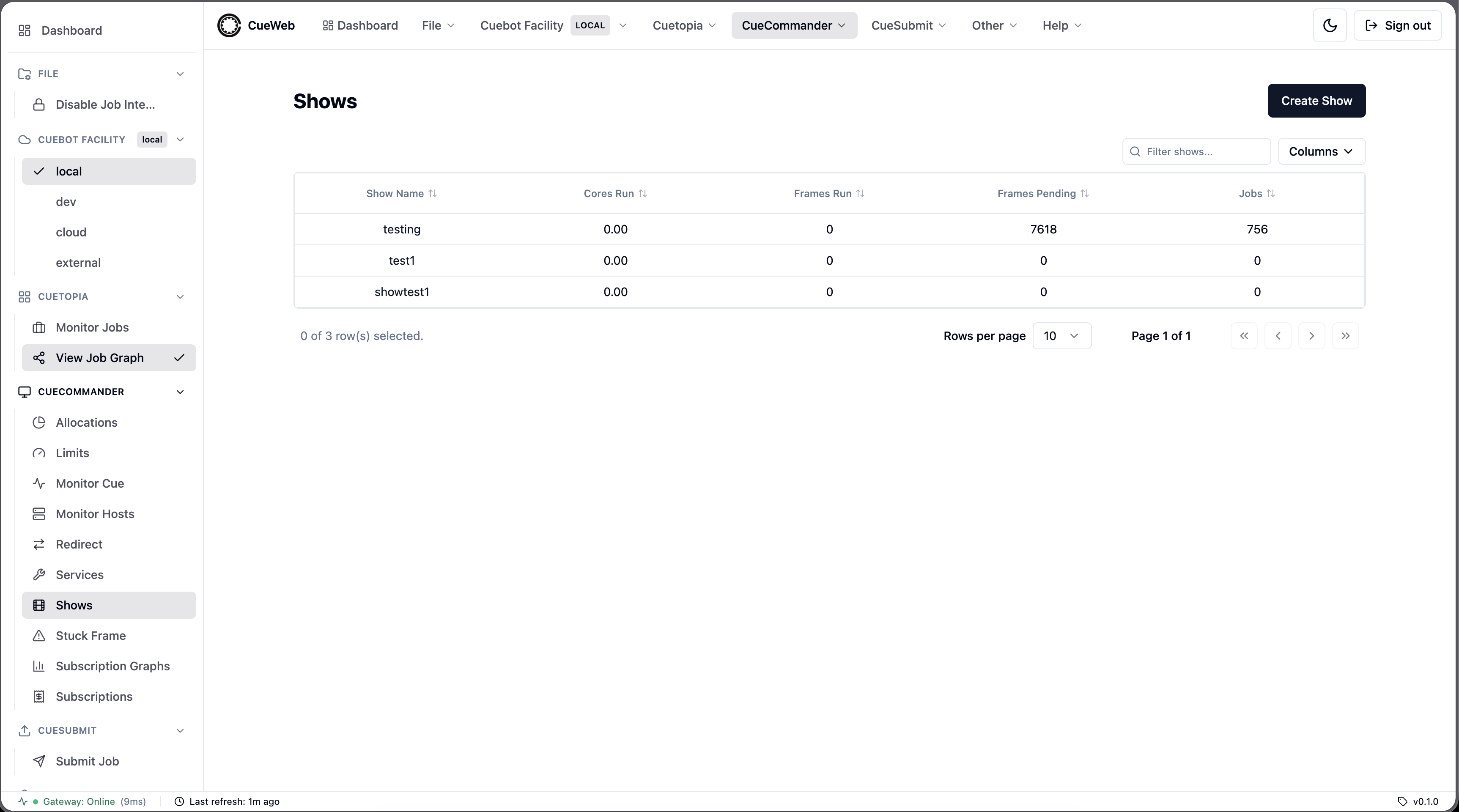
| Behavior | Description |
|---|---|
| Data source | Loads via getActiveShows() (app/utils/get_utils.ts) → /api/show/getactiveshows → show.ShowInterface/GetActiveShows. Auto-refreshes every 30s and re-fetches on the cueweb:shows-changed event. |
| Columns | Show Name (links to the show detail page), Cores Run (reserved_cores), Frames Run (running_frames), Frames Pending (pending_frames), Jobs (pending_jobs) - app/shows/show-columns.tsx. Numeric columns sort by their underlying value. |
| Table | Rendered by the shared SimpleDataTable with the isShowsTable flag - show-specific filter placeholder and empty-state copy, and the ShowContextMenu. Column show/hide persists to localStorage["cueweb.shows.columnVisibility"]. |
| Create Show | The Create Show button opens create-show-dialog.tsx: a unique alphanumeric name (duplicate-checked via FindShow) plus an optional per-allocation Subscriptions section (checkbox + Size + Burst, allocations from getAllocations()). Creates the show then a subscription on each checked allocation. |
| Row actions | A right-click ShowContextMenu (components/ui/context_menus/action-context-menu.tsx) exposes Show Properties and Create Subscription…, opened via the cueweb:open-show-properties / cueweb:open-create-subscription events (components/ui/show-action-events.ts). |
Show Properties dialog
show-properties-dialog.tsx (CueGUI ShowDialog parity), four tabs:
| Tab | Contents / RPCs |
|---|---|
| Settings | Default max cores (SetDefaultMaxCores), default min cores (SetDefaultMinCores), comment notification email (SetCommentEmail). Inputs are validated (non-negative, min ≤ max) before save. |
| Booking | Enable booking (EnableBooking), enable dispatch (EnableDispatching). |
| Statistics | Read-only show_stats counts. |
| Raw Show Data | Read-only JSON dump of the show. |
Save calls only the setters whose value changed (via the action_utils helpers setShowDefaultMaxCores / setShowDefaultMinCores / setShowCommentEmail / enableShowBooking / enableShowDispatching), then fires cueweb:shows-changed.
Create Subscription dialog
create-subscription-dialog.tsx (CueGUI SubscriptionCreator parity): Show + Alloc dropdowns (getShows() / getAllocations()), Size (default 100), Burst (default 110). On OK it calls createShowSubscription() → /api/show/action/createsubscription → show.ShowInterface/CreateSubscription. A show has at most one subscription per allocation; the route maps Cuebot’s duplicate-key error to a short, user-facing message.
Show detail page (group tree)
Clicking a show name opens /shows/[showName] (cueweb/app/shows/[showName]/page.tsx), a client page that resolves the show via findShow() (app/utils/show_utils.ts → /api/show/findshow → show.ShowInterface/FindShow) and renders its group tree (components/group-tree/).
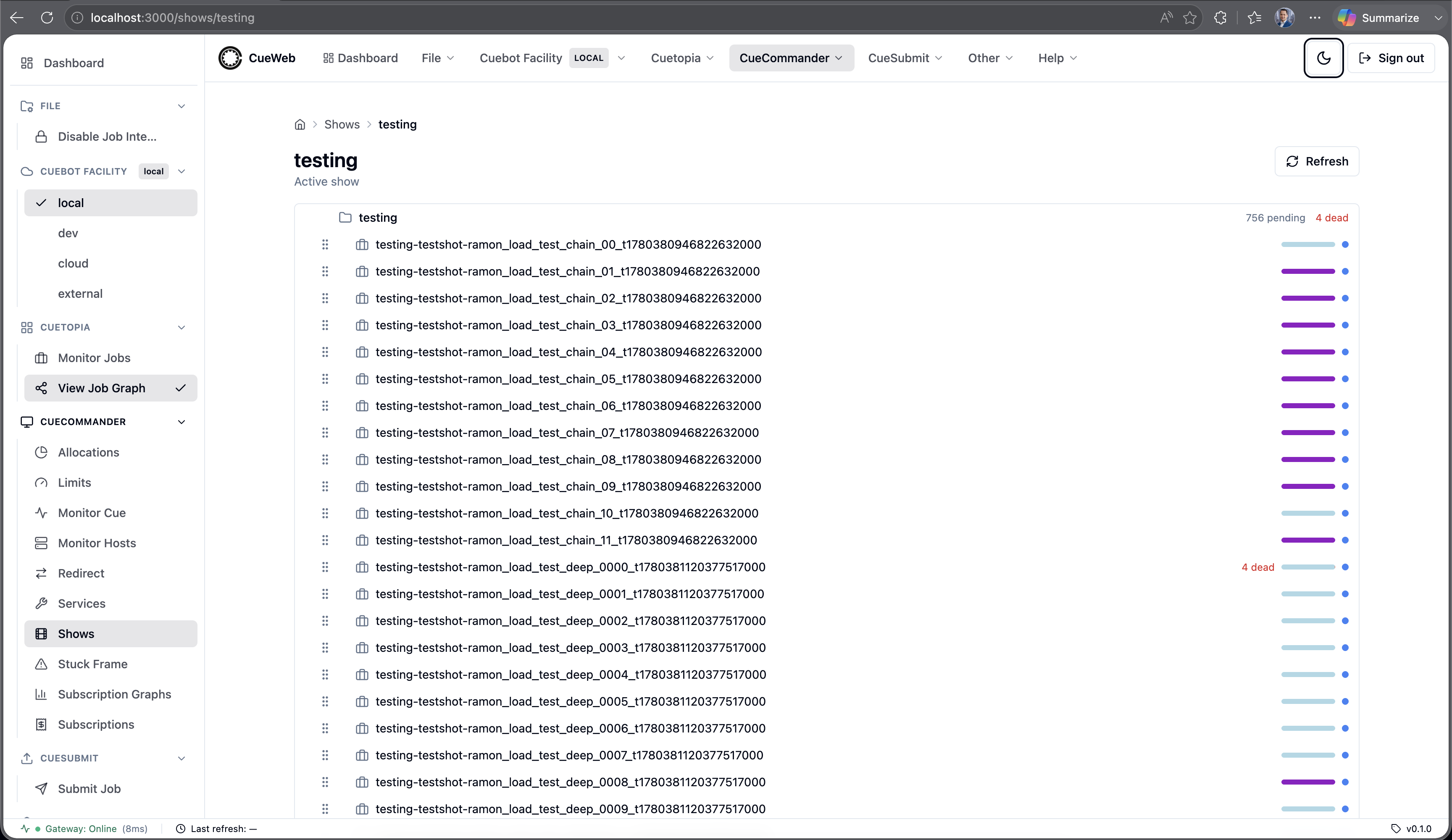
| Behavior | Description |
|---|---|
| Data source | Groups load via getShowGroups() → /api/show/getgroups → show.ShowInterface/GetGroups; a group’s jobs load lazily on first expand via getGroupJobs() → /api/group/getjobs → job.GroupInterface/GetJobs (each group fetched at most once). |
| Expand state | The set of expanded group ids is mirrored to the ?expanded= query param, so a given view is deep-linkable. |
| Reparent | Dragging a group onto another calls reparentGroups() → /api/group/action/reparentgroups → job.GroupInterface/ReparentGroups; dragging a job onto a group calls reparentJobs() → /api/group/action/reparentjobs → job.GroupInterface/ReparentJobs. Drop targets are validated client-side (no self/descendant cycles, no same-parent no-ops), and reparents are serialized one at a time and rolled back on a failed RPC. |
| Refresh | The header Refresh button remounts the tree to reload groups and jobs. |
Stuck Frames
A stuck-frame finder at /stuck-frames (cueweb/app/stuck-frames/page.tsx), the OpenCueWeb equivalent of CueGUI’s CueCommander Stuck Frame window (StuckFramePlugin). Reached from CueCommander → Stuck Frame (header dropdown and sidebar).
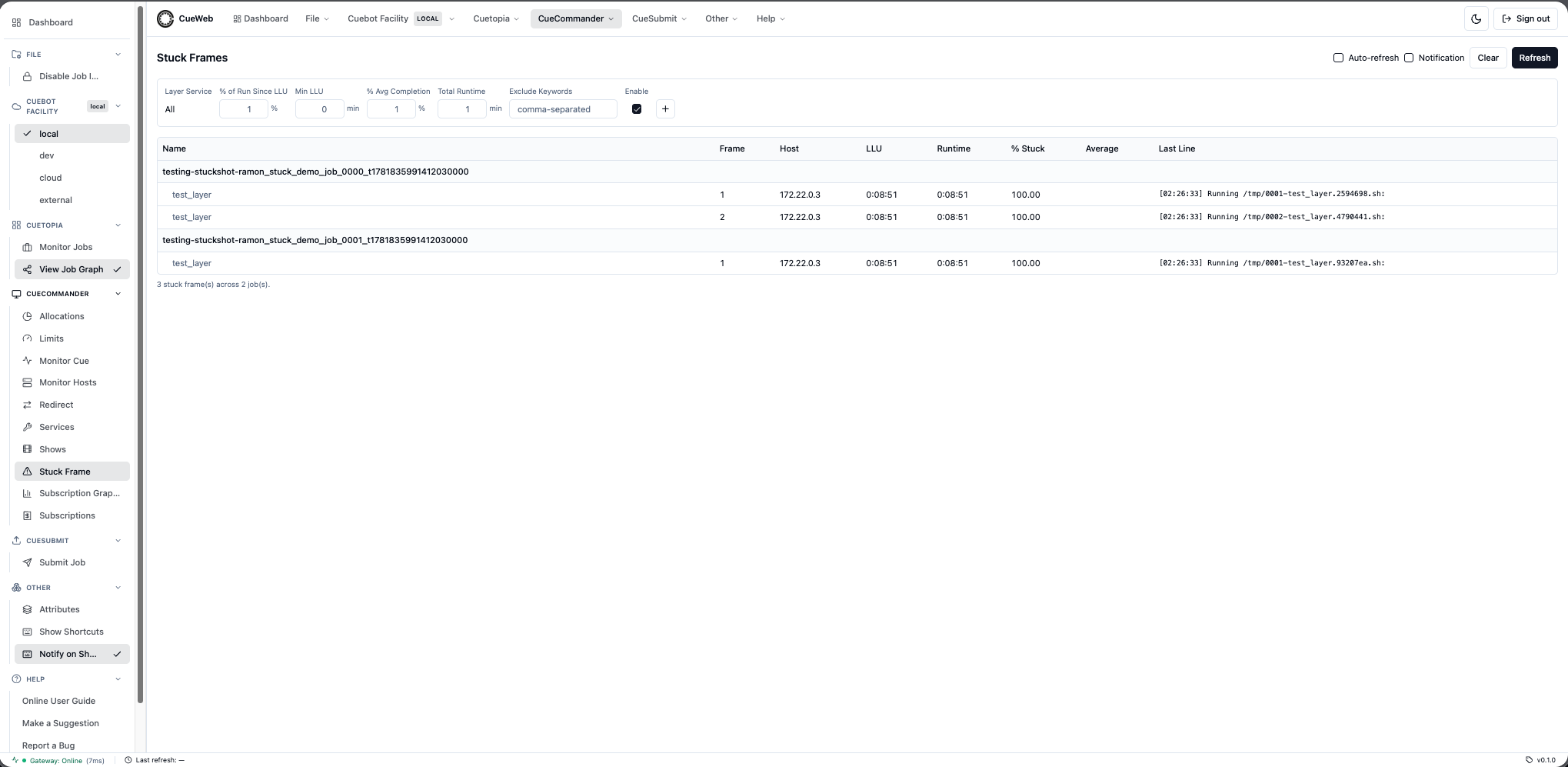
| Behavior | Description |
|---|---|
| Data source | getStuckFrames() (app/utils/get_utils.ts) → /api/stuck-frames aggregates every RUNNING frame across unfinished jobs server-side, each stamped with its service, avgFrameSec, layerId, and layerMinCores. The Last Line column is fetched per frame via getStuckFrameLastLine() → /api/stuck-frames/lastline (best-effort; empty when the log filesystem isn’t mounted). |
| Detection | Applied client-side so the filters stay instant (CueGUI parity). A frame is stuck when lluTime age > minLlu*60 and percentStuck*100 > percentStuck threshold and runtime > avg*avgComp/100 and percentStuck < 1.1 and runtime > 500, where percentStuck = lluAge / runtime. |
| Filters | Filter row 0 is the catch-all; rows added via + target one service each and override the catch-all for matching frames (pickFilter). SERVICE_DEFAULTS seeds preprocess / nuke / arnold thresholds; makeServiceFilter falls back to DEFAULT_FILTER otherwise. Filters persist to localStorage["cueweb.stuck-frames.filters"]. Exclude Keywords are a comma-separated regex list matched against job/layer name. |
| Columns | Name (grouped under a job header), comment marker, Frame, Host, LLU, Runtime, % Stuck, Average, Last Line. |
| Frame actions | Right-click menu: Tail/View/View Last Log (open the log viewer); Retry / Eat / Kill via retryFrames / eatFrames / killFrames (/api/frame/action/{retry,eat,kill}); Log Stuck Frame and Log and Retry/Eat/Kill (client-side log export then the action); Frame Not Stuck and Job/Frame exclude (client-side hide + Exclude Keywords); Core Up via setLayerMinCores() → /api/layer/action/setmincores; View Host. |
| Job actions | Right-click a job header: View Comments, Job Not Stuck, Add Job to Excludes / Exclude and Remove Job (client-side), and Core Up applied across the job’s stuck layers (one setLayerMinCores per layer). |
Facility Service Defaults
A facility-wide service-defaults editor at /services (cueweb/app/services/page.tsx + components/ui/service-defaults-form.tsx), the OpenCueWeb equivalent of CueGUI’s Facility Service Defaults tab (ServiceDialog / ServiceForm). Reached from CueCommander → Services (header dropdown and sidebar).
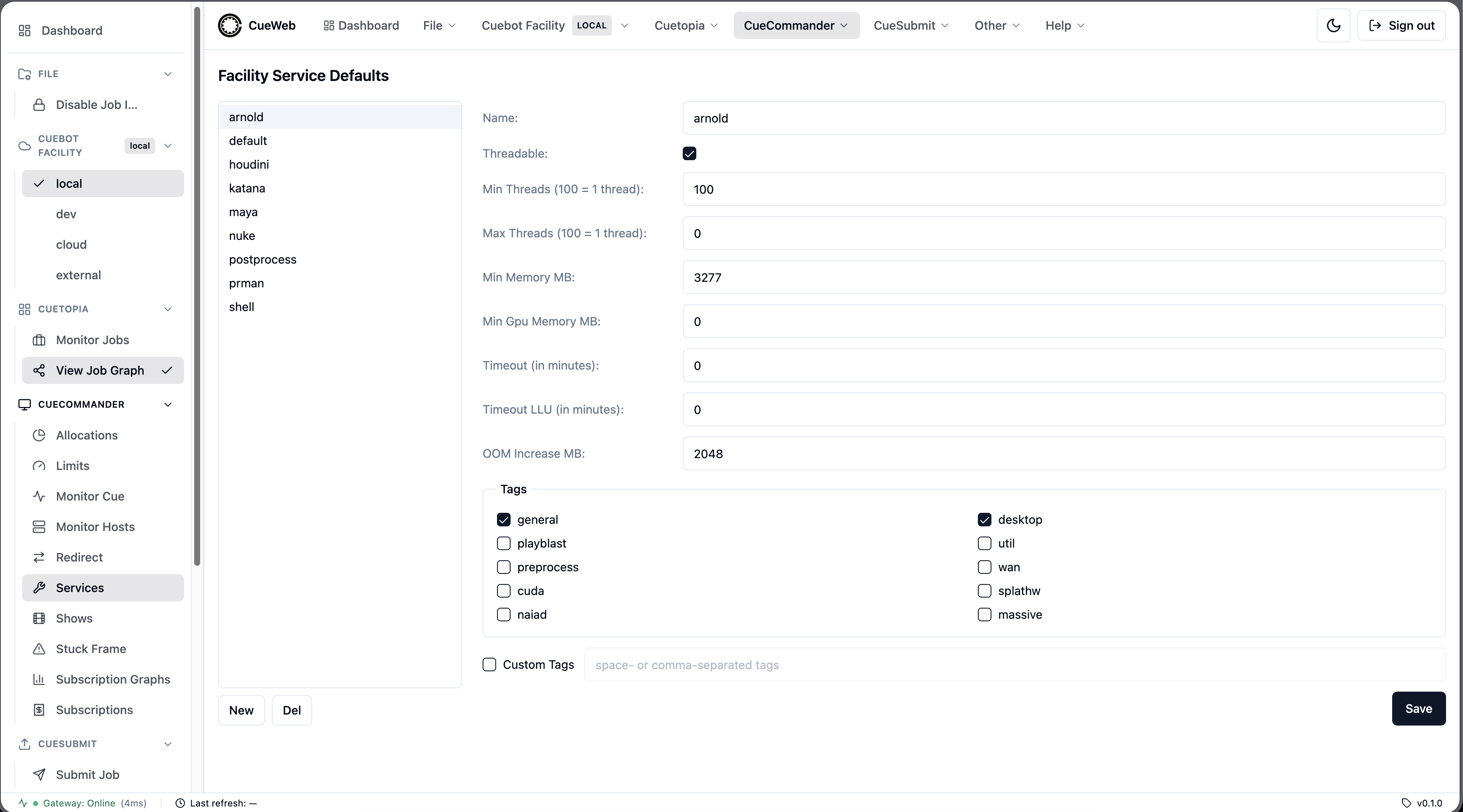
| Behavior | Description |
|---|---|
| Layout | Two panes: a left list of the facility default services (New / Del) and a right edit form for the selected service. |
| Data source | Loads via getDefaultServices() (app/utils/get_utils.ts) → /api/service/getdefaultservices → service.ServiceInterface/GetDefaultServices. getDefaultServices() returns an array on success and throws on a non-array response, so a backend outage reaches the page’s error state rather than rendering “No services defined”. |
| Form fields | Name, Threadable, Min/Max Threads (centcores; 100 = 1 thread), Min Memory MB, Min Gpu Memory MB, Timeout, Timeout LLU, OOM Increase MB, and Tags (predefined two-column checkbox matrix or a Custom Tags free-text toggle). |
| Units | Memory fields are MB in the UI but KB in the proto (×1024); threads are stored as cores × 100. |
| Validation | Name length/charset, all numeric fields non-negative integers, min ≤ max threads when max > 0, OOM increase > 0, and tag charset. Invalid input raises a warning toast and blocks save. |
| Save | Shows a facility-wide confirmation, then calls createService() (new) or updateService() (existing) → /api/service/{create,update} → service.ServiceInterface/{CreateService,Update}. |
| Delete | Del confirms first, then deleteService() → /api/service/delete → service.ServiceInterface/Delete. |
| Error handling | The Save/Delete confirm handlers throw when the helper returns false, so the ConfirmDialog stays open for retry instead of dismissing as if the action succeeded; the helper still surfaces an error toast. |
Subscriptions
A per-show subscriptions table at /subscriptions (cueweb/app/subscriptions/page.tsx), the OpenCueWeb equivalent of CueGUI’s CueCommander Subscriptions window. Reached from CueCommander → Subscriptions (header dropdown and sidebar).
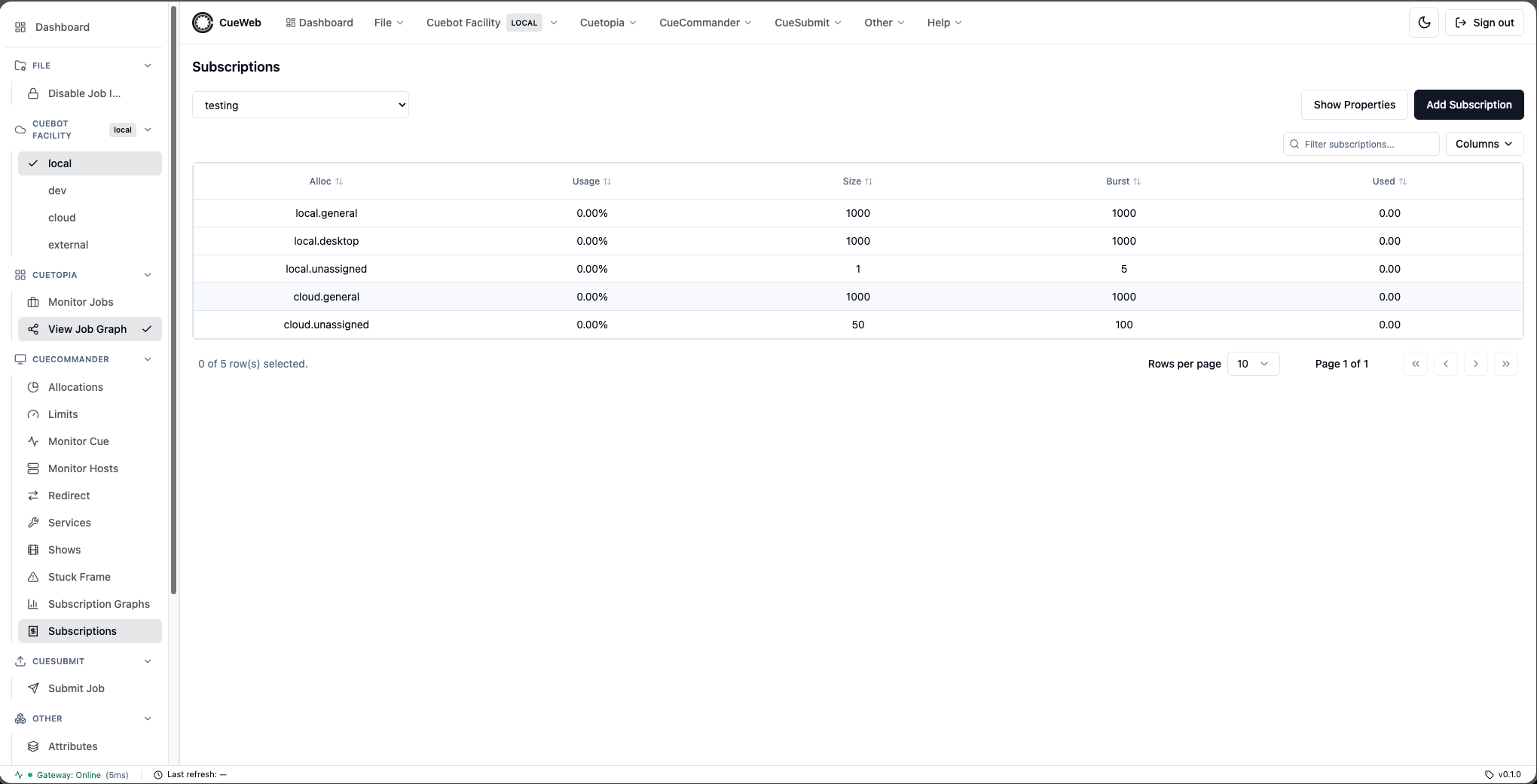
| Behavior | Description |
|---|---|
| Show selector | A dropdown of active shows (getActiveShows()); the selection persists to localStorage["cueweb.subscriptions.show"]. |
| Data source | The selected show’s subscriptions load via getShowSubscriptions() (app/utils/get_utils.ts) → /api/show/getsubscriptions → show.ShowInterface/GetSubscriptions. Auto-refreshes every 30s and re-fetches on cueweb:subscriptions-changed / cueweb:shows-changed. |
| Columns | Alloc, Usage (reservedCores / size as a percent), Size, Burst, Used (reservedCores) - app/subscriptions/subscription-columns.tsx. size/burst/reservedCores arrive as centcores (cores × 100) and are shown divided by 100. |
| Table | Rendered by the shared SimpleDataTable with the isSubscriptionsTable flag (subscription-specific filter placeholder + empty-state copy and the SubscriptionContextMenu). Column show/hide persists to localStorage["cueweb.subscriptions.columnVisibility"]. |
| Header buttons | Show Properties and Add Subscription reuse the Shows window dialogs via the cueweb:open-show-properties / cueweb:open-create-subscription events. |
| Row actions | A right-click menu exposes Edit Subscription Size…, Edit Subscription Burst…, Delete Subscription (components/ui/subscription-dialogs.tsx, opened via cueweb:open-edit-subscription-size / cueweb:open-edit-subscription-burst / cueweb:open-delete-subscription). |
Edit Size / Edit Burst / Delete dialogs
subscription-dialogs.tsx mirrors CueGUI’s prompt text. Inputs are cores, sent as cores × 100 to match Cuebot. Edit Size calls setSubscriptionSize() → /api/subscription/setsize → subscription.SubscriptionInterface/SetSize (with the billing-confirmation step); Edit Burst calls setSubscriptionBurst() → /api/subscription/setburst → .../SetBurst; Delete calls deleteSubscription() → /api/subscription/delete → .../Delete. Each success fires cueweb:subscriptions-changed.
Subscription Graphs
A multi-show graph view at /subscription-graphs (cueweb/app/subscription-graphs/page.tsx + components/ui/subscription-graph.tsx), the OpenCueWeb equivalent of CueGUI’s CueCommander Subscription Graphs window (SubscriptionGraphWidget / SubBookingBarDelegate). Reached from CueCommander → Subscription Graphs (header dropdown and sidebar).
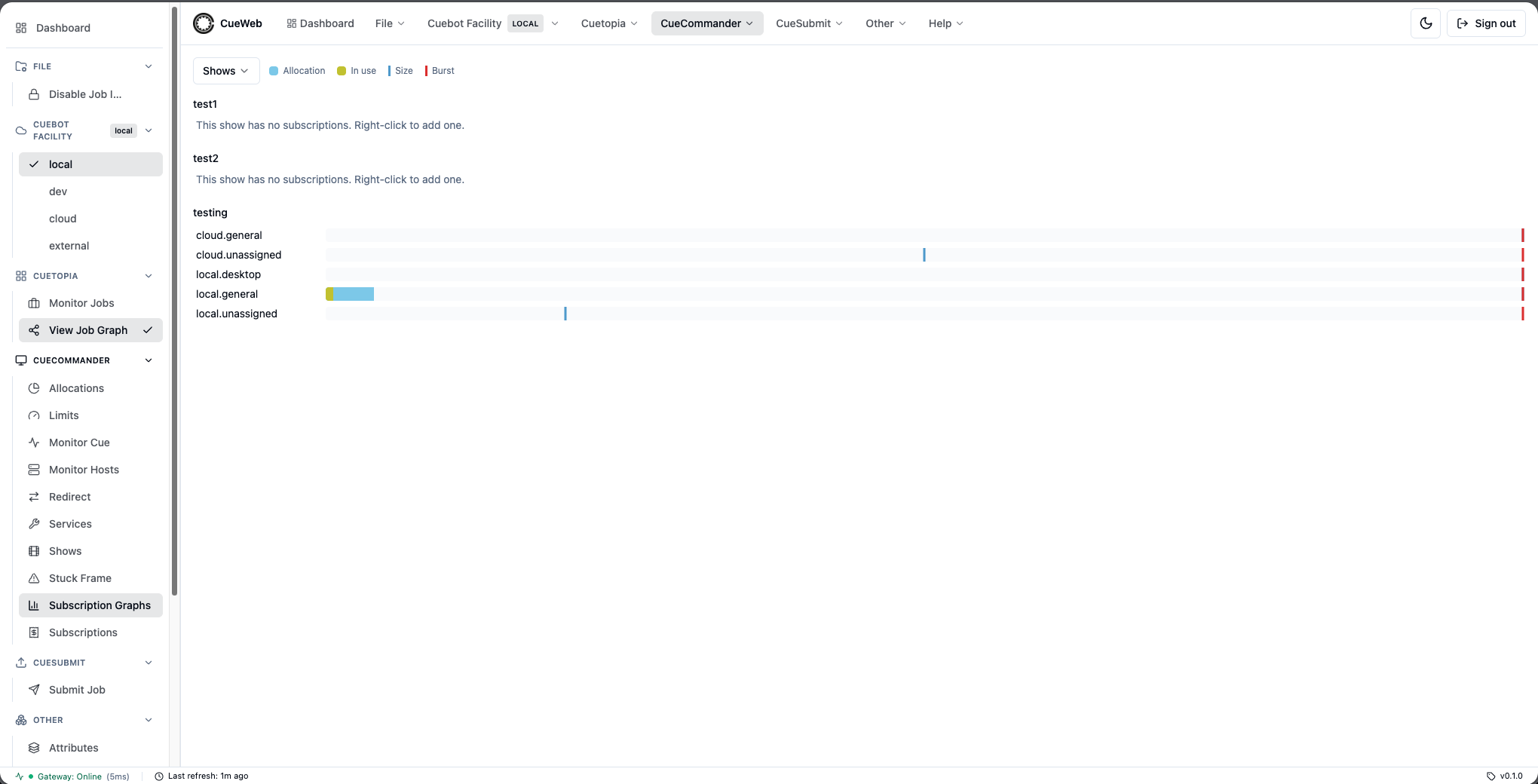
| Behavior | Description |
|---|---|
| Shows multi-select | A Shows dropdown (All Shows / Clear / per-show checkboxes); the selection persists to localStorage["cueweb.subscription-graphs.shows"]. |
| Data source | Per selected show, subscriptions load via getShowSubscriptions(); allocation core totals load via getAllocations() (allocationName → stats.cores). Polls every 15s and re-fetches on cueweb:subscriptions-changed (reload subs) / cueweb:shows-changed (re-fetch the active-show list, prune deleted shows). |
| Bar | One horizontal bar per subscription, scaled to the allocation’s total cores (CueGUI parity): a sky-blue track for the allocation capacity, a yellow-green fill for the in-use (reserved) cores, a blue marker line at the size and a red marker line at the burst. A header legend labels the four colors. |
| Tooltip | Hovering a bar shows In use / Size / Burst / Allocation / Usage; Usage renders the real percentage when size > 0, ∞ when size is 0 but usage is live, and — for an empty subscription. |
| Row actions | Right-clicking a bar opens Edit Subscription Size… / Edit Subscription Burst… / Delete Subscription / Add new subscription (reusing the subscription dialogs + Create Subscription dialog). Right-clicking a show with no subscriptions offers just Add new subscription. |
Limits
A limits table at /limits (cueweb/app/limits/page.tsx), the OpenCueWeb equivalent of CueGUI’s CueCommander Limits window. Reached from CueCommander → Limits (header dropdown and sidebar).
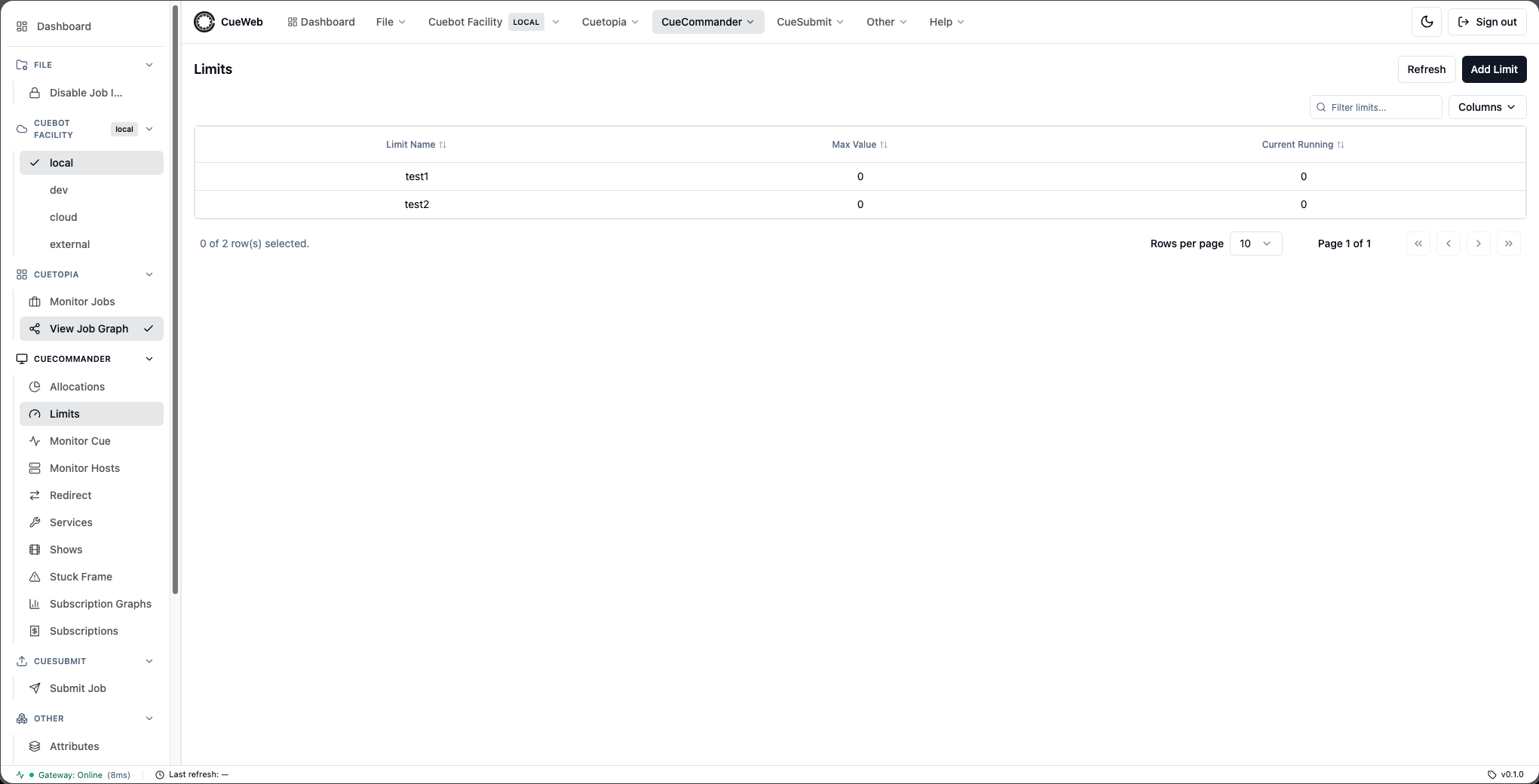
| Behavior | Description |
|---|---|
| Data source | Loads via getLimits() (app/utils/get_utils.ts) → /api/limit/getall → limit.LimitInterface/GetAll. Unlike the host/show GetAll responses (which wrap a *Seq), LimitGetAllResponse nests a single level ({ limits: [...] }), so the route unwraps one level. Auto-refreshes every 30s and re-fetches on the cueweb:limits-changed event. |
| Columns | Limit Name, Max Value, Current Running (app/limits/limit-columns.tsx). Numeric columns sort by their underlying value. |
| Table | Rendered by the shared SimpleDataTable with the isLimitsTable flag - limit-specific filter/empty-state copy and the LimitContextMenu. Column show/hide persists to localStorage["cueweb.limits.columnVisibility"]. |
| Add Limit | The header Add Limit button opens limit-add-dialog.tsx; on OK it calls createLimit(name, 0) → /api/limit/action/create → limit.LimitInterface/Create. |
| Row actions | A right-click LimitContextMenu exposes Edit Max Value, Delete Limit, and Rename, opened via the cueweb:open-limit-edit-max-value / cueweb:open-limit-delete / cueweb:open-limit-rename events (components/ui/limit-action-events.ts). |
The action helpers (createLimit / deleteLimit / renameLimit / setLimitMaxValue in app/utils/action_utils.ts) key on the limit name (the proto requests take name / old_name, not an id). setLimitMaxValue validates a non-negative integer before calling SetMaxValue; on success each dialog fires cueweb:limits-changed.
Redirect
An administrator tool at /redirect (cueweb/app/redirect/page.tsx), the OpenCueWeb equivalent of CueGUI’s CueCommander Redirect window (Redirect.update()). Reached from CueCommander → Redirect (header dropdown and sidebar). It reassigns busy procs to a target job: the running frames on the selected procs are killed and the freed cores are booked onto the target.
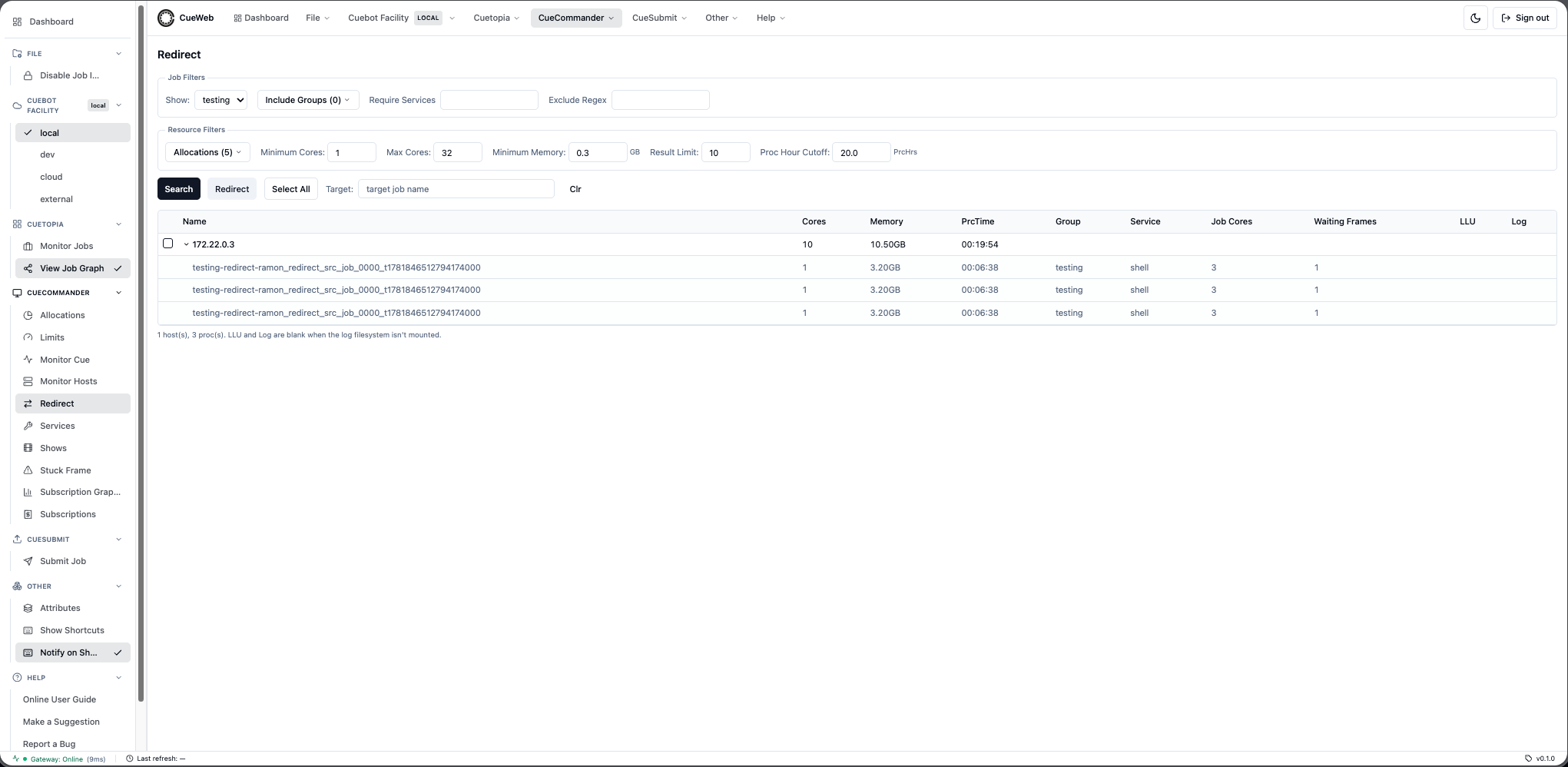
| Behavior | Description |
|---|---|
| Target auto-detect | Typing a target job name (on blur) resolves the job and pre-fills Show + Minimum Cores / Minimum Memory from its layers (CueGUI detect()), so the search targets procs large enough to help. |
| Search | searchRedirect() (app/utils/get_utils.ts) → /api/redirect/search lists the procs for the chosen show + allocations via host.ProcInterface/GetProcs, filters them (target job, already-redirected, exclude regex, required service, included groups, proc-hour cutoff), groups them by host, looks up each host’s idle cores/memory (host.HostInterface/FindHost) and the source job’s reserved cores / waiting frames (job.JobInterface/GetJobs), then keeps hosts whose totals satisfy the core/memory/runtime thresholds - up to the Result Limit. The route caps the exclude-regex length before compiling to avoid a ReDoS vector. |
| Filters | Job filters: Show (required), Include Groups (getShowGroups), Require Services, Exclude Regex. Resource filters: Allocations (getAllocations), Minimum/Max Cores, Minimum Memory (GB → KB), Result Limit, Proc Hour Cutoff (PrcHrs → seconds). |
| Results | One row per host (RedirectHost): Name, Cores, Memory, PrcTime, Group, Service, Job Cores, Waiting Frames, LLU, Log; expandable to the individual RedirectProcs. Select rows (or Select All). |
| Redirect action | redirectHostToJob(host, procNames, jobId) → /api/host/action/redirecttojob → host.HostInterface/RedirectToJob (one call per selected host; unbooks/kills the named procs and books the freed resources to the target). Pre-flight validation rejects when the target job is gone, has no waiting frames, or is at max cores, and soft-warns (confirm dialog) when the target is paused or a selected proc is cross-show. |
Job-finished notifications
| Behavior | Description |
|---|---|
| Trigger | Click the bell in the Notify column. The bell always subscribes immediately; OS notification permission is requested afterwards as an optional upgrade. |
| Toast wording | Branches on the prompt result: granted (in-app + desktop popup), denied (in-app only, instruction to enable in browser settings), default (in-app only, user dismissed the prompt). |
| Polling | An app-wide JobSubscriptionPoller provider polls each subscribed job’s state every 15 seconds via the REST gateway. |
| Notification | When a subscribed job becomes FINISHED, fireCompletionNotice(entry) fires an in-app toast.success("Job finished: <jobName>") (always) and a desktop new Notification(jobName, { body: "Job finished" }) (when Notification.permission === "granted" at fire-time). |
| Cross-tab serialization | The re-read + fire + mark sequence runs inside navigator.locks.request("cueweb:notify-<jobId>", ...) so only one tab toasts when several poll the same job concurrently. Falls back to a direct call when navigator.locks is unavailable. |
| Persistence | Subscriptions are stored in localStorage under cueweb:job-subscriptions and survive page reloads; cleared when the browser site data is cleared. |
| Auto-cleanup | If a subscribed job no longer exists in Cuebot (the lookup returns null), the subscription is removed on the next poll. |
| Cross-component sync | Mutations dispatch a cueweb:subscriptions-changed window event so the bell and poller stay in sync within the tab; the storage event syncs across tabs. |
Keyboard shortcuts overlay (+ menu access)
| Aspect | Description |
|---|---|
| Component | KeyboardShortcuts in cueweb/components/ui/shortcuts-overlay.tsx, mounted once from cueweb/app/layout.tsx. |
| Keys | ? open overlay; Esc close overlay; / focus jobs search (cueweb:focus-search); r refresh jobs table (cueweb:refresh-now); t toggle light/dark theme; F (or Cmd/Ctrl+Shift+F) toggle immersive/full-screen mode. |
| Suppression | Single-letter keys are ignored while typing into <input>, <textarea>, <select>, or any contenteditable element. Modifier-key combos (Ctrl / Cmd / Alt) are passed through to the browser — except the explicit immersive chord Cmd/Ctrl+Shift+F, which is captured (and works from inside a search field). |
| Menu access | Header Other ▸ Show Shortcuts and Sidebar Other ▸ Show Shortcuts both dispatch a cueweb:open-shortcuts CustomEvent on window that the overlay listens for. |
| Toast on shortcut | When Other ▸ Notify on Shortcut is checked (default ON), every triggered shortcut also fires a small toast naming the action (e.g. Shortcut: r → Refresh table). |
| Pref storage | localStorage["cueweb.shortcutNotifications"]. Cross-tab sync via the standard storage event plus an internal cueweb:shortcut-notifications-changed CustomEvent. Read imperatively at fire-time so toggling the pref takes effect on the very next keypress. |
Immersive (full-screen) mode
Web-native equivalent of CueGUI’s Toggle Full-Screen (cuegui/cuegui/MainWindow.py). Hides the global header, sidebar and status bar so the active table gets the full viewport height for a dense, distraction-free view.
| Aspect | Description |
|---|---|
| Component | AppShell in cueweb/components/ui/app-shell.tsx owns the header/sidebar/status-bar chrome and unmounts it when immersive. Mounted from cueweb/app/layout.tsx. |
| Hook | useImmersiveMode() in cueweb/app/utils/use_immersive_mode.ts ({ immersive, setImmersive, toggle }). Mirrors use_disable_job_interaction.ts. |
| Toggles | F or Cmd/Ctrl+Shift+F; Other ▸ Immersive (full-screen) menu item (also surfaced in Help-menu search via the menu registry); and a floating Exit immersive button shown while immersed so mouse-only users aren’t trapped once the menu is hidden. |
| Kept visible | The read-only banner (a safety affordance) stays; the keyboard-shortcut handler, attributes panel, mobile nav and toast host stay mounted at the layout root so F keeps working while immersed. |
| Pref storage | localStorage["cueweb.layout.immersive"] (boolean). SSR-safe hydration after mount; cross-tab sync via the standard storage event plus an internal cueweb:immersive-changed CustomEvent. |
Multi-pane split workspace
Web-native equivalent of CueGUI’s Window ▸ “Add new window” entries (cuegui/cuegui/MainWindow.py) - open two OpenCueWeb pages side-by-side in one tab.
| Aspect | Description |
|---|---|
| Route | /split?left=/jobs&right=/hosts/server-01 (cueweb/app/split/page.tsx). The two pane targets live in the query string, so the whole workspace is URL-addressable and reload-safe. |
| Component | SplitView in cueweb/components/ui/split-view.tsx; pure helpers in cueweb/app/utils/split_view_utils.ts. |
| Panes | Each pane is a same-origin <iframe>, so it keeps its own Next.js router context (URL, dynamic route params, searchParams) and reload behavior. Rendering the page components directly would force both panes to share one router context, breaking dynamic routes and searchParam-driven pages. |
| Chrome | Hidden inside panes: AppShell detects window.self !== window.top and drops the header/sidebar/status bar so each pane shows only page content (composes with immersive mode). |
| URL sync | Navigating inside a pane (e.g. clicking a host row) fires the iframe load handler, which reads the pane’s current pathname+search and router.replaces it into left/right. The iframe src is only re-driven when the desired URL differs from what it already shows, so in-pane navigation isn’t clobbered and there’s no reload loop. |
| Resize | Drag the divider (pointer events → mouse/touch/pen) or use the keyboard (← / → nudge, Home/End jump). Ratio is clamped to 15–85% and persisted to localStorage["cueweb.split.ratio"]. Iframes get pointer-events:none while dragging so move events keep reaching the window. |
| Controls | Per-pane page picker - Monitor Jobs, the CueCommander pages (Allocations, Limits, Monitor Cue, Monitor Hosts, Redirect, Services, Shows, Stuck Frame, Subscription Graphs, Subscriptions), CueSubmit, the plugins index, and the Cue Progress Bar plugin - plus Swap panes, Reset 50/50, and an open-in-new-tab link per pane. On phones (max-width: 767px) the panes stack vertically without a draggable divider. |
| Safety | sanitizePanePath only accepts internal absolute paths and rejects external/protocol-relative URLs and the /split route itself (no recursive embedding). |
| Entry points | Other ▸ Split view in the header (default: Jobs left, Hosts right) and the Help-menu search via the menu registry (other.split-view). |
Job States
| State | Color | Description |
|---|---|---|
PENDING |
Orange | Job waiting for resources |
RUNNING |
Green | Job has running frames |
PAUSED |
Blue | Job manually paused |
FINISHED |
Gray | Job completed |
DEAD |
Red | Job has failed frames |
Frame States
| State | Color | Description |
|---|---|---|
WAITING |
Gray | Frame pending dispatch |
RUNNING |
Yellow | Frame currently rendering |
SUCCEEDED |
Green | Frame completed successfully |
DEAD |
Red | Frame failed |
EATEN |
Purple | Frame marked as eaten |
DEPEND |
Cyan | Frame waiting on dependency |
Frame State Filter Chips
Above the frames table, one filter chip is rendered per supported state. Each chip shows the current frame count for that state and toggles the filter on click.
| Behavior | Description |
|---|---|
| States | WAITING, RUNNING, SUCCEEDED, DEAD, EATEN, DEPEND |
| Combination | OR semantics - frames matching any selected state are shown |
| Empty selection | All frames are shown when no chip is selected |
| URL parameter | frameStates (comma-separated, e.g., ?frameStates=WAITING,DEAD); whitespace is trimmed and duplicates are removed |
| Counts | Always computed against the unfiltered data set |
| Pagination | The table jumps to page 1 when the selection changes (polling-driven data refreshes do not reset the page) |
Job Comments Page
OpenCueWeb mirrors the CueGUI Comments dialog (cuegui/cuegui/Comments.py) at /jobs/<job-name>/comments.
| Aspect | Description |
|---|---|
| Required query params | jobId (job UUID). The page calls getJob(jobId) to populate the comment list. |
| Viewer identity | Derived client-side from the authenticated NextAuth session (/api/auth/session), never from URL parameters. Used only to drive UI state. |
| Comment fields | id, timestamp (unix seconds), user, subject, message. Mirrors comment.Comment in proto/src/comment.proto. |
| Markdown | Messages are rendered with react-markdown + rehype-sanitize to strip embedded HTML/scripts. |
| Edit / delete authorization | Server-side ownership enforcement in Cuebot is authoritative. The client adds a convenience gate that enables the editor/delete only when comment.user === currentUser (the session-derived identity); the URL is never used as an auth signal. |
| Predefined macros | Stored in localStorage under cueweb-comment-macros. Scope is per-browser; not synced. |
| Indicator icon | The Jobs table has a dedicated Comments column (right after Name) showing a sticky-note icon when Job.hasComment is true. The column is sortable so users can pull jobs-with-comments to the top. Updated on the regular jobs-table polling cycle. |
OpenCueWeb Audit
An admin-only audit trail at /admin/audit (cueweb/app/admin/audit/page.tsx + audit-table.tsx) that records who performed which action, when, against which target, and with what outcome. Every state-changing action proxied through OpenCueWeb is captured at a single gateway chokepoint (handleRoute in cueweb/app/utils/gateway_server.ts); read-only queries (Get* / Find* / List*) are skipped. Reached from Admin → OpenCueWeb Audit (header dropdown and sidebar), which is hidden from non-admins. Access is gated by CUEWEB_AUTHZ_ENABLED / CUEWEB_ADMIN_GROUPS; the trail is configured with the Audit Variables.
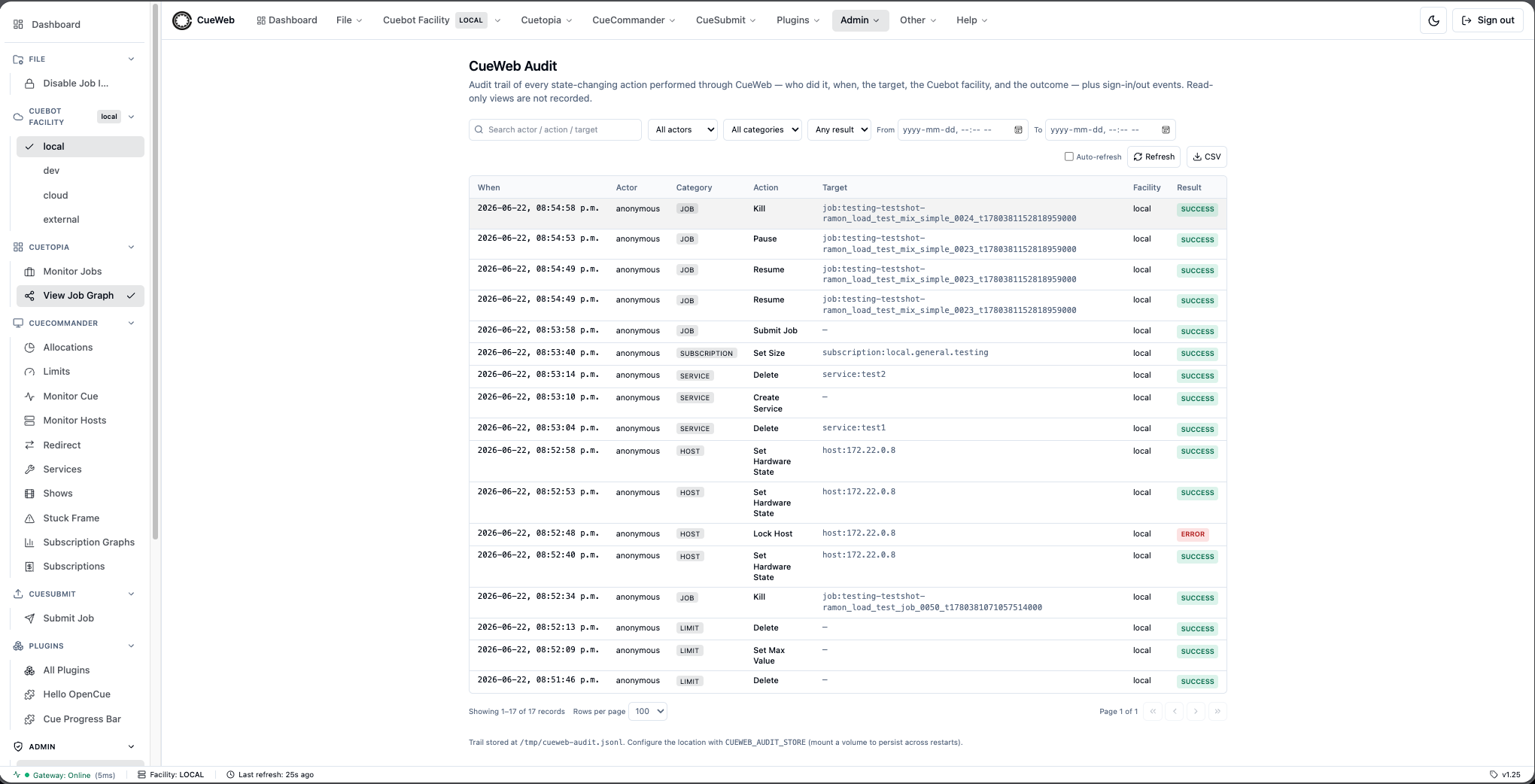
The table renders these columns, in default order:
| Column | Description |
|---|---|
| When | The record’s ISO-8601 timestamp (at), the moment the action completed. |
| Actor | The signed-in user’s email/name (actor), or anonymous when no session is present. |
| Category | The entity class the action targeted (category), e.g. job, frame, host, show, auth. |
| Action | Human-friendly action label (action), e.g. Kill Frames. |
| Target | Best-effort entity id the action applied to (target), e.g. job:comp_v2. |
| Facility | The Cuebot facility the request was routed to (facility). |
| Result | Outcome badge (result): success or error. |
Clicking a row expands it to reveal the sanitized request parameters (details, with secrets dropped), the error message (when result is error), and the underlying endpoint (endpoint) plus HTTP method (method).
Controls in the toolbar:
| Control | Behavior |
|---|---|
| Search | Free-text search across the trail (matches actor, action, target, endpoint, …). |
| Actor filter | Restrict to a single actor (options sourced from the facets.actors returned by the API). |
| Category filter | Restrict to a single category (options sourced from facets.categories). |
| Result filter | Restrict to success or error. |
| From / To | A datetime window (since / until) bounding the records shown. |
| Clear | Reset all filters and the time window. |
| Auto-refresh | Toggle periodic re-fetching of the trail. |
| Refresh | Re-fetch the trail on demand. |
| CSV export | Download the current (filtered) result set as a CSV file. |
Pagination matches the Jobs table: First / Prev / Next / Last buttons with a Page X of N indicator and a rows-per-page selector (default 10; options 5, 10, 15, 20, 25, 50, 100, 200, …, 10000).
Audit record schema
Each audit record is a single JSON line in the trail (cueweb/lib/audit-store.ts):
| Field | Type | Description |
|---|---|---|
at |
string | ISO-8601 timestamp - when the action completed. |
actor |
string | User email/name, or anonymous - who performed it. |
category |
string | Entity class - job | frame | layer | host | show | allocation | limit | subscription | service | filter | auth | … |
action |
string | Human-friendly action label - what was done, e.g. Kill Frames. |
target |
string | Best-effort entity id - on what, e.g. job:comp_v2. |
facility |
string | The Cuebot facility the request was routed to. |
result |
string | Outcome - success | error. |
error |
string | null | Error message when result is error; otherwise null. |
details |
object | Sanitized request parameters (secrets dropped). |
endpoint |
string | Underlying gRPC/REST method, e.g. /job.JobInterface/KillFrames. |
method |
string | HTTP method, e.g. POST. |
Authentication events (Sign in / Sign out) are captured separately via the NextAuth events in cueweb/lib/auth.ts and written to the same store under the auth category.
Audit API
The OpenCueWeb Audit page reads the trail through one admin-gated route.
| Aspect | Description |
|---|---|
| Endpoint | GET /api/admin/audit (cueweb/app/api/admin/audit/route.ts). Admin-gated by the middleware and re-checked in the route. |
| Filter params | actor, category, result, since, until, search. |
| Pagination params | limit, offset. |
| Response | { records, total, facets: { actors, categories } } - records is the matching page (newest first), total the unpaginated match count, and facets the distinct actor/category values used to populate the filter dropdowns. |
Search Functionality
Basic Search
Type directly in the search box to find jobs:
# Search by show name
myshow-

# Search by job name pattern
myshow-shot_010

# Search by partial match
comp
Regex Search
Prefix with ! for regex patterns:
# Match pattern
!^myshow-.*lighting.*$

# Match frame range
!.*_[0-9]{3}-[0-9]{3}_.*

# Match multiple criteria
!(lighting|comp).*shot_[0-9]+
Search Result Actions
- Click job: Add to monitored jobs table
- Green indicator: Job already in table
- Multiple selection: Use checkboxes for batch operations
Context Menu Actions
All three context menus (JobContextMenu, LayerContextMenu, FrameContextMenu) live in cueweb/components/ui/context_menus/action-context-menu.tsx and follow the CueGUI Monitor Jobs / Monitor Job Details structure. Items that depend on dialogs / backend integrations not yet implemented in OpenCueWeb route through a notYetImplemented(label) placeholder. Destructive items are auto-disabled when Disable Job Interaction is on. Menus scroll instead of overflowing on small viewports.
Job Actions
| Action | Description |
|---|---|
| Unmonitor | Remove the job from the monitored list. |
| View Job | Navigate to the job detail page. (placeholder) |
| View Job Details | Open the tabbed job detail page at /jobs/<jobName>?tab=overview. The page exposes five tabs (Overview, Layers, Frames, Comments, Dependencies) with the active tab synced into the URL so it’s bookmarkable and back-button friendly. |
| Copy Job Name | Copy the full job name to the clipboard. |
| Email Artist… | Open a themed dialog mirroring CueGUI’s Email dialog. Fields (From, To, CC, BCC, Subject, Body) are pre-filled from the job and editable; see Email Artist dialog. |
| Request Cores… | Open a themed dialog mirroring CueGUI’s RequestCoresDialog. From / To / CC / BCC / Subject inputs are pre-filled; the body is auto-populated with the job’s still-active layers (Layer Name / Minimum Memory / Min Cores) and two editable Date/Time + Notes sections. Send hands the result to the user’s default mail client via a mailto: URL. See Request Cores dialog. |
| Subscribe to Job | Open a themed dialog mirroring CueGUI’s SubscribeToJobDialog. The address you save is registered with Cuebot via the AddSubscriber RPC, so Cuebot emails the subscriber when the job finishes. This is the server-side, email subscription - different from the Notify bell (browser-side, in-app + optional desktop popup). See Subscribe to Job dialog. |
| Comments | Open the per-job Comments page (/jobs/<jobName>/comments). |
| Use Local Cores | Reserve local cores for this job. (placeholder) |
| View Dependencies… | Open a themed dialog mirroring CueGUI’s DependDialog. On open, the dialog calls the GetDepends RPC via /api/job/action/getdepends and renders the job’s depend.DependSeq as a table with columns Type / Target / Active / OnJob / OnLayer / OnFrame. Refresh re-fetches the list. See View Dependencies dialog. |
| Dependency Wizard… | Open a themed three-step dialog mirroring CueGUI’s DependWizard. Step 1 picks the dependency type (the three Job-On-X types are supported; the other CueGUI types are listed as CueGUI only to set expectations). Step 2 prompts for the target object’s identifiers (job name, plus layer / frame names as needed). Step 3 confirms and dispatches to CreateDependencyOnJob / CreateDependencyOnLayer / CreateDependencyOnFrame via the matching /api/job/action/createdependon* proxy route. See Dependency Wizard dialog. |
| Drop External Dependencies | Drop external job-on-job dependencies via the DropDepends RPC with target = EXTERNAL. |
| Drop Internal Dependencies | Drop internal layer-on-layer dependencies via the DropDepends RPC with target = INTERNAL. |
| Set User Color / Clear User Color | Drive the User Color column for this job. (placeholder) |
| Set Priority… | Open a themed dialog with a 1-100 slider + number input to adjust the job’s dispatch priority. Higher numbers dispatch first; default is 100. After Apply the Jobs table updates the Priority column optimistically (no wait for the 5s poll). Available everywhere the job context menu appears - both Cuetopia → Monitor Jobs (/) and CueCommander → Monitor Cue (/monitor-cue); the entry is not gated by usePathname(). See Set Priority dialog. |
| Set Max Retries | Edit the per-frame retry budget (job-extra-dialogs.tsx → /api/job/action/addrenderpart / the max-retries route). |
| Set Min/Max Cores / Set Min/Max GPUs | Edit the job’s core / GPU booking range (/api/job/action/setmingpus / setmaxgpus, plus the existing core routes). |
| Use Local Cores | Book the user’s local workstation cores onto the job (addrenderpart). |
| Set User Color | Paint the job’s row with one of CueGUI’s 15 default swatches or a brighter palette; stored per browser in localStorage (app/utils/user_colors.ts) and synced across tabs. |
| Reorder Frames / Stagger Frames | Open the reorder / stagger dialogs (/api/job/action/reorderframes / staggerframes). |
| Pause / Unpause | Single toggle entry: shows Pause when the job is running and Unpause when the job is already paused. The label, icon (TbPlayerPause / TbPlayerPlay) and dispatched action all flip on the row’s isPaused flag. The entry is shown disabled (grayed) when the job’s state === "FINISHED" (a terminal state can’t be paused), and when the global Disable Job Interaction safety flag is on. Active in all other states (In Progress, Failing, Dependency). |
| Auto-Eat On / Auto-Eat Off | Toggle Auto-Eat. |
| Retry Dead Frames | Retry every dead frame. |
| Eat Dead Frames | Mark every dead frame as eaten. |
| Unbook | Unbook running frames (unbook-dialog.tsx). |
| Kill | Terminate the job. |
| Show Progress Bar | Opens a dialog showing the command to launch CueGUI’s CueProgBar for the job. The command is configurable via NEXT_PUBLIC_CUEPROGBAR_COMMAND ({job} is substituted; default python -m cuegui.cueguiplugin.cueprogbar {job}), with an optional registered URL scheme via NEXT_PUBLIC_CUEPROGBAR_URL. |
Layer Actions
| Action | Description |
|---|---|
| View Layer | Navigate to the layer detail page. |
| Copy Layer Name | Copy the full layer name to the clipboard. |
| View Dependencies / Dependency Wizard / Drop depends | Manage layer-level dependencies (layer-extra-dialogs.tsx; the wizard opens with LAYER_ON_LAYER pre-selected; /api/layer/action/getdepends). |
| Reorder Frames / Stagger Frames | Open the reorder / stagger dialogs (/api/layer/action/reorderframes / staggerframes). |
| Properties | Edit the layer’s min cores / min memory / min GPU memory, threadable flag, and tags (/api/layer/action/{setmincores,setminmemory,setmingpumemory,setthreadable,settags}). |
| Set Start After | Defer booking of the layer until a chosen time, or clear the delay (/api/layer/action/setstartafter → /job.LayerInterface/SetStartAfter). The dialog (layer-extra-dialogs.tsx) picks local time and sends UTC epoch seconds, with +15m / +1h / +4h / Tonight 18:00 presets that fill the picker; Clear sends start_after: 0. The request body carries no username - the route resolves the signed-in identity server-side (getServerSession, the same source the audit trail uses) and Cuebot records it as the layer’s startAfterReason, so a caller cannot attribute a delay to someone else. Both the route and Cuebot reject a negative value or one more than five years out, which is how a milliseconds-for-seconds mistake is caught. |
| Mark done / Eat and Mark done | Mark the layer’s frames done, optionally eating first (/api/layer/action/markdone). |
| View Processes | List the procs running the layer’s frames in the proc panel. |
| Kill | Kill every frame in the layer. |
| Eat | Eat every frame in the layer. |
| Retry | Retry every frame in the layer. |
| Retry Dead Frames | Retry only the dead frames. |
Frame Actions
| Action | Description |
|---|---|
| Tail Log / View Log | Open the in-browser log viewer at /frames/<frameName>. Same target as the row’s double-click handler. Surfaces a friendly toast when the frame has not been dispatched yet (no log file on disk). |
| View Log on <editor> | Launches the log file in a desktop editor. Only rendered when NEXT_PUBLIC_LOG_EDITOR_URL is set. The menu label is derived from the configured value (vscode://... -> “View Log on VSCode”, subl://... -> “View Log on Sublime Text”, txmt://... -> “View Log on TextMate”, idea://... -> “View Log on IntelliJ”, unrecognized -> “View Log in external editor”). See External editor integration below. |
| Copy Log Path | Copy the absolute log path to the clipboard. |
| Copy Frame Name | Copy the full frame name. |
| View Host | Navigate to the host detail page for the host running the frame. |
| View Dependencies / Dependency Wizard / Drop depends | Manage frame-level dependencies (frame-extra-dialogs.tsx; the wizard opens with FRAME_ON_FRAME pre-selected; /api/frame/action/getdepends / dropdepends). |
| Mark as waiting | Move the frame back to WAITING so it is re-dispatched (/api/frame/action/markaswaiting → job.FrameInterface/MarkAsWaiting). |
| Filter Selected Layers | Narrow the frames table to the frame’s layer (same as clicking the layer row). |
| Reorder | Open the reorder dialog (/api/frame/action/...). |
| Preview All | Open the frame’s rendered output in an external image viewer. The command is configurable via NEXT_PUBLIC_PREVIEW_COMMAND (placeholders {paths} / {job} / {layer} / {frame}; default rv {paths}); a Launch button hands off to NEXT_PUBLIC_PREVIEW_URL when a registered URL scheme is configured. Output paths come from /api/layer/action/getoutputpaths. |
| Retry | Retry the frame. |
| Eat | Mark the frame as eaten. |
| Kill | Kill the running frame. |
| Mark done / Eat and Mark done | Mark the frame done, optionally eating it first (/api/job/action/markdoneframes). |
| View Processes | List the procs running this frame in the proc panel. |
External editor integration
The Frame context menu’s View Log on <editor> item launches the log file in a desktop editor.
| Aspect | Description |
|---|---|
| Env var | NEXT_PUBLIC_LOG_EDITOR_URL (build-time). Default in the sandbox deployment is vscode://file{path}; the Dockerfile-level default is empty (item hidden). |
| Template | The literal {path} is replaced with the absolute log path when the item is clicked. Common values: vscode://file{path}, vscode-insiders://file{path}, subl://open?url=file://{path}, txmt://open?url=file://{path}, idea://open?file={path}. |
Why not $EDITOR? |
Web browsers can’t read the user’s shell environment or launch arbitrary local programs the way CueGUI does. The URL-scheme approach is the web equivalent: the same trick GitHub’s “Open in VSCode” button uses. |
| Missing-handler detection | If the chosen editor isn’t installed on the user’s machine, OpenCueWeb shows a warning toast after a short delay pointing the user at the alternatives. |
| Frame-state guard | When the frame hasn’t been dispatched yet by RQD (no log file on disk), the handler shows a friendly warning toast instead of handing a non-existent path to the editor. |
Set Priority dialog
The job context menu’s Set Priority… entry opens a themed dialog with a 1-100 range slider and a matching number input - either control drives the value, and both stay in sync. The number input is pre-filled with the job’s current priority. Higher numbers dispatch first; cuebot’s default is 100. Available everywhere the job context menu appears - both Cuetopia → Monitor Jobs (/) and CueCommander → Monitor Cue (/monitor-cue). The dialog and the dispatched action are identical on either page; only the View Job entry above it remains gated to /monitor-cue.
Mounted once via <SetPriorityDialog /> in cueweb/app/jobs/data-table.tsx; opens in response to a cueweb:open-set-priority CustomEvent that setPriorityGivenRow(row) in cueweb/app/utils/action_utils.ts dispatches with { job }. Lives in cueweb/components/ui/set-priority-dialog.tsx.
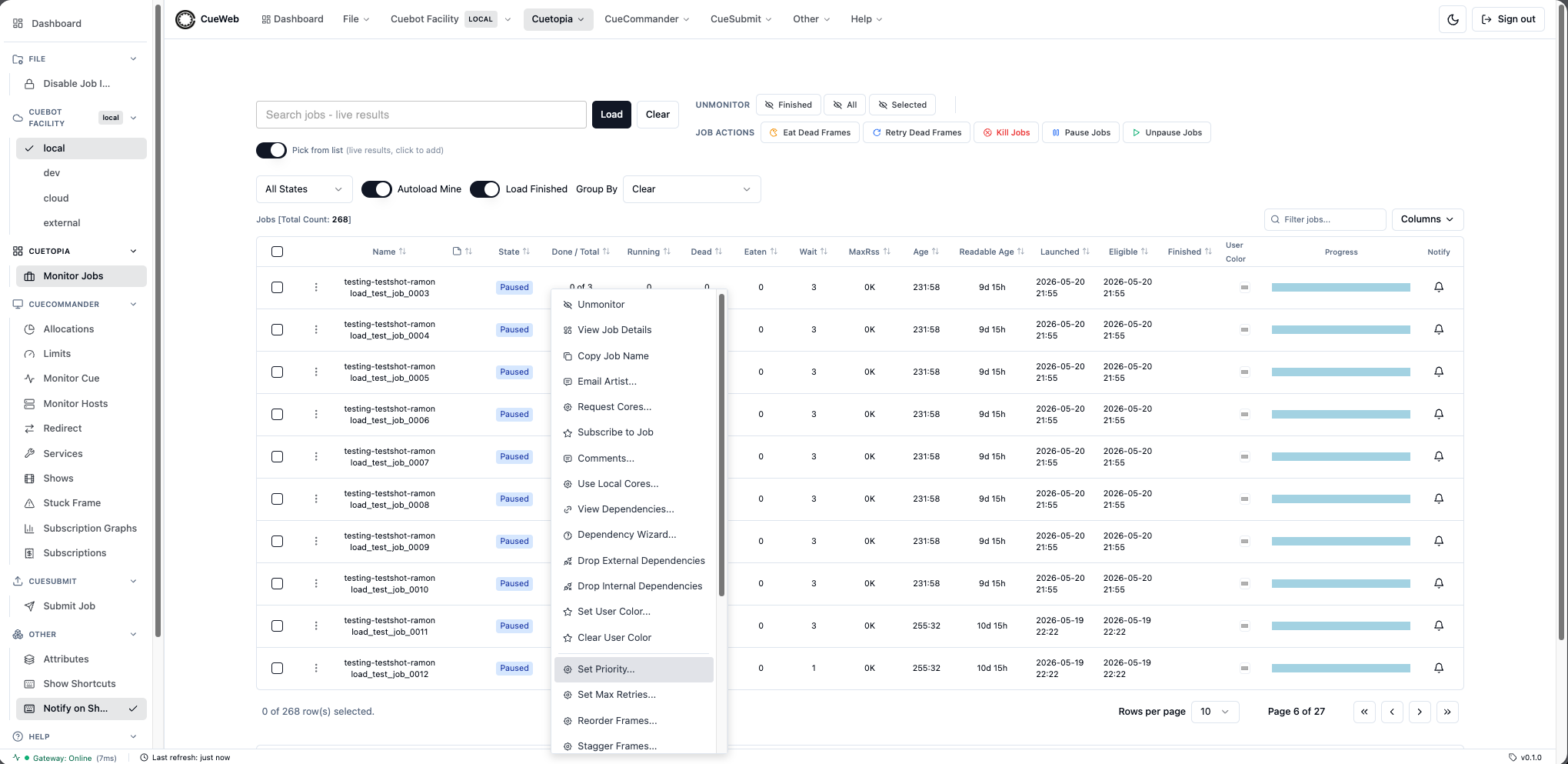
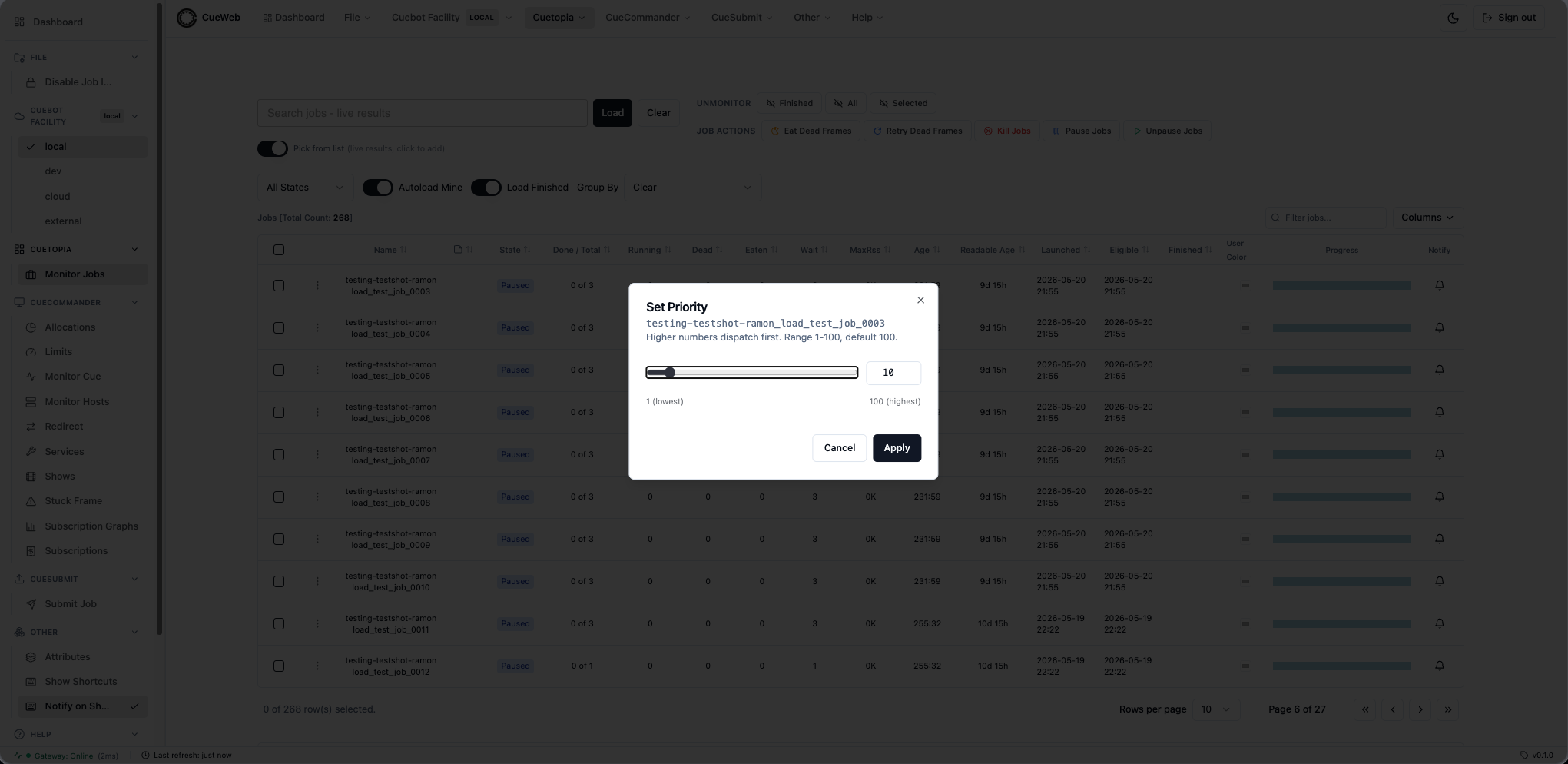
After Apply:
setJobPriority(job, value)fromaction_utils.tsposts{ job, val }to/api/job/action/setpriority, which forwards to/job.JobInterface/SetPriorityon the REST gateway.- A success toast confirms the new value.
- The dialog dispatches a
cueweb:priority-changedCustomEvent that the Jobs table consumes to update the row’s Priority column optimistically, so the change is visible without waiting for the regular 5-second poll.
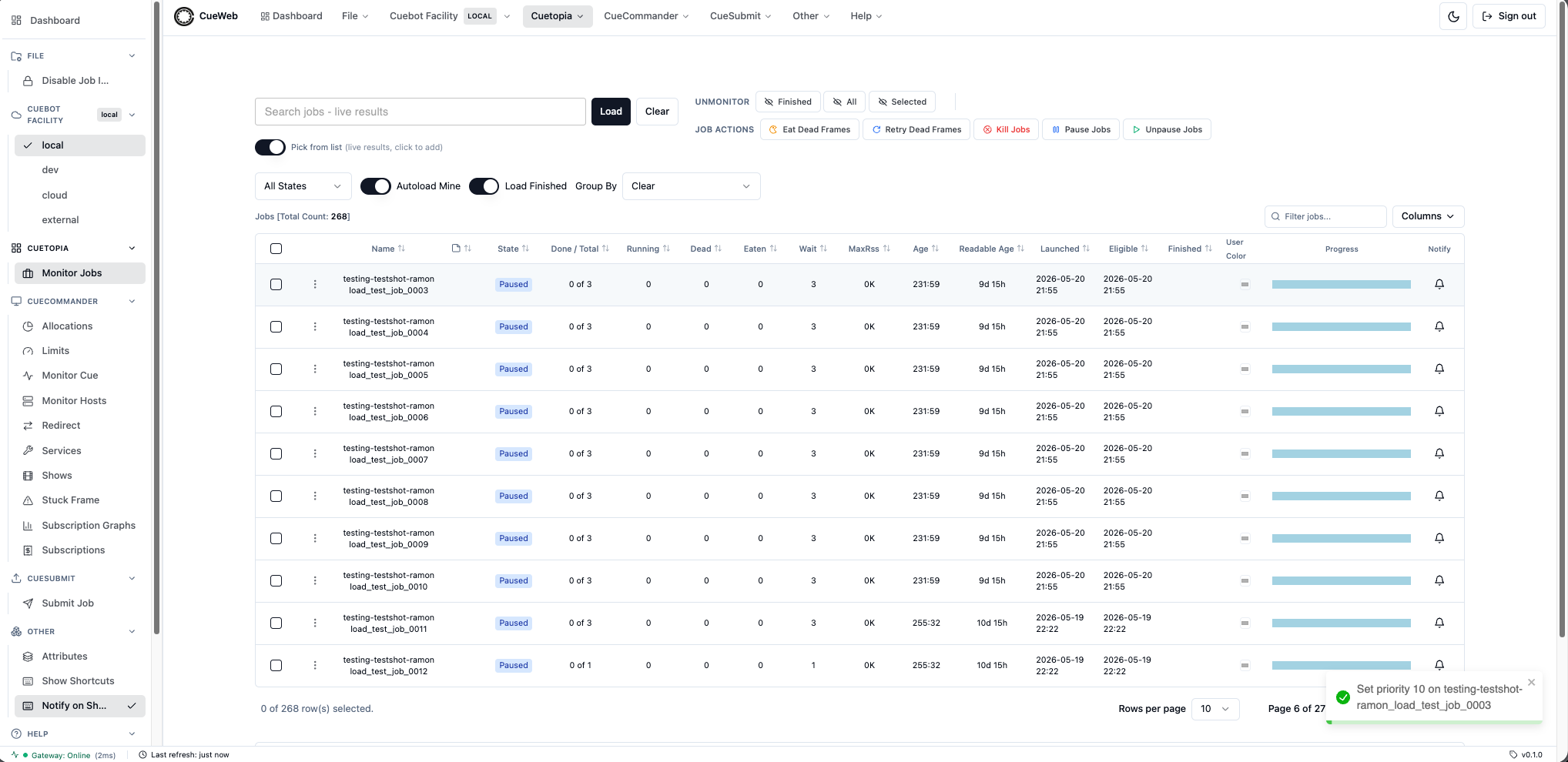
Email Artist dialog
The job context menu’s Email Artist… entry mirrors CueGUI’s EmailDialog. Mounted once via <EmailArtistDialog /> in cueweb/app/jobs/data-table.tsx; opens in response to a cueweb:open-email-artist CustomEvent that emailArtistGivenRow(row) in cueweb/app/utils/action_utils.ts dispatches with { job }. Lives in cueweb/components/ui/email-artist-dialog.tsx.
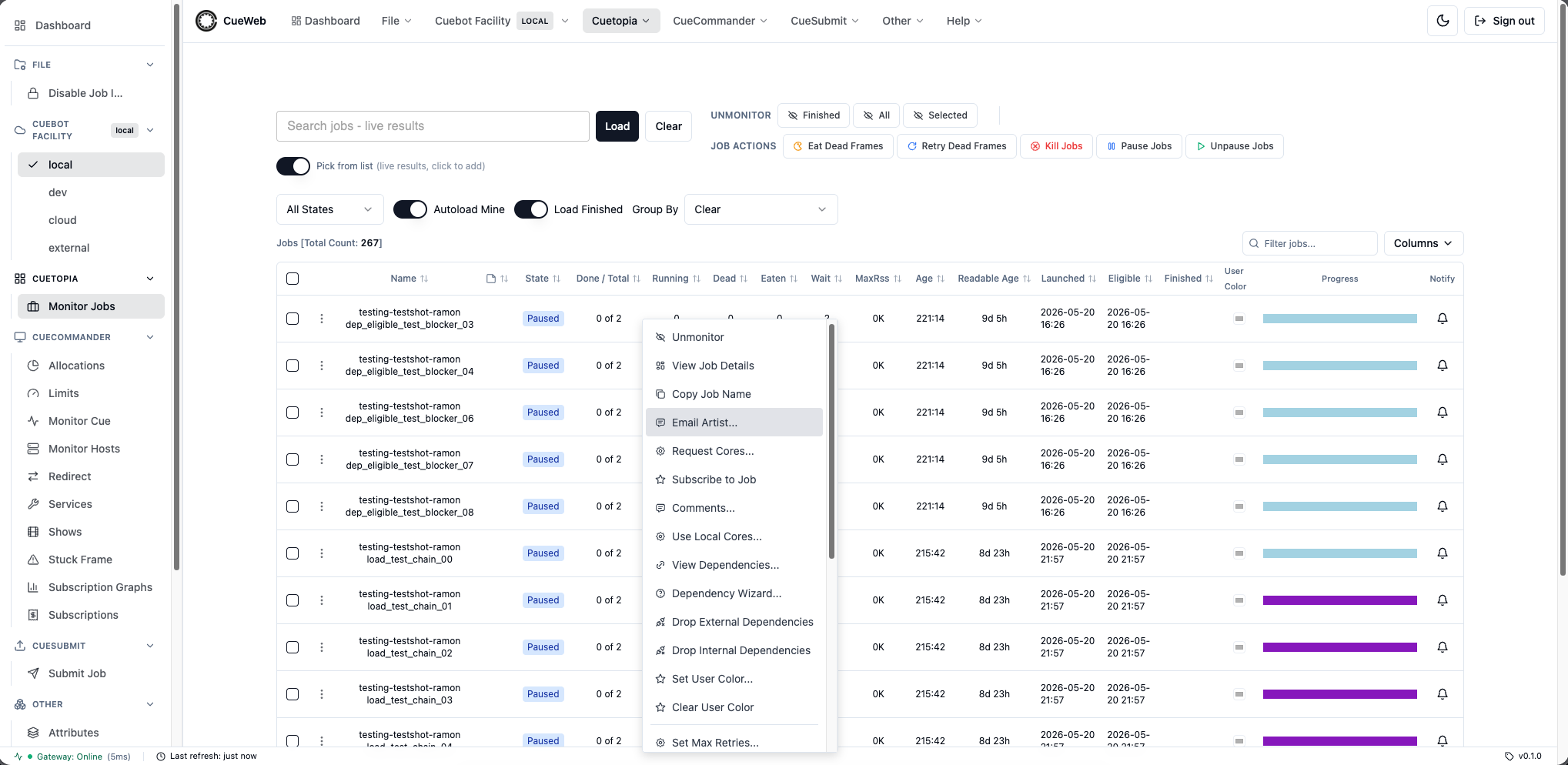
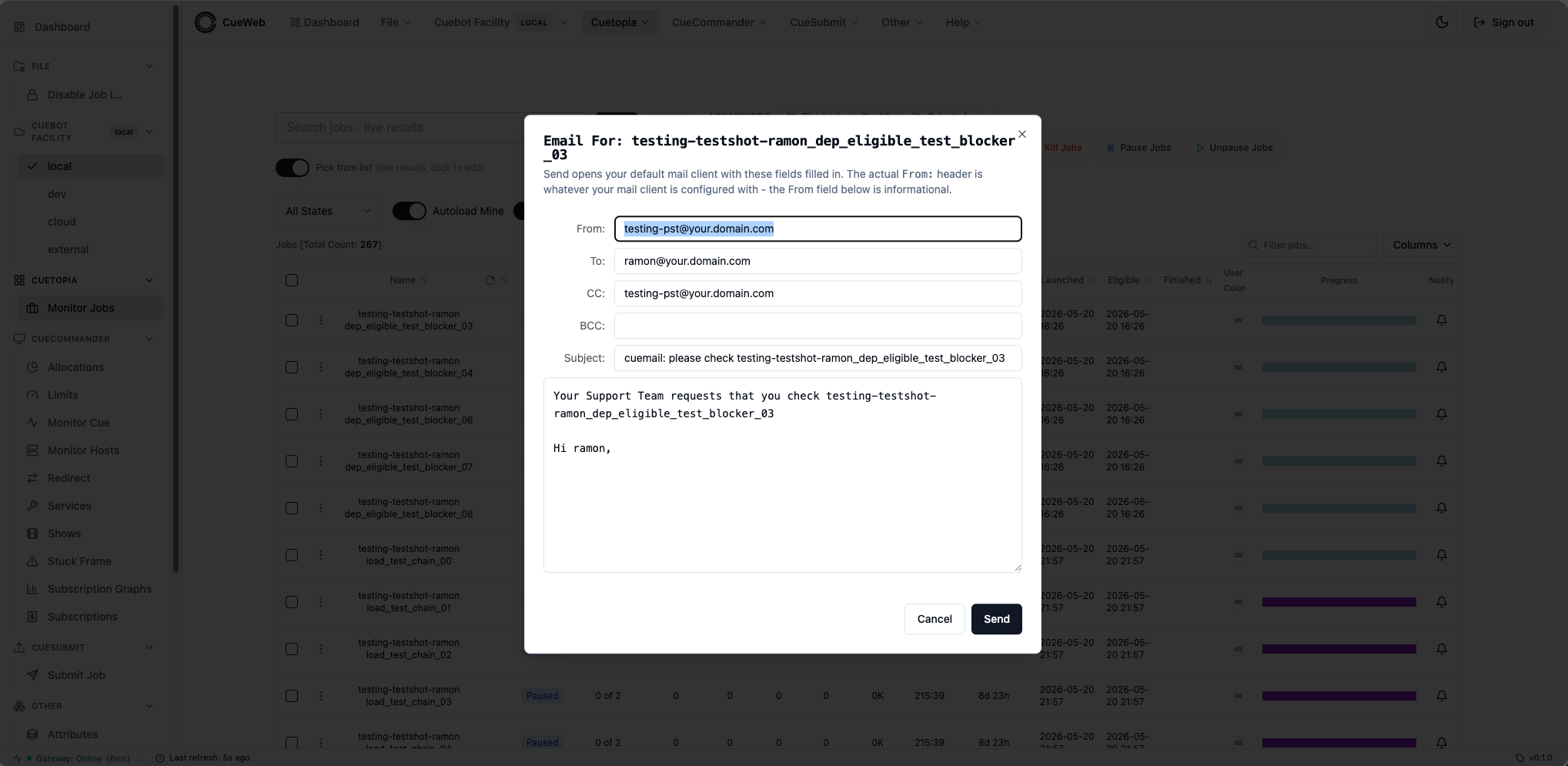
Defaults derived from the row:
| Field | Default value |
|---|---|
| From | <show>-<NEXT_PUBLIC_EMAIL_SUPPORT_SUFFIX>@<NEXT_PUBLIC_EMAIL_DOMAIN> (informational - see below) |
| To | <user>@<NEXT_PUBLIC_EMAIL_DOMAIN> (the job’s owner) |
| CC | same as From |
| BCC | empty |
| Subject | cuemail: please check <jobName> |
| Body | Your Support Team requests that you check <jobName> followed by Hi <user>, |
Send mechanism: the Send button builds a mailto: URL with the dialog’s to, cc, bcc, subject, and body and assigns it to window.location.href. The OS hands the URL to the user’s default mail client (Mail.app, Outlook, Thunderbird, etc.).
Browsers don’t let mailto: override the user’s account’s From: header, so the From field in the dialog is informational only - it surfaces the support alias the team typically uses. CueGUI’s EmailDialog can spoof From because it sends through CueGUI’s own SMTP relay; OpenCueWeb’s mailto-based equivalent uses whatever account the user’s mail client is configured with.
Configurable at build time via two env vars (see Environment Variables):
NEXT_PUBLIC_EMAIL_DOMAIN(defaultyour.domain.com).NEXT_PUBLIC_EMAIL_SUPPORT_SUFFIX(defaultpst, matching CueGUI’s “production support team” alias convention).
Request Cores dialog
The job context menu’s Request Cores… entry mirrors CueGUI’s RequestCoresDialog. Mounted once via <RequestCoresDialog /> in cueweb/app/jobs/data-table.tsx; opens in response to a cueweb:open-request-cores CustomEvent that requestCoresGivenRow(row) in cueweb/app/utils/action_utils.ts dispatches with { job }. Lives in cueweb/components/ui/request-cores-dialog.tsx.
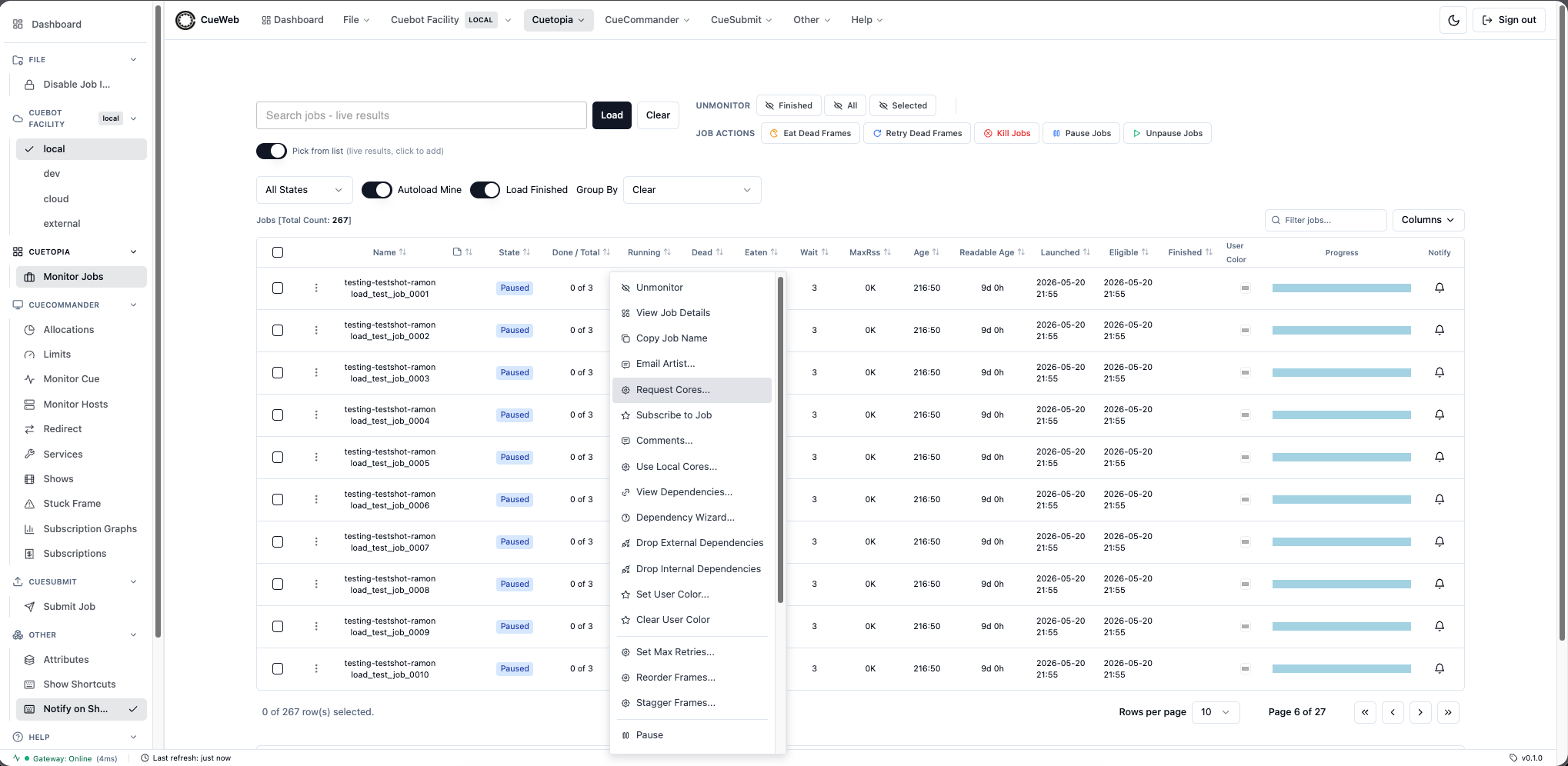
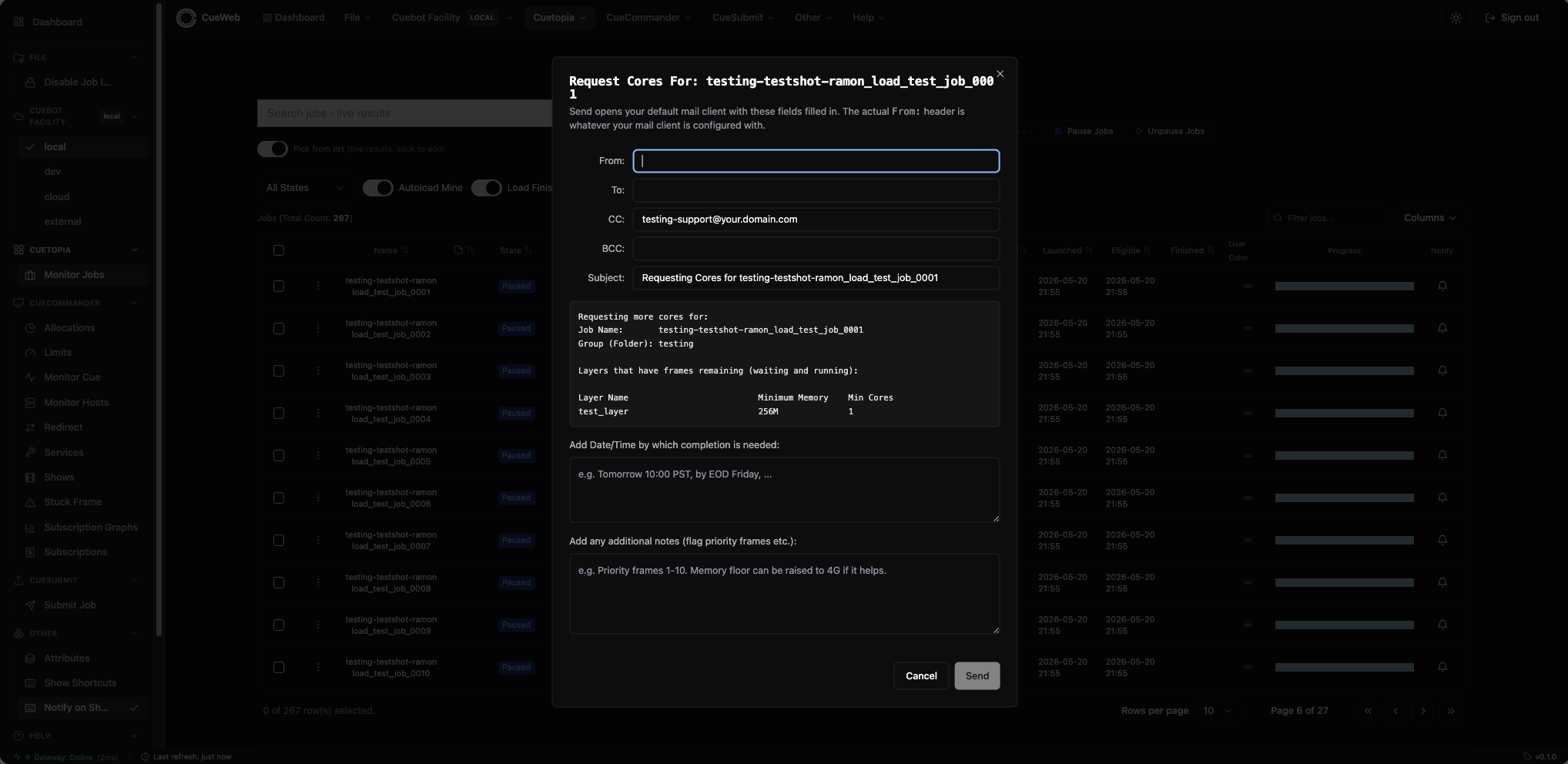
Defaults derived from the row:
| Field | Default value |
|---|---|
| From | The signed-in user’s email (session.user.email, falling back to <sessionName>@<NEXT_PUBLIC_EMAIL_DOMAIN> and then to empty). |
| To | Empty - the user fills in the recipient (team lead, support queue, etc.). |
| CC | <show>-<NEXT_PUBLIC_EMAIL_REQUEST_CORES_SUFFIX>@<NEXT_PUBLIC_EMAIL_DOMAIN>. |
| BCC | Empty. |
| Subject | Requesting Cores for <jobName>. |
| Body (auto-populated) | Requesting more cores for: header, Job Name: + Group (Folder):, then a fixed-width table of layers with waitingFrames + runningFrames > 0 (Layer Name / Minimum Memory / Min Cores). |
| Date/Time by which completion is needed | Editable textarea, appended to the body on Send. |
| Additional notes (flag priority frames etc.) | Editable textarea, appended to the body on Send. |
Layer breakdown is fetched asynchronously on dialog open via getLayersForJob(job); the body shows Loading layers... until the response lands, then re-renders with the filtered table.
Send mechanism: the Send button stitches the auto-populated prelude together with the Date/Time and Notes sections, builds a mailto: URL with to, cc, bcc, subject, and body, and assigns it to window.location.href. Same From:-is-informational caveat as the Email Artist dialog. The button is disabled while To is empty.
Configurable at build time:
NEXT_PUBLIC_EMAIL_DOMAIN(defaultyour.domain.com, shared with Email Artist).NEXT_PUBLIC_EMAIL_REQUEST_CORES_SUFFIX(defaultsupport, matching CueGUI’s<show>-support@<domain>convention - distinct from Email Artist’spst).
Subscribe to Job dialog
The job context menu’s Subscribe to Job entry mirrors CueGUI’s SubscribeToJobDialog. Unlike the Notify bell - which is a browser-side subscription that fires an in-app toast (and optional desktop popup) - this entry registers a server-side, email subscriber on Cuebot. When the job reaches FINISHED, Cuebot sends an email to the saved address.
Mounted once via <SubscribeToJobDialog /> in cueweb/app/jobs/data-table.tsx; opens in response to a cueweb:open-subscribe-to-job CustomEvent that subscribeToJobGivenRow(row) in cueweb/app/utils/action_utils.ts dispatches with { job }. Lives in cueweb/components/ui/subscribe-to-job-dialog.tsx.
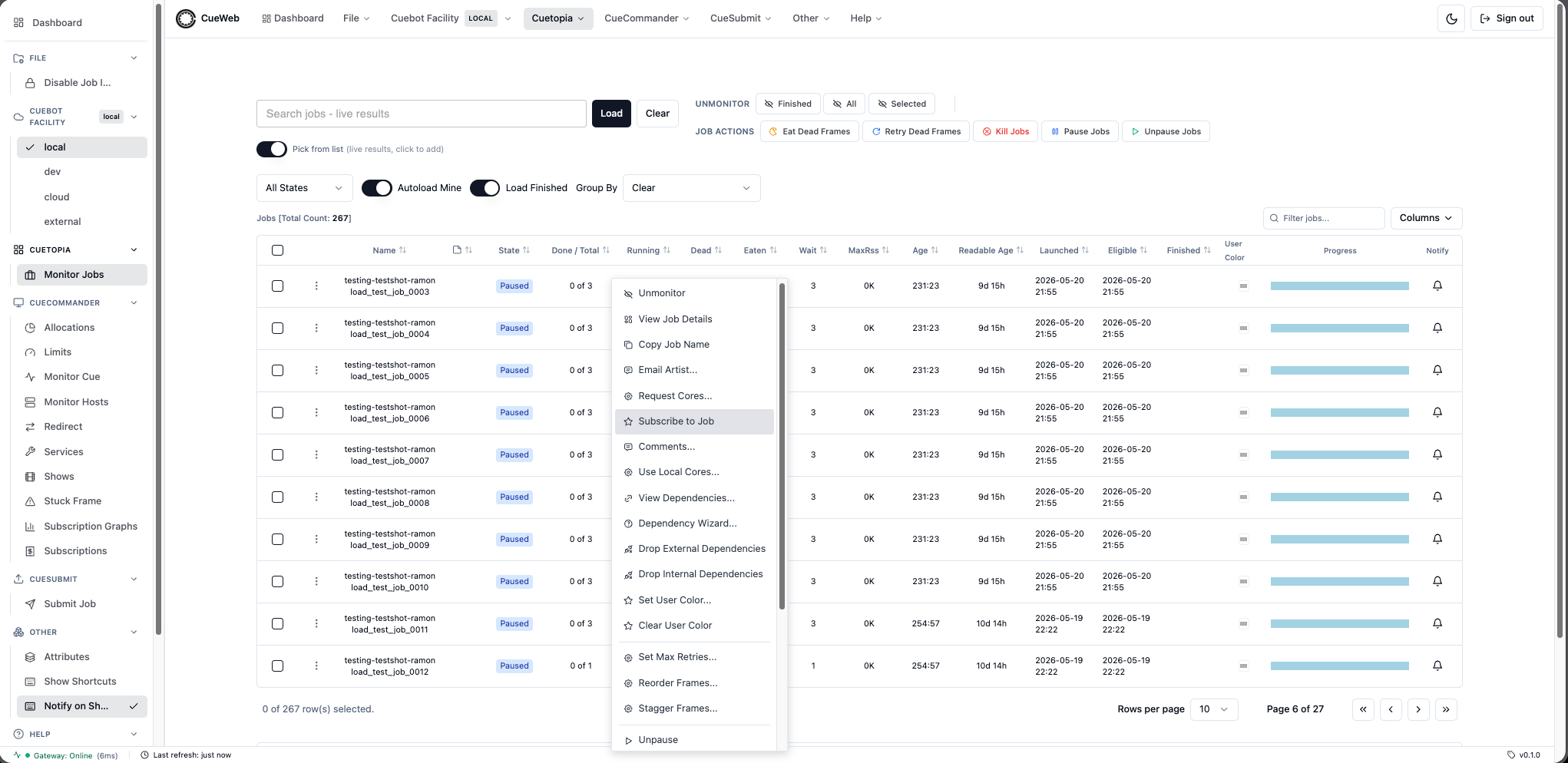
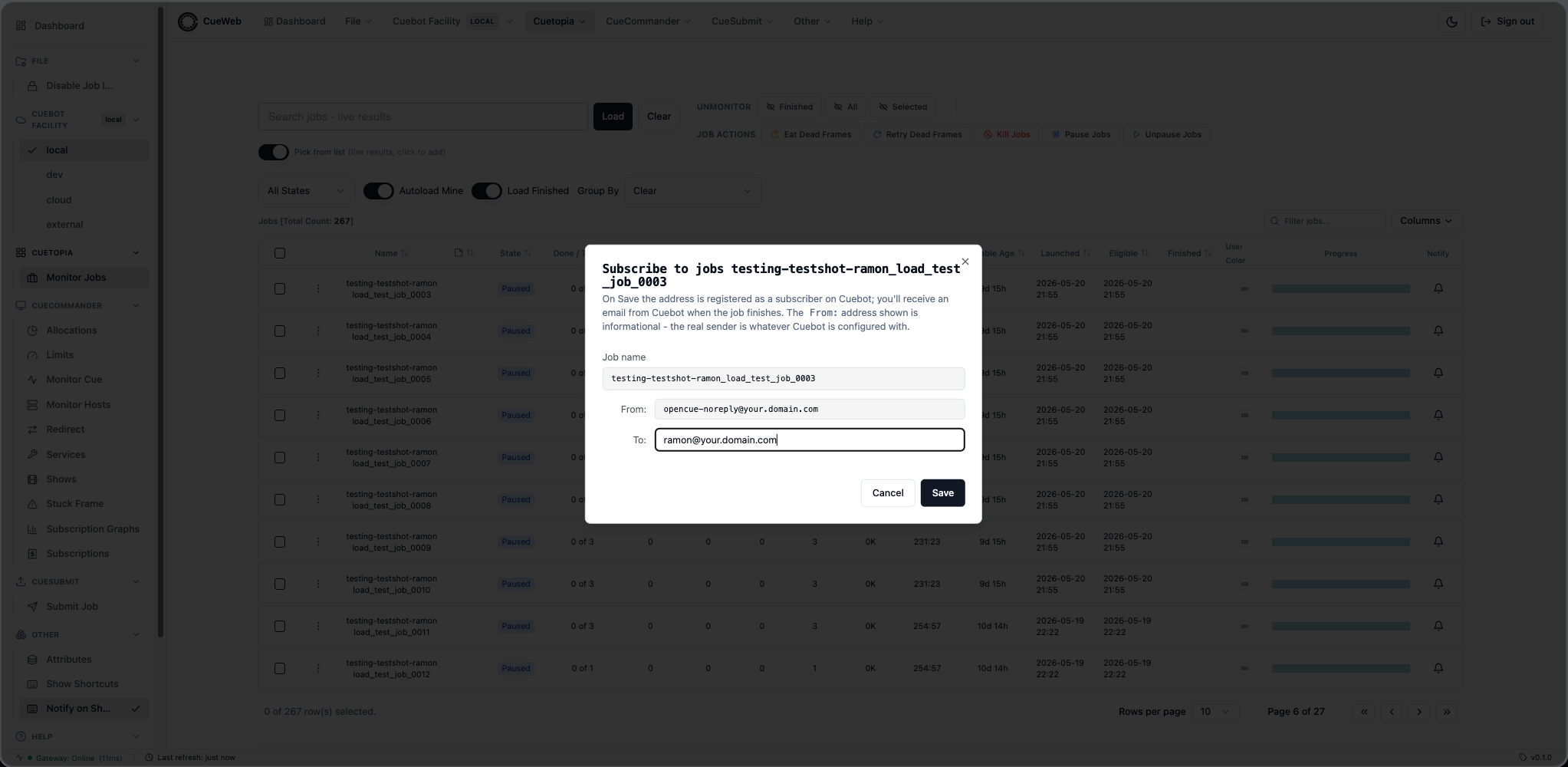
Defaults derived from the row:
| Field | Default value |
|---|---|
| Job name | Read-only, taken from the row. |
| From | Read-only label - NEXT_PUBLIC_SUBSCRIBE_FROM_EMAIL if set, otherwise opencue-noreply@<NEXT_PUBLIC_EMAIL_DOMAIN>. Informational only - the actual sender is whatever Cuebot is configured with. |
| To | Editable; the signed-in user’s session.user.email, falling back to <sessionName-or-jobUser>@<NEXT_PUBLIC_EMAIL_DOMAIN>. |
Save mechanism: the Save button trims and validates the To address with a permissive ^\S+@\S+\.\S+$ check (Cuebot does its own validation server-side), then calls addJobSubscriber(job, subscriber) from action_utils.ts. That posts { job, subscriber } to /api/job/action/addsubscriber, which forwards to /job.JobInterface/AddSubscriber via the REST gateway. A success toast confirms the subscription:
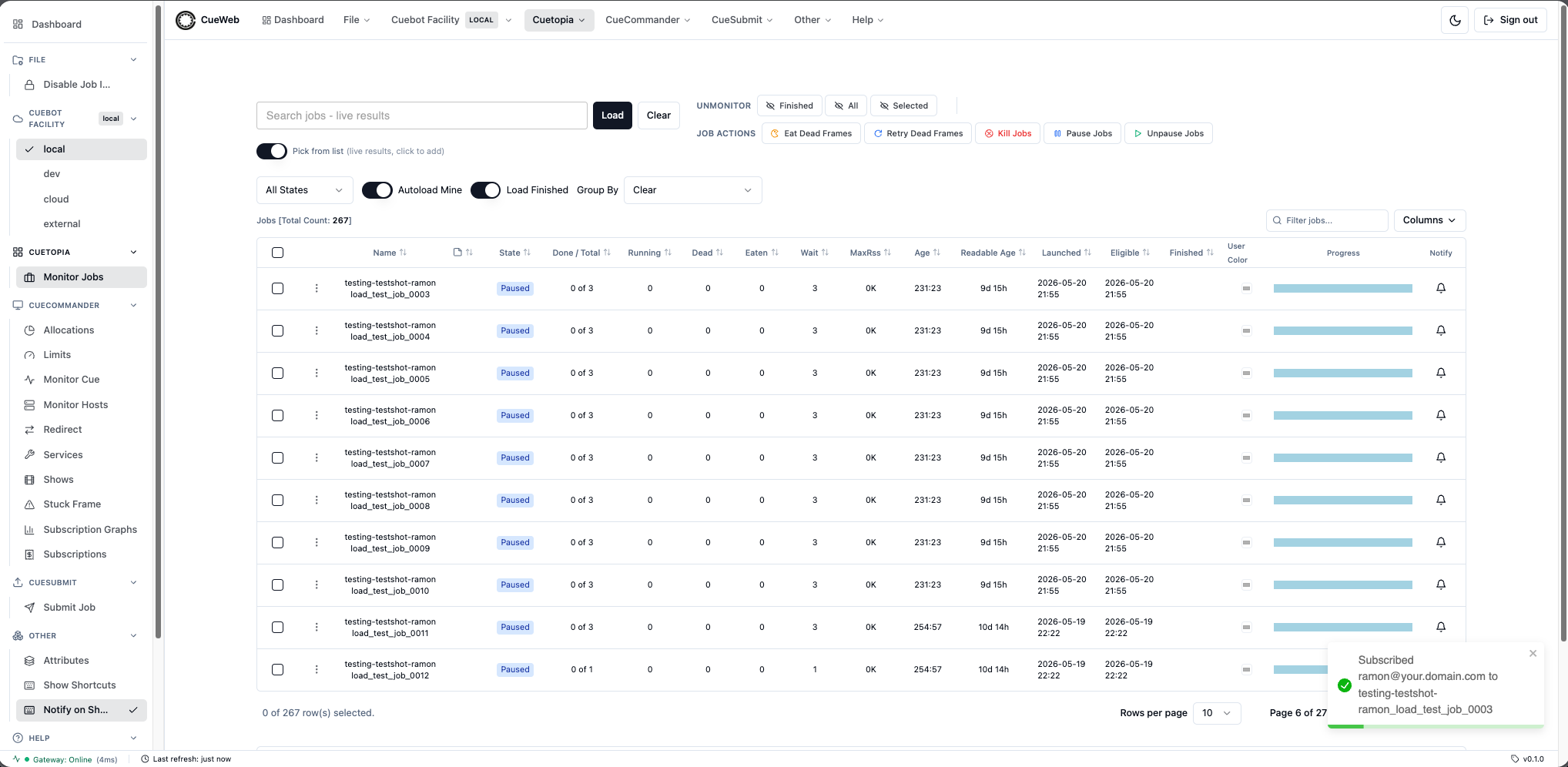
The Save button is disabled while the To field is empty or while a save is in flight. Cancel closes the dialog without contacting Cuebot.
Configurable at build time:
NEXT_PUBLIC_EMAIL_DOMAIN(defaultyour.domain.com, shared with the other email dialogs).NEXT_PUBLIC_SUBSCRIBE_FROM_EMAIL(defaultopencue-noreply@<EMAIL_DOMAIN>). Use this to surface a deployment-specific informational From label without touching the code.
Drop External / Internal Dependencies
Two one-click context-menu entries clear the matching depend bucket without opening a dialog. The action posts { job, target } to /api/job/action/dropdepends, which validates target against { INTERNAL, EXTERNAL, ANY_TARGET } server-side and forwards to /job.JobInterface/DropDepends. On success the helper dispatches cueweb:refresh-now (an immediate poll of the Jobs table) and cueweb:depends-changed (clears the Group-By Dependent tree cache and bumps its fetch token), so the Jobs row state, the chevrons in the dependency tree, and any open View Dependencies dialog all reconverge without waiting for the 5s autoload tick.
| Entry | Action |
|---|---|
| Drop External Dependencies | DropDepends with target = EXTERNAL - removes every cross-job depend. |
| Drop Internal Dependencies | DropDepends with target = INTERNAL - removes every within-job (layer-on-layer / frame-on-X) depend. |
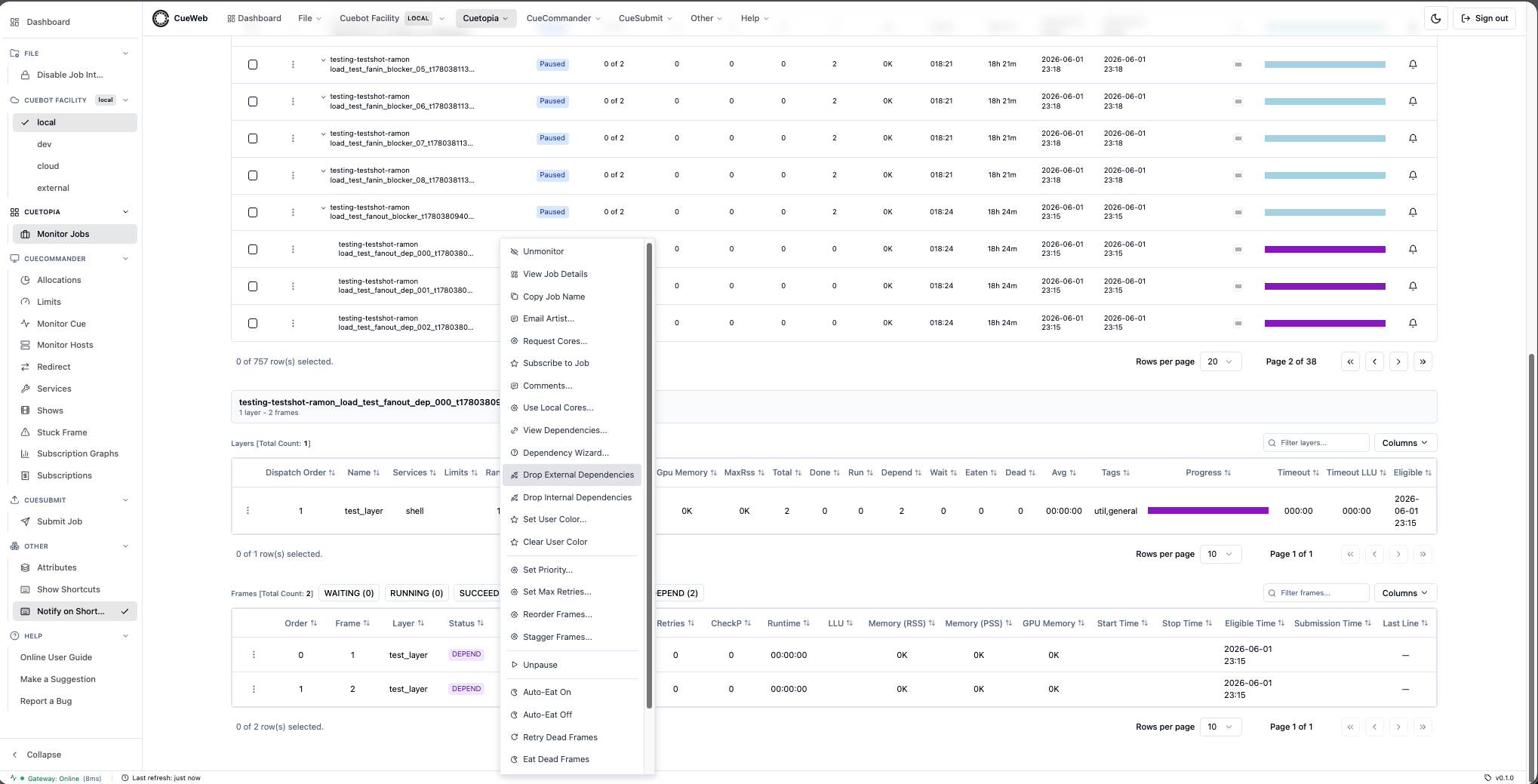
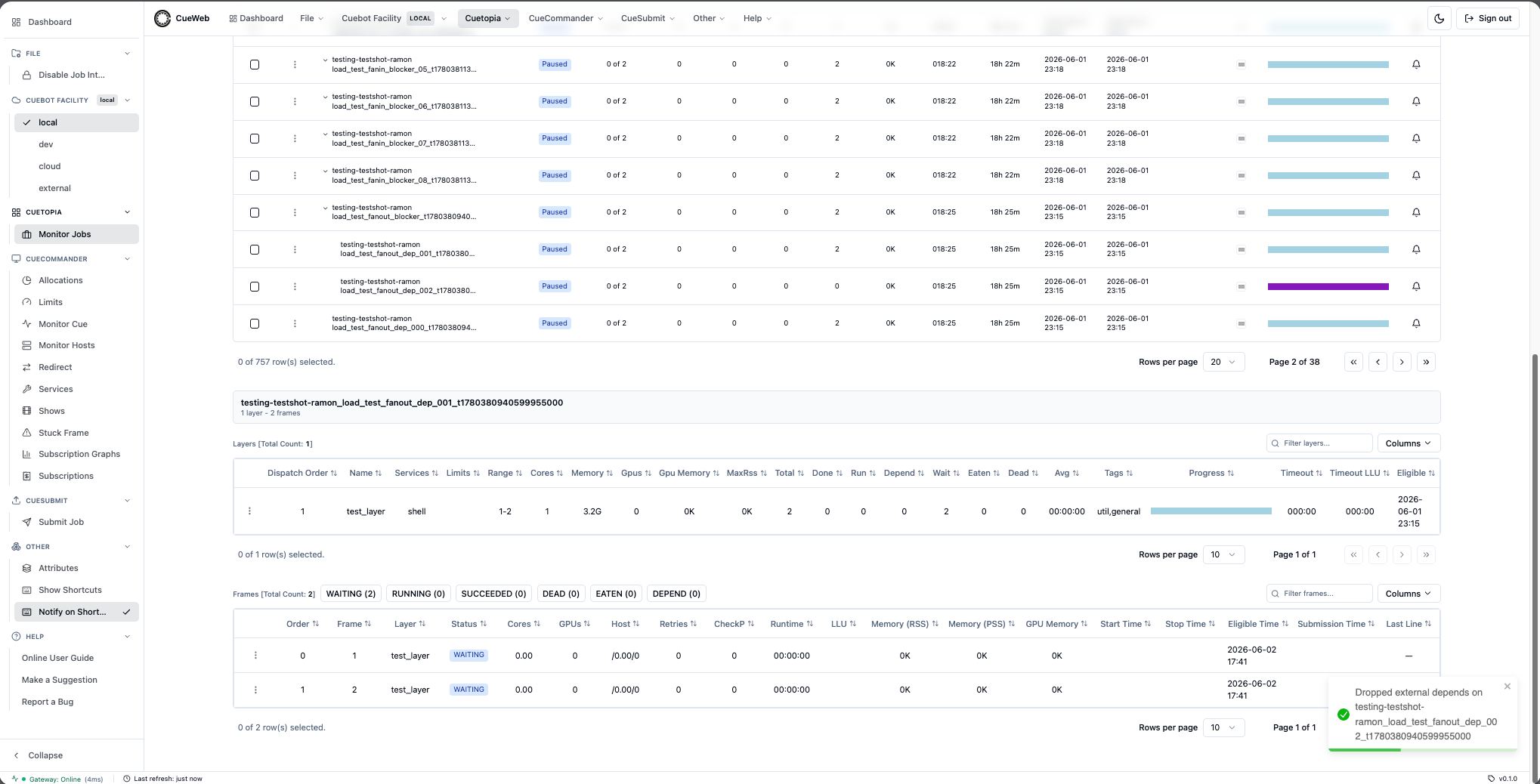
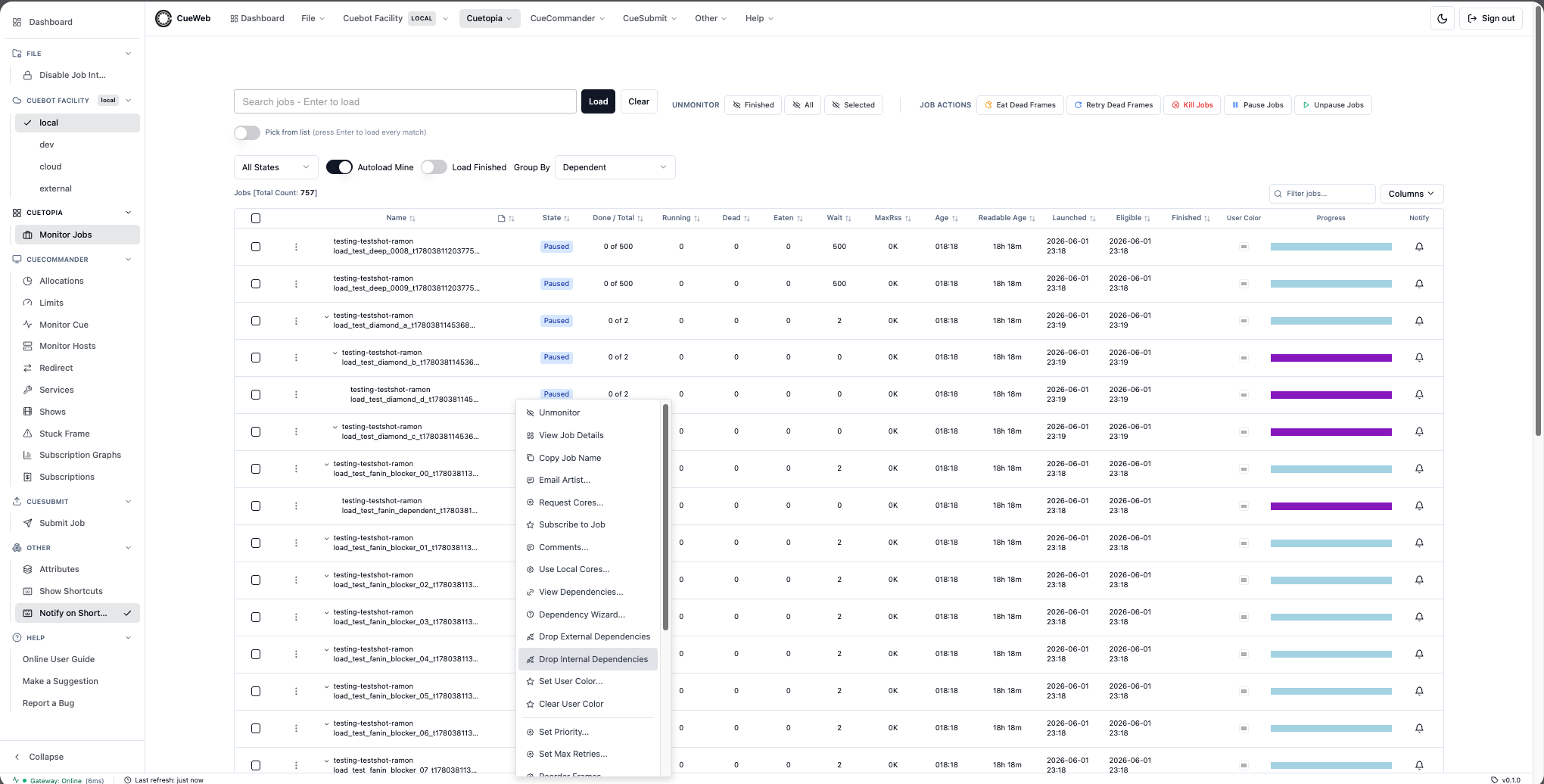
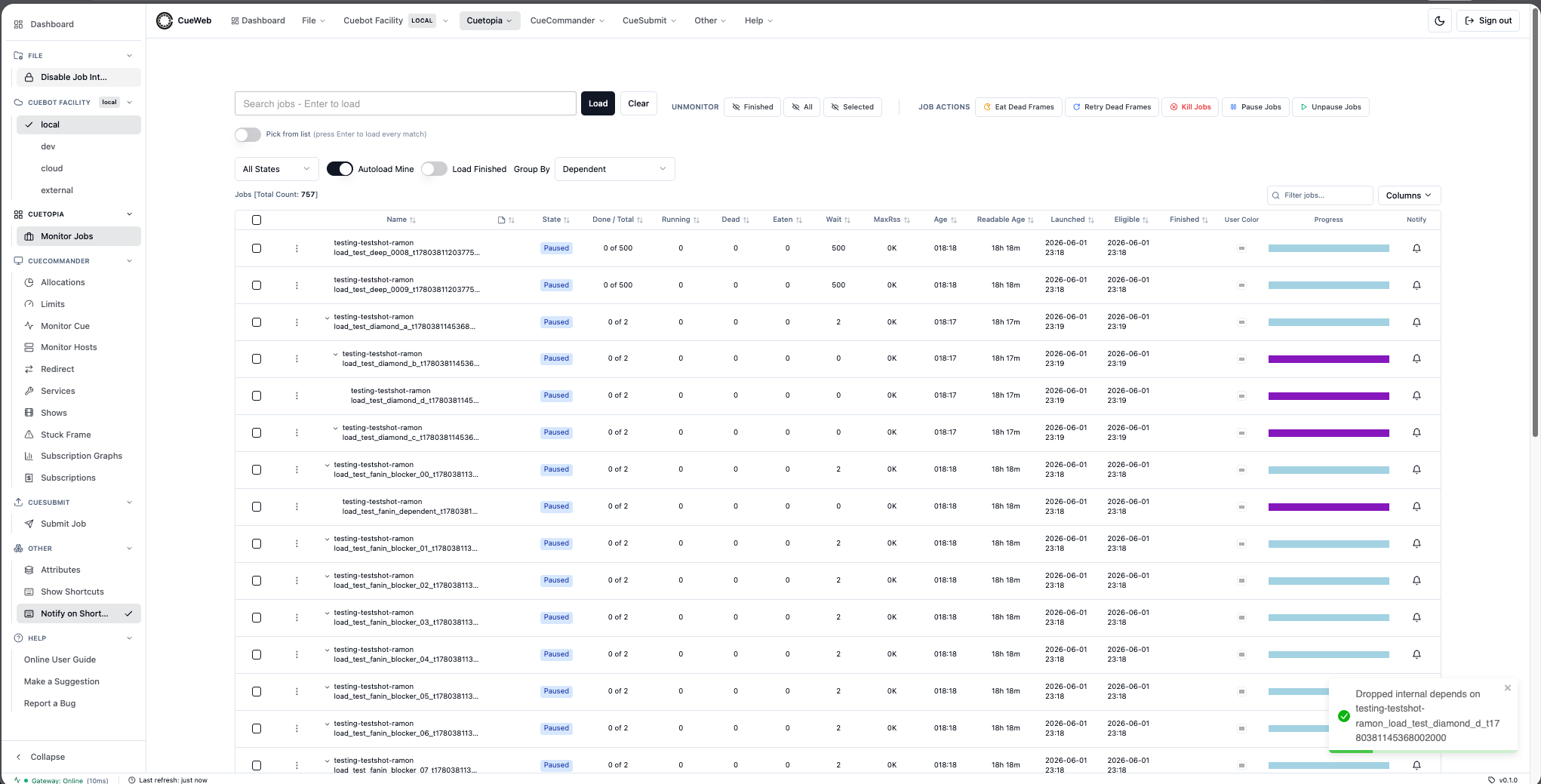
View Dependencies dialog
The job context menu’s View Dependencies… entry mirrors CueGUI’s DependDialog: a read-only table of the job’s depend.DependSeq so the user can audit which depends are still blocking the job.
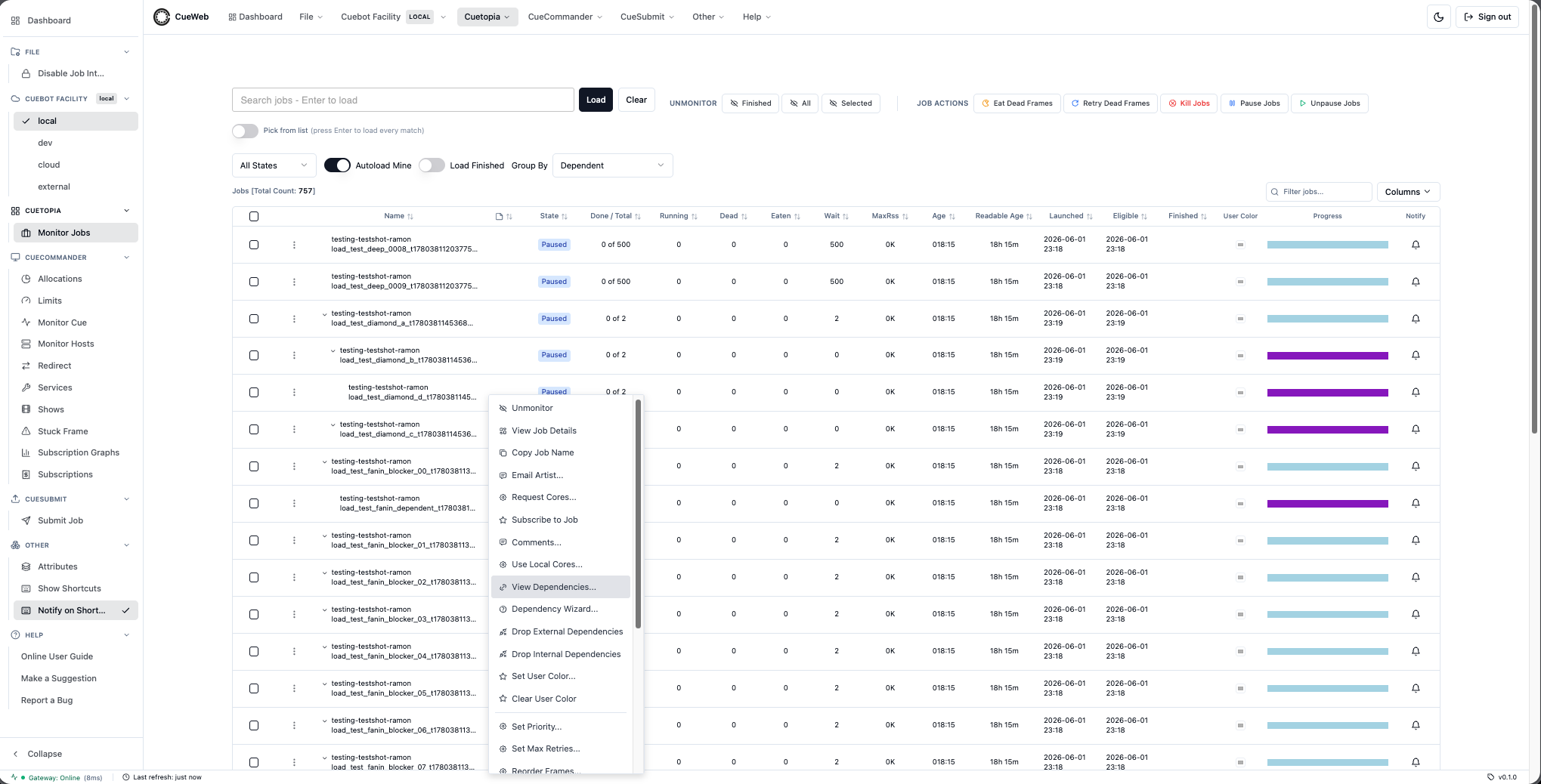
Mounted once via <ViewDependenciesDialog /> in cueweb/app/jobs/data-table.tsx; opens in response to a cueweb:open-view-dependencies CustomEvent that viewDependenciesGivenRow(row) in cueweb/app/utils/action_utils.ts dispatches with { job }. Lives in cueweb/components/ui/view-dependencies-dialog.tsx.
On open, the dialog calls fetchJobDepends(job) from action_utils.ts, which posts { job } to /api/job/action/getdepends. The proxy route forwards to /job.JobInterface/GetDepends via the REST gateway, and the dialog renders the returned DependSeq as a table.
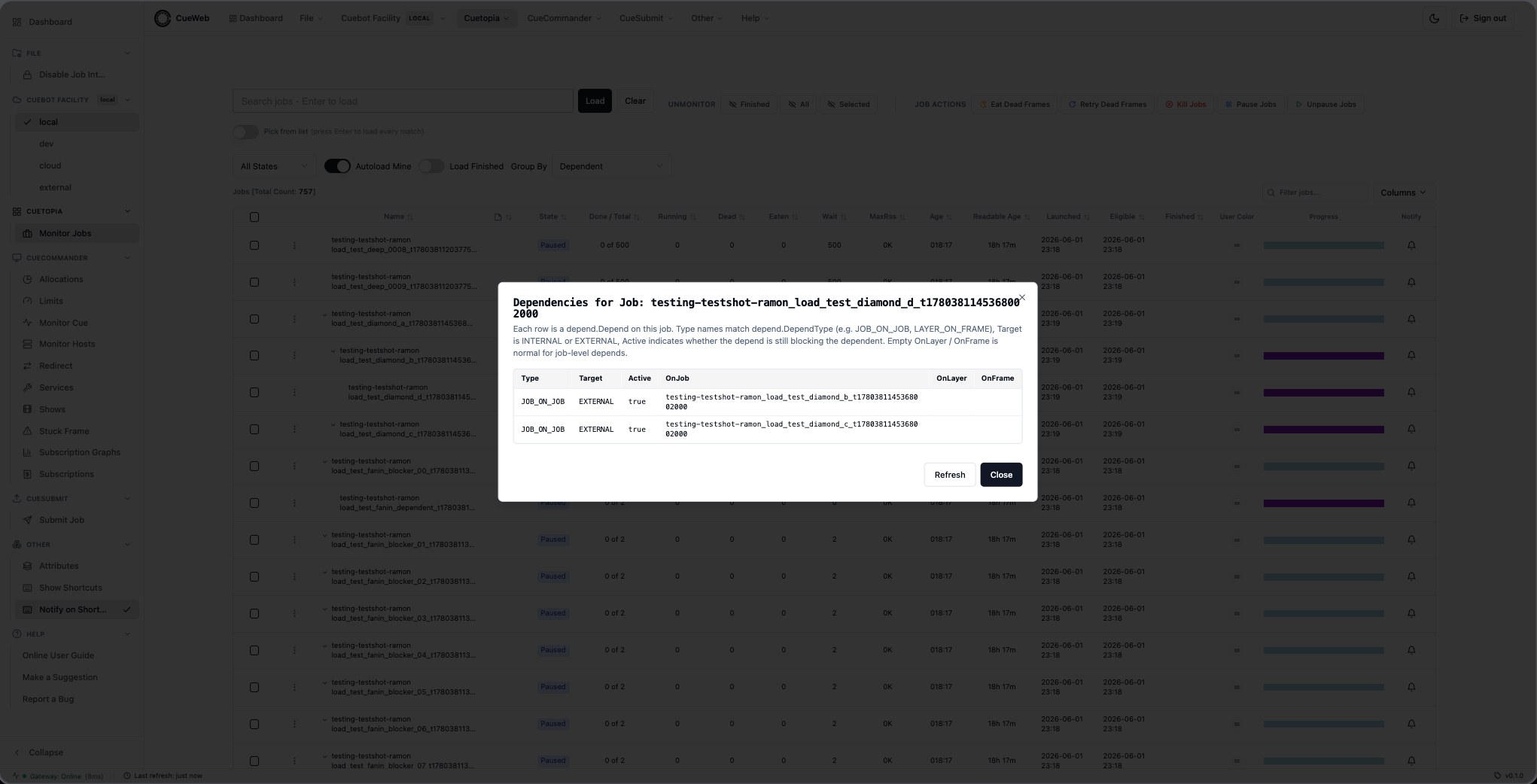
Columns mirror CueGUI’s DependDialog table:
| Column | Source field |
|---|---|
| Type | depend.type (e.g. JOB_ON_JOB, LAYER_ON_FRAME). |
| Target | depend.target (INTERNAL or EXTERNAL). |
| Active | depend.active boolean - true while the depend still blocks the dependent. |
| OnJob | depend.depend_on_job - the job this depend waits on. |
| OnLayer | depend.depend_on_layer - the layer (empty for job-level depends). |
| OnFrame | depend.depend_on_frame - the frame (empty for job / layer-level depends). |
The Refresh button re-issues the GetDepends RPC so the user can verify that a freshly created depend appears in the table without re-opening the dialog. Close dismisses the dialog.
Dependency Wizard dialog
The job context menu’s Dependency Wizard… entry mirrors CueGUI’s DependWizard: a multi-step dialog that walks the user through creating a new depend on the current job.
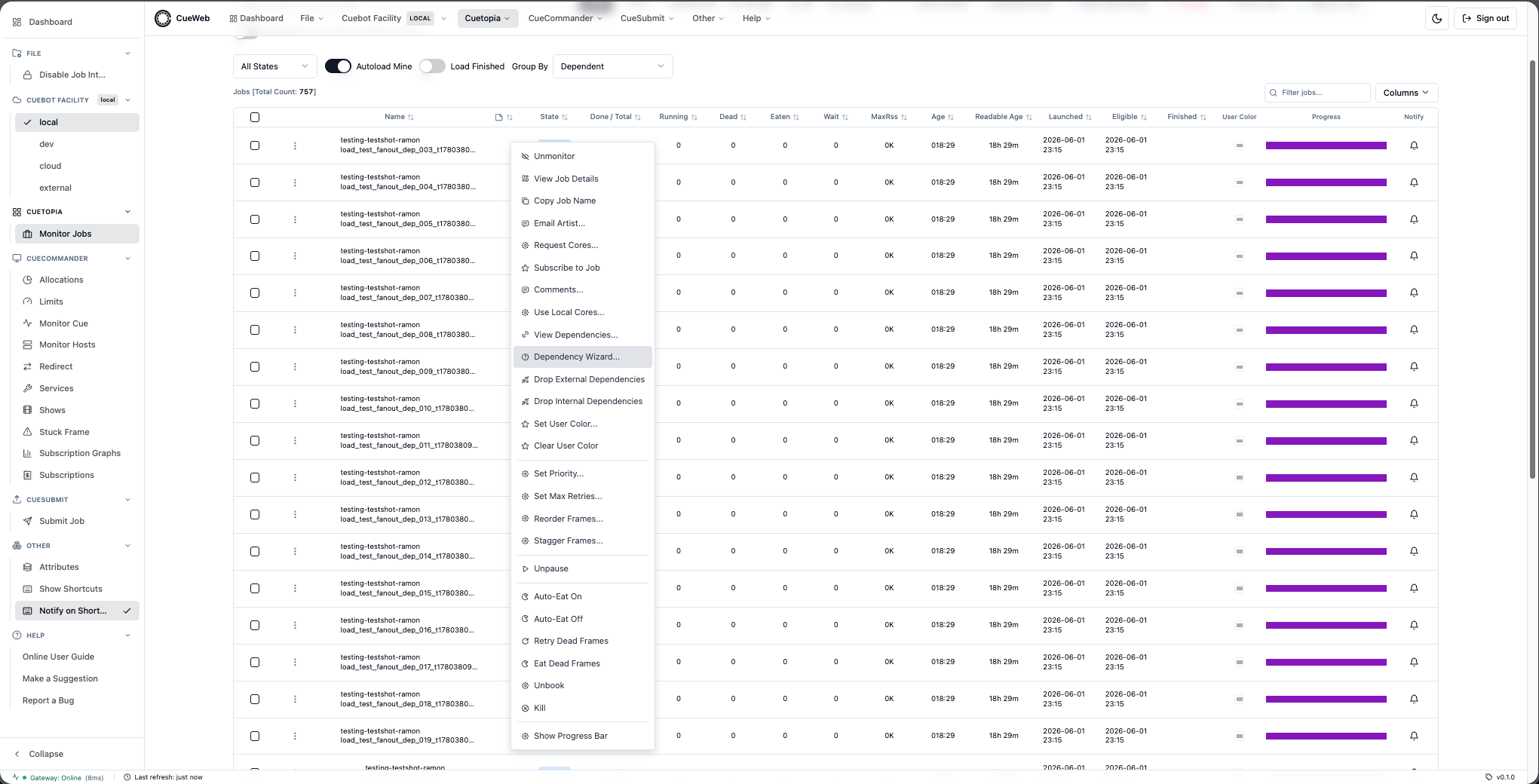
Mounted once via <DependencyWizardDialog /> in cueweb/app/jobs/data-table.tsx; opens in response to a cueweb:open-dependency-wizard CustomEvent that dependencyWizardGivenRow(row) in cueweb/app/utils/action_utils.ts dispatches with { job }. Lives in cueweb/components/ui/dependency-wizard-dialog.tsx.
The wizard implements every CueGUI depend.DependType, including the UI-only Hard Depend variant. Every picker is multi-select (matching CueGUI’s QListWidget(ExtendedSelection) behavior) and Done fires the full cross-product of source x target picks. The table below summarizes the step list and underlying RPC per type:
| Type | Steps | Underlying RPC(s) |
|---|---|---|
JOB_ON_JOB |
Type → Job → Confirm | /job.JobInterface/CreateDependencyOnJob |
JOB_ON_LAYER |
Type → Job → Layer → Confirm | /job.JobInterface/CreateDependencyOnLayer |
JOB_ON_FRAME |
Type → Job → Layer → Frame → Confirm | /job.JobInterface/CreateDependencyOnFrame |
JFBF (Hard Depend - “Frame By Frame for all layers”) |
Type → Job → Confirm | /layer.LayerInterface/CreateFrameByFrameDependency per matched-type layer pair, across every picked target job |
LAYER_ON_JOB |
Type → Source Layer → Job → Confirm | /layer.LayerInterface/CreateDependencyOnJob |
LAYER_ON_LAYER |
Type → Source Layer → Job → Layer → Confirm | /layer.LayerInterface/CreateDependencyOnLayer |
LAYER_ON_FRAME |
Type → Source Layer → Job → Layer → Frame → Confirm | /layer.LayerInterface/CreateDependencyOnFrame |
FRAME_BY_FRAME |
Type → Source Layer → Job → Layer → Confirm | /layer.LayerInterface/CreateFrameByFrameDependency |
FRAME_ON_JOB |
Type → Source Layer → Source Frame → Job → Confirm | /frame.FrameInterface/CreateDependencyOnJob |
FRAME_ON_LAYER |
Type → Source Layer → Source Frame → Job → Layer → Confirm | /frame.FrameInterface/CreateDependencyOnLayer |
FRAME_ON_FRAME |
Type → Source Layer → Source Frame → Job → Layer → Frame → Confirm | /frame.FrameInterface/CreateDependencyOnFrame |
LAYER_ON_SIM_FRAME |
Type → Source Layer → Job → Sim Layer → Frame → Confirm | /frame.FrameInterface/CreateDependencyOnFrame per source frame x picked sim frame |
Fan-out semantics: Done issues len(sources) * len(targets) parallel RPCs through one performAction call so the user gets a single summary toast. Picking M source layers and N target layers under LAYER_ON_LAYER, for example, fires M*N CreateDependencyOnLayer RPCs.
- Select Dependency Type. A radio-group lists every
depend.DependTypeCueGUI offers, including the UI-only Hard Depend variant. All twelve are now wired. - Source pickers (Layer / Frame in THIS job). Layer-On-X, Frame-By-Frame, Frame-On-X, and Layer-On-Sim-Frame all need source object(s) in this job before targeting another job. The wizard fetches
getLayersForJob(thisJob)to populate the source-layer picker; the source-frame picker then fetchesgetFramesForJob(thisJob)once and filters client-side to every picked source layer (so the user can multi-select layers and still pick frames across them). - Target Job picker. A regex search box drives a scrollable list of matching jobs (debounced 250ms, capped at 200 rows). The query is forwarded to
getJobsForRegex(regex, include_finished=true), which posts to/api/job/getjobs. An empty query falls back to.*. Multi-select - pick as many target jobs as you want. - Target Layer picker. Layers are fetched in parallel from every picked target job via
getLayersForJoband concatenated. Each row carries itsparentJobName; when multiple target jobs are picked the parent is rendered as a[parentJob]annotation so duplicates can be told apart. ForLAYER_ON_SIM_FRAMEthe list is filtered client-side to layers whoseservicesarray contains a token matching/sim/i. - Target Frame picker. Frames are fetched in parallel from every parent job of the picked target layers, then filtered to the picked layer names. Each row shows
(state) [layerName] <parentJobName>annotations where useful for disambiguation. - Confirmation. A read-only summary of the dependency type, this job, picked source object(s), and picked target object(s). Done dispatches to the matching wrapper in
action_utils.ts, which expands the full source x target cross-product into oneperformActioncall (parallel RPCs, single summary toast).
The Hard Depend (JFBF) case is handled client-side: on Done the wizard fetches the layer list for this job and for every picked target job in parallel, pairs each target job’s layers with this job’s layers by layer.type, and bulk-fires /layer.LayerInterface/CreateFrameByFrameDependency for every matched pair across every target job. The success toast notes how many target jobs and layer pairs were created (<this-job> -> <N> jobs (<M> layer pairs)). If no types match, the wizard surfaces a warning toast instead of opening empty RPCs against Cuebot.
Each step has Go Back / Continue (or Done) buttons; Cancel on step 1 dismisses the wizard. The dialog is locked while a Done request is in flight, and Go Back rewinds one step at a time so a wrong choice can be corrected without restarting the wizard.
Wizard walk-throughs
The screenshots below show the screen flow for each dependency type. Every picker is multi-select; Done fires the full source x target cross-product (see the table above for which RPC each type calls).
Job On Job (3 steps) - the shortest path. Pick the target job(s) the current job should wait on.
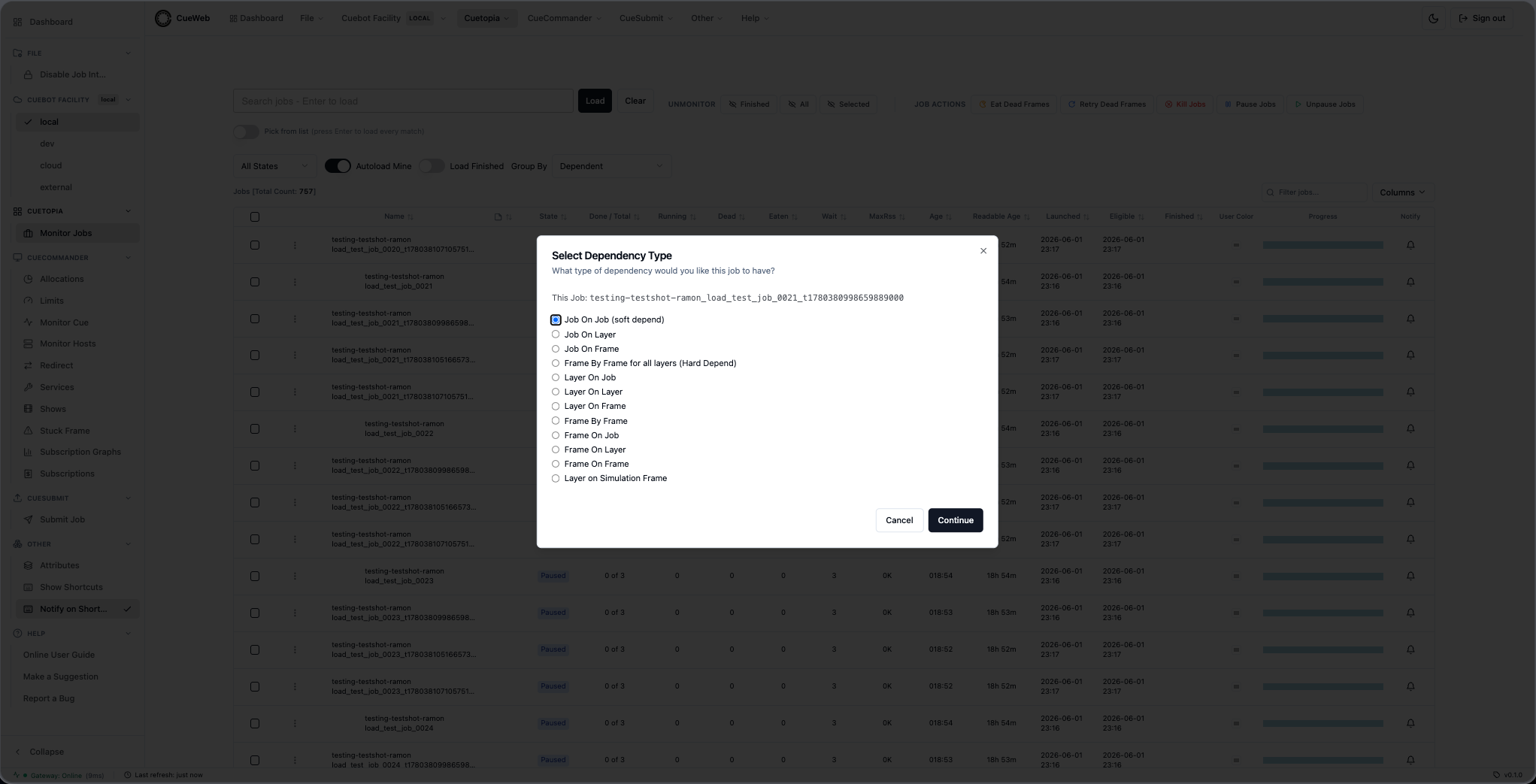
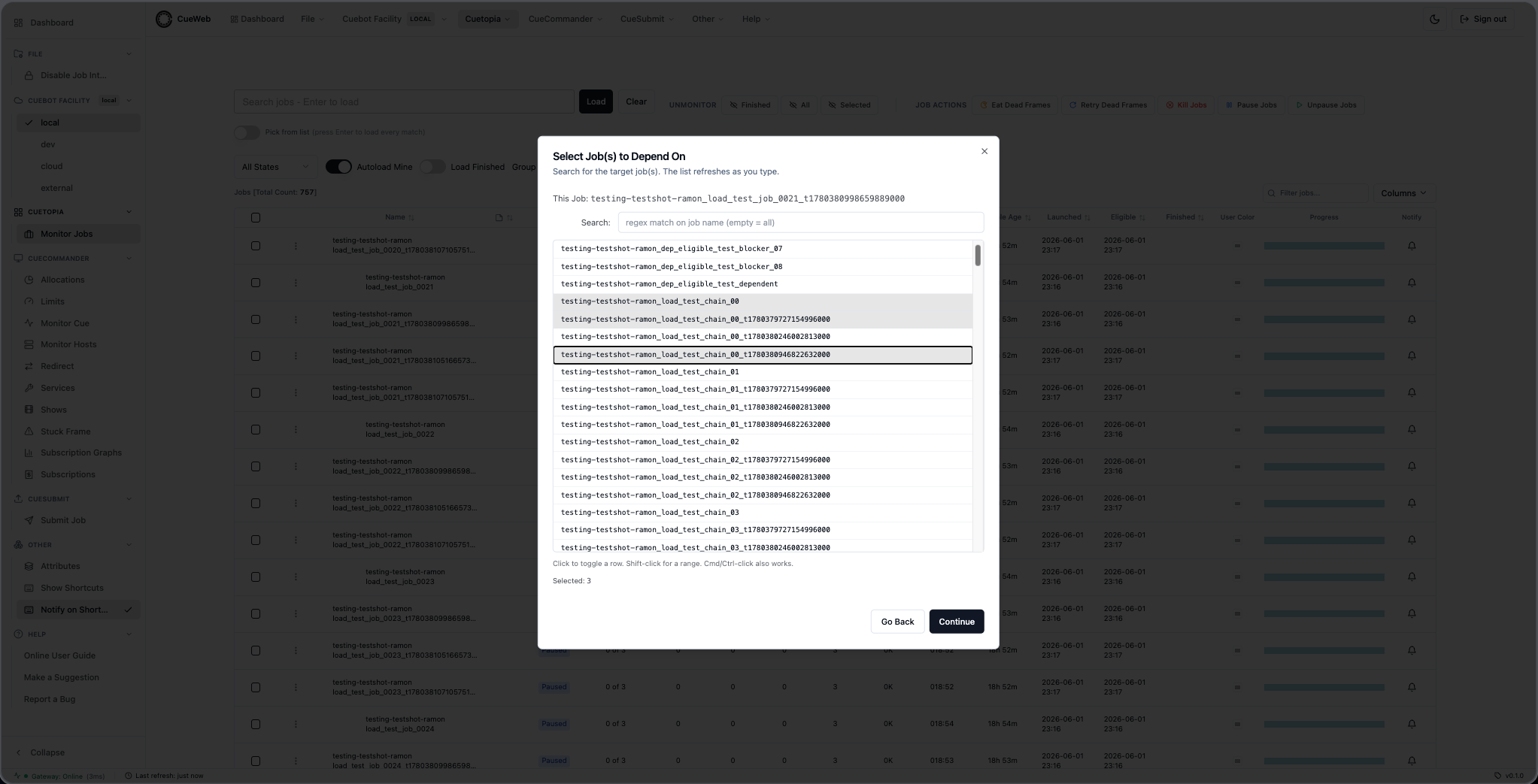
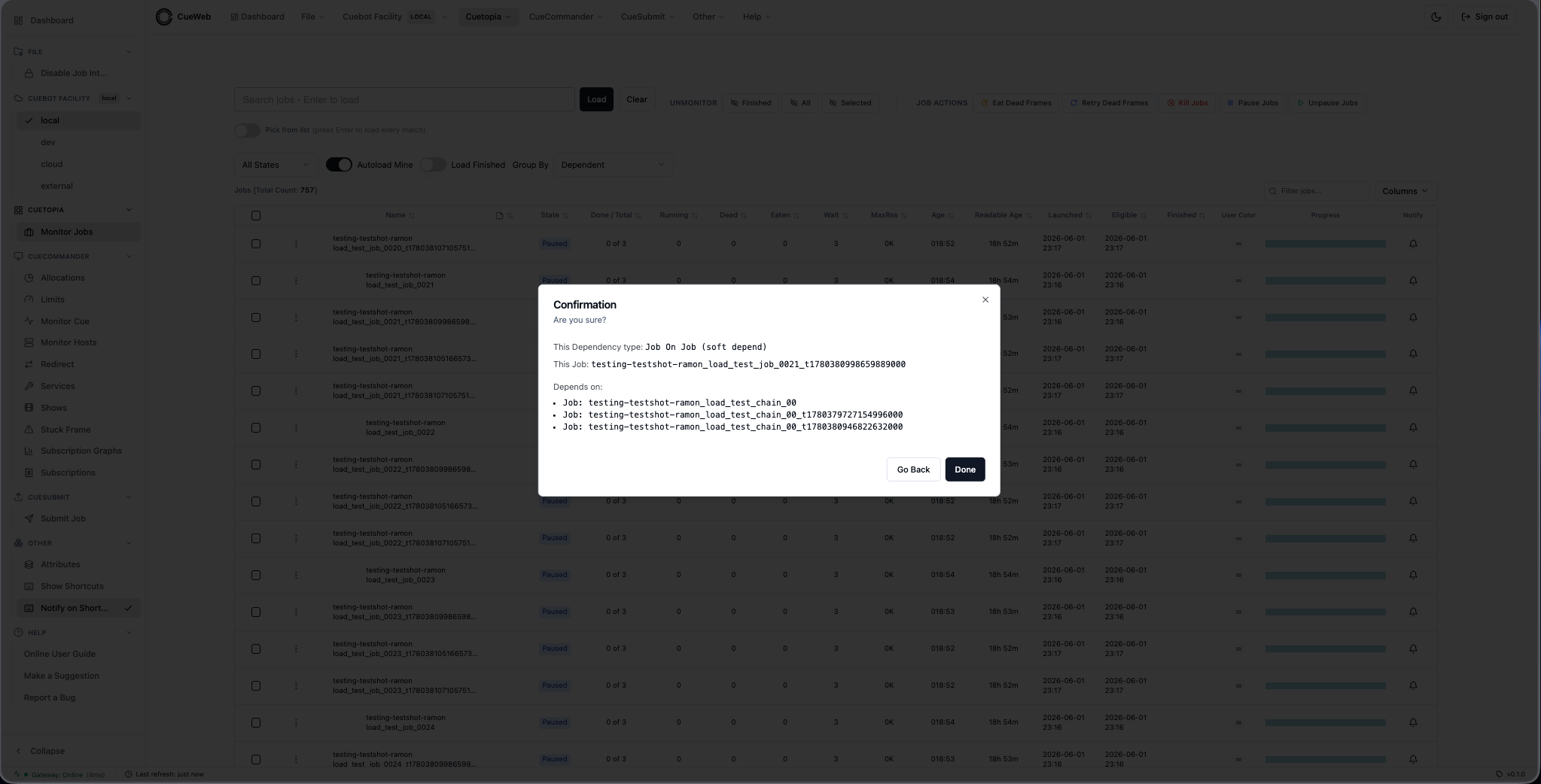
Job On Layer (4 steps) - one extra target-layer picker.
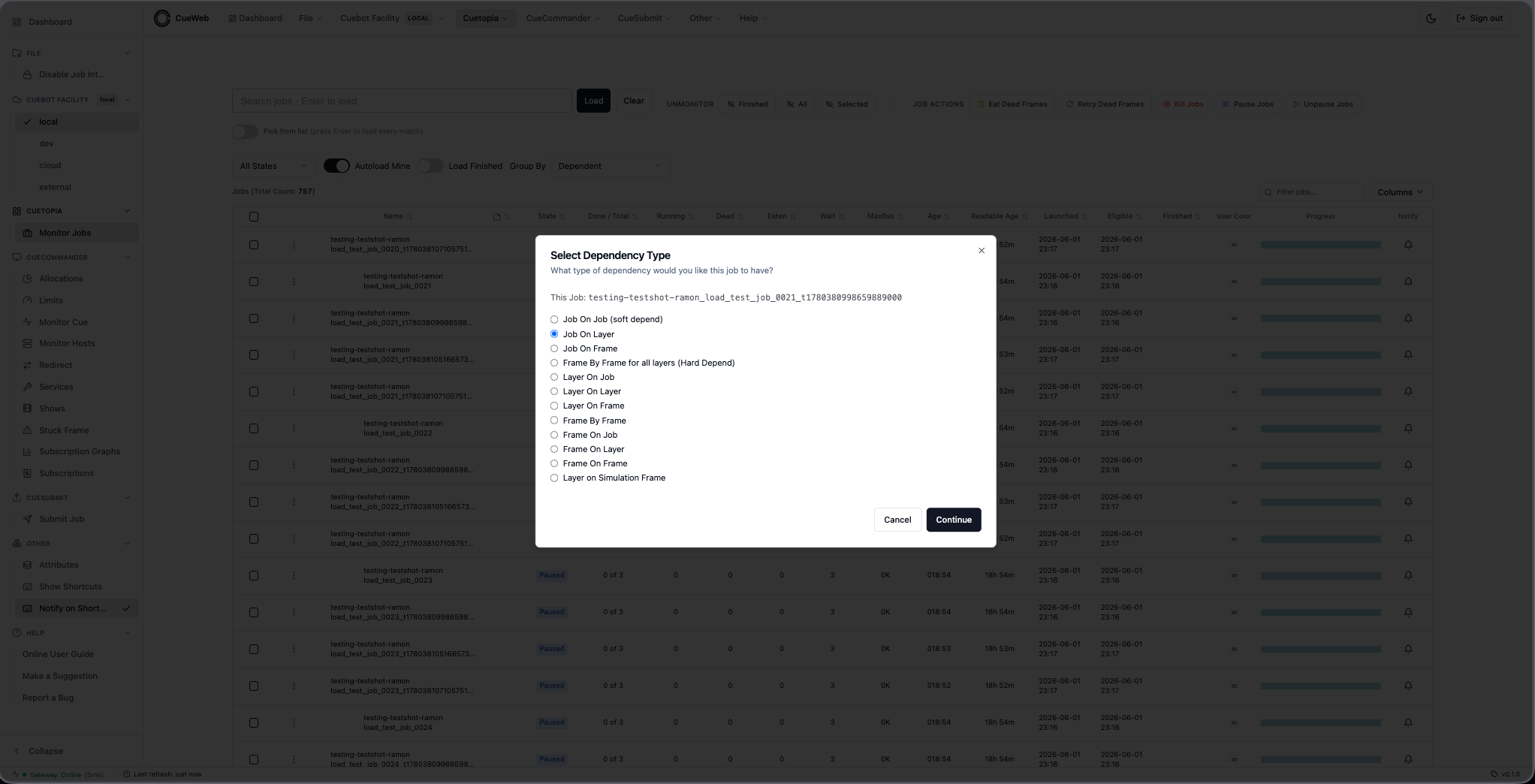
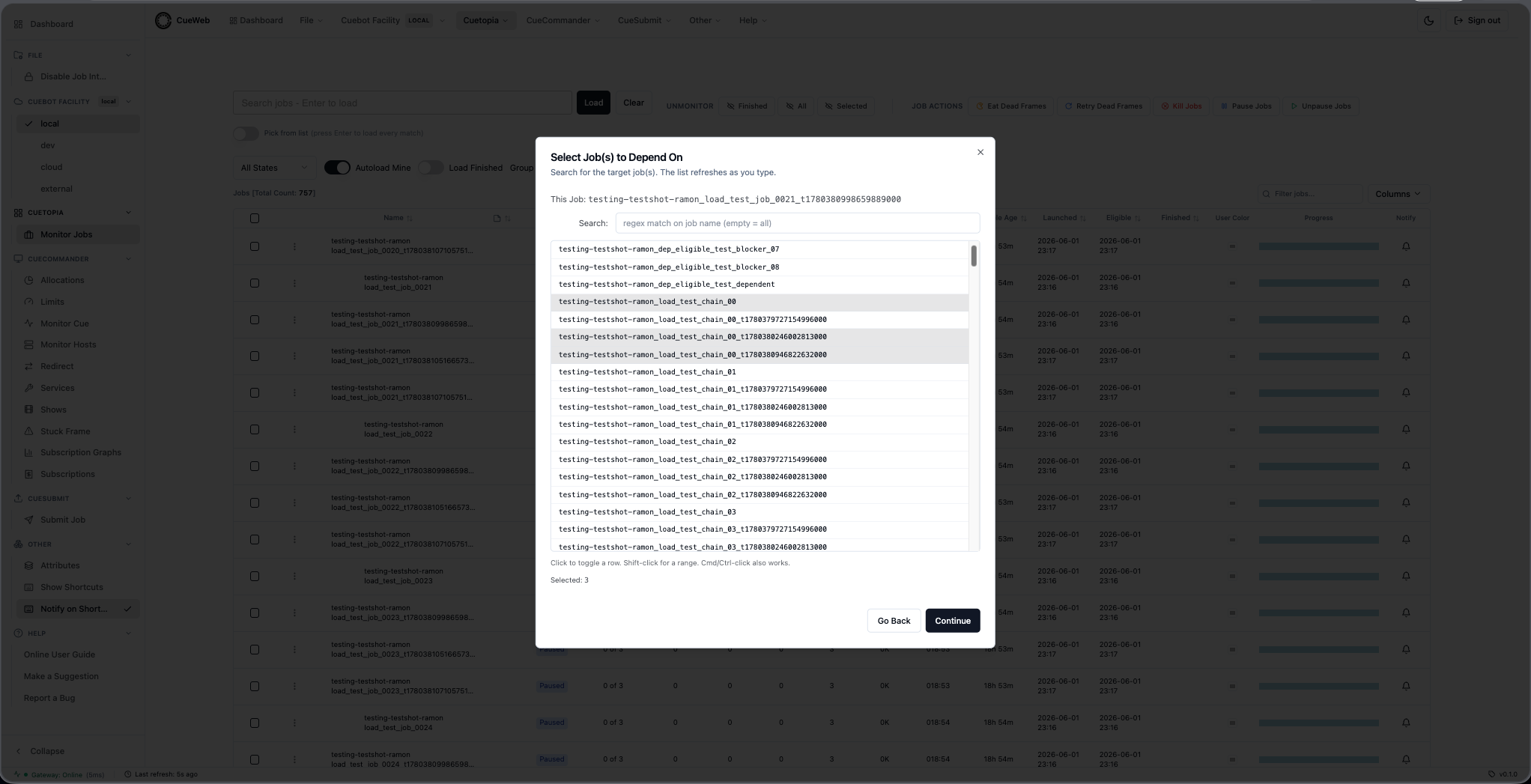
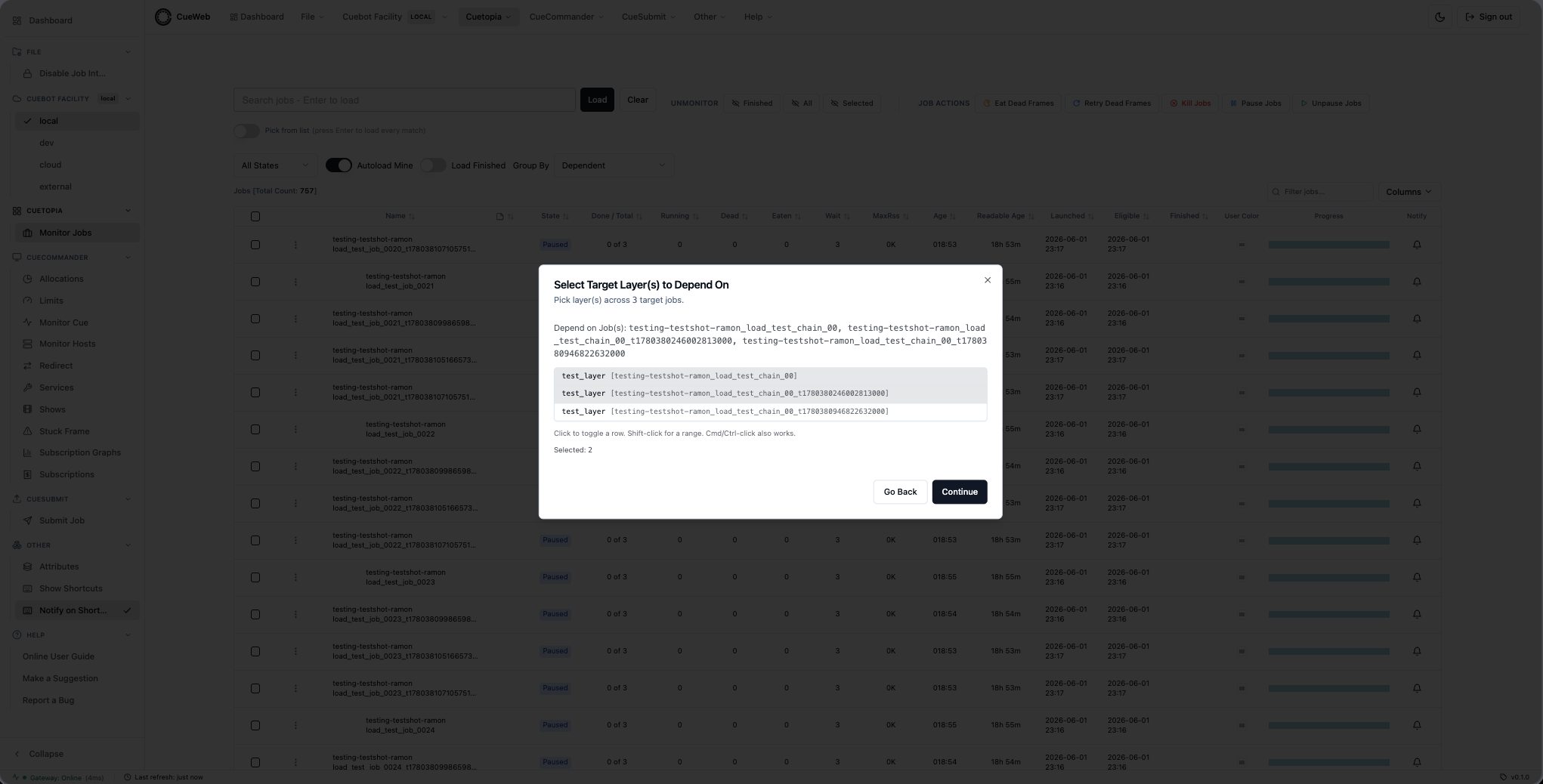
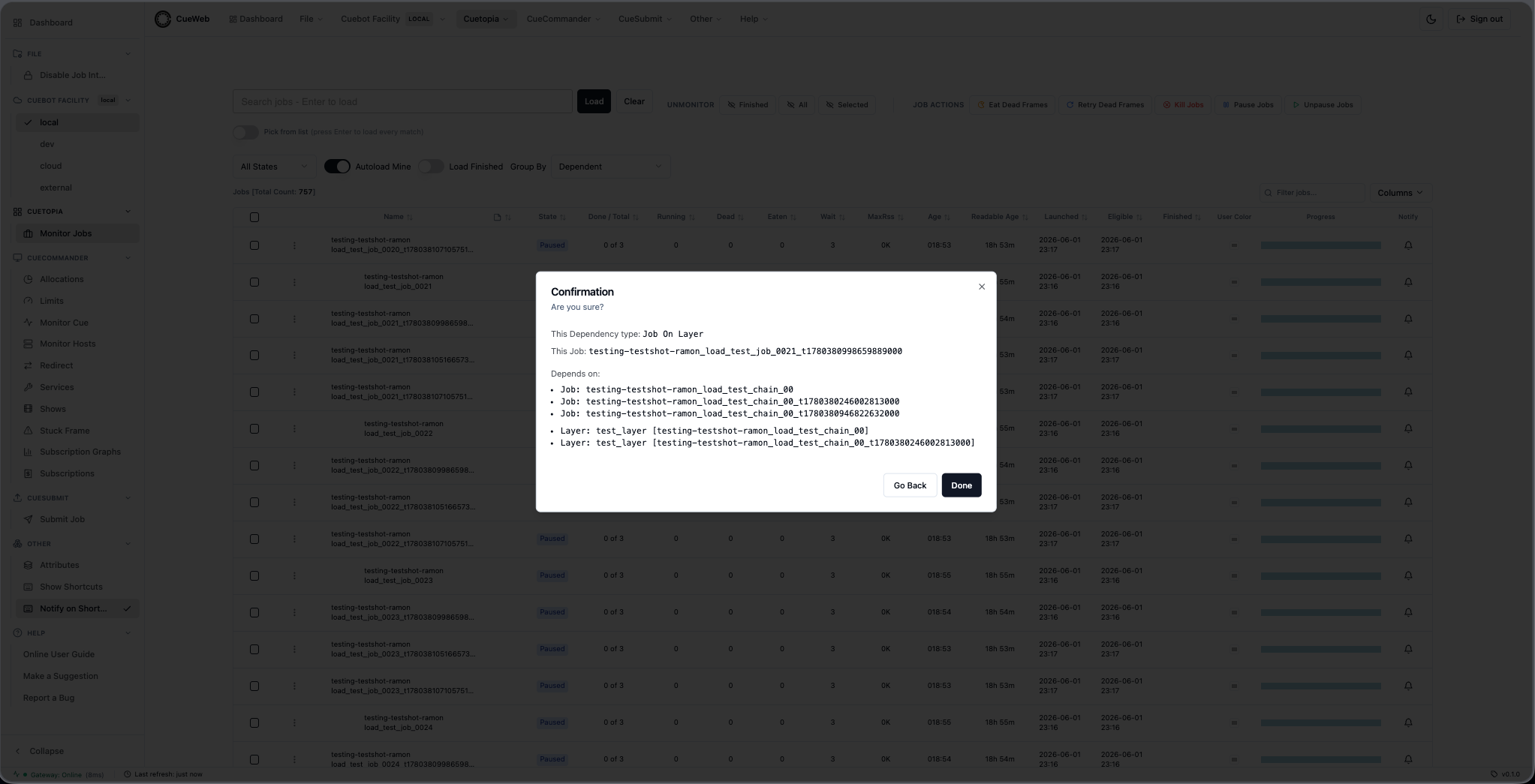
Job On Frame (5 steps) - drill all the way down to specific target frames.
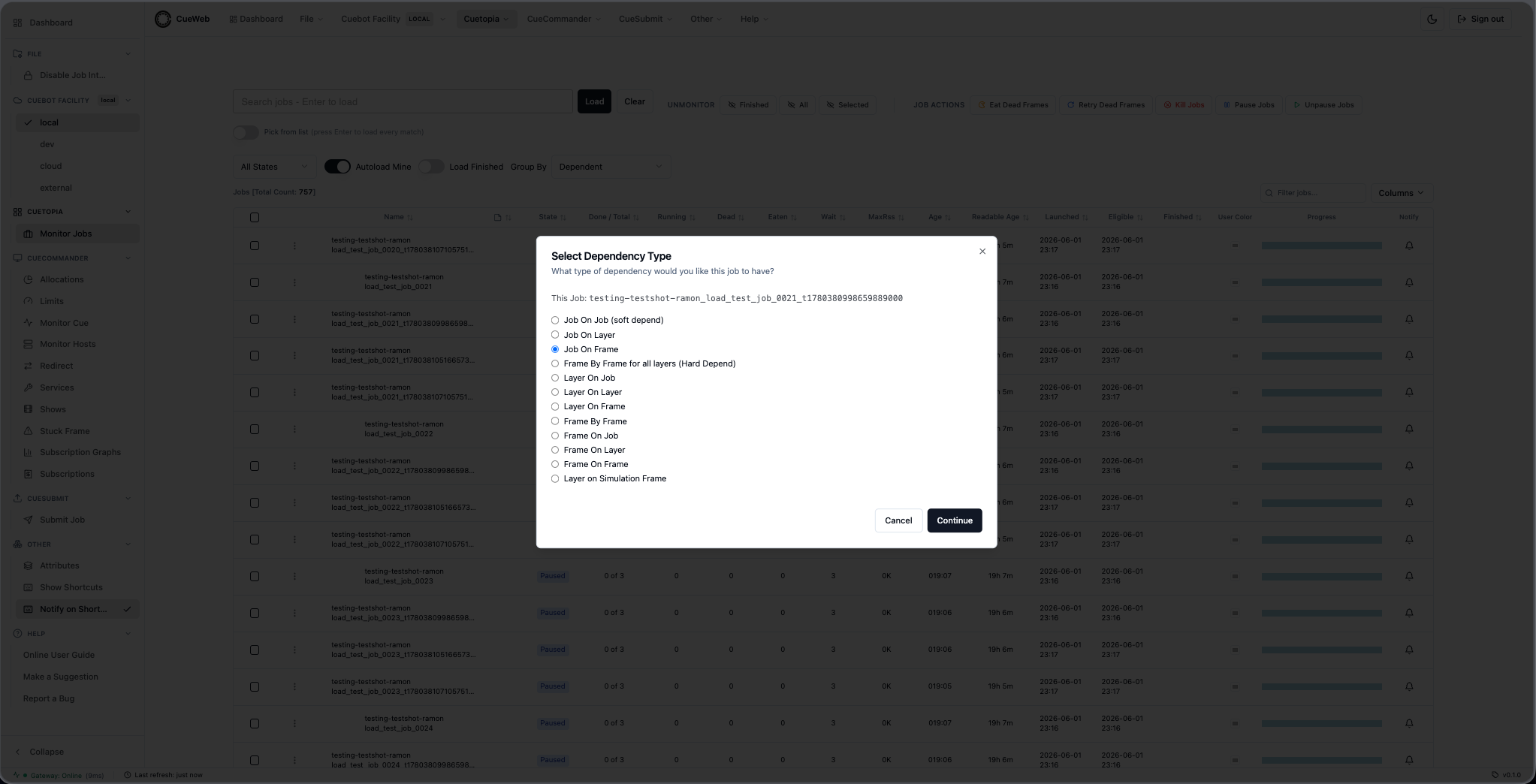
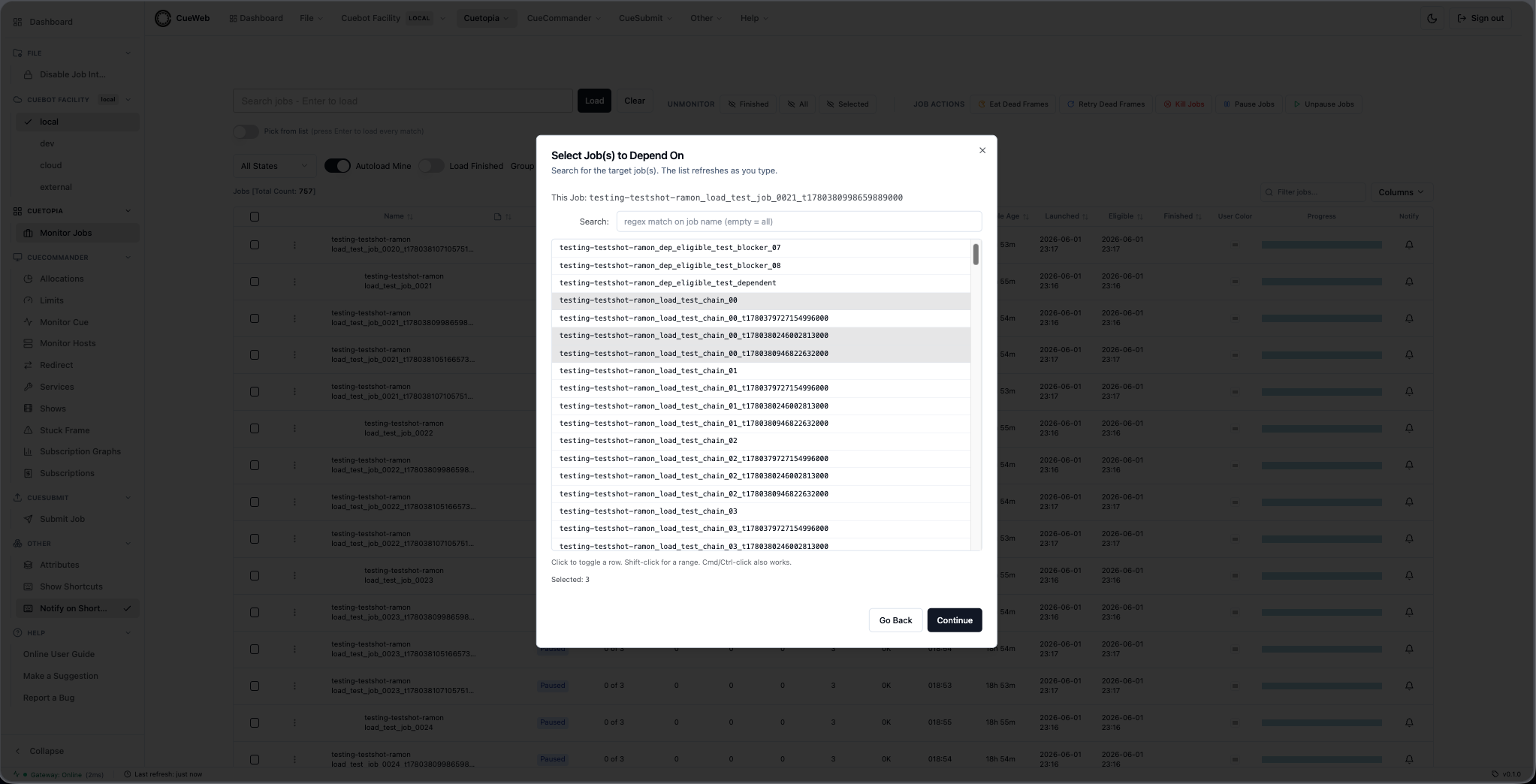
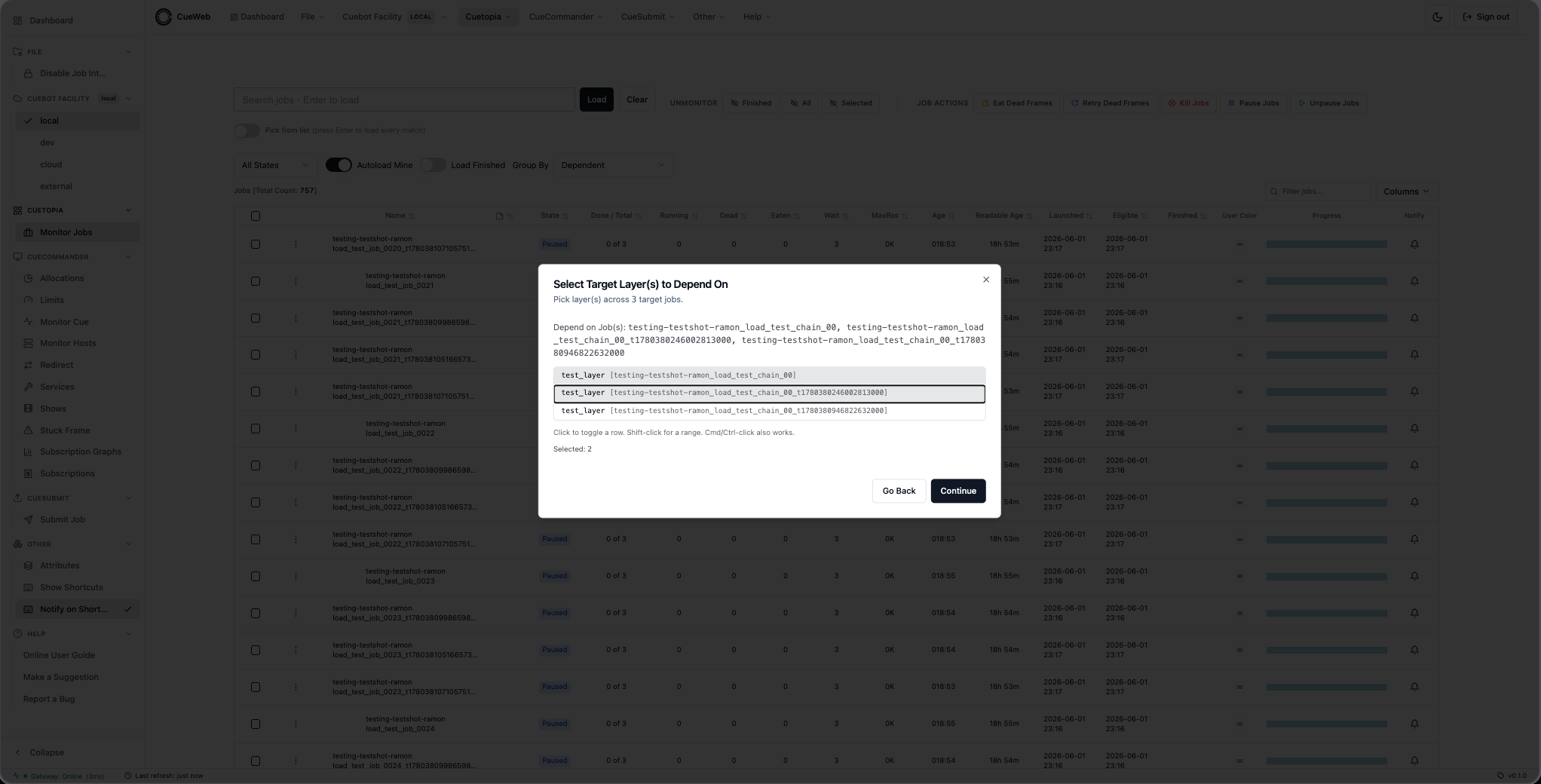
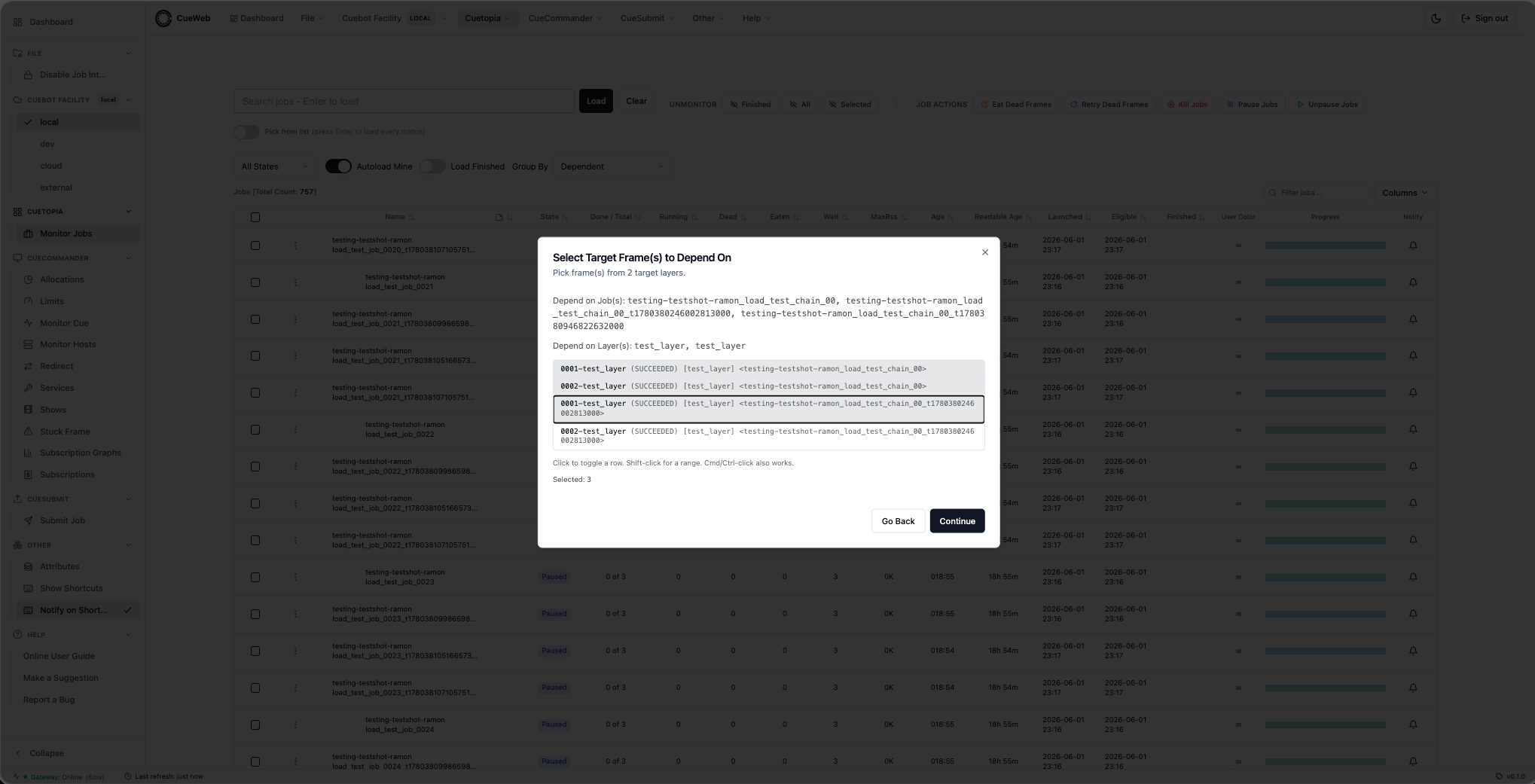
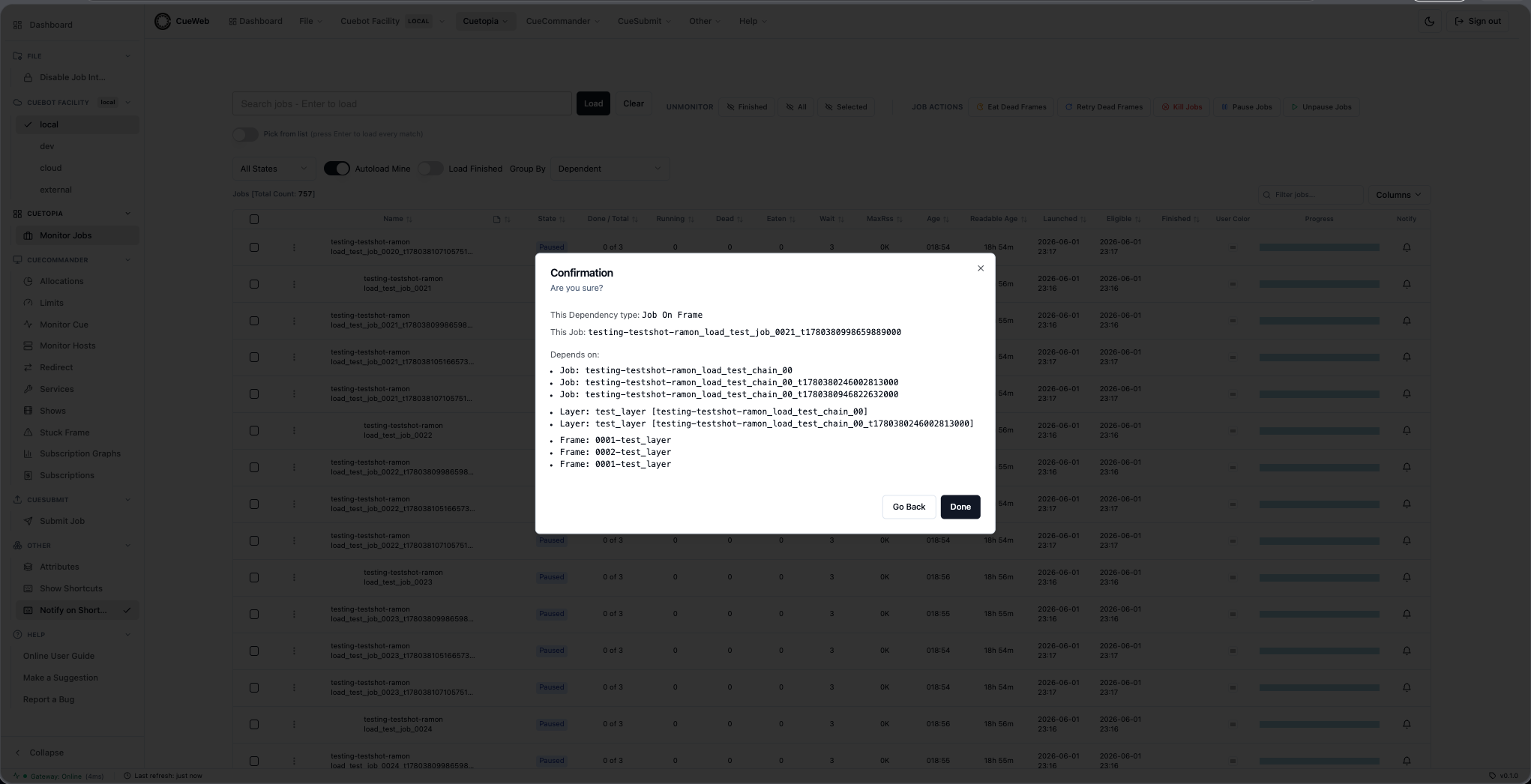
Frame By Frame for all layers (Hard Depend, 3 steps) - the wizard pairs source/target layers by layer.type and bulk-fires one Frame-By-Frame depend per matched pair on Done.
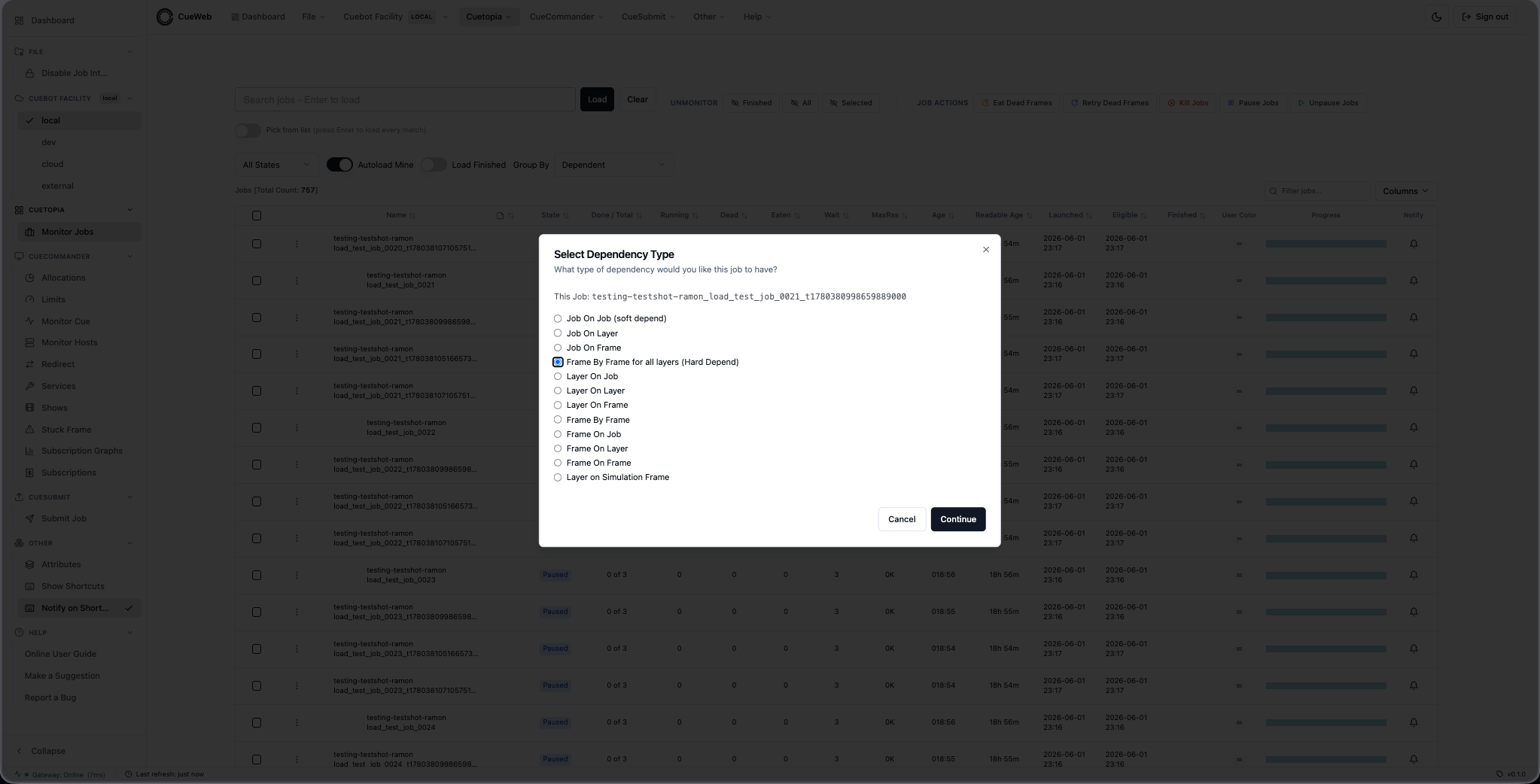
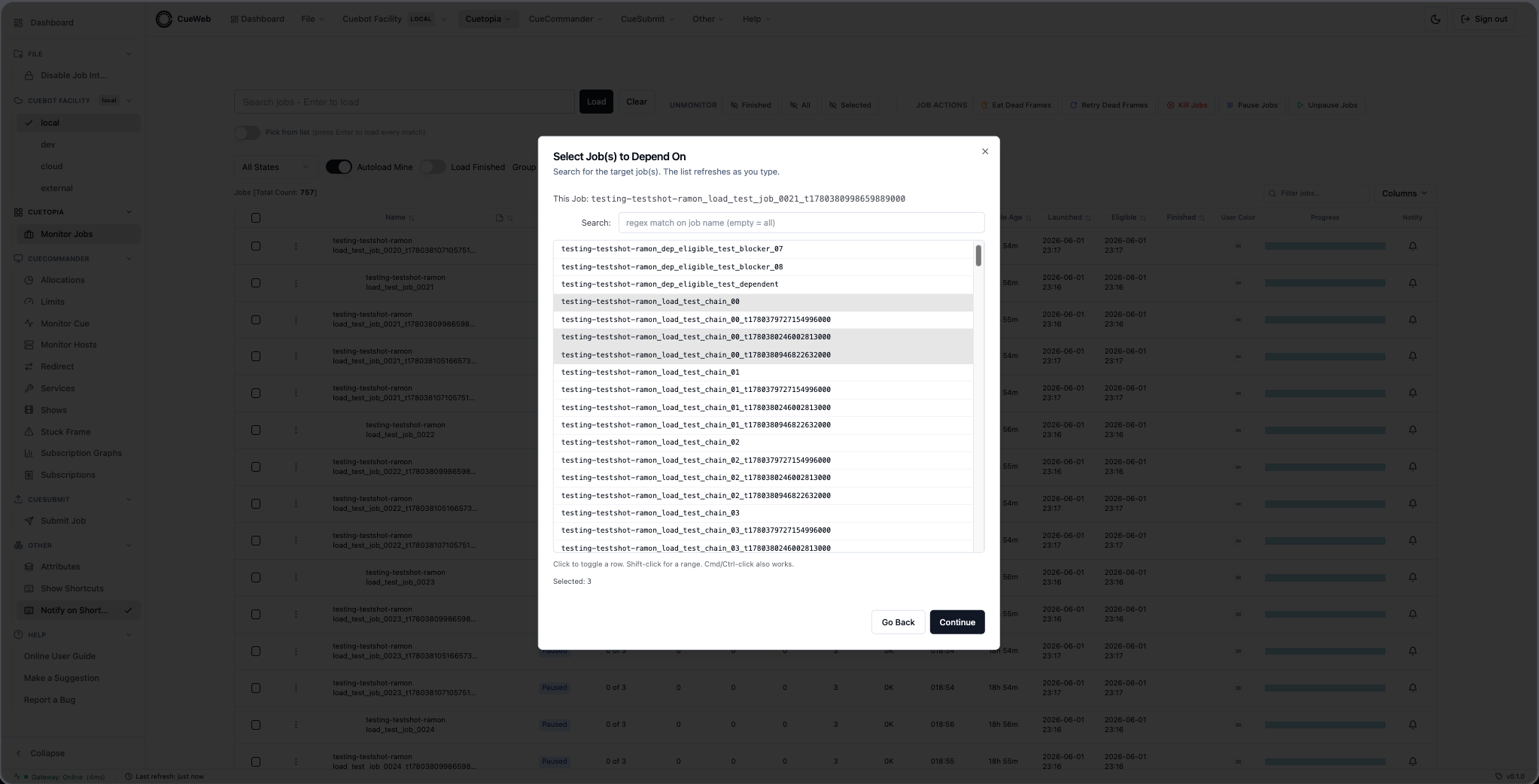
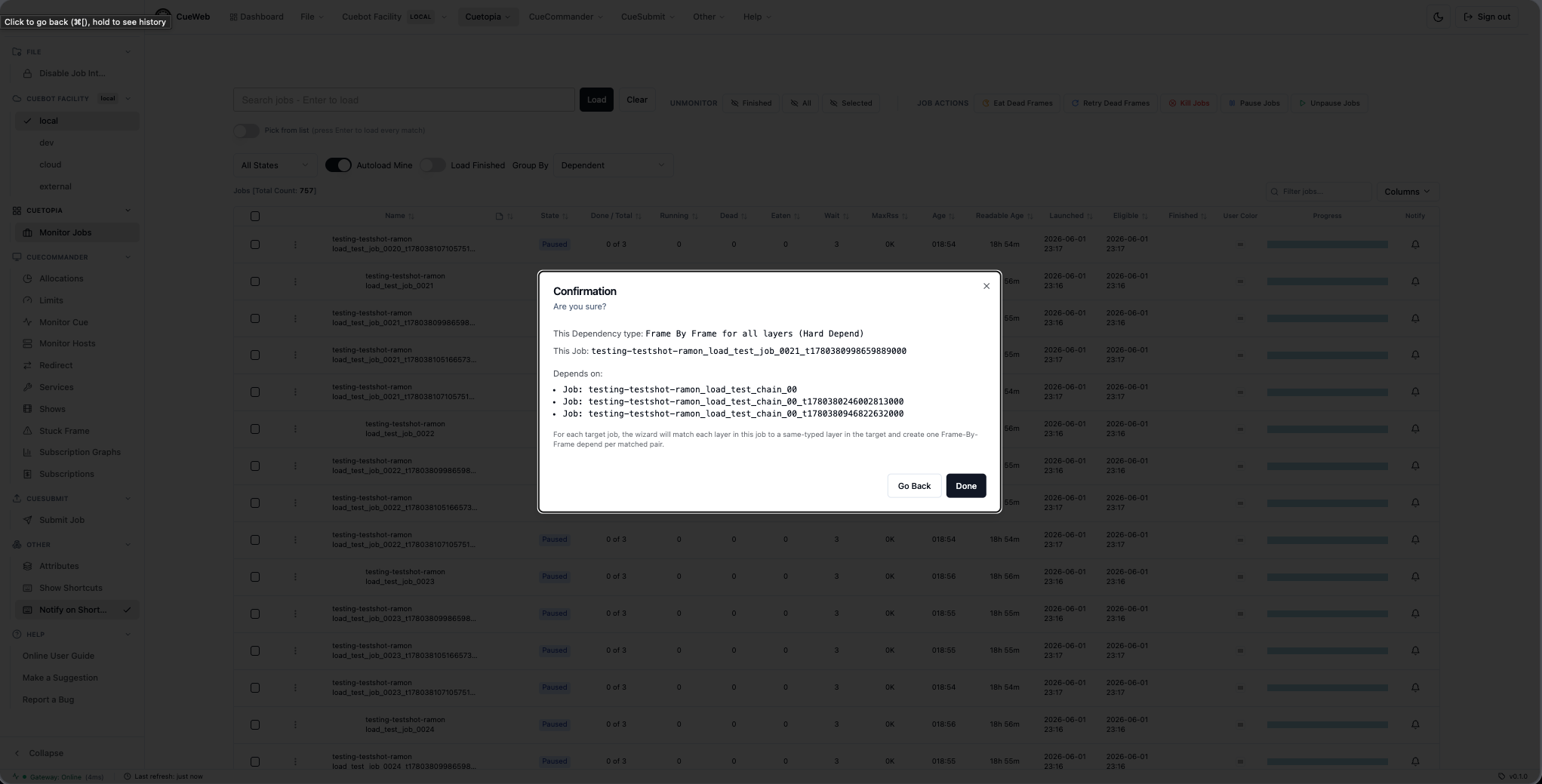
Layer On Job (4 steps) - first source-side type. Pick layer(s) in THIS job, then the target job(s).
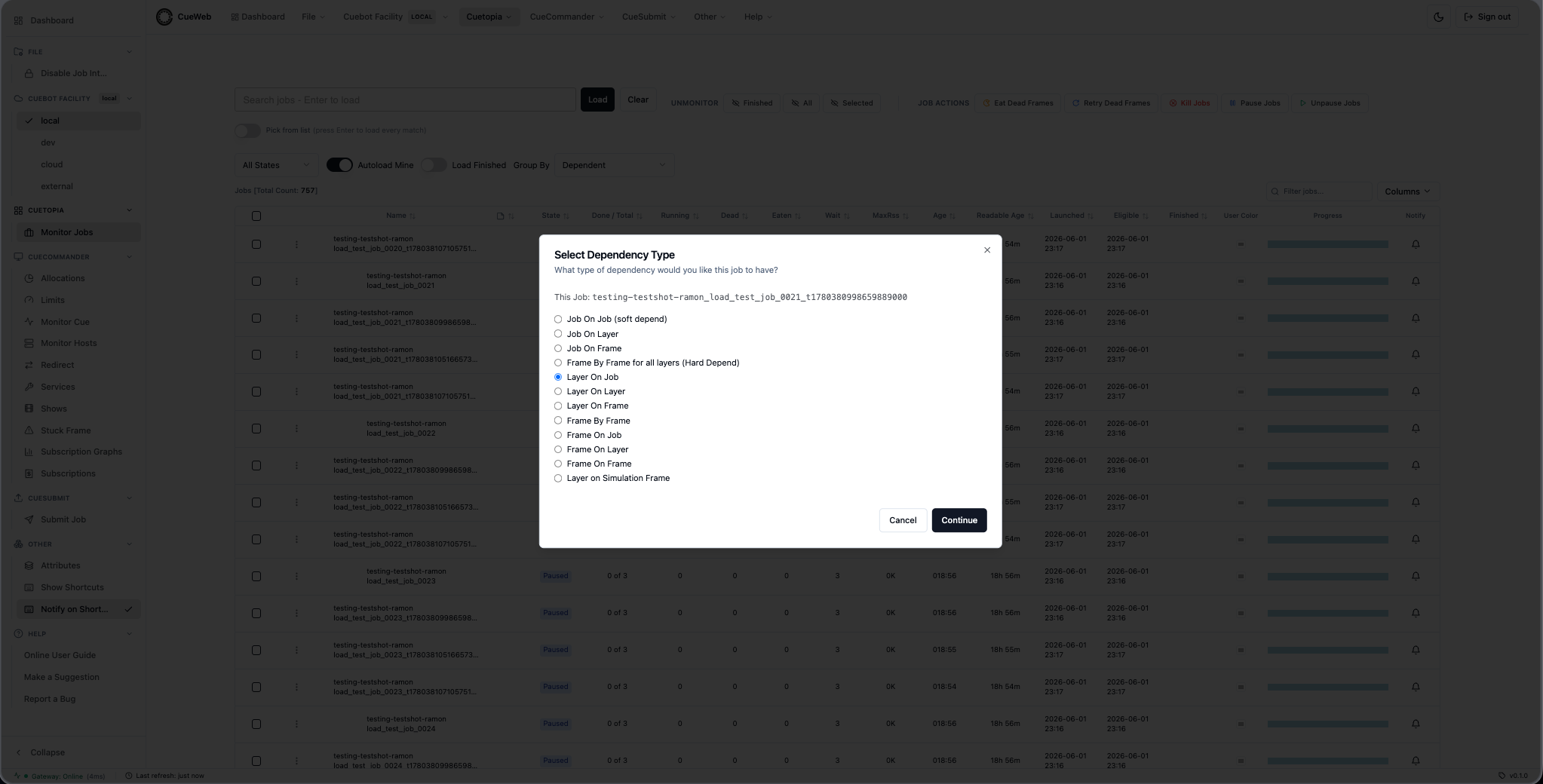
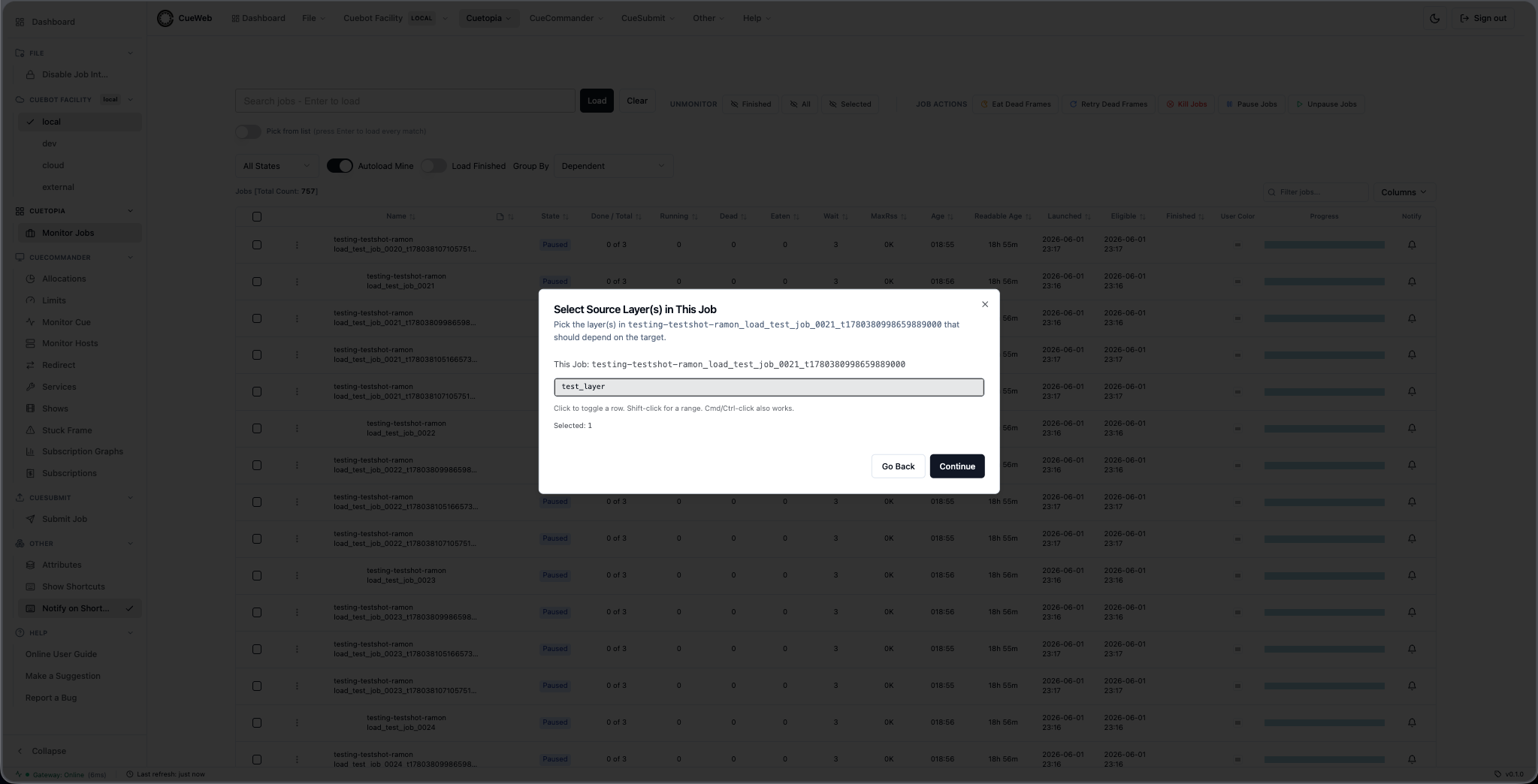
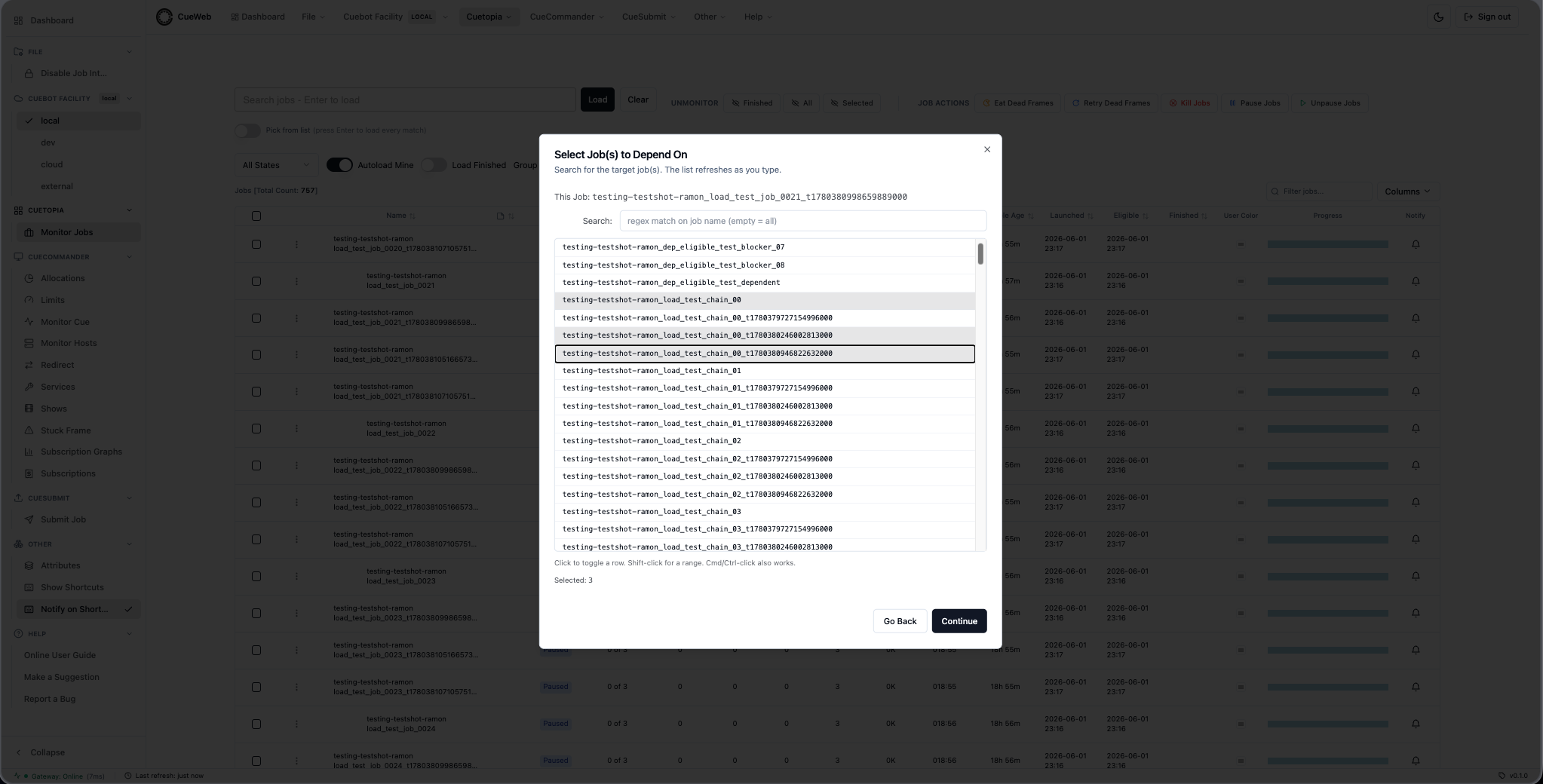
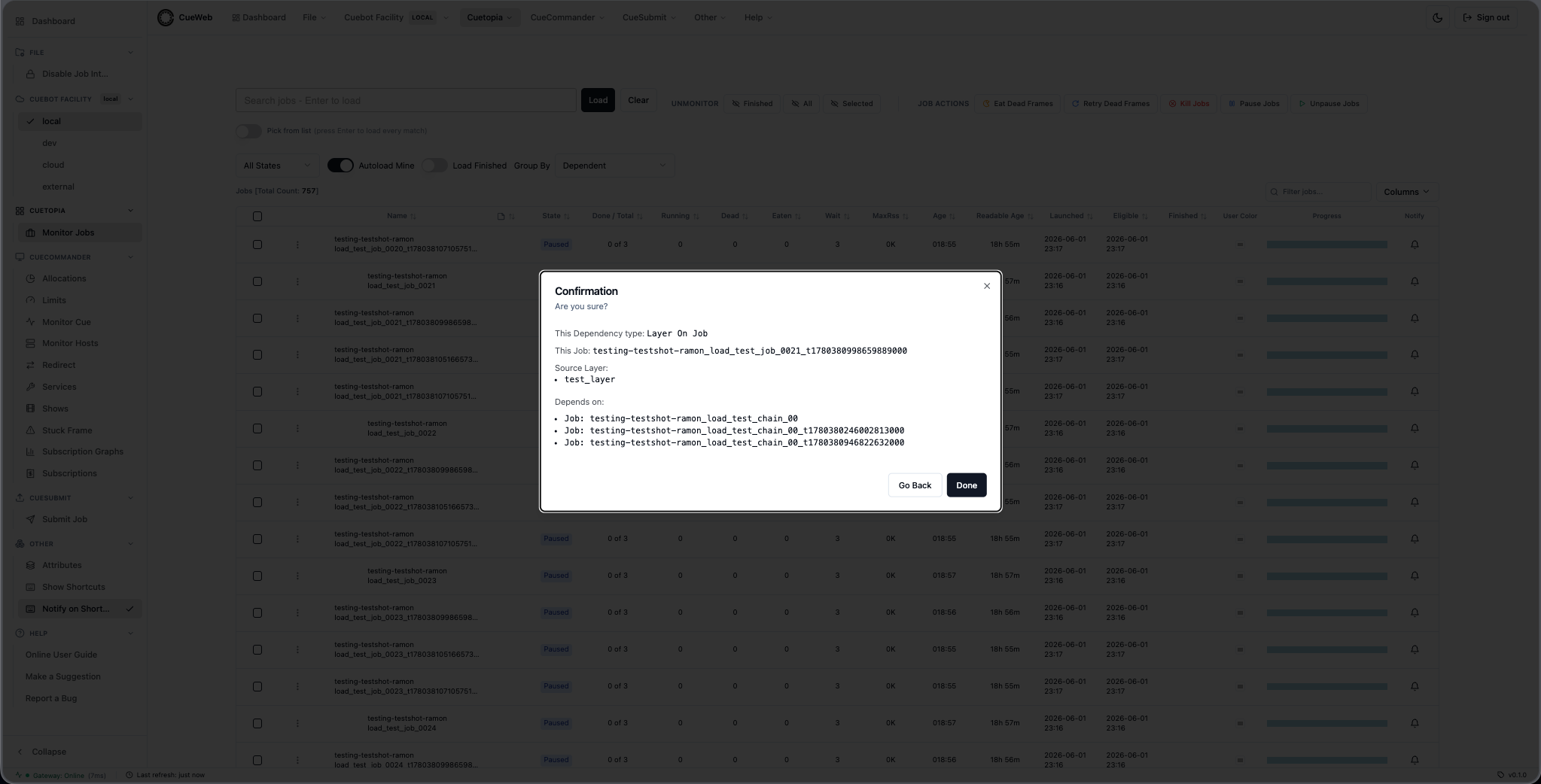
Layer On Layer (5 steps).
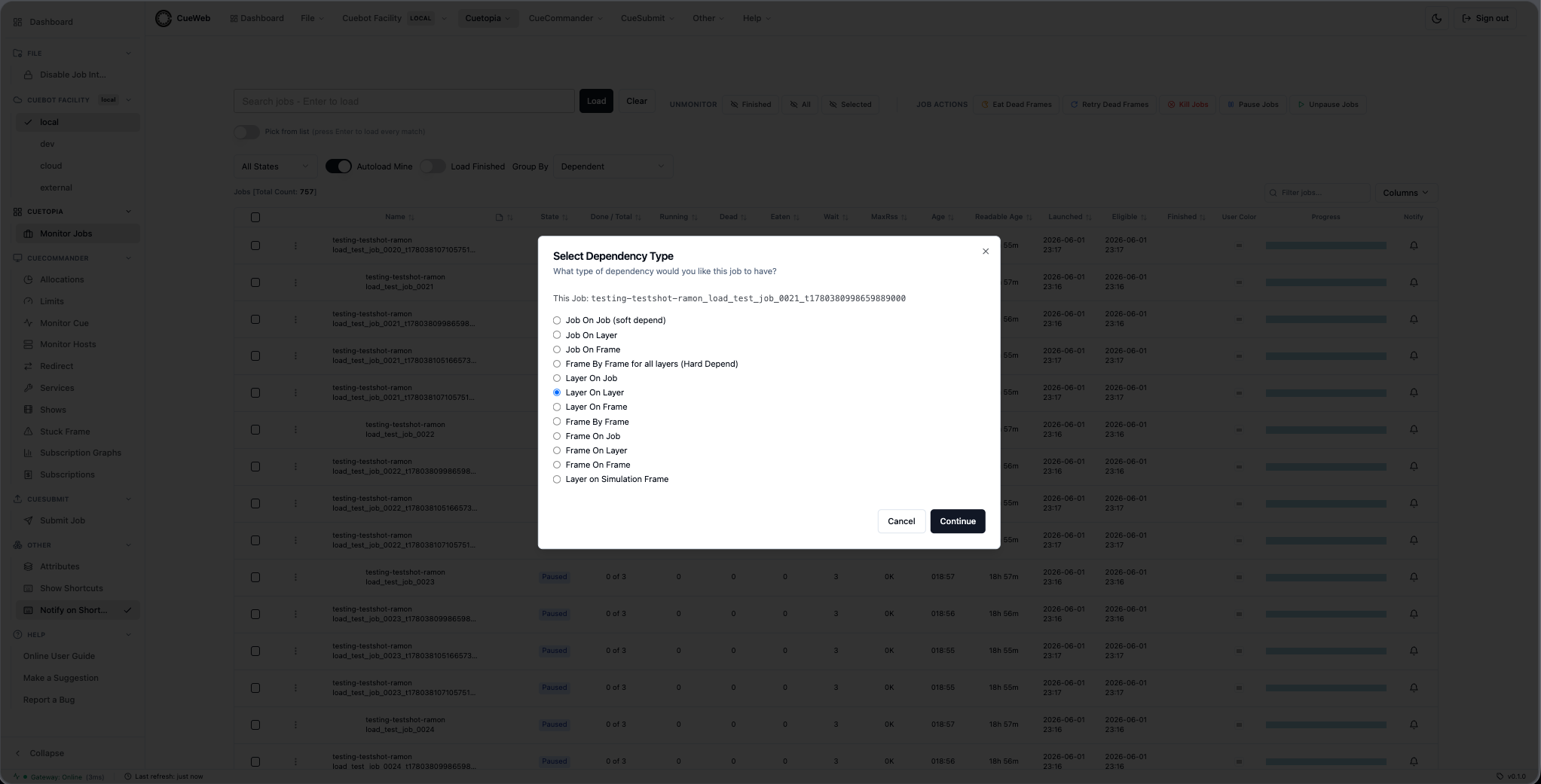
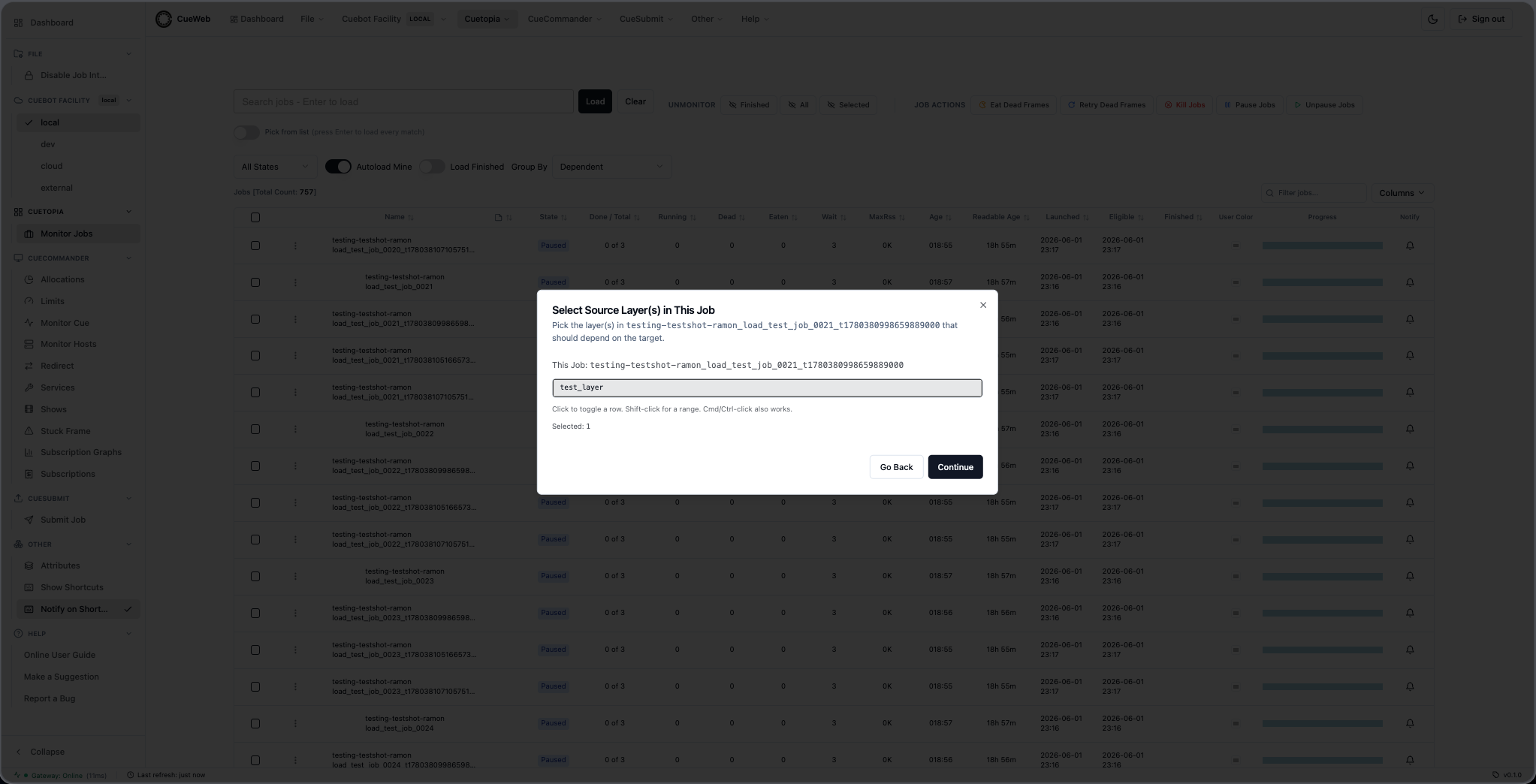
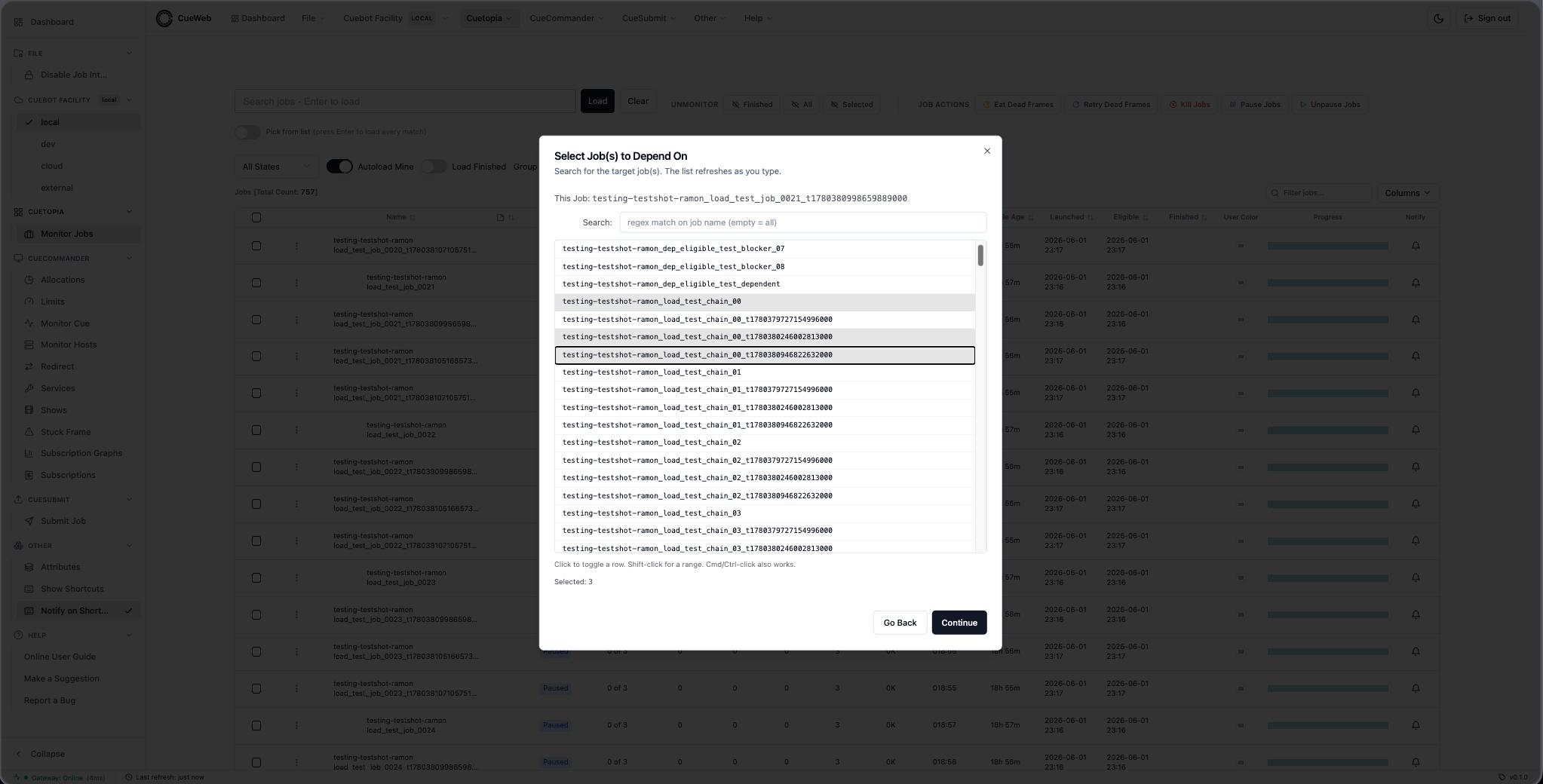
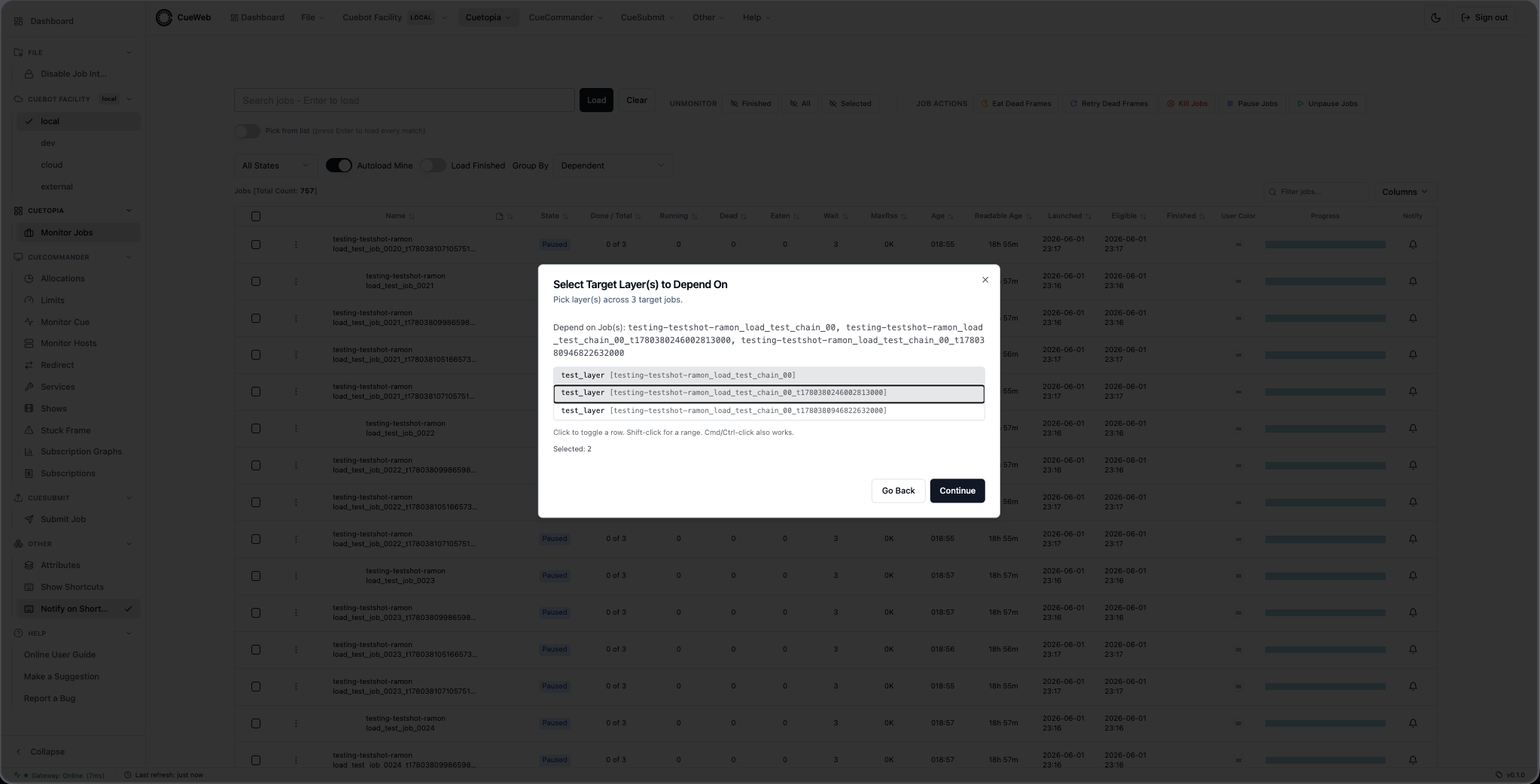
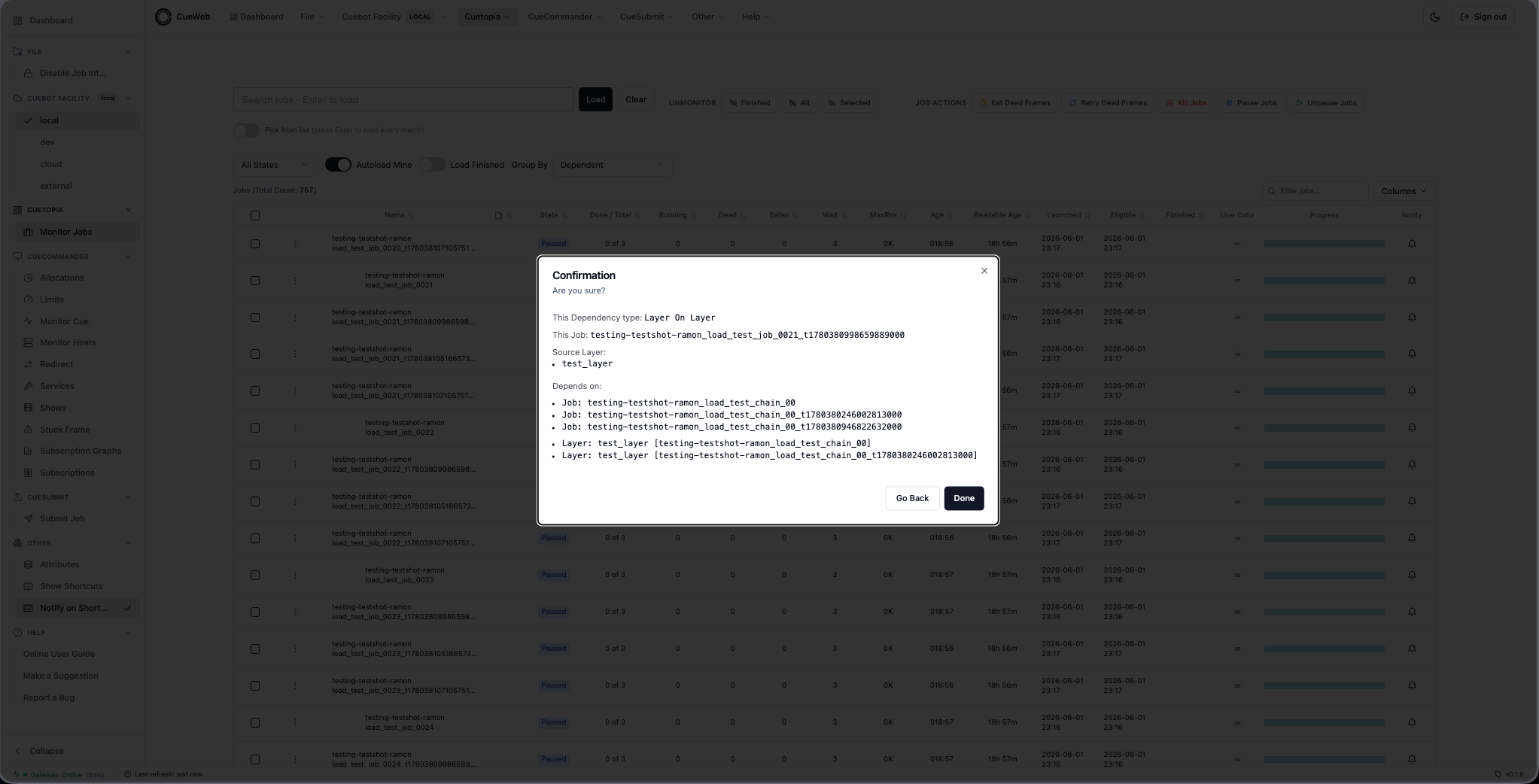
Layer On Frame (6 steps).
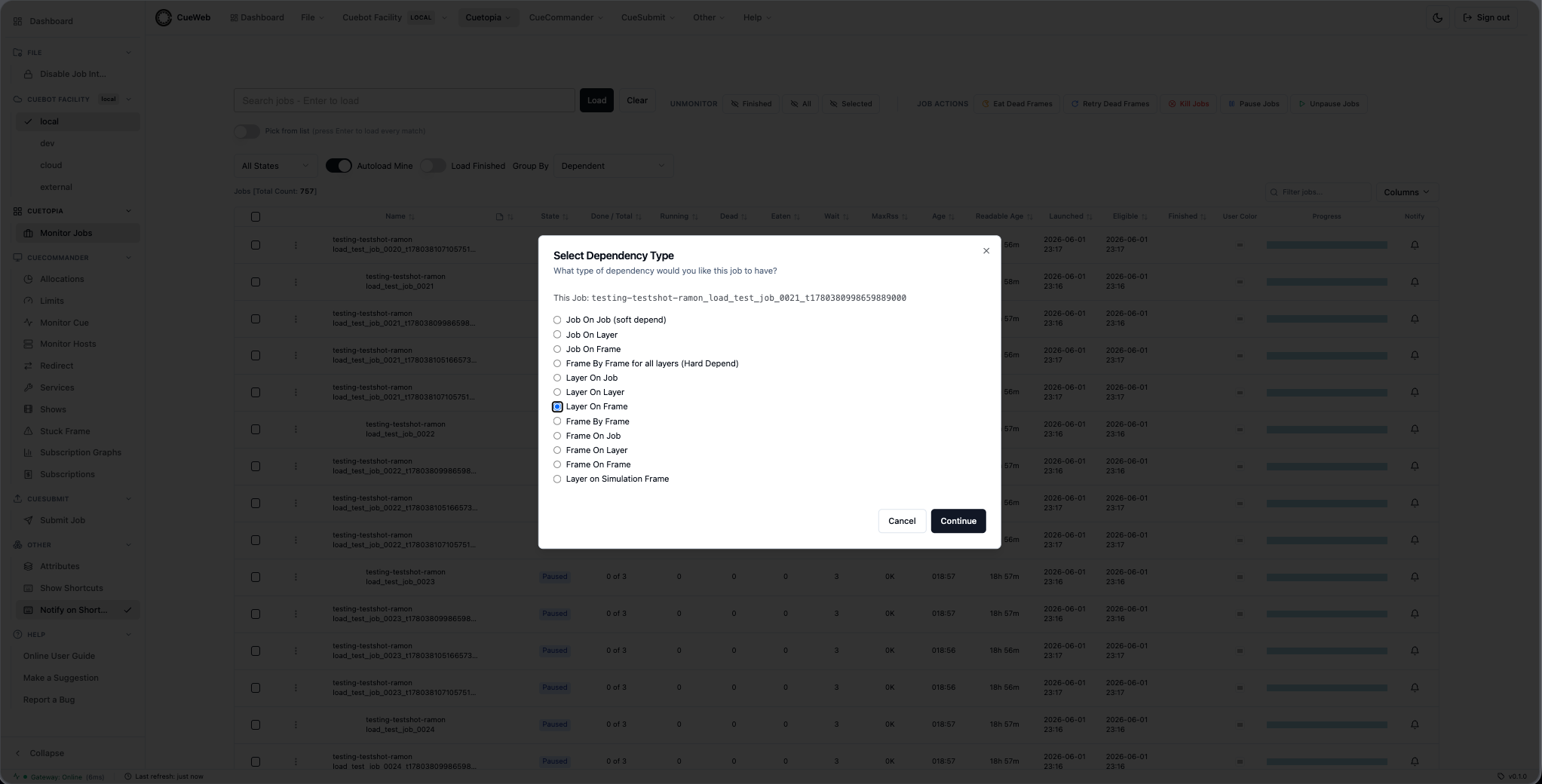
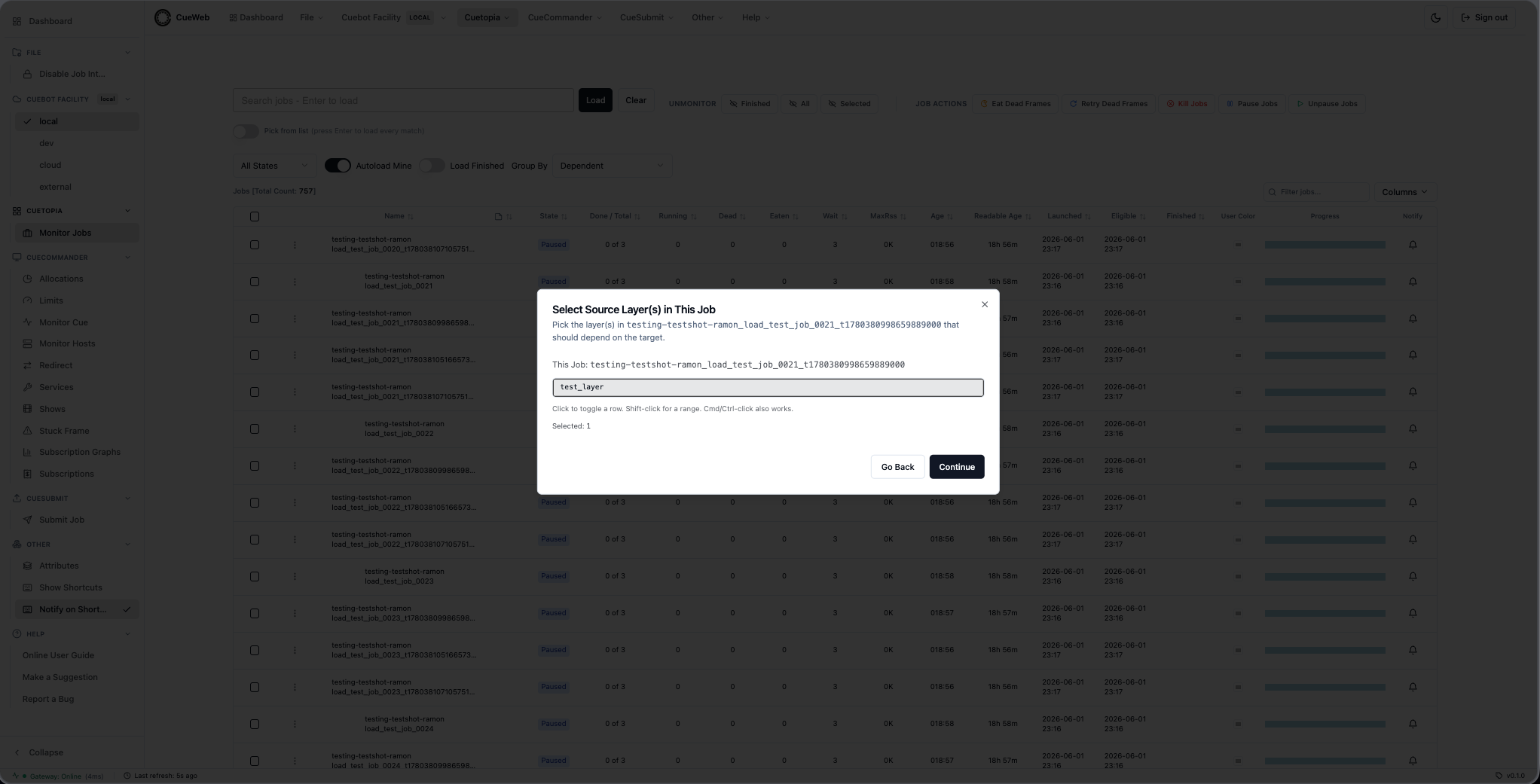
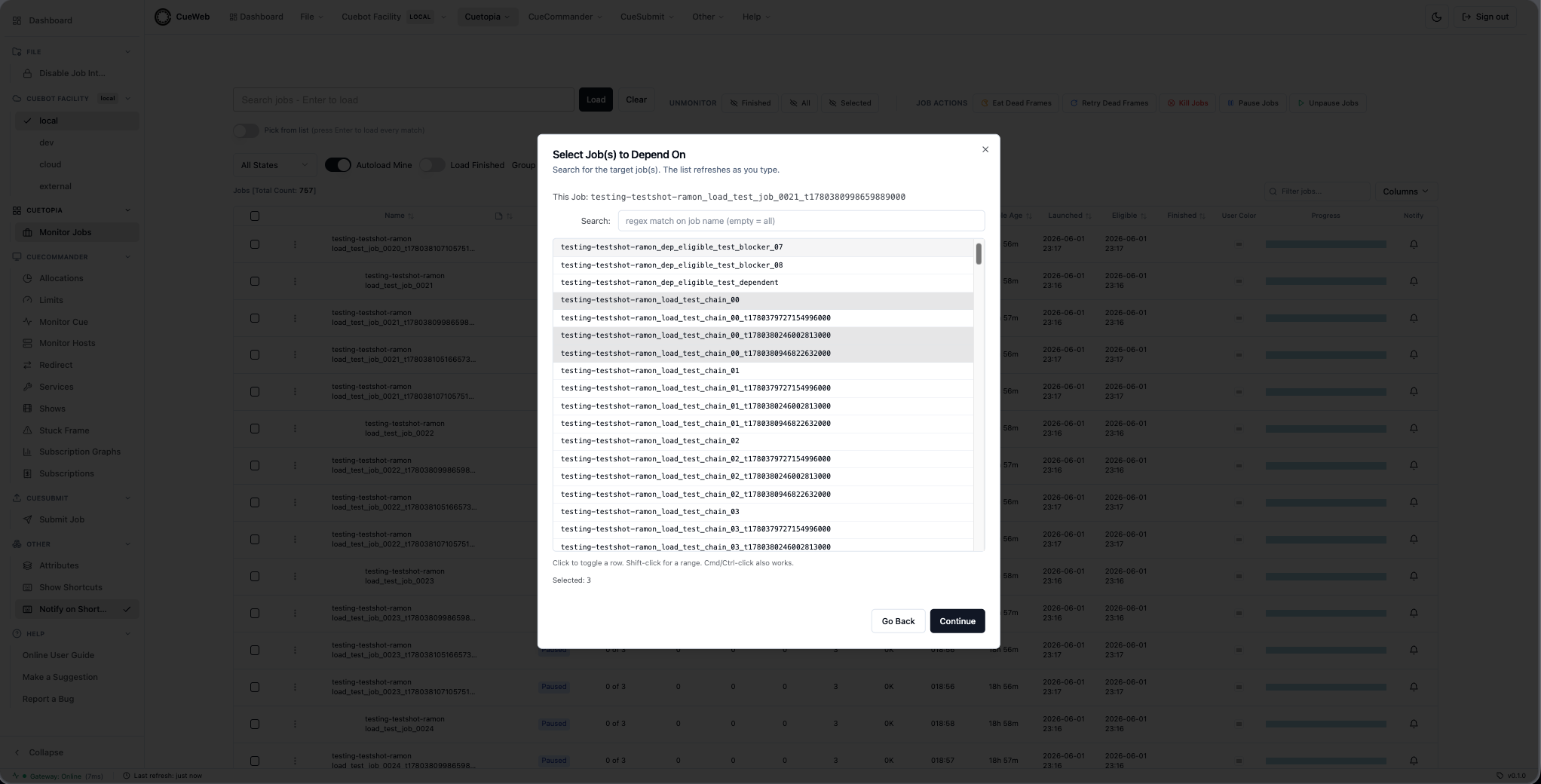
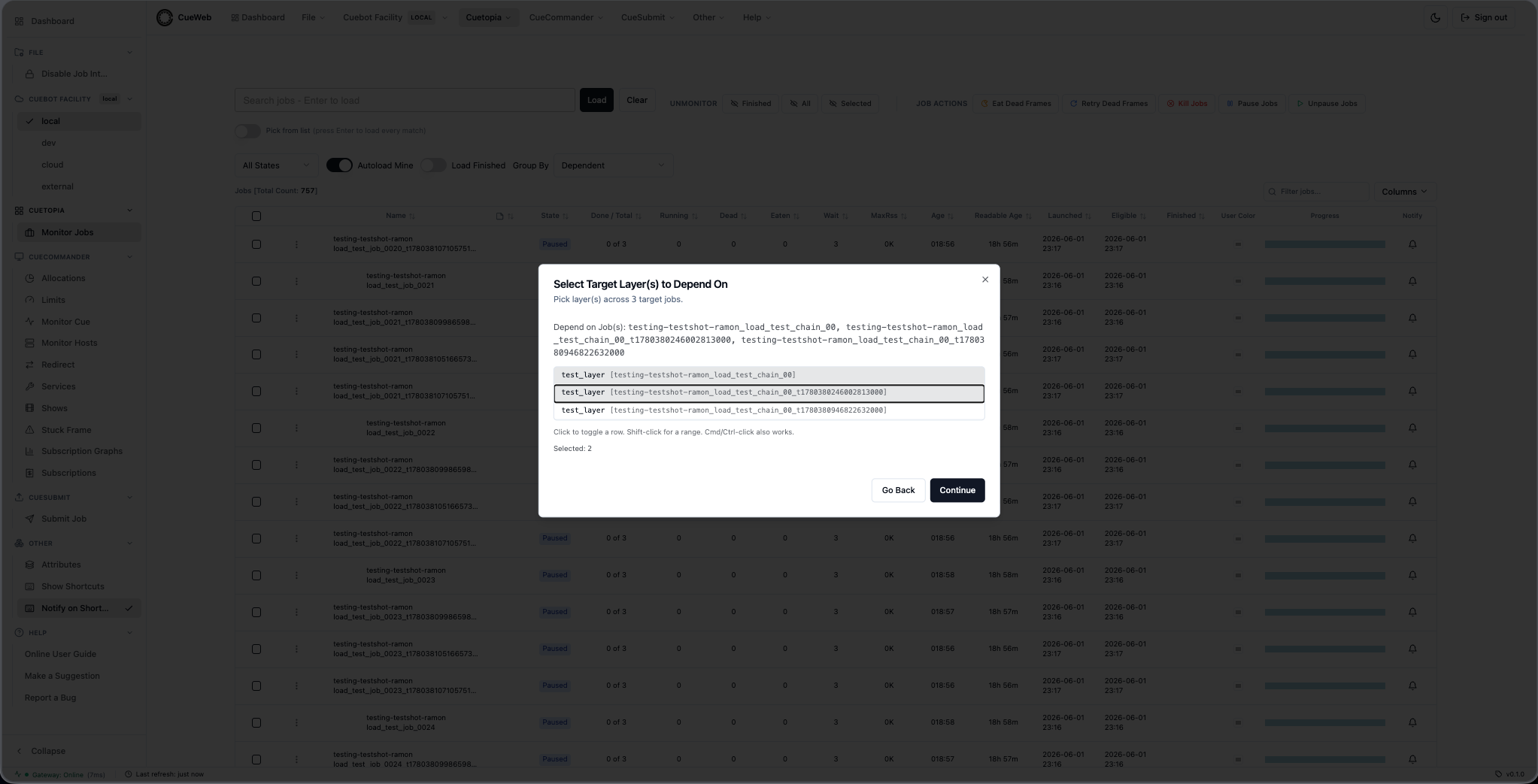
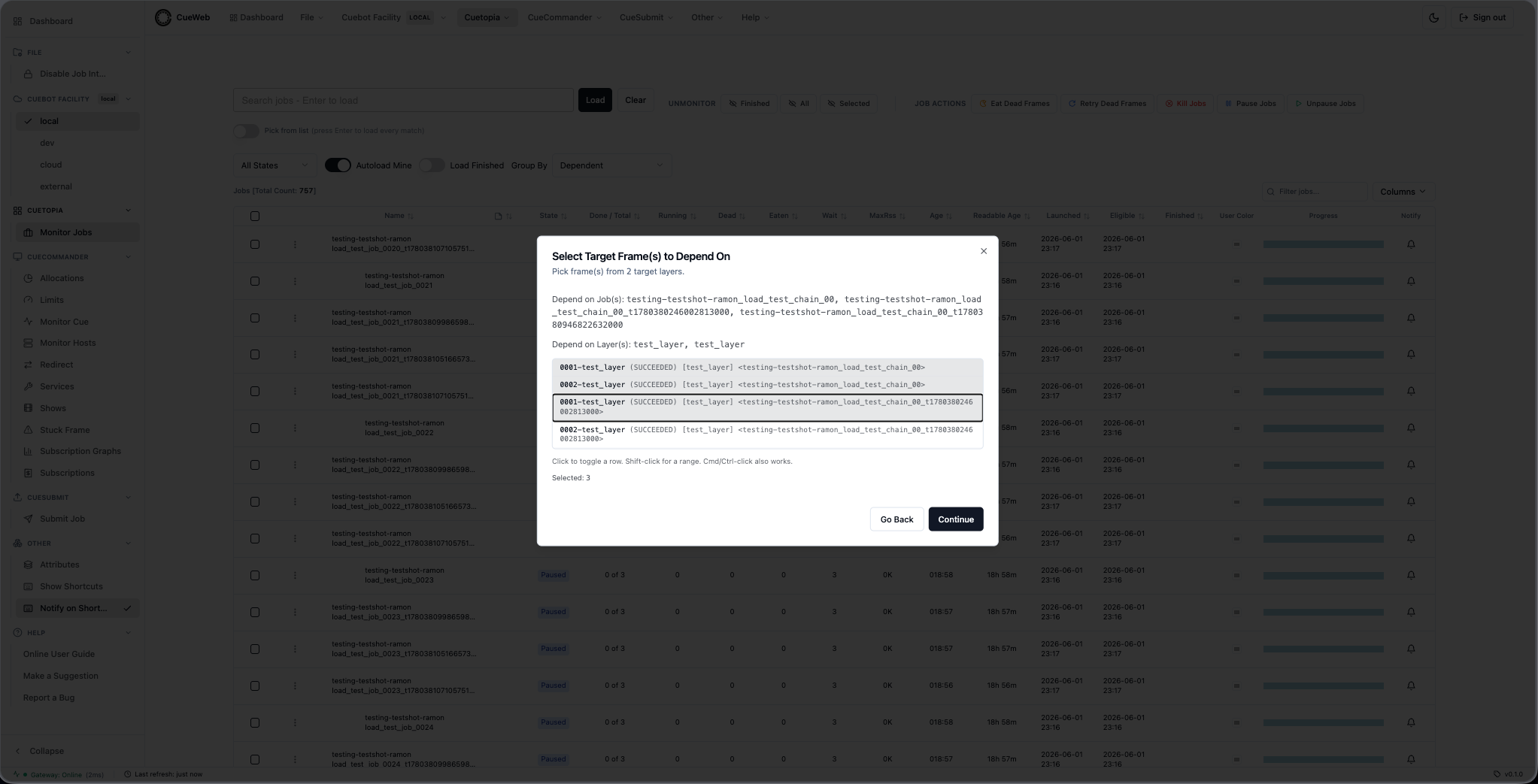
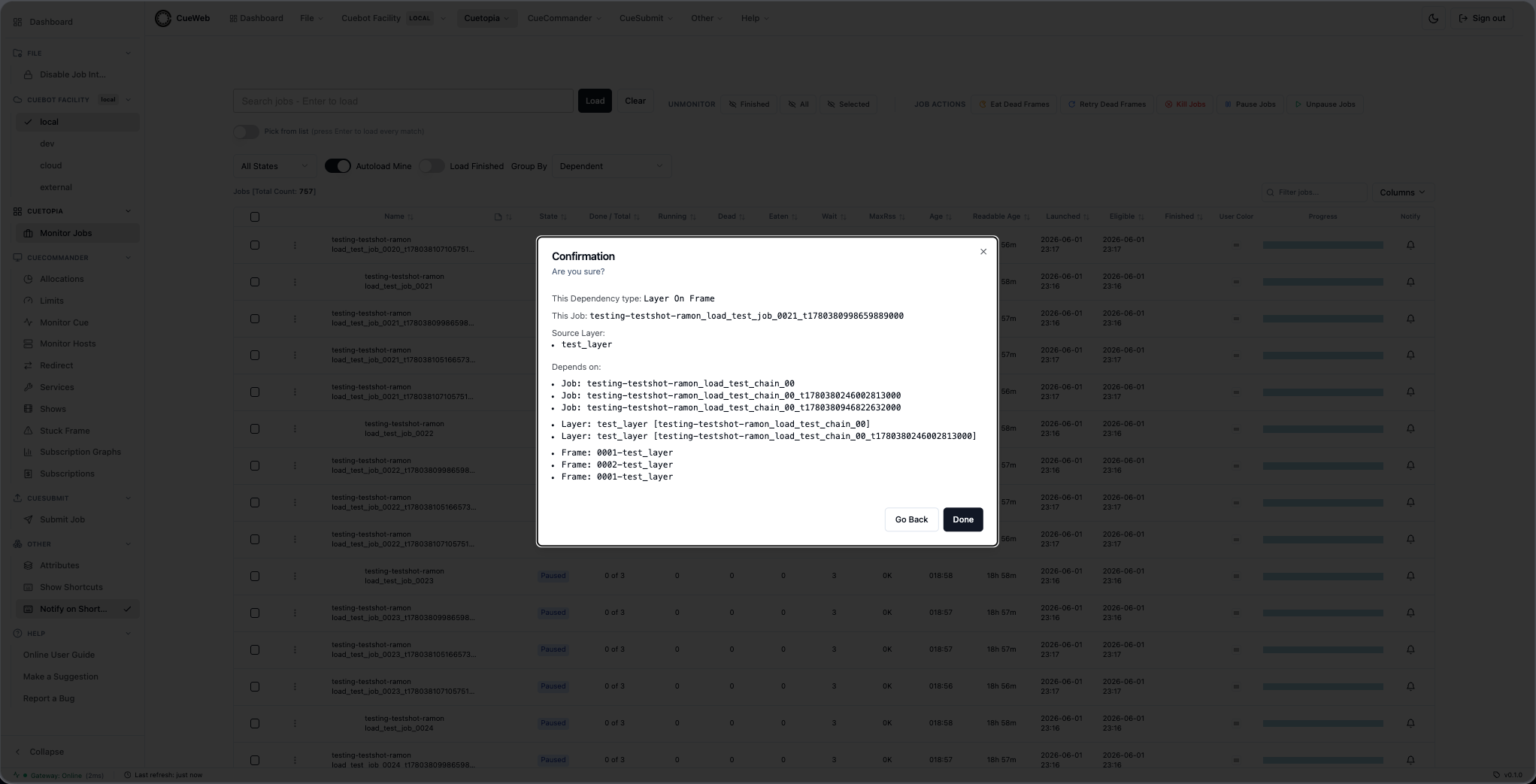
Frame By Frame (5 steps). Single source layer x single target layer, frame-by-frame.
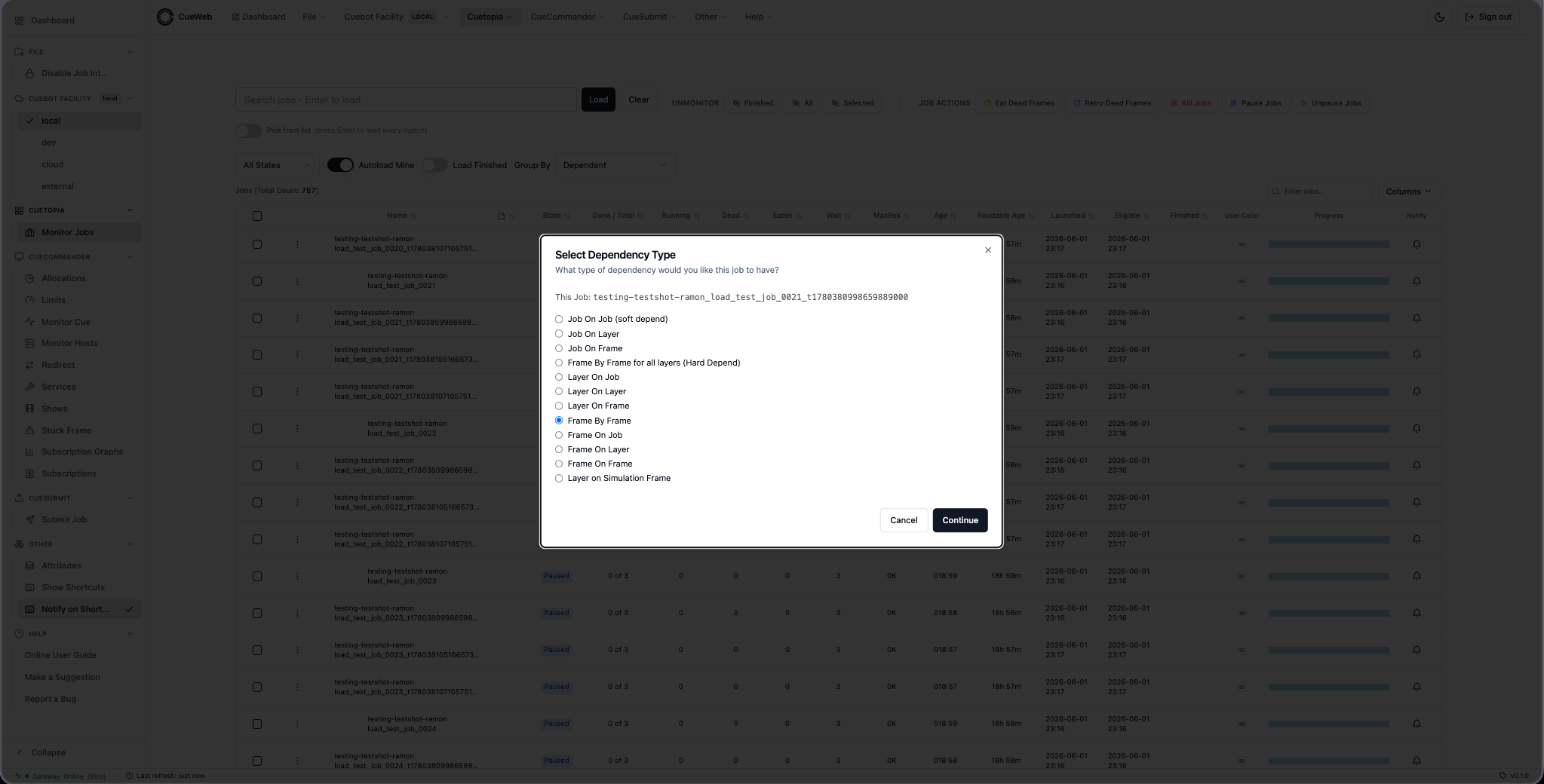
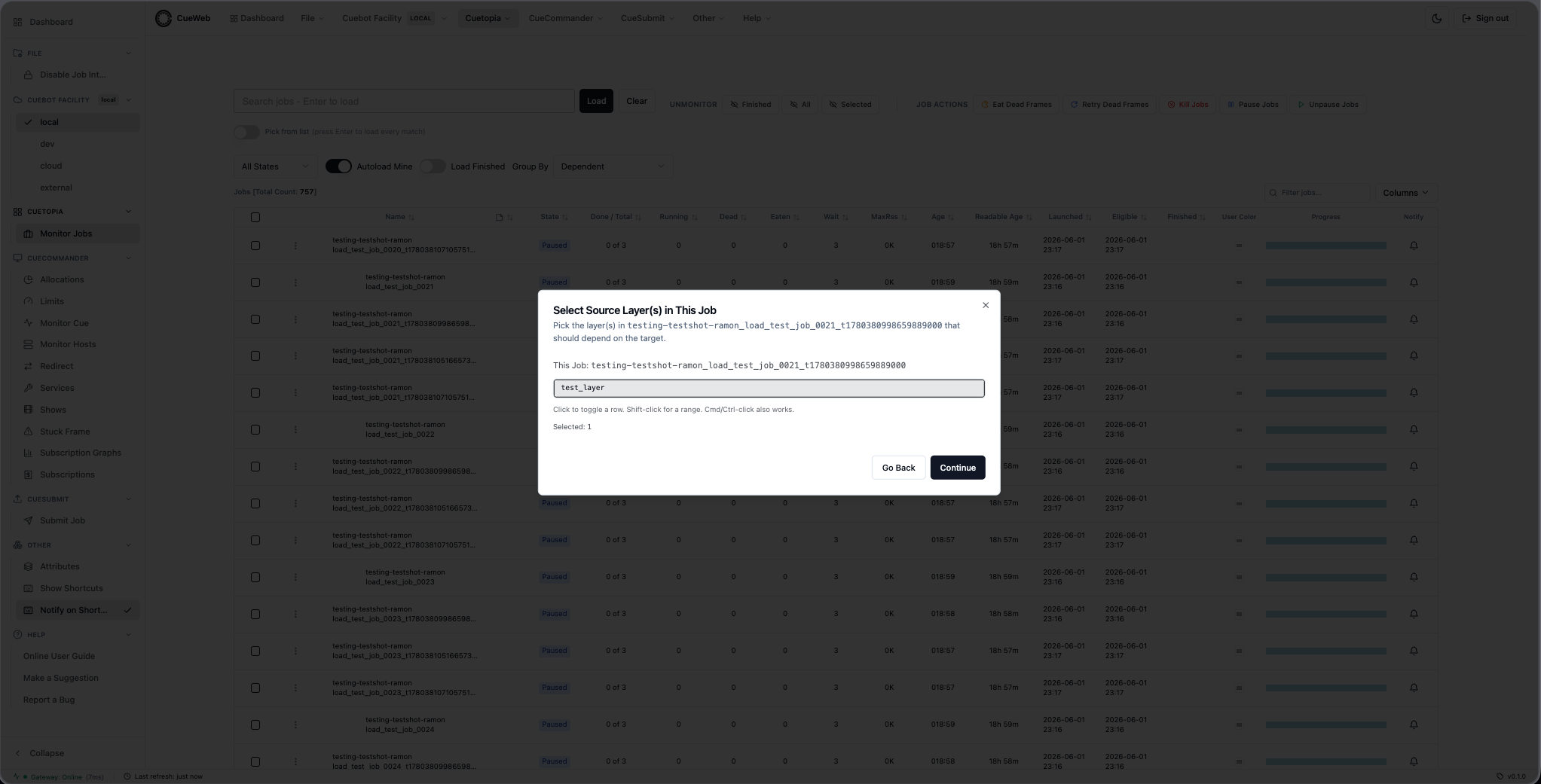
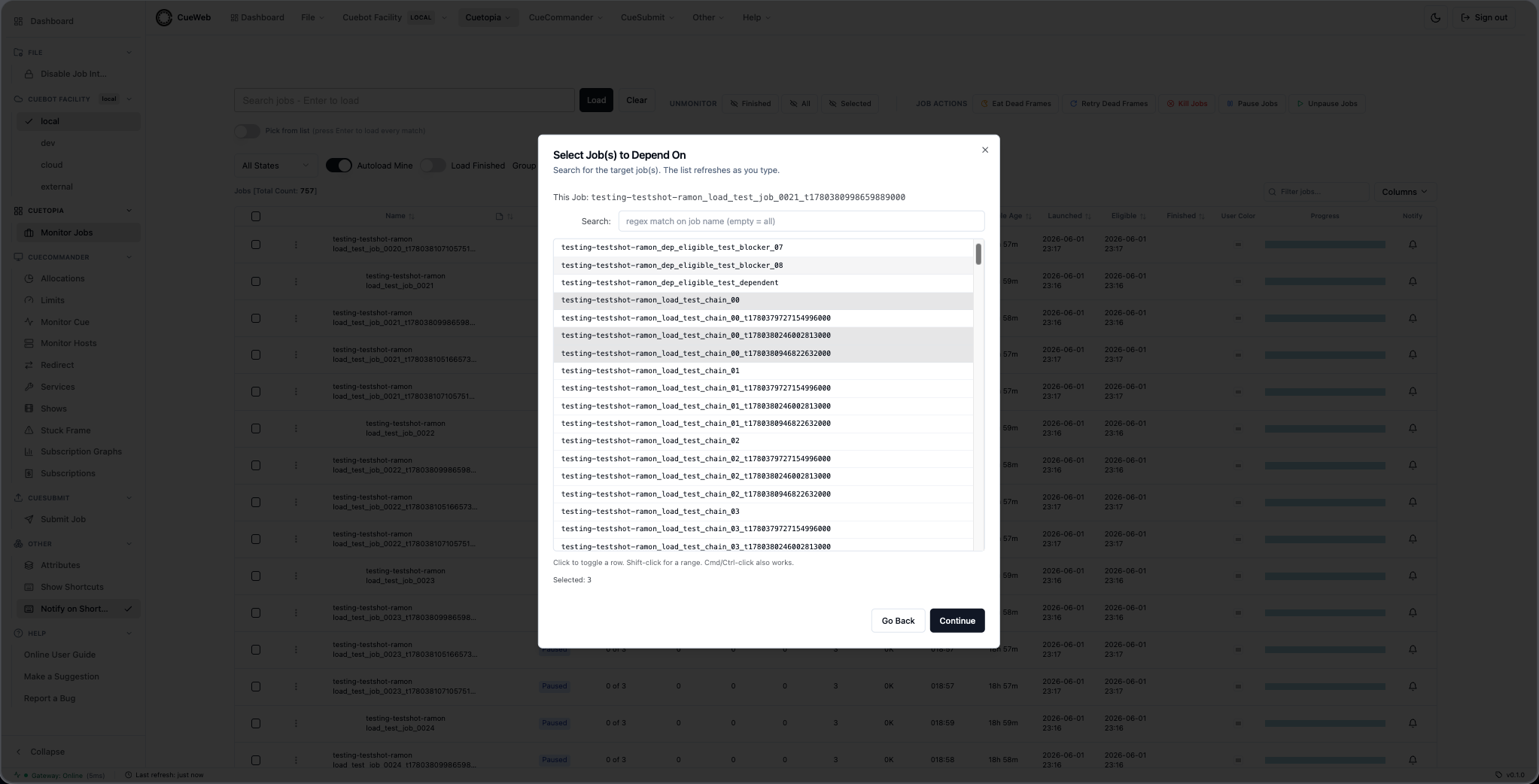
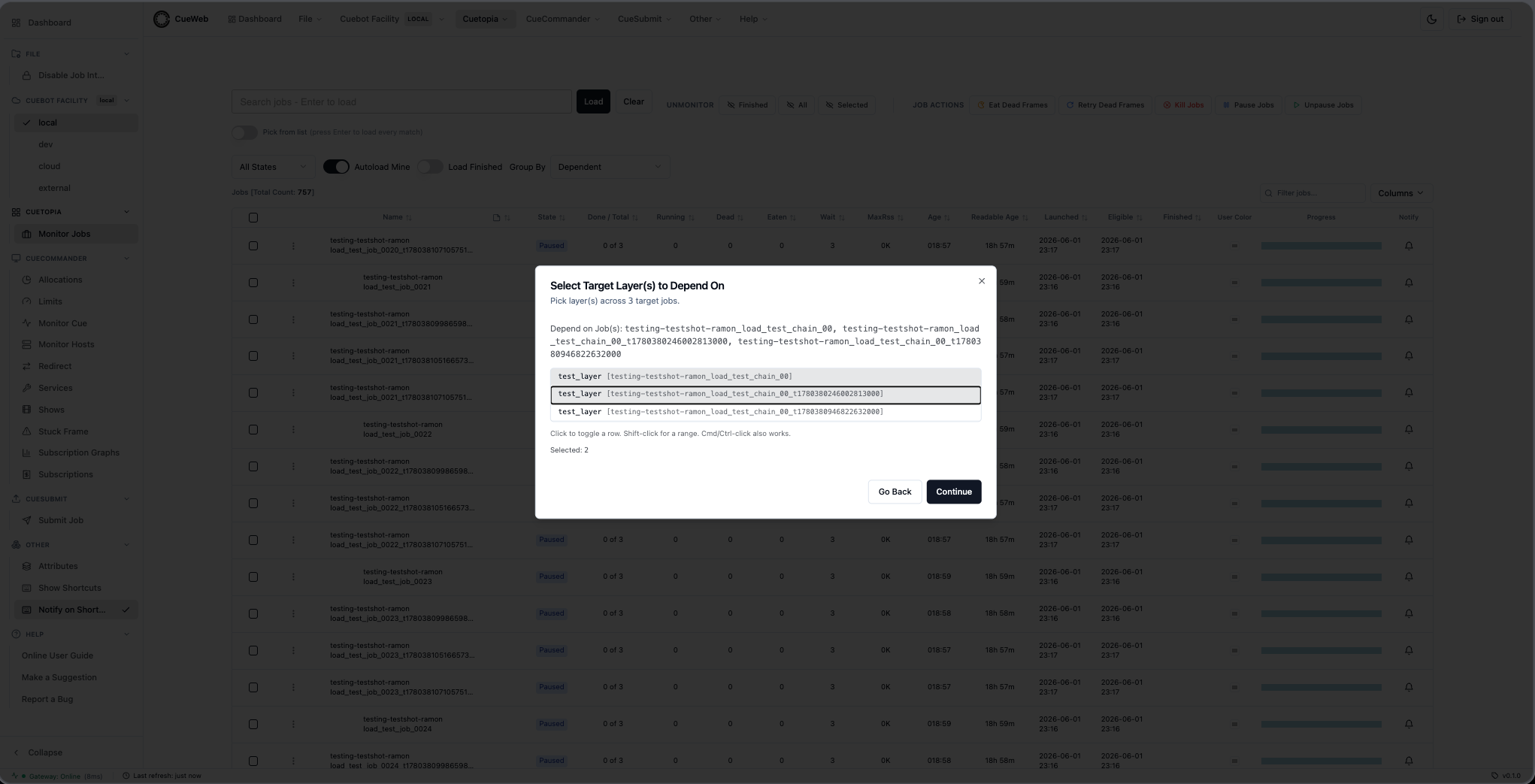
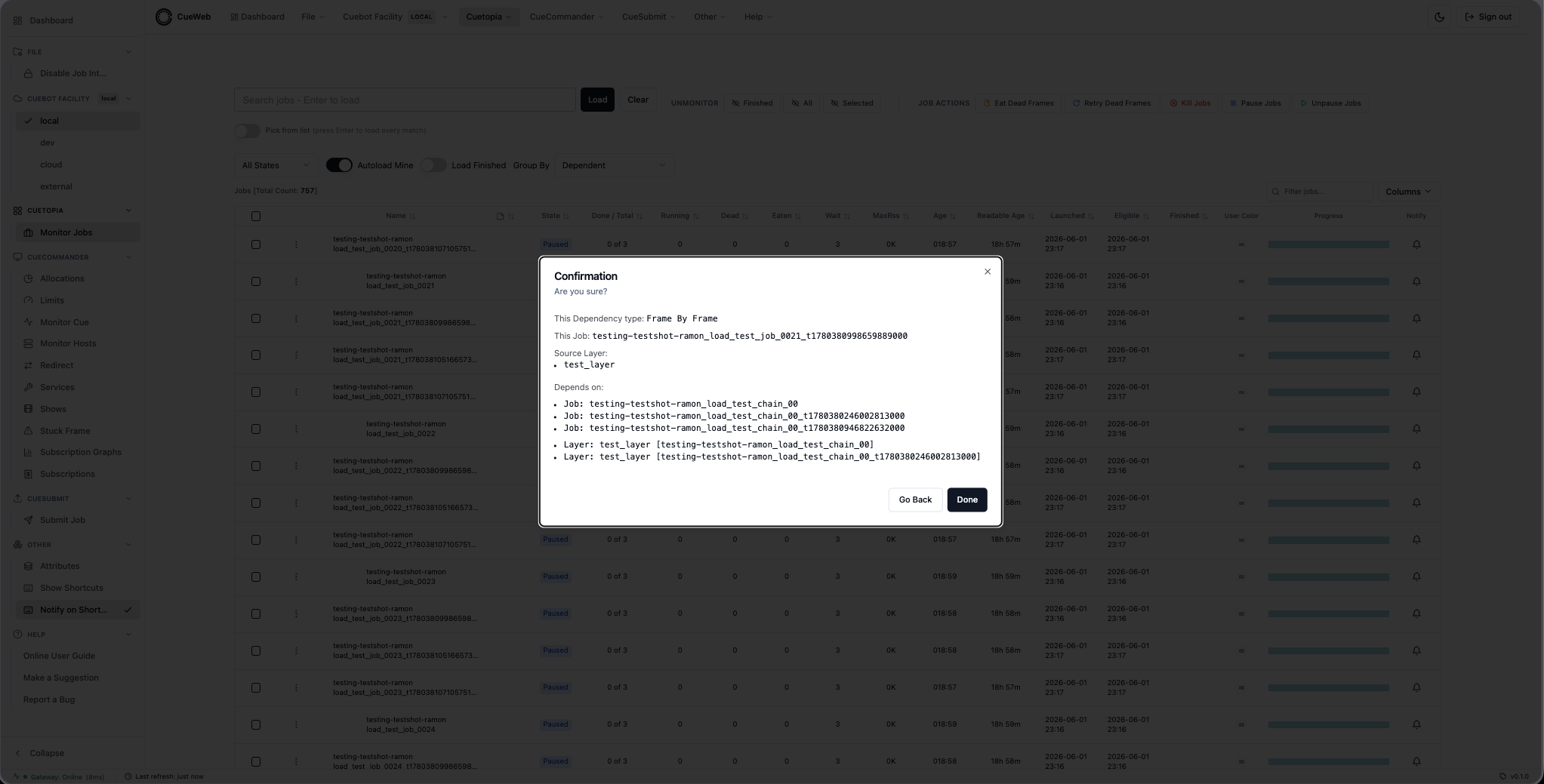
Frame On Job (5 steps). Drill into source frames, then pick target job(s).
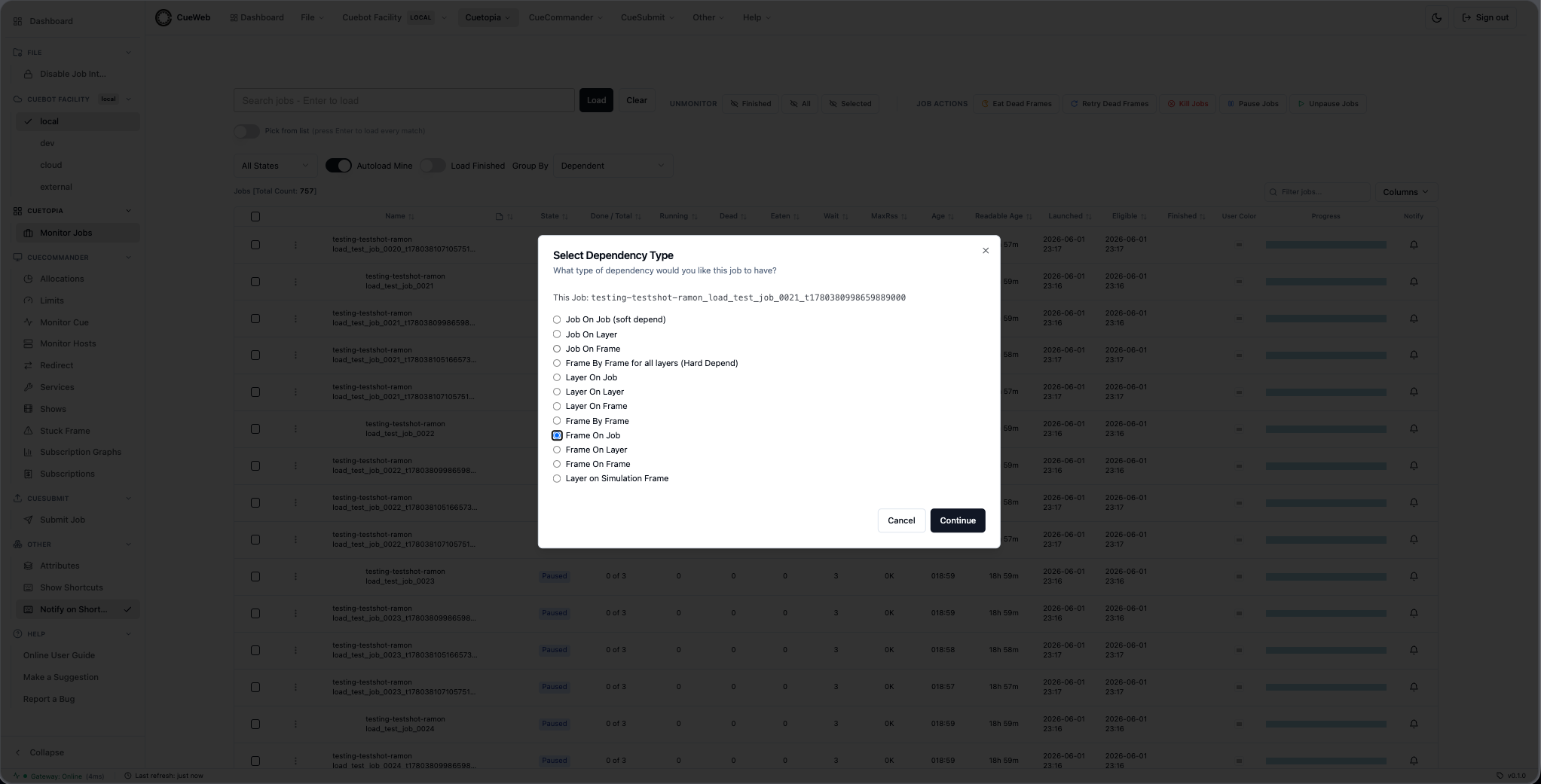
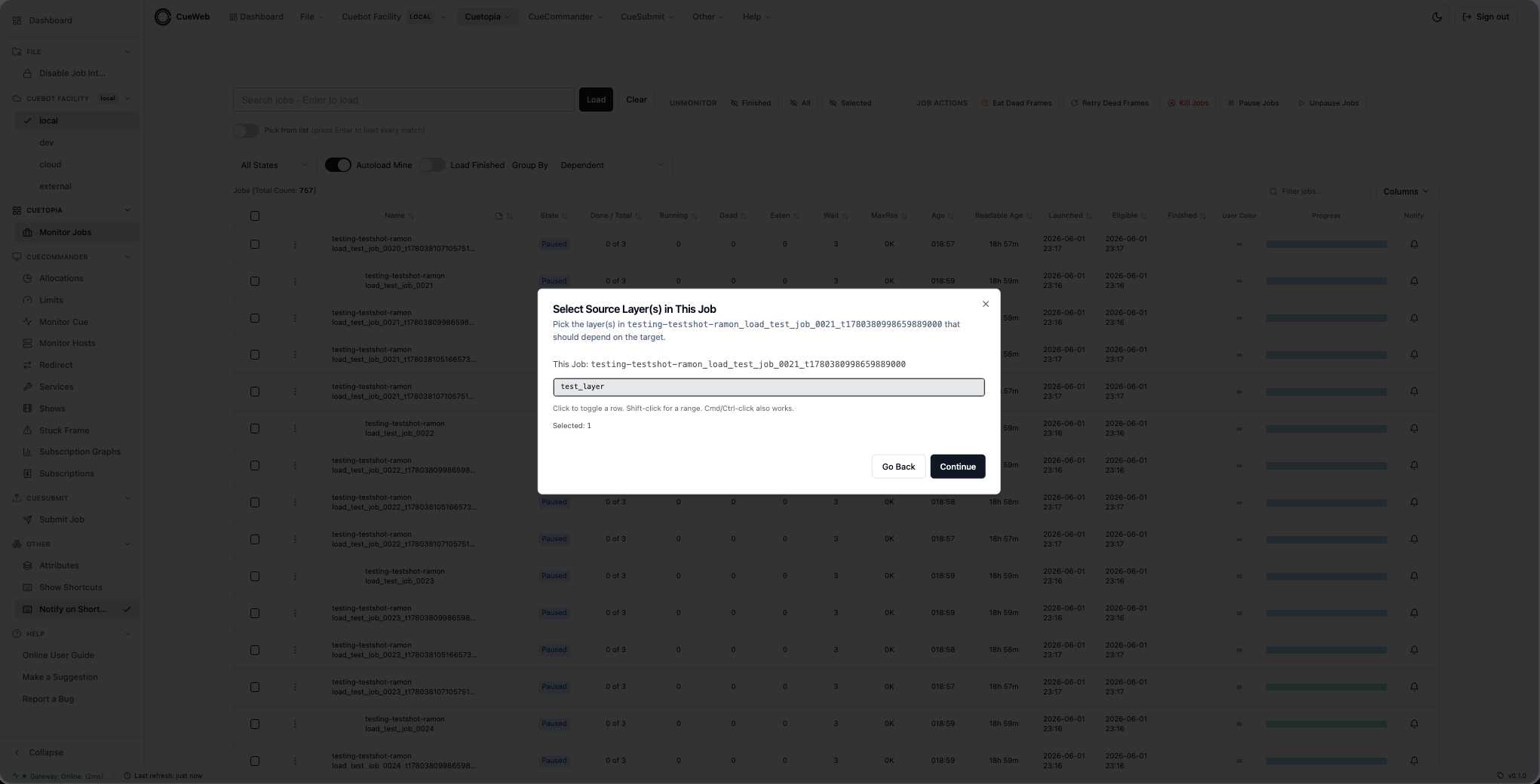
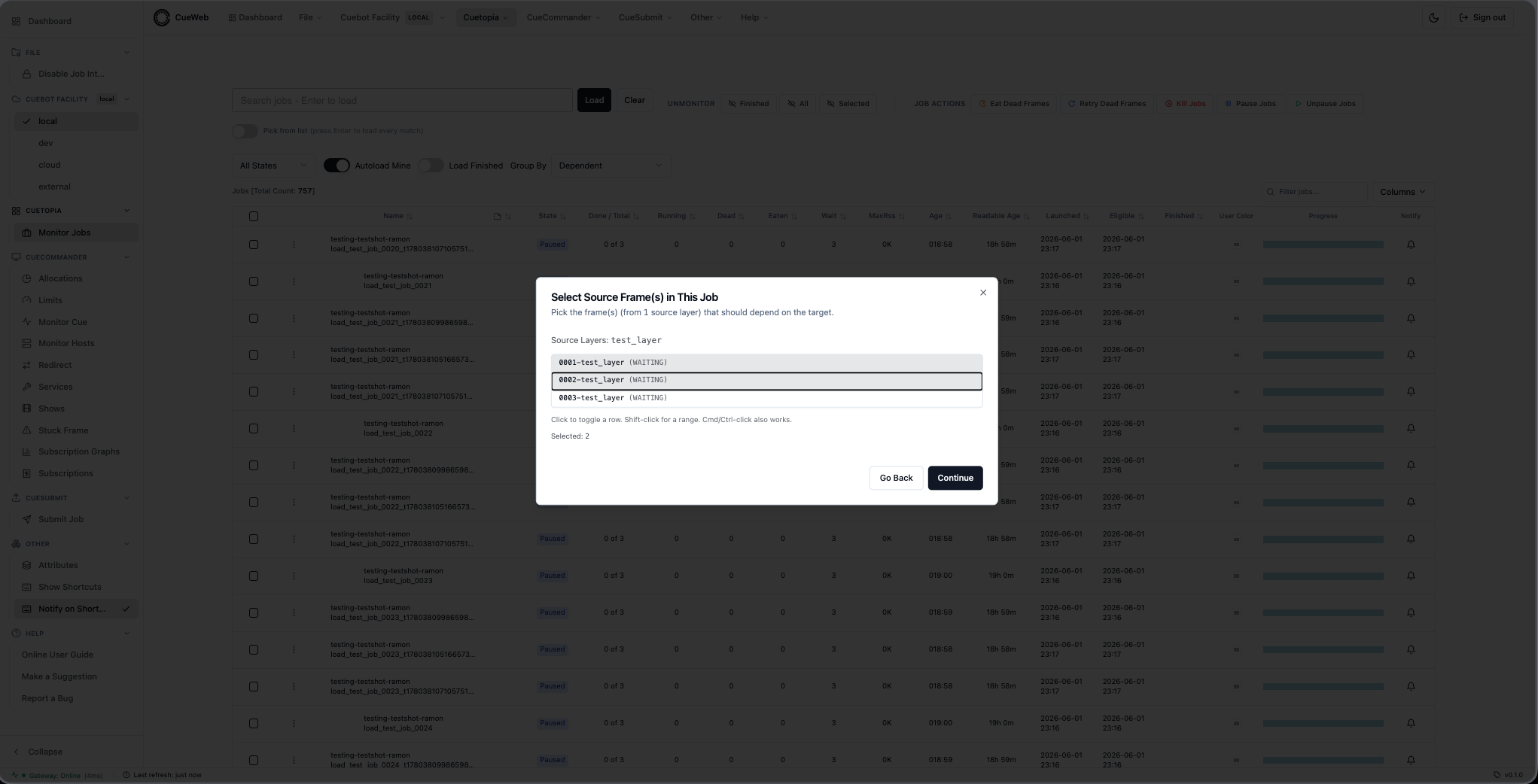
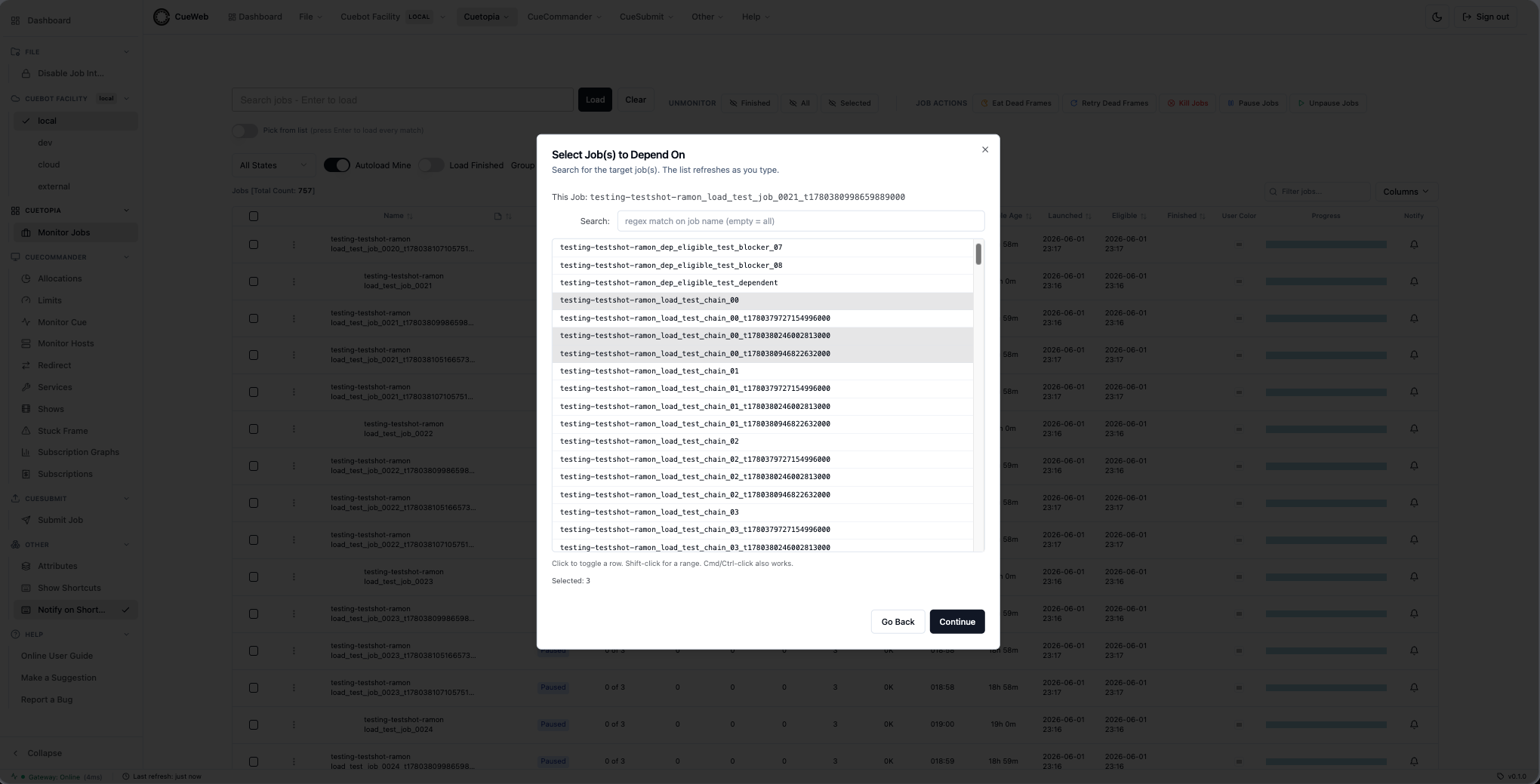
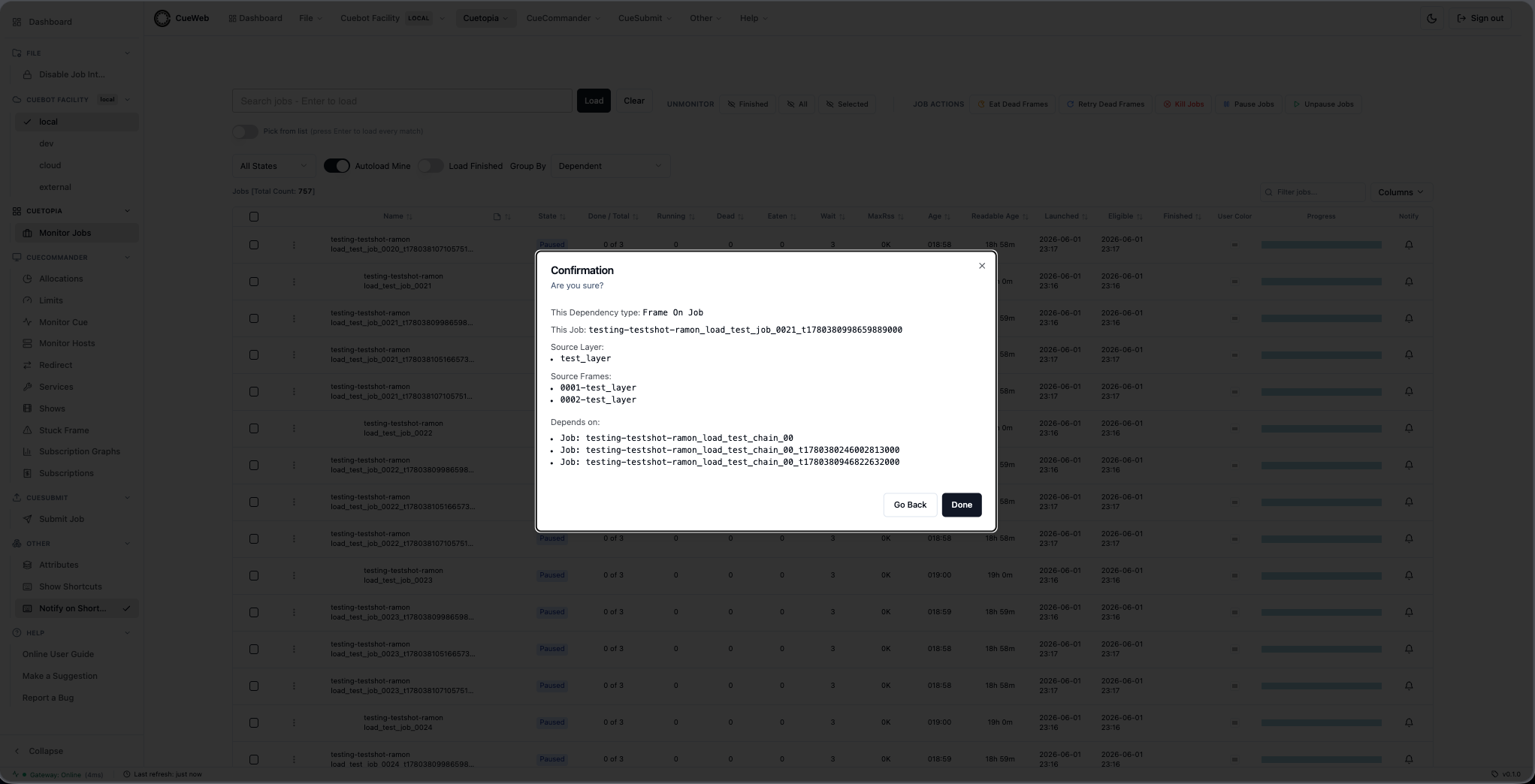
Frame On Layer (6 steps).
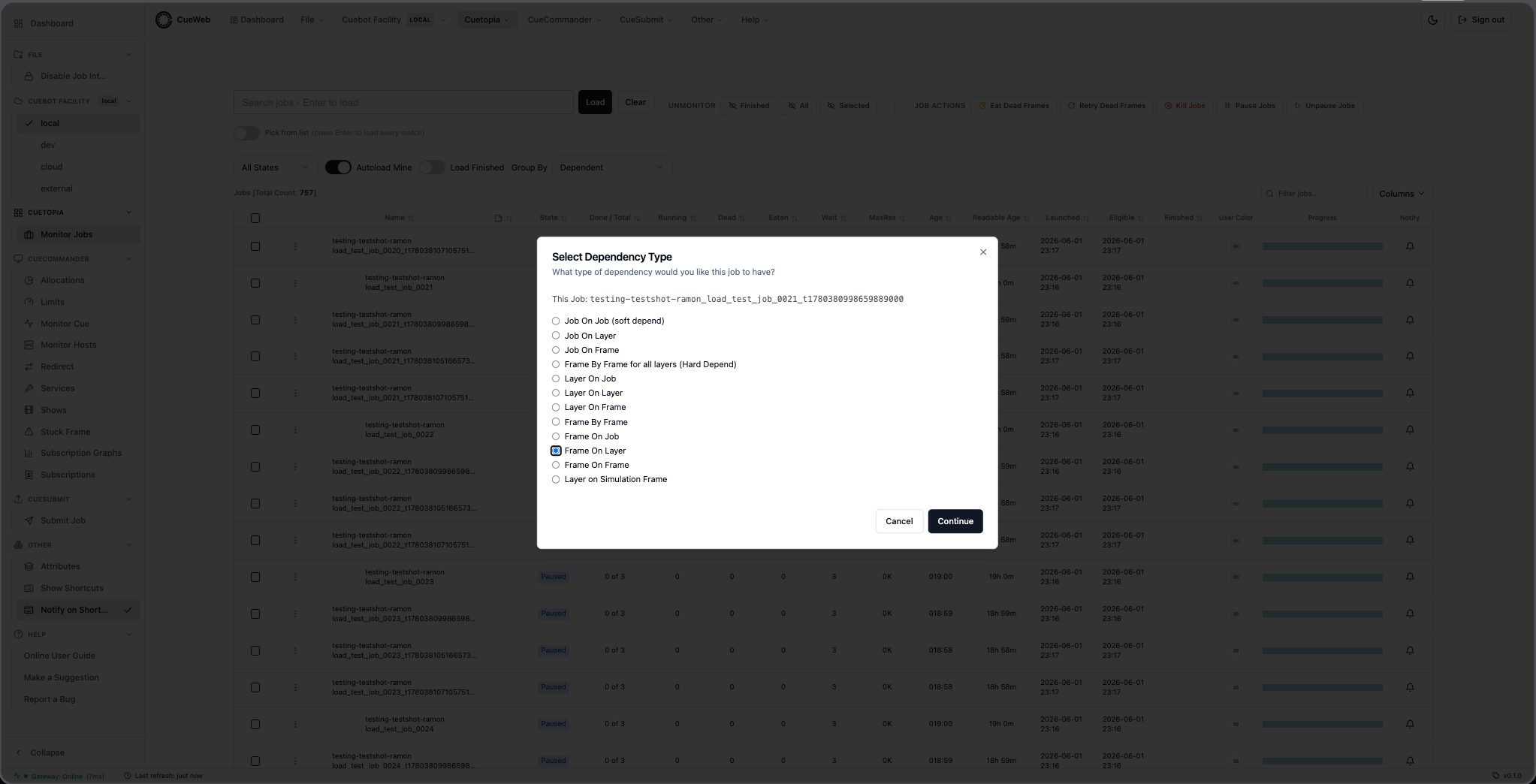
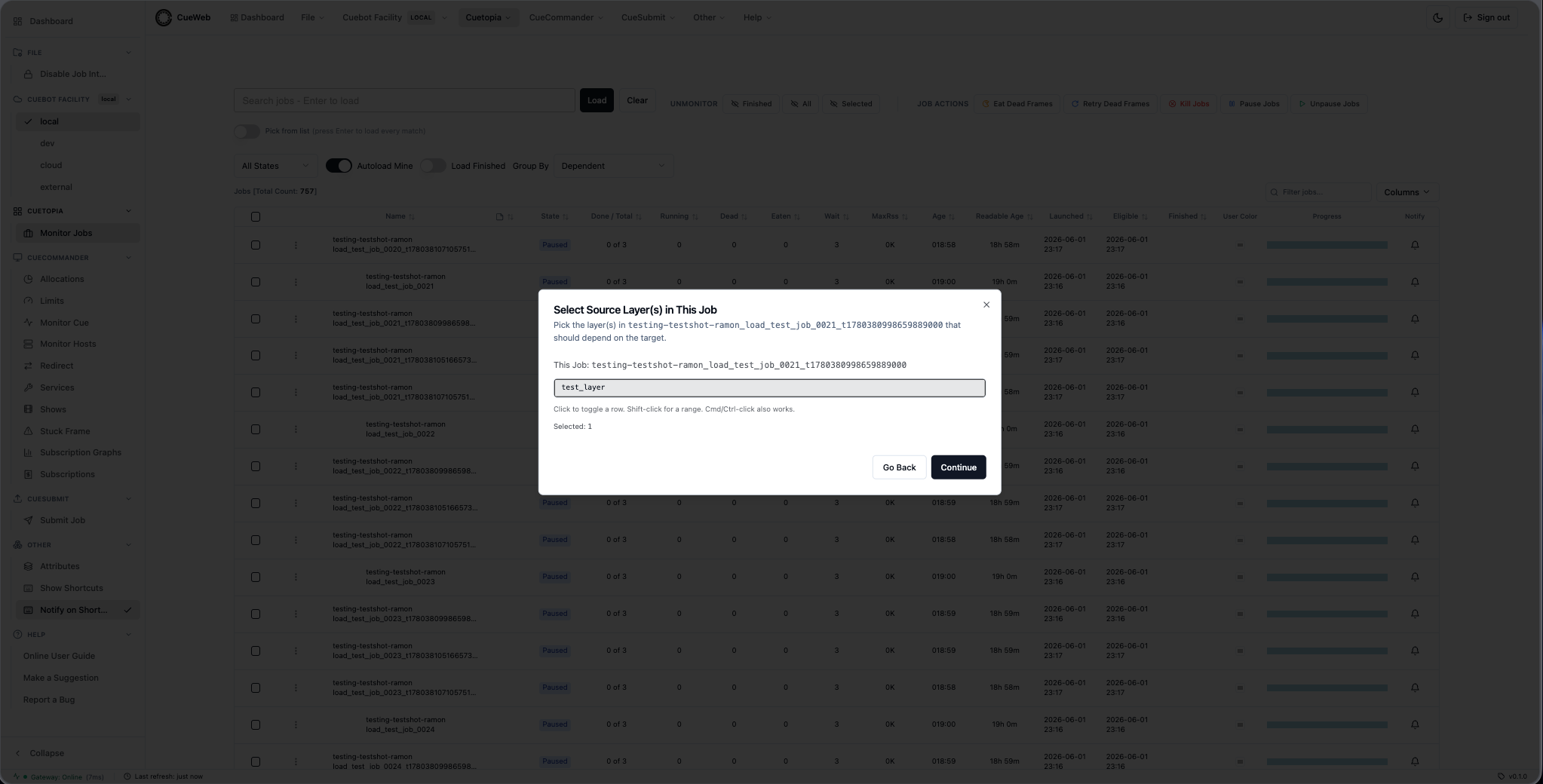
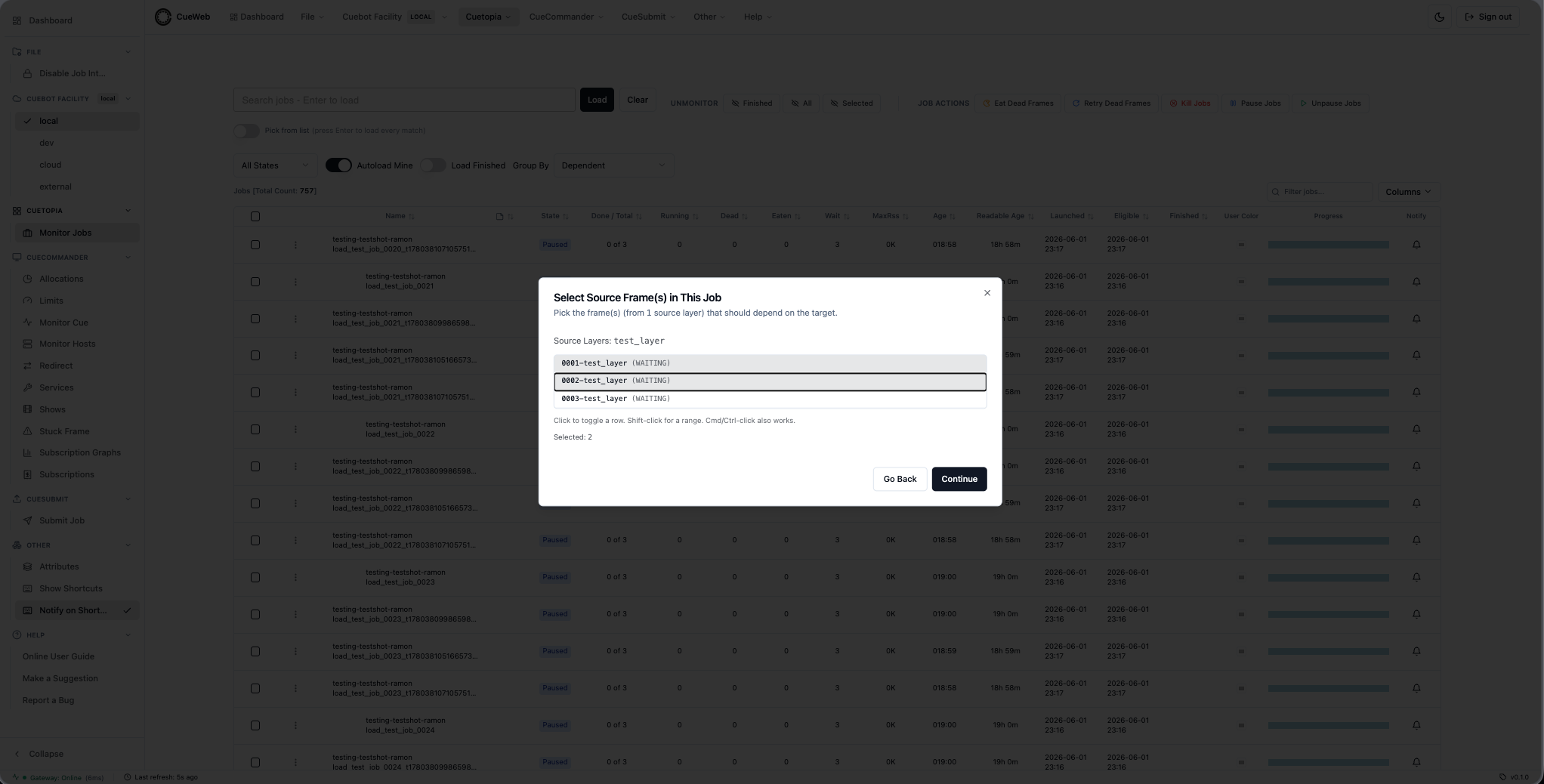
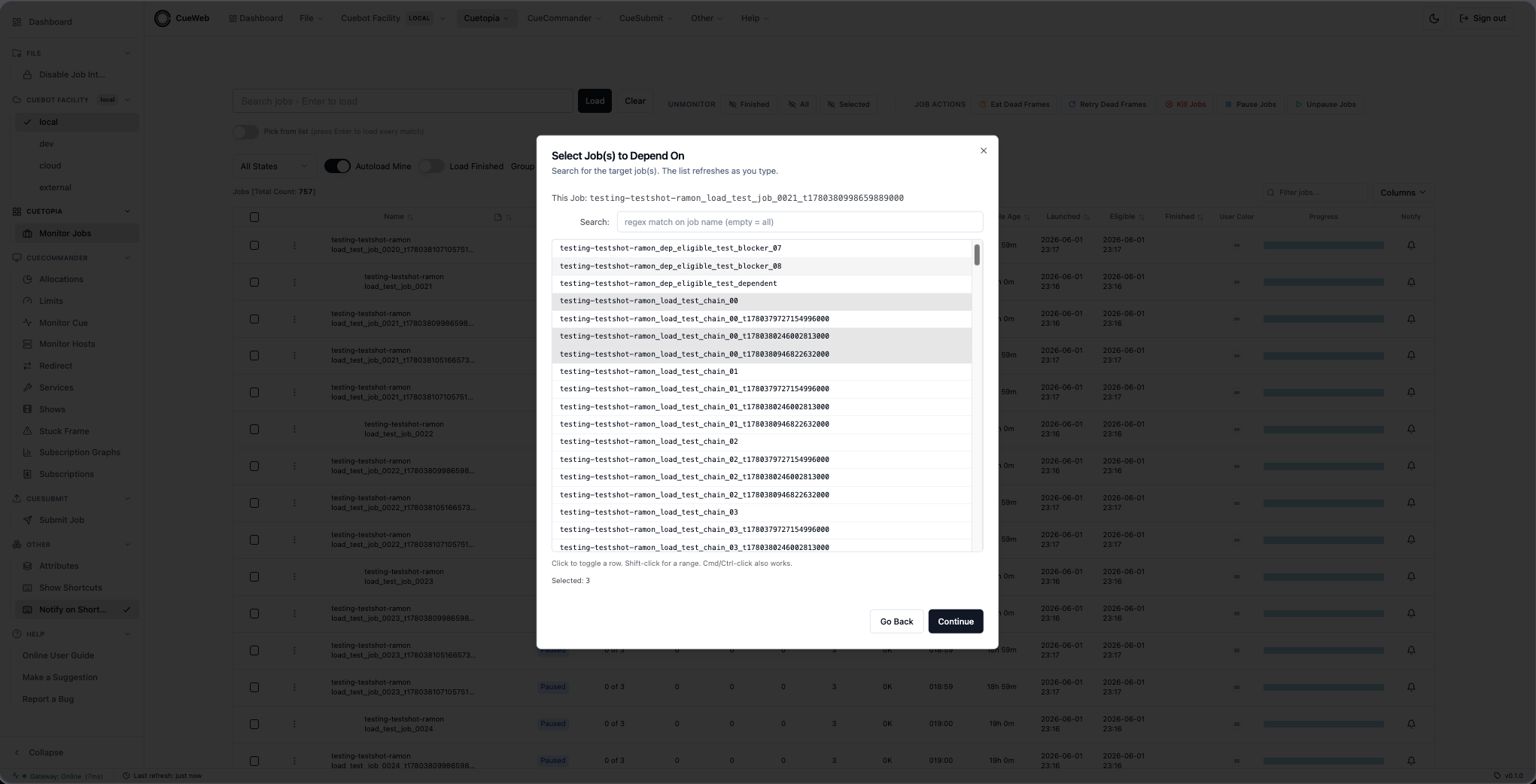
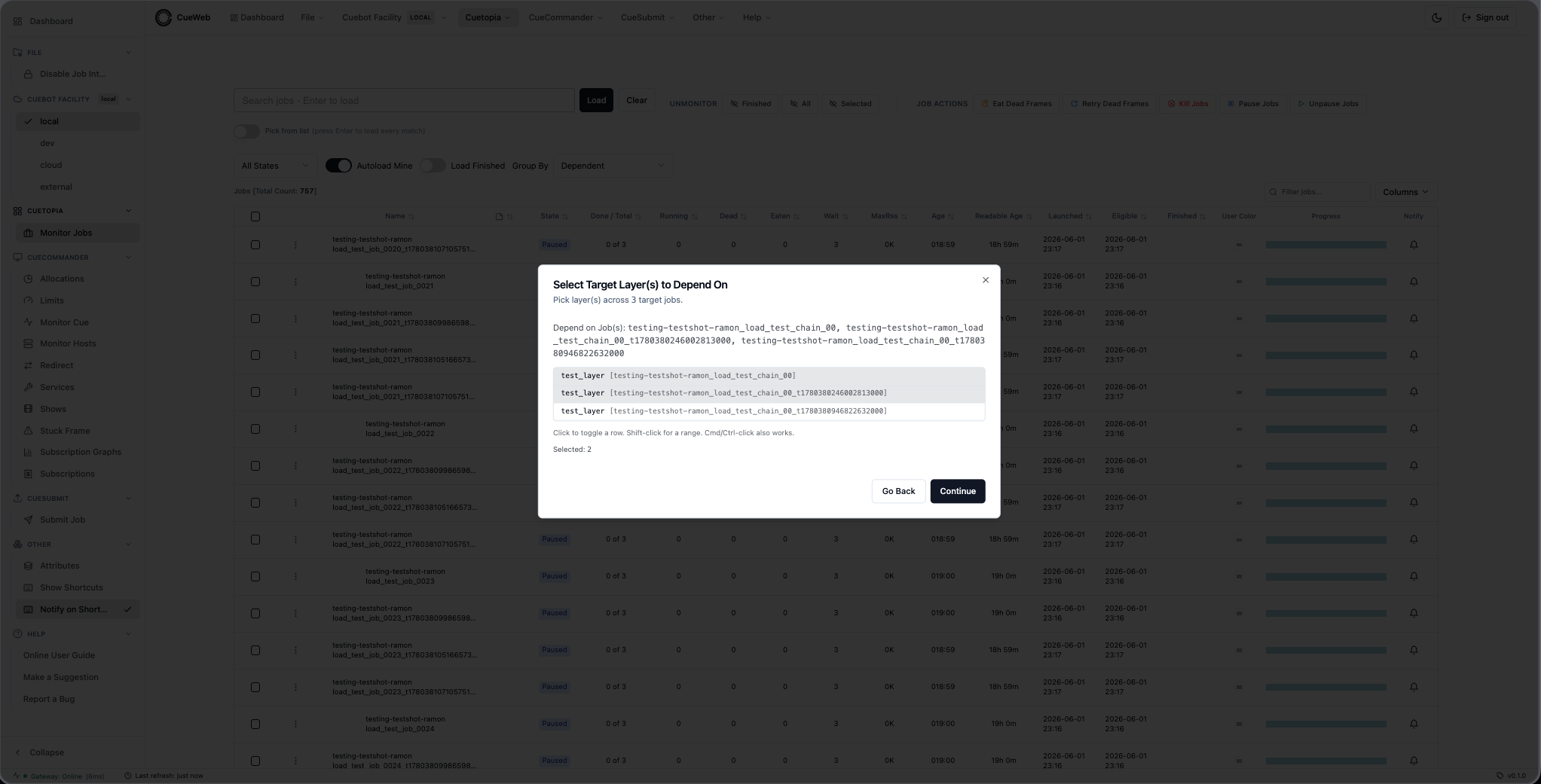
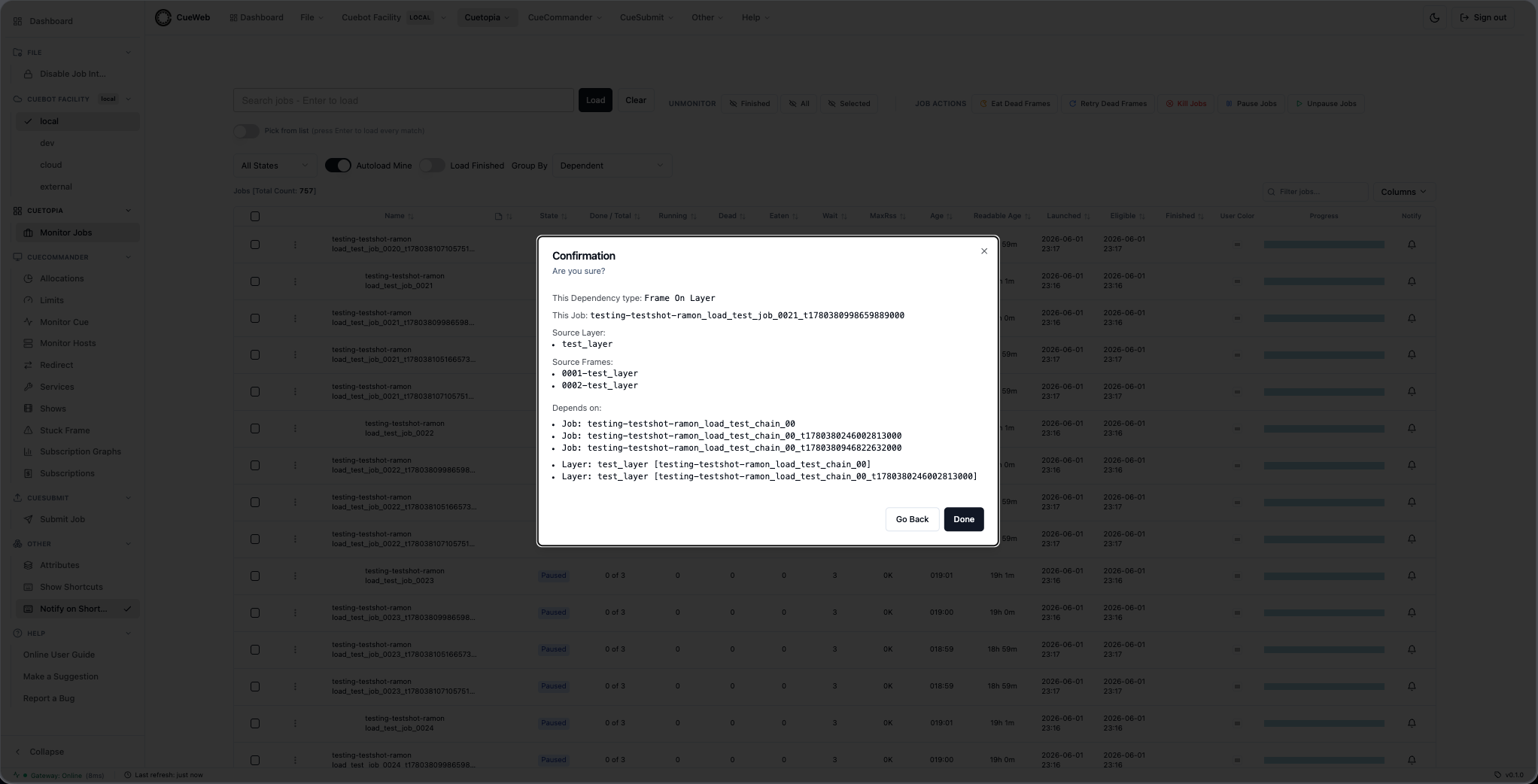
Frame On Frame (7 steps) - the longest path. Drill into a source frame and a target frame.
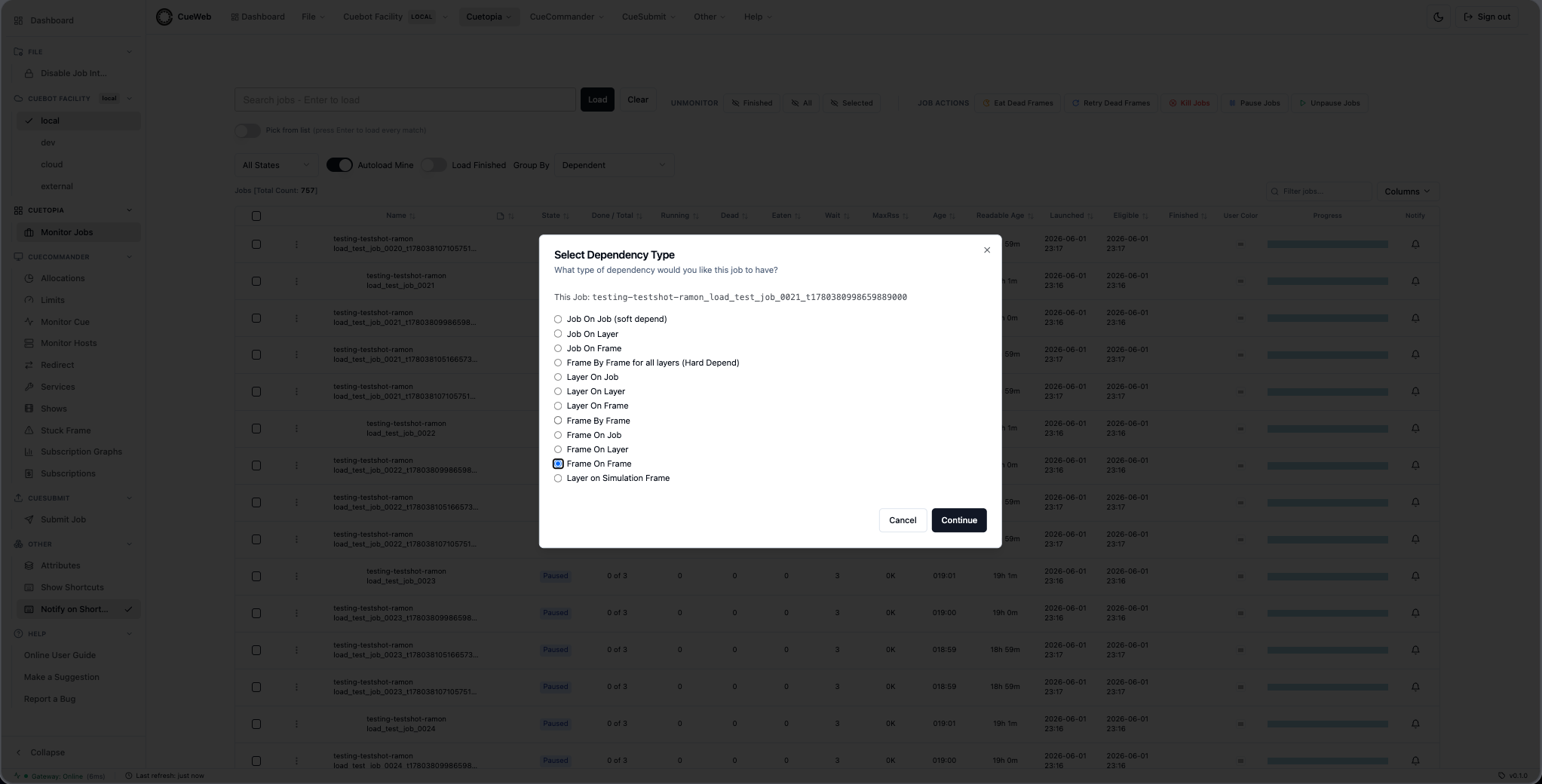
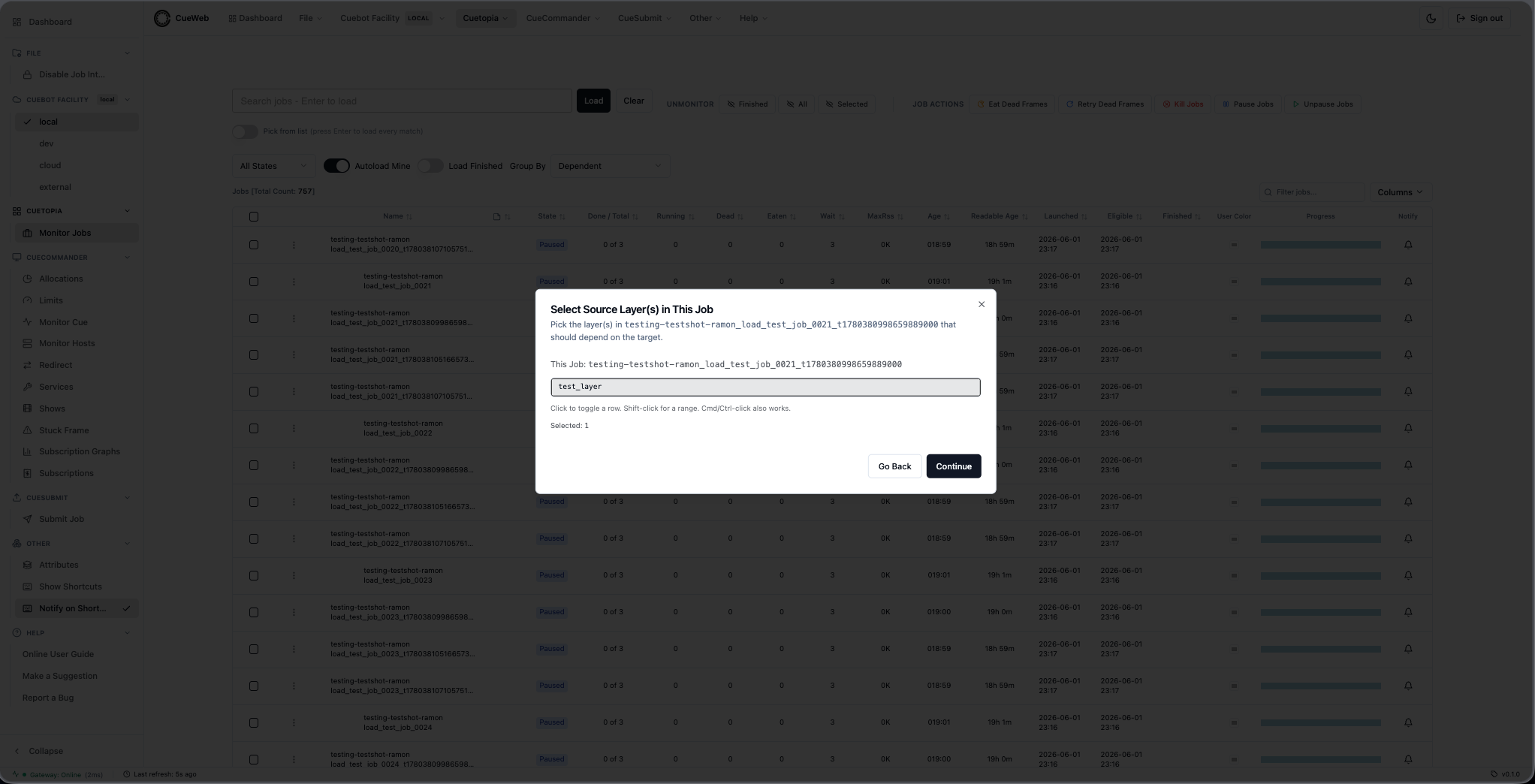
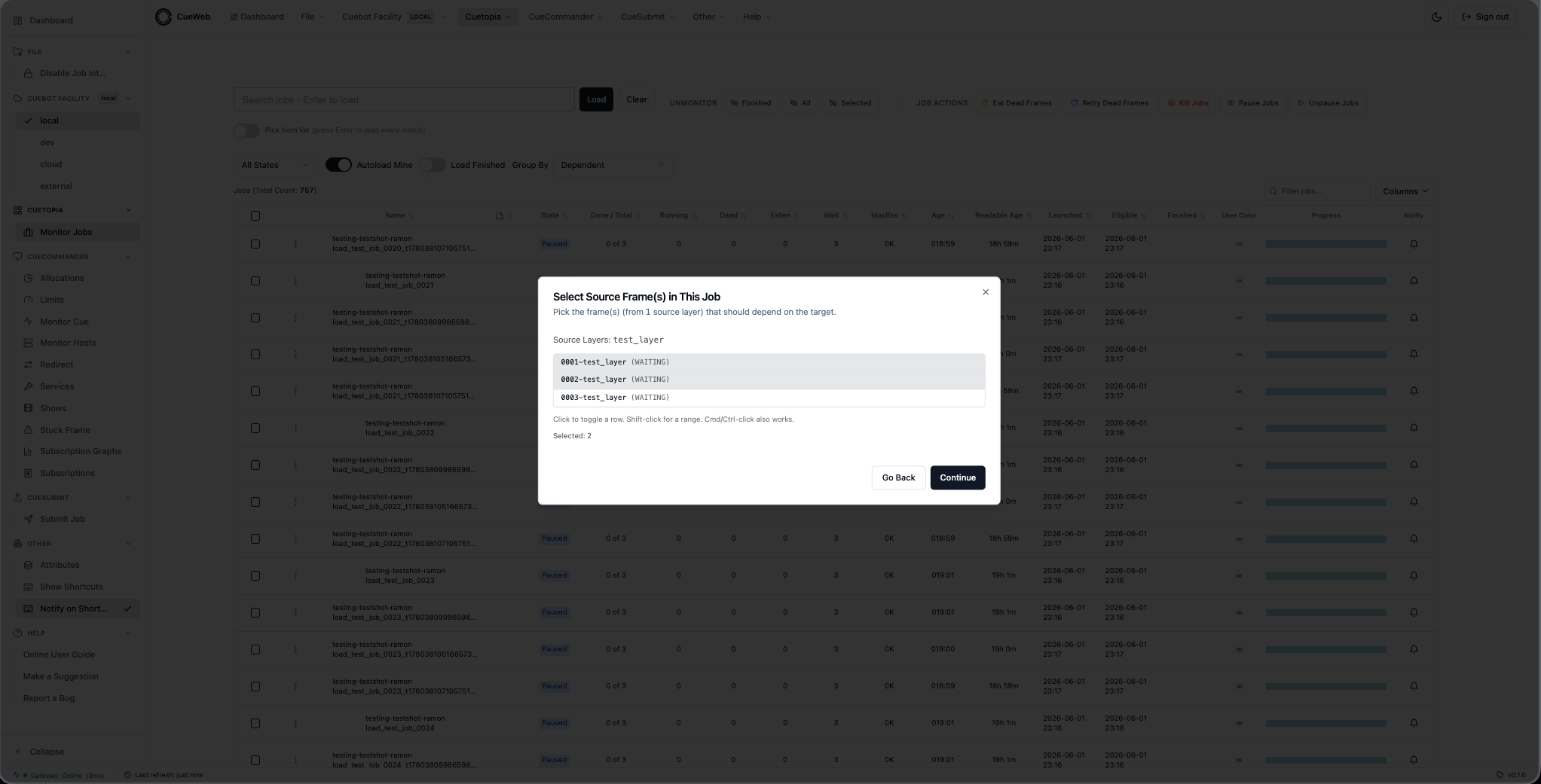
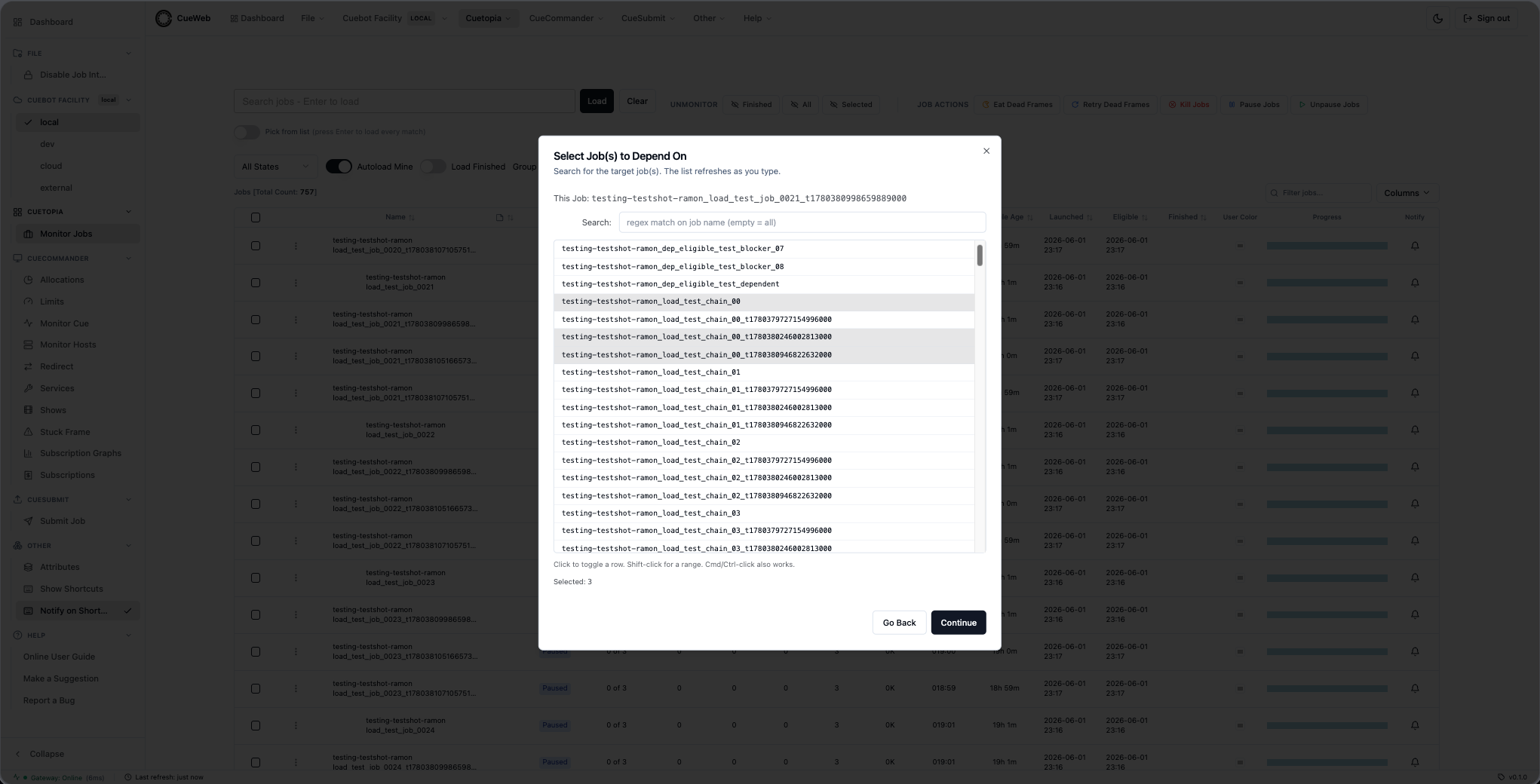
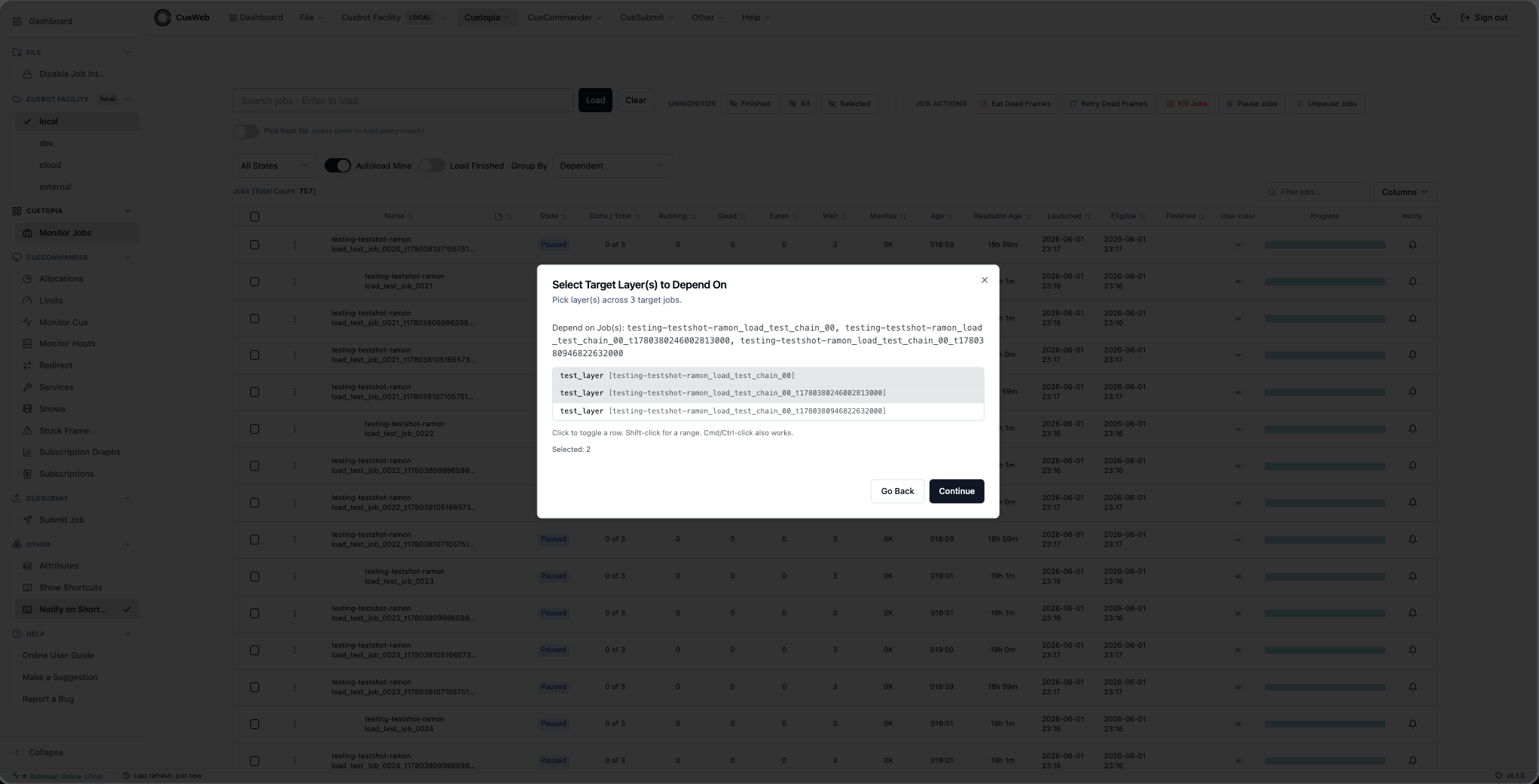
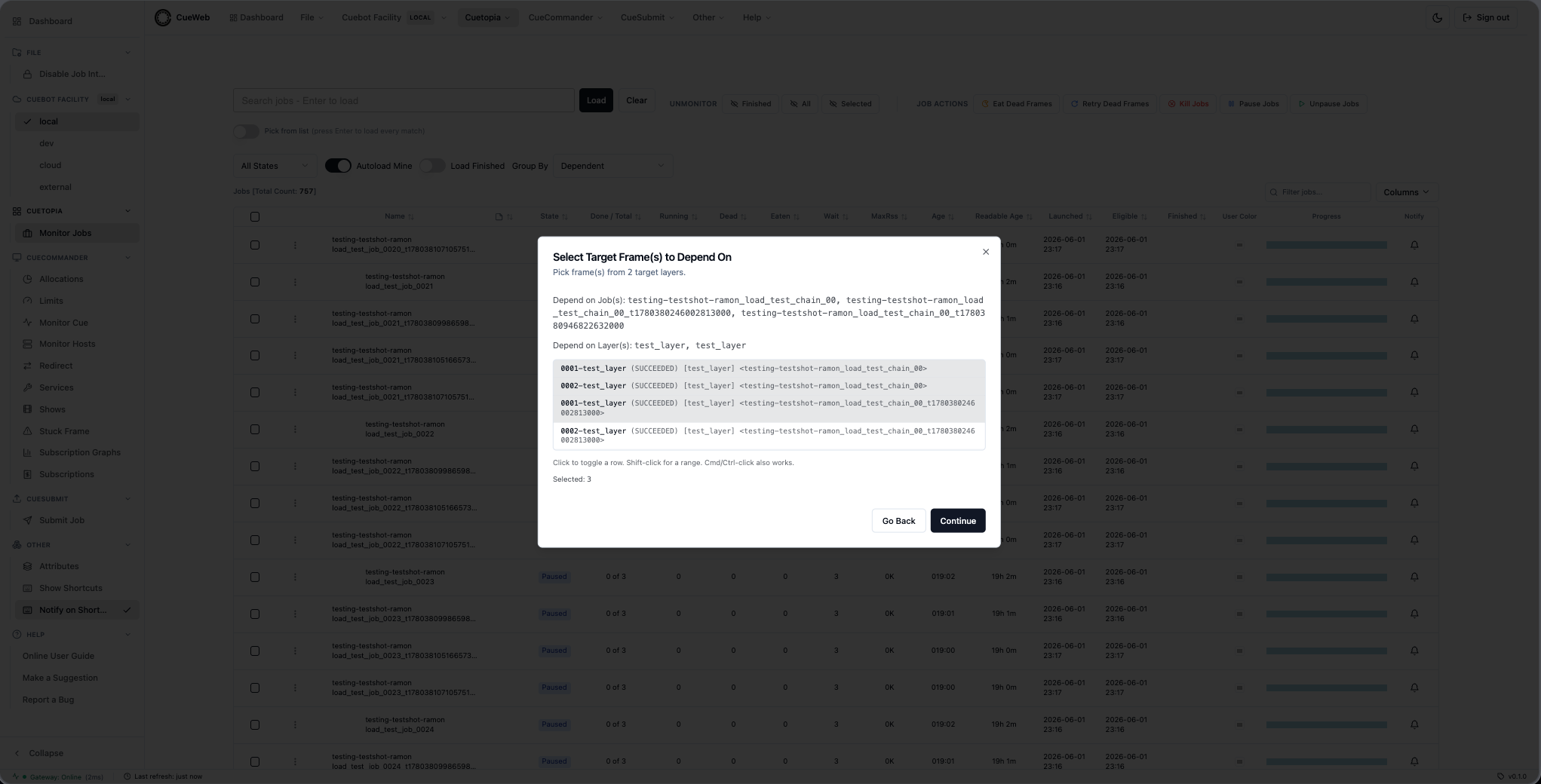
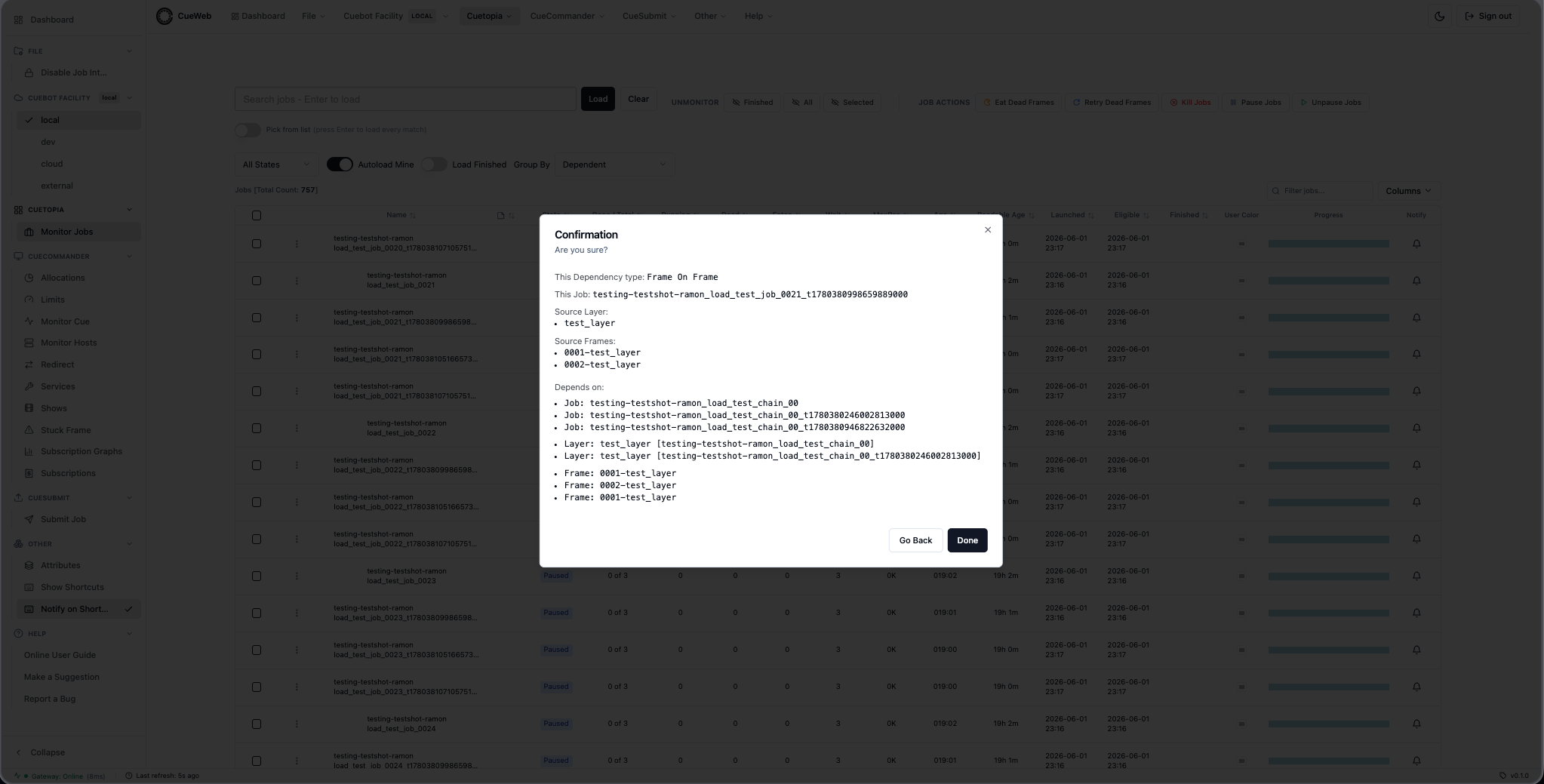
Layer On Simulation Frame. Similar to Layer On Frame, but the target layer picker is filtered to layers whose services array matches /sim/i.
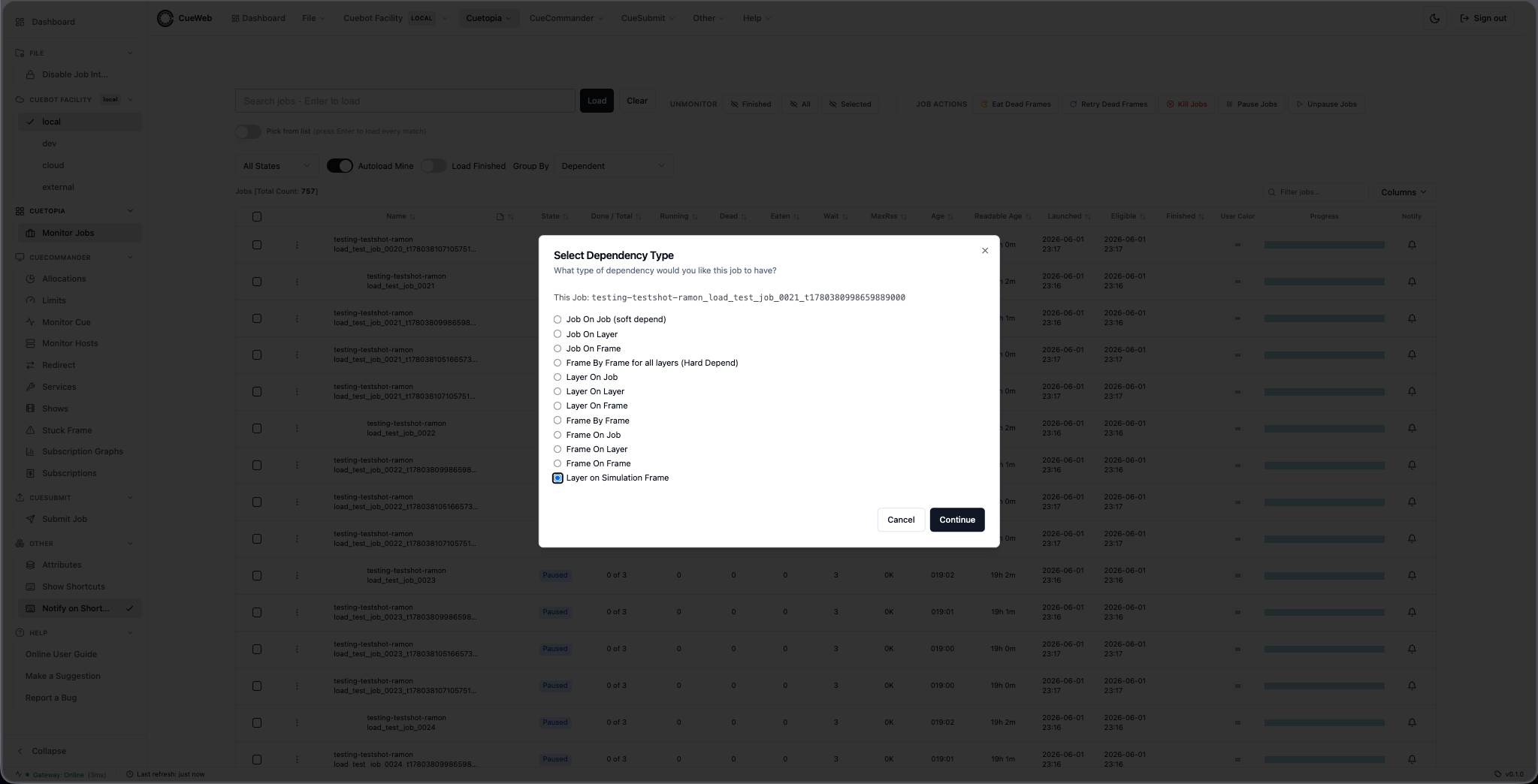
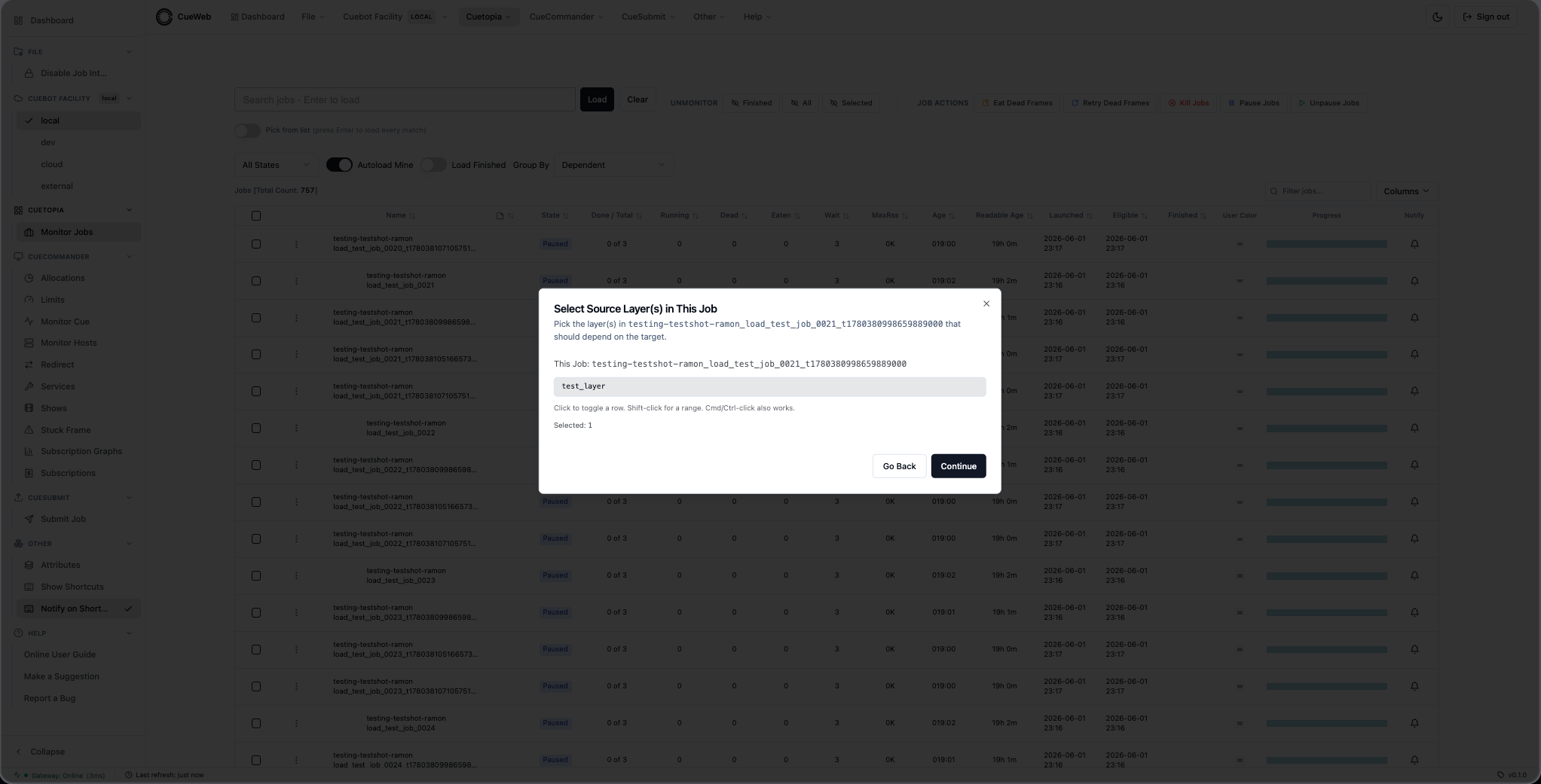
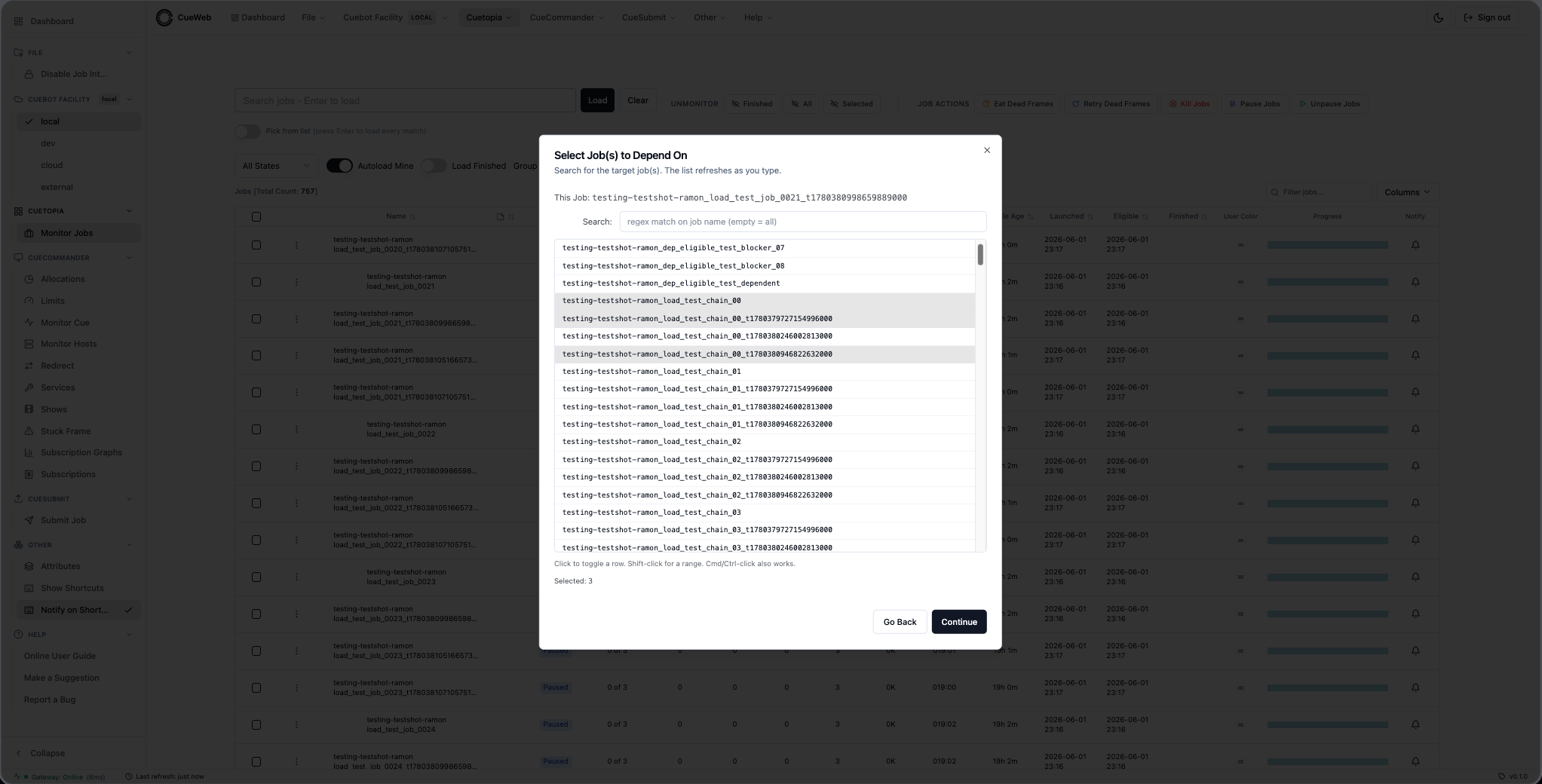
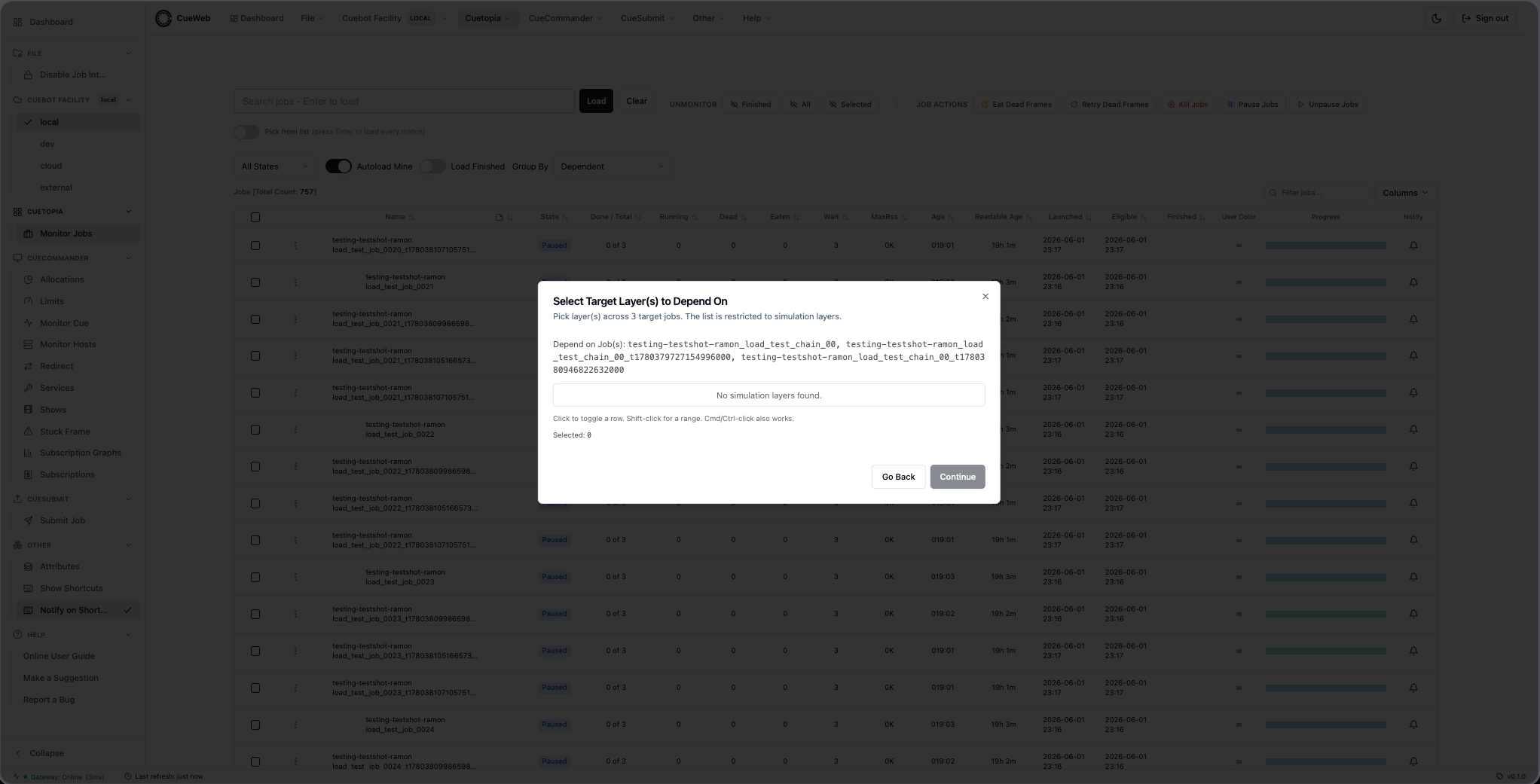
Set Start After dialog
The layer context menu’s Set Start After… entry defers booking of a layer: no frame of it starts before the chosen time. Mounted with the other layer dialogs via <LayerExtraDialogs />; opens on a cueweb:open-layer-start-after CustomEvent that setLayerStartAfterGivenRow(row) (cueweb/app/utils/action_utils.ts) dispatches with { layer }. Lives in cueweb/components/ui/layer-extra-dialogs.tsx. The same entry appears on layer nodes in the Job Dependency Graph, so both routes open this one dialog.
The gate has two writers: an operator here, and Cuebot’s exit-status backoff (dispatcher.layer_delay.rules), which pushes the layer out automatically when a frame exits with a configured status such as a license shortage. A layer with no delay leaves the Start After column blank.
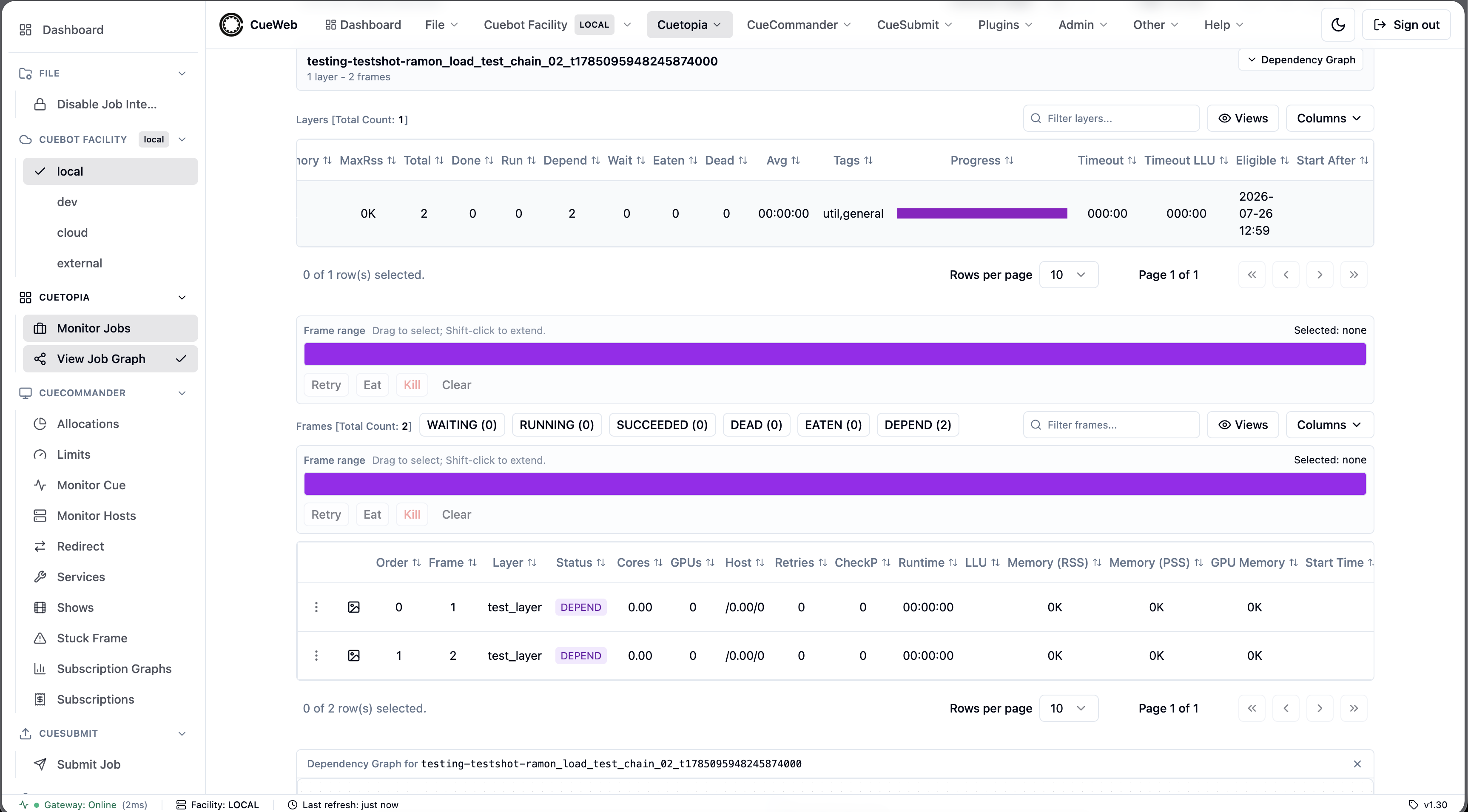
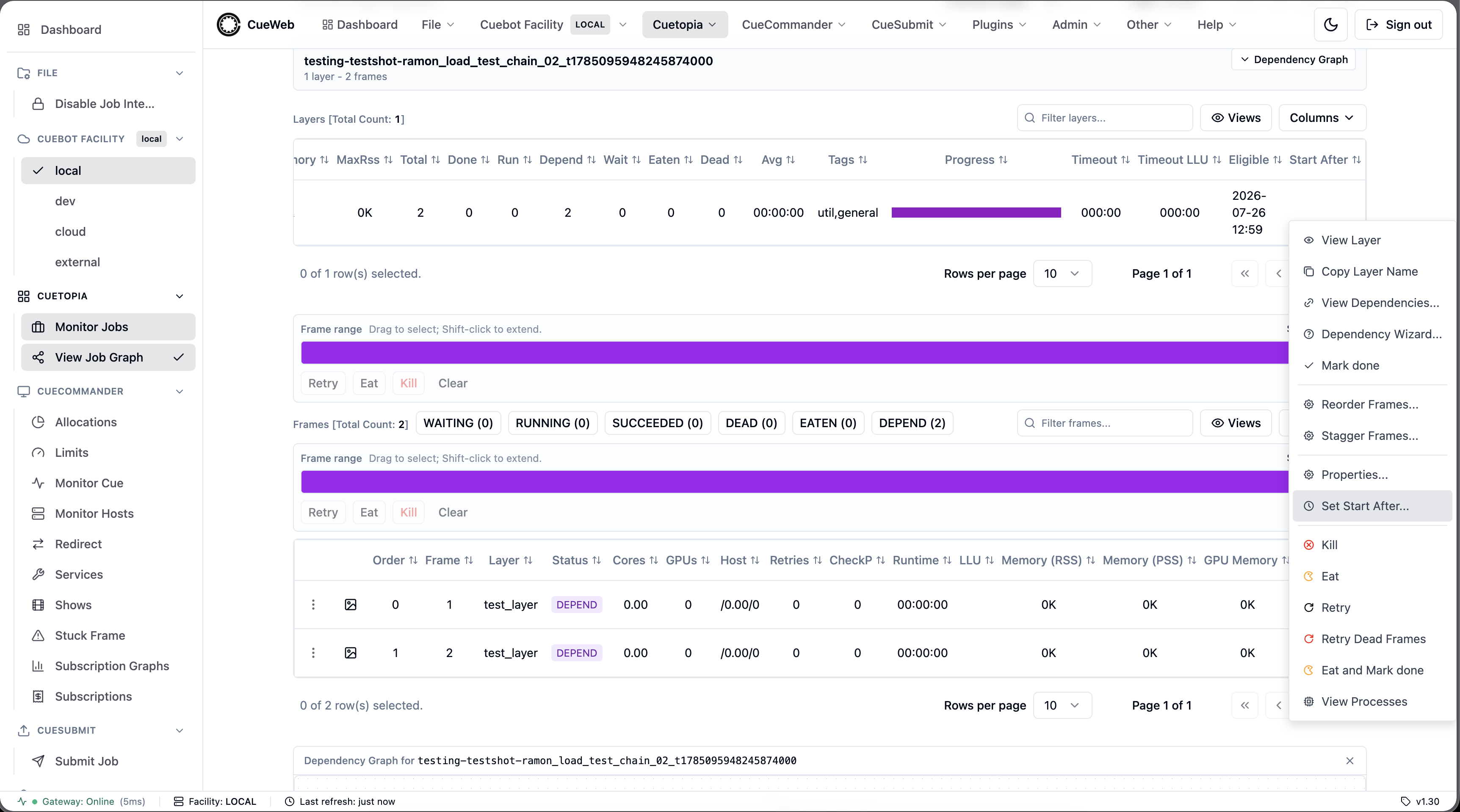
The picker is a datetime-local input, so it reads and writes the browser’s local time while the RPC carries UTC epoch seconds. The +15m / +1h / +4h / Tonight 18:00 buttons only fill the picker - they are not a separate input mode, and the value stays editable. When the layer is already delayed the dialog shows the current time and its reason.
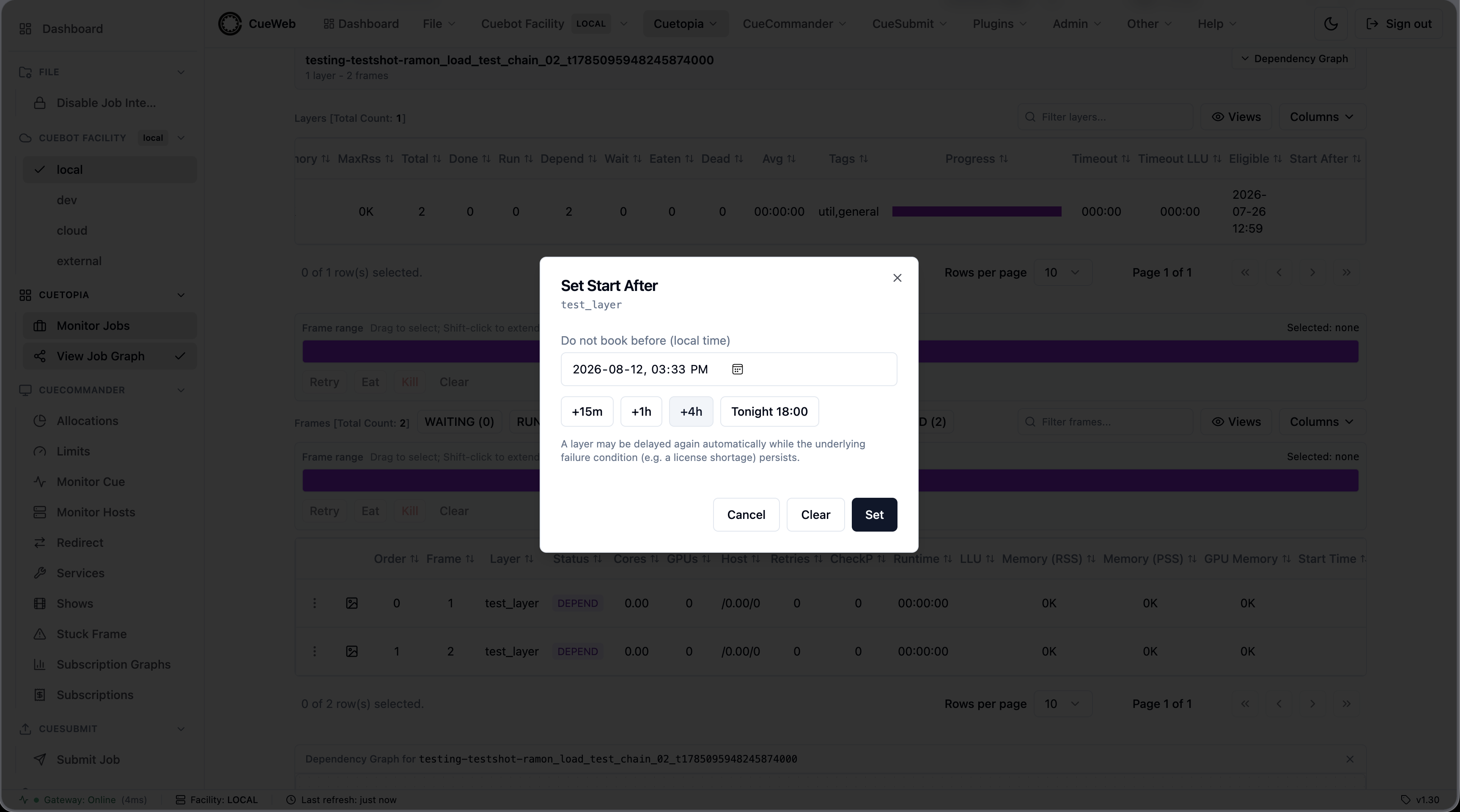
After Set (or Clear, which sends start_after: 0):
setLayerStartAfter(layers, startAfter)/clearLayerStartAfter(layers)fromaction_utils.tspost{ layer, start_after }to/api/layer/action/setstartafter, which forwards to/job.LayerInterface/SetStartAfteron the REST gateway.- The body carries no username: the route resolves the signed-in identity server-side (
getServerSession, the same source the audit trail uses) and Cuebot records it as the layer’sstartAfterReason, so a caller cannot attribute a delay to someone else. - A success toast confirms the change.
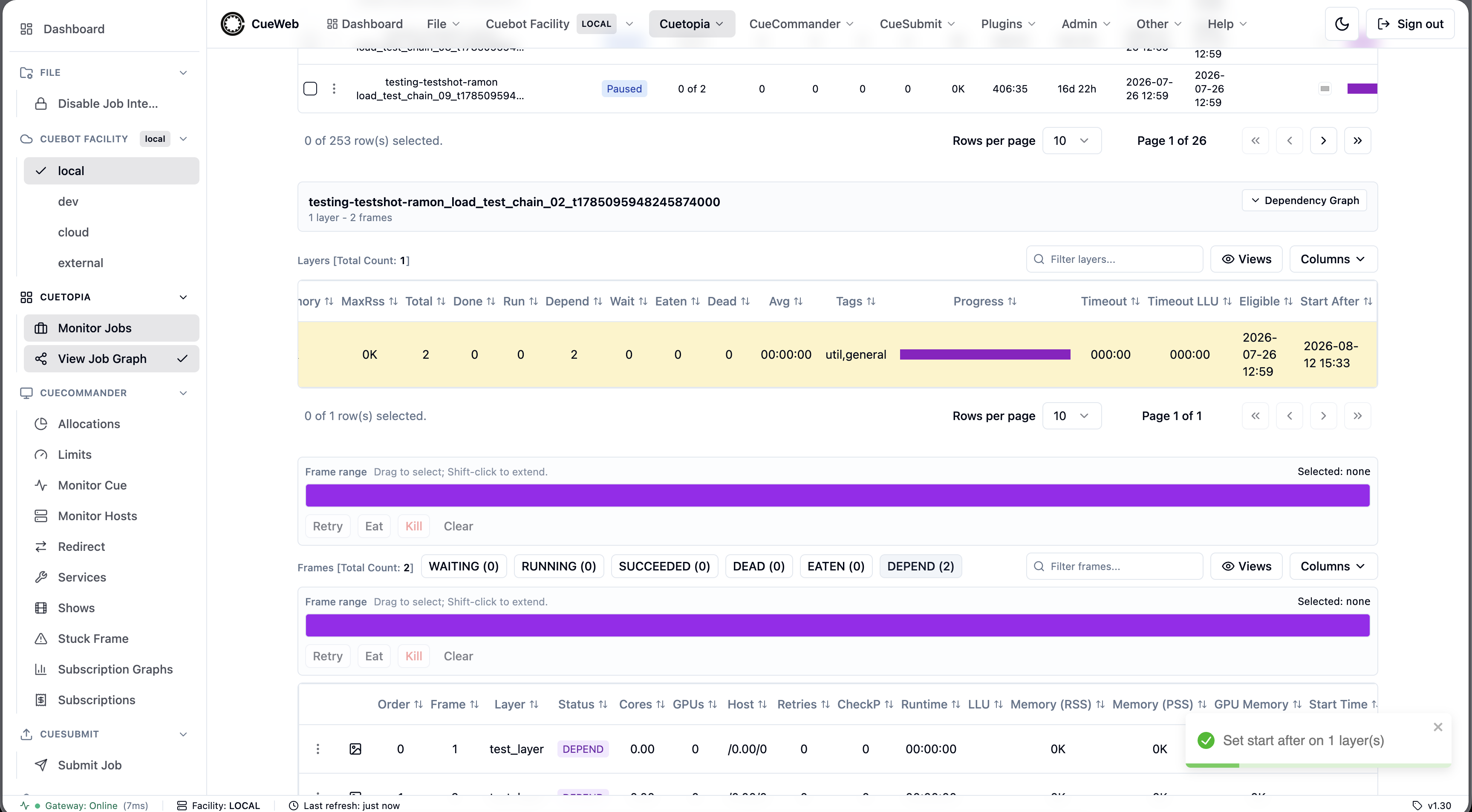
While the gate is in the future the row is tinted (layerRowClassName), and the Start After column shows the time. The cell’s title carries the reason verbatim as plain text, so a username embedded in it can never render as markup.
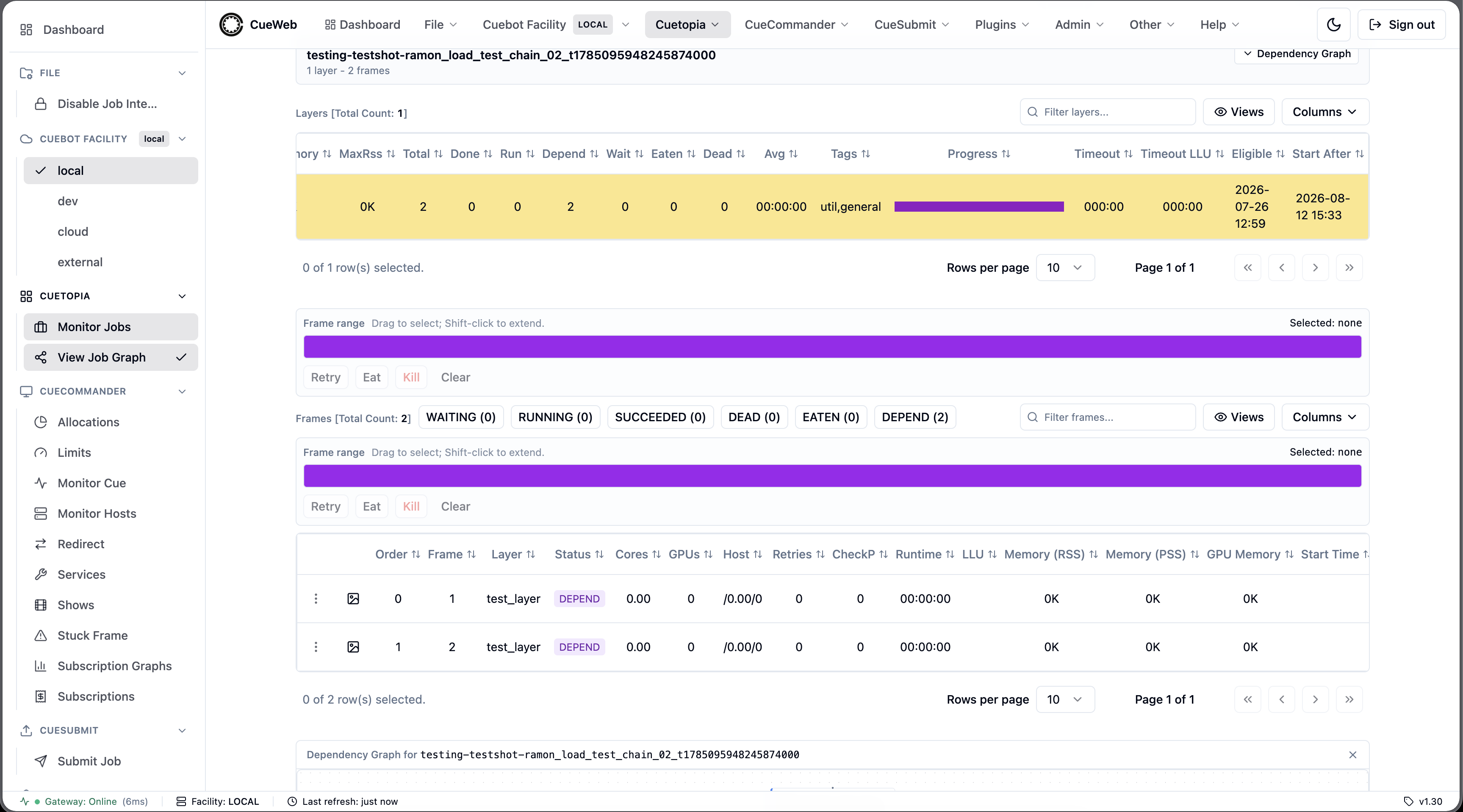
CueSubmit (Job Submission UI)
OpenCueWeb ships a browser-based equivalent of the standalone CueSubmit CLI tool at the /cuesubmit route, reachable from the CueSubmit top-level dropdown in the header (and the matching entry in the sidebar / mobile nav drawer). It mirrors the CueSubmit dialog layout one-for-one with a few quality-of-life improvements made possible by running in the browser.

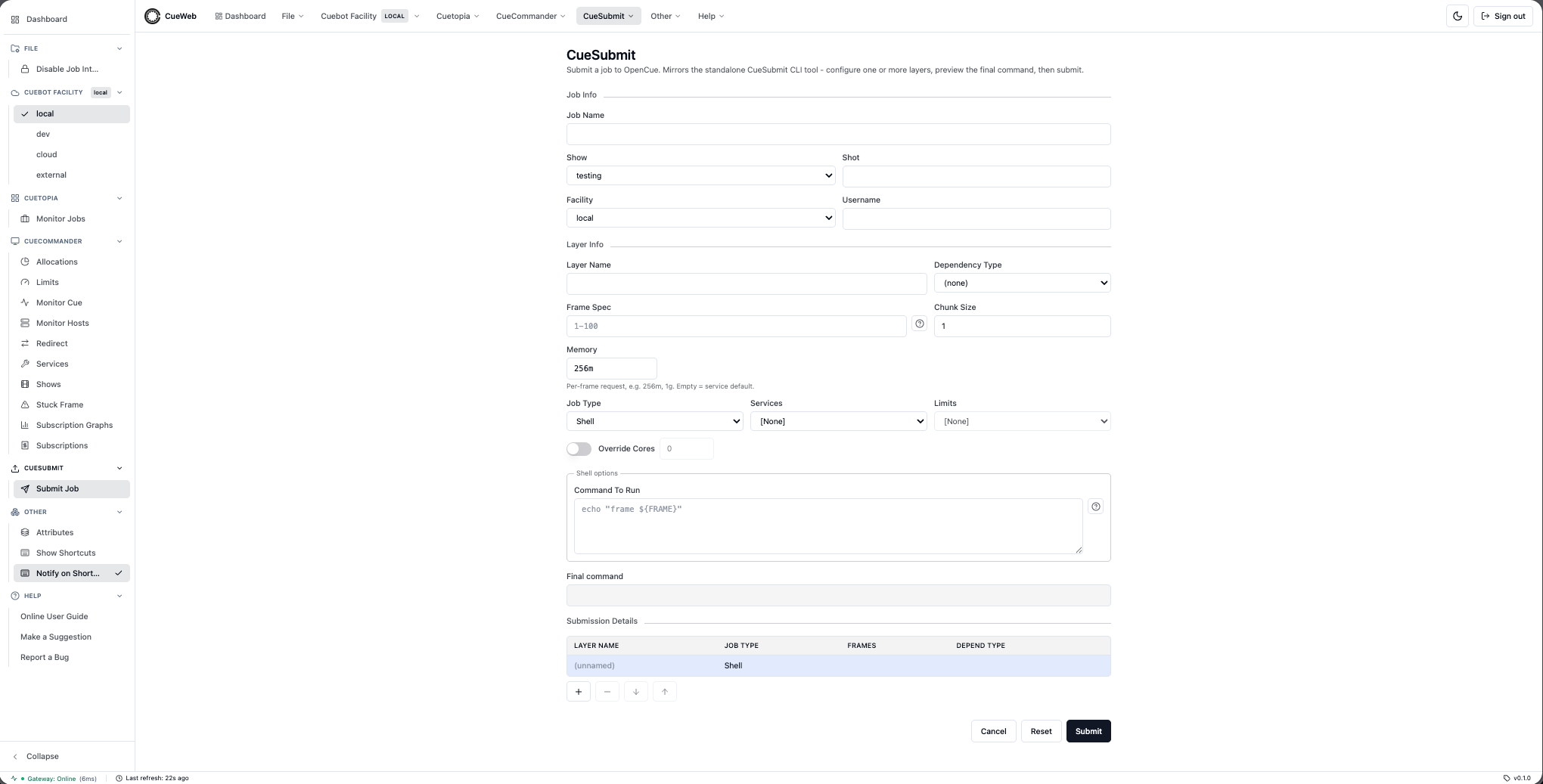
Sections
| Section | Fields |
|---|---|
| Job Info | Job Name, Show (dropdown populated from /api/show/getshows), Shot, Facility (dropdown from NEXT_PUBLIC_CUEBOT_FACILITIES), Username |
| Layer Info | Layer Name, Dependency Type (none / Layer / Frame), Frame Spec, Chunk Size, Memory, Job Type, Services, Limits, Override Cores |
| Per-type options | Shell: Command To Run. Maya: Maya File + Camera. Nuke: Nuke File + Write Nodes. Blender: Blender File + Output Path + Output Format. |
| Final command | Read-only preview that updates per-keystroke. Mirrors the same text cuebot will see. |
| Submission Details | Multi-layer table (Layer Name / Job Type / Frames / Depend Type) with + / − / ↓ / ↑ buttons. Clicking a row loads it into the Layer Info editor. |
| Action row | Cancel · Reset · Submit. |
Validation rules
| Field | Rule |
|---|---|
| Job Name, Layer Name, Shot | Letters, numbers, ., -, _ only. No spaces (cuebot uses the name in the log path). |
| Frame Spec | Must match cuebot frame-spec syntax: 1-10, 1-100x2, 1-100y3, 1-100:2, comma-separated segments. Reverse ranges (e.g. 10-1) are rejected. |
| Memory | Number with optional unit suffix (256m, 1g, 3.2G). Empty inherits the service’s int_mem_min. |
| Chunk Size | Positive integer. |
| At least one layer | Submit is disabled with a validation error when zero layers are configured. |
Username and the Edit override
When OpenCueWeb is deployed with NEXT_PUBLIC_AUTH_PROVIDER non-empty, the Username field is pre-populated from the signed-in session and rendered read-only. A small Edit checkbox to the right of the field toggles it editable. Unticking the box snaps the value back to the signed-in user. In sandbox mode (no auth) the field is always editable and the Edit checkbox is hidden.
Defaults tuned for the OpenCue sandbox
The form chooses defaults that produce a runnable submission against the seeded sandbox out of the box:
- Memory:
256m. The seededdefaultservice has a 3.2 GB minimum, which the sandbox RQD usually can’t satisfy. The 256 MB default keeps trivial jobs dispatchable. - Facility:
localwhen the user picks[Default]. The seeded sandbox’s RQD belongs to thelocal.generalallocation; cuebot’s internal fallback (cloud) does not match. - UID: derived deterministically from the username (1000-65000). Cuebot rejects
uid=0withCannot launch jobs as root, so OpenCueWeb never emits zero.
These three defaults match what the standalone CueSubmit CLI tool produces against the same sandbox.
Autocomplete history
Job Name, Shot, and Layer Name are wired to native <datalist> dropdowns populated from localStorage (per-field, deduped case-insensitively, capped at 25 entries). The Python CueSubmit CLI keeps an on-disk cache for the same reason - so a user’s previous values are one keystroke away. On every successful submit the relevant values are recorded automatically.
Draft auto-save
The whole form auto-saves to localStorage on every change and restores on mount, so an accidental refresh doesn’t wipe a multi-layer setup. The draft is cleared on Cancel, on Reset (after the confirm dialog), and on a successful submit.
Reset
Between Cancel and Submit, a Reset button clears every field and brings the form back to the blank-canvas state. A themed confirmation dialog (Radix-based, light/dark aware) replaces the native browser confirm() so the prompt doesn’t look like an OS pop-up. Autocomplete history is not cleared on Reset.
Submit flow
| Step | Detail |
|---|---|
| 1. Validate | The form payload is parsed against the zod schema before any network call. Inline error messages render under each field on blur. |
| 2. Build spec | The server-side route builds the OpenCue cjsl XML spec - direct port of pyoutline’s outline.backend.cue.serialize (cores / threadable heuristic, depend element shape, service defaulting, XML escaping). |
| 3. Launch | POST /api/job/submit proxies to job.JobInterface/LaunchSpecAndWait on the REST gateway, which returns the resolved job(s). |
| 4. Persist history | Job Name, Shot, and all Layer Names are appended to the autocomplete histories; the draft is cleared. |
| 5. Redirect | The page navigates to the tabbed /jobs/<name> job-detail view so the user can watch the new job’s frames go WAITING -> RUNNING -> SUCCEEDED. |
“View in Monitor Jobs” deep link
The tabbed job-detail page has a View in Monitor Jobs button in its header (next to the title). Clicking it navigates to /?search=<jobname>. Cuetopia’s Jobs table reads the search URL param on mount, runs the same search the toolbar input would (regex-escaped so the literal job name matches), and then strips the param so a refresh doesn’t re-fire.
Help popovers
The ? buttons next to Frame Spec and Command To Run open small themed popovers with:
- Frame Spec examples:
1-10,1-100x2,1-100y2,1-100:2,1,3,5,7,1-50,75-100. - Command tokens substituted by cuebot at dispatch:
#IFRAME#,#ZFRAME#,#FRAME_START#,#FRAME_END#,#FRAME_CHUNK#,#FRAMESPEC#,#LAYER#,#JOB#,#FRAME#.
API Integration
JWT Token Generation
OpenCueWeb generates JWT tokens for REST Gateway authentication:
// Token structure
{
  "header": {
    "alg": "HS256",
    "typ": "JWT"
  },
  "payload": {
    "sub": "user-id",
    "exp": 1234567890  // Unix timestamp
  }
}
API Endpoints Used
OpenCueWeb communicates with these REST Gateway endpoints:
| Endpoint | Purpose |
|---|---|
show.ShowInterface/GetShows |
List available shows |
show.ShowInterface/GetActiveShows |
List active shows for the Shows page |
show.ShowInterface/FindShow |
Get specific show |
show.ShowInterface/CreateShow |
Create a show |
show.ShowInterface/EnableBooking / EnableDispatching |
Toggle a show’s booking / dispatch |
show.ShowInterface/SetDefaultMaxCores / SetDefaultMinCores |
Set a show’s default cores |
show.ShowInterface/SetCommentEmail |
Set a show’s comment notification email |
show.ShowInterface/CreateSubscription |
Subscribe a show to an allocation |
show.ShowInterface/GetGroups |
List a show’s groups for the group-tree detail page |
job.GroupInterface/GetJobs |
List a group’s jobs (group tree, lazy-loaded per group) |
job.GroupInterface/ReparentGroups |
Move groups under a new parent group (group-tree drag) |
job.GroupInterface/ReparentJobs |
Move jobs into a group (group-tree drag) |
job.JobInterface/GetJobs |
List jobs for show |
job.JobInterface/FindJob |
Get specific job |
job.JobInterface/GetFrames |
Get frames for job |
job.JobInterface/Pause |
Pause job |
job.JobInterface/Resume |
Resume job |
job.JobInterface/Kill |
Kill job |
job.JobInterface/GetComments |
List comments for a job |
job.JobInterface/AddComment |
Add a new comment to a job |
comment.CommentInterface/Save |
Update an existing comment’s subject/message |
comment.CommentInterface/Delete |
Delete a comment |
layer.LayerInterface/GetLayer |
Get layer details |
layer.LayerInterface/GetFrames |
Get frames for layer |
frame.FrameInterface/Retry |
Retry frame |
frame.FrameInterface/Kill |
Kill frame |
frame.FrameInterface/Eat |
Eat frame |
host.HostInterface/GetHosts |
List hosts for the Monitor Hosts page |
limit.LimitInterface/GetAll |
List limits for the Limits page |
limit.LimitInterface/Create / Delete / Rename / SetMaxValue |
Create / delete / rename a limit, set its max value |
facility.AllocationInterface/GetAll |
List allocations (Allocations page + subscription dropdowns) |
host.HostInterface/FindHost |
Resolve a single host by name for the host detail page |
host.HostInterface/GetProcs |
List the procs running on a host (detail page Procs tab) |
host.HostInterface/GetComments |
List a host’s comments (detail page Comments tab) |
host.HostInterface/Lock / Unlock |
Lock / unlock a host |
host.HostInterface/Reboot / RebootWhenIdle |
Reboot a host immediately / when idle |
host.HostInterface/RestartRqdNow / RestartRqdWhenIdle |
Restart the RQD service immediately / when idle (no machine reboot) |
host.HostInterface/AddTags / RemoveTags |
Add / remove host tags |
OpenCueWeb Proxy Routes
The browser does not call REST Gateway directly; it goes through Next.js API proxies that attach the JWT. Comment- and host-related routes:
| Route | Forwards to |
|---|---|
POST /api/job/getcomments |
job.JobInterface/GetComments |
POST /api/job/action/addcomment |
job.JobInterface/AddComment |
POST /api/job/action/addsubscriber |
job.JobInterface/AddSubscriber |
POST /api/comment/action/save |
comment.CommentInterface/Save |
POST /api/comment/action/delete |
comment.CommentInterface/Delete |
POST /api/host/gethosts |
host.HostInterface/GetHosts (unwraps the gateway’s double-nested {hosts:{hosts:[...]}} to a flat array) |
POST /api/host/findhost |
host.HostInterface/FindHost (unwraps to the bare host, or null) |
POST /api/host/getprocs |
host.HostInterface/GetProcs (unwraps {procs:{procs:[...]}} to a flat array) |
POST /api/host/getcomments |
host.HostInterface/GetComments (unwraps {comments:{comments:[...]}} to a flat array) |
POST /api/host/action/lock |
host.HostInterface/Lock |
POST /api/host/action/unlock |
host.HostInterface/Unlock |
POST /api/host/action/reboot |
host.HostInterface/Reboot |
POST /api/host/action/rebootwhenidle |
host.HostInterface/RebootWhenIdle |
POST /api/host/action/restartrqdnow |
host.HostInterface/RestartRqdNow |
POST /api/host/action/restartrqdwhenidle |
host.HostInterface/RestartRqdWhenIdle |
POST /api/host/action/addtags |
host.HostInterface/AddTags (body { host, tags }) |
POST /api/host/action/removetags |
host.HostInterface/RemoveTags (body { host, tags }) |
POST /api/show/getactiveshows |
show.ShowInterface/GetActiveShows (unwraps {shows:{shows:[...]}} to a flat array) |
POST /api/allocation/getall |
facility.AllocationInterface/GetAll (unwraps {allocations:{allocations:[...]}} to a flat array) |
POST /api/limit/getall |
limit.LimitInterface/GetAll (unwraps the single-level {limits:[...]} to a flat array) |
POST /api/limit/action/create |
limit.LimitInterface/Create (body { name, max_value }) |
POST /api/limit/action/delete |
limit.LimitInterface/Delete (body { name }) |
POST /api/limit/action/rename |
limit.LimitInterface/Rename (body { old_name, new_name }) |
POST /api/limit/action/setmaxvalue |
limit.LimitInterface/SetMaxValue (body { name, max_value }, non-negative) |
POST /api/show/action/enablebooking |
show.ShowInterface/EnableBooking (body { show, enabled }) |
POST /api/show/action/enabledispatching |
show.ShowInterface/EnableDispatching (body { show, enabled }) |
POST /api/show/action/setdefaultmaxcores |
show.ShowInterface/SetDefaultMaxCores (body { show, max_cores }) |
POST /api/show/action/setdefaultmincores |
show.ShowInterface/SetDefaultMinCores (body { show, min_cores }) |
POST /api/show/action/setcommentemail |
show.ShowInterface/SetCommentEmail (body { show, email }) |
POST /api/show/action/createsubscription |
show.ShowInterface/CreateSubscription (body { show, allocation_id, size, burst }) |
POST /api/show/getgroups |
show.ShowInterface/GetGroups (group-tree detail page; body { show: { id } }) |
POST /api/group/getjobs |
job.GroupInterface/GetJobs (a group’s jobs; body { group: { id } }) |
POST /api/group/action/reparentgroups |
job.GroupInterface/ReparentGroups (body { group: { id }, groups: { groups: [...] } }) |
POST /api/group/action/reparentjobs |
job.GroupInterface/ReparentJobs (body { group: { id }, jobs: { jobs: [...] } }) |
The /api/host/action/* routes validate the request body (400 on malformed JSON or a missing host; addtags / removetags additionally require a tags array), forward through handleRoute, and propagate the gateway’s real HTTP status (a failed RPC returns its 4xx/5xx, not 200).
The /api/show/action/* routes likewise validate their bodies (400 on malformed JSON or a missing/mistyped field: enabled must be boolean, max_cores/min_cores must be numeric, allocation_id a non-empty string) and propagate the real HTTP status. createsubscription maps Cuebot’s duplicate-key error to a short “show already has a subscription on that allocation” message.
Configuration Files
next.config.js
Key configuration options:
module.exports = {
  // Enable React strict mode
  reactStrictMode: true,

  // Output standalone build
  output: 'standalone',

  // Image optimization
  images: {
    unoptimized: true
  },

  // Security headers
  async headers() {
    return [
      {
        source: '/(.*)',
        headers: [
          { key: 'X-Frame-Options', value: 'DENY' },
          { key: 'X-Content-Type-Options', value: 'nosniff' }
        ]
      }
    ]
  }
}
Docker Configuration
Default Dockerfile exposes:
| Port | Service |
|---|---|
| 3000 | OpenCueWeb HTTP |
Required volume mounts for log viewing (file-based backend):
# Mount frame log directory
-v /path/to/logs:/tmp/rqd/logs:ro
When the deployment uses the Loki backend (NEXT_PUBLIC_LOKI_URL set), logs are pulled from Loki over HTTP from the browser, so this volume mount is not required for log viewing - see Frame log backends.
Usage metrics (Prometheus)
GET /api/metrics exposes Prometheus usage metrics (plain text; never gated by the authorization gate) so operators can track who uses what, how often, and how fast - per user, per page/module, per action - with bounded cardinality.
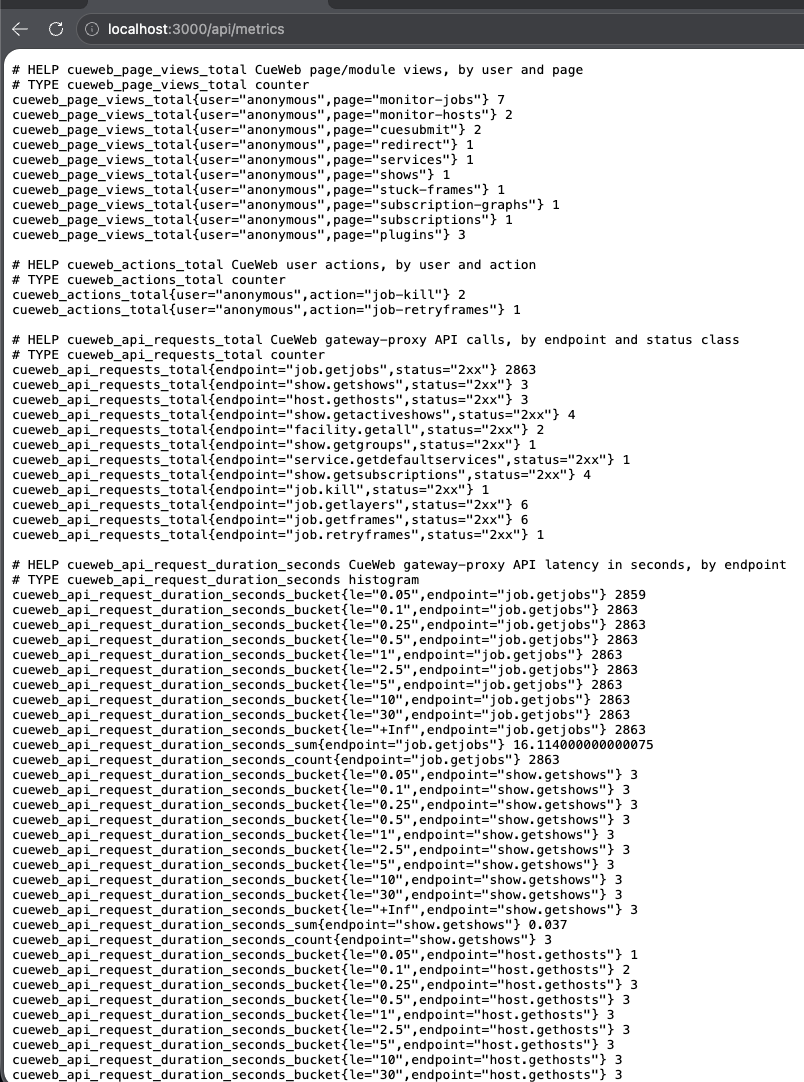
| Metric | Type | Labels | Notes |
|---|---|---|---|
cueweb_page_views_total |
Counter | user, page |
Page/module views; page is from a fixed allow-list (unknown → other). |
cueweb_actions_total |
Counter | user, action |
User actions (job-kill, frame-retry, host-lock, job-submit, …), keyed off the action routes. |
cueweb_api_requests_total |
Counter | endpoint, status |
Every gateway-proxy call by short endpoint (job.getjobs) and status class (2xx/4xx/5xx). No user label. |
cueweb_api_request_duration_seconds |
Histogram | endpoint |
API latency, for p50/p90/p99 panels. |
cueweb_logins_total |
Counter | user |
Session starts. |
cueweb_facility_selected_total |
Counter | user, facility |
Cuebot Facility switches. |
- User label is resolved server-side from the signed-in NextAuth session (
lib/track-user.ts), so the client can never spoof it; it falls back toanonymouswhen there is no session. The forgeableX-User/X-Forwarded-Useridentity headers are honored only whenCUEWEB_TRUST_IDENTITY_HEADER=true(off by default) - set it only when OpenCueWeb sits behind a trusted reverse proxy / auth gateway that strips inbound copies and injects the authenticated identity. Only the username and coarse page/action names are recorded - no job names, search text, or file paths. - Instrumentation:
app/utils/gateway_server.tshandleRouterecords the API request + latency for all routes; the clientUsageTracker+accessActionApibeacon page views and actions toPOST /api/track. Disable the client beacon withNEXT_PUBLIC_USAGE_TRACKING=off. - Wiring: Prometheus scrapes
cueweb:3000/api/metrics(sandbox/config/prometheus-monitoring.yml); Grafana auto-provisions the OpenCueWeb User Usage dashboard (sandbox/config/grafana/dashboards/cueweb-usage.json) with a$uservariable.
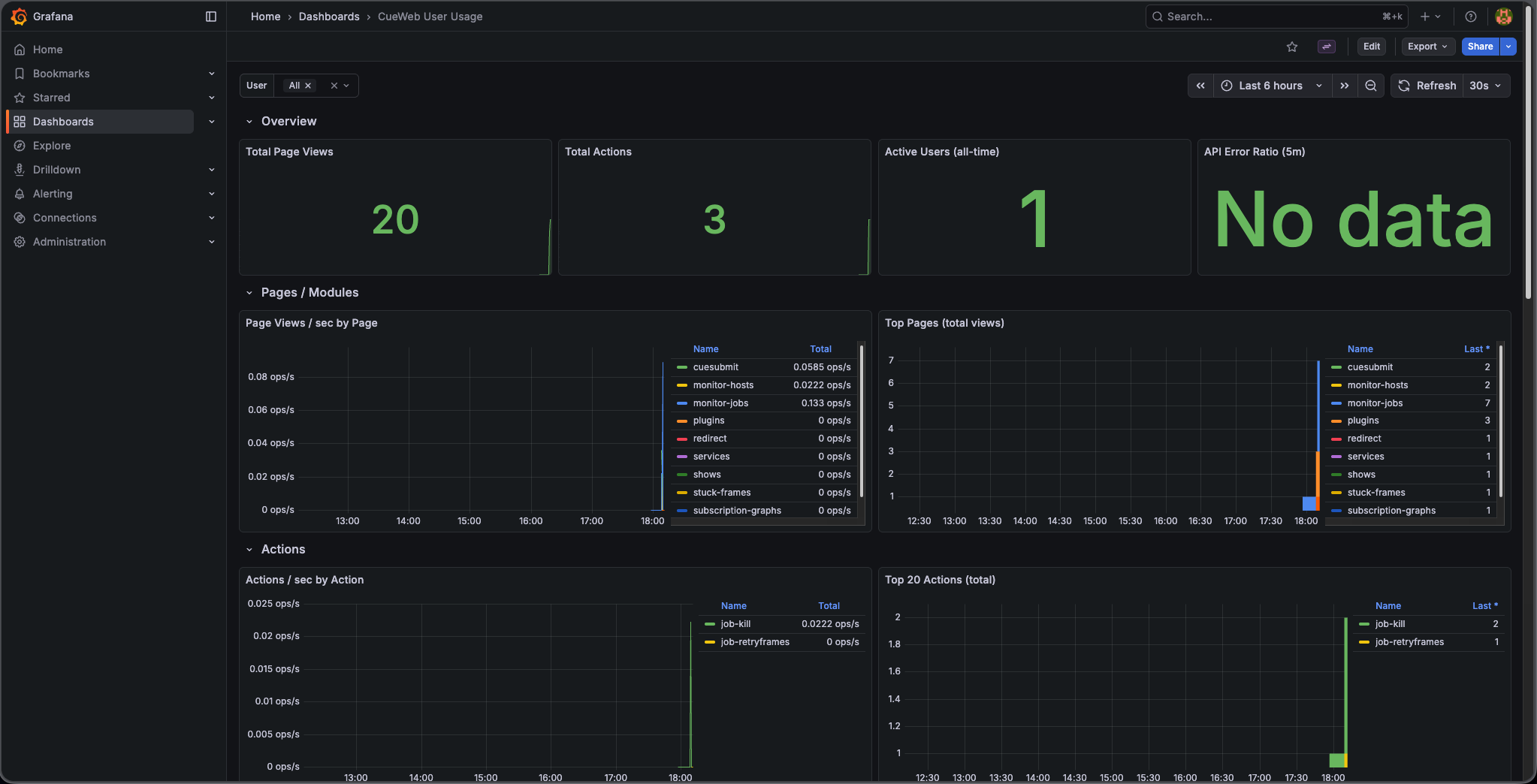
Global Application Header
OpenCueWeb mounts a persistent header at the top of every authenticated route
via app/layout.tsx. The header is implemented in
components/ui/app-header.tsx and is hidden on /login* routes only.
Layout, left to right:
- OpenCue logo + “OpenCueWeb” wordmark: The logo swaps between
public/opencue-icon-black.pngandpublic/opencue-icon-white.png(dark mode). Clicking the logo returns to/(Monitor Jobs). - File dropdown:
- Disable Job Interaction - read-only safety toggle (see Disable Job Interaction).
- Cuebot Facility dropdown: one item per configured facility (default
local/dev/cloud/external; overridable viaNEXT_PUBLIC_CUEBOT_FACILITIES). A small chip on the menu trigger shows the currently-active facility. Selecting a facility writes the choice to thecueweb.facilitycookie and reloads the page; every server-side API route then resolves that request’s gateway vialib/facility.ts(getRequestFacilityTarget), so all data is fetched from the selected facility’s REST gateway. The gateway URL + JWT secret per facility come fromCUEBOT_<NAME>_REST_GATEWAY_URL/CUEBOT_<NAME>_JWT_SECRET(or a runtime override, below), falling back toNEXT_PUBLIC_OPENCUE_ENDPOINT/NEXT_JWT_SECRET. The bottom status bar shows the active facility and pings that facility’s gateway. Each menu item also carries a green/red health dot (polled from/api/facility/healthevery 30s); a facility whose gateway is down is disabled. A Manage facilities… item links to/settings/facilities(see Per-facility health and runtime config). - Cuetopia dropdown:
- Monitor Jobs (
/)
- Monitor Jobs (
- CueCommander dropdown (mirrors the CueGUI Views/Plugins menu):
- Allocations (
/allocations) - implemented; allocations table with cores/hosts stats (see Allocations). - Limits (
/limits) - implemented; limits table with Add Limit and Edit Max Value / Rename / Delete row actions (see Limits). - Monitor Cue (
/monitor-cue) - Monitor Hosts (
/hosts) - implemented; host registry with row actions (lock/unlock, reboot, edit tags) and a per-host detail page (see Monitor Hosts). - Redirect (
/redirect) - implemented; admin tool that reassigns busy procs’ cores to a target job (see Redirect). - Services (
/services) - Shows (
/shows) - implemented; shows stats table with Create Show, Show Properties, and Create Subscription, plus a per-show group-tree detail page at/shows/[showName](see Shows). - Stuck Frame (
/stuck-frames) - implemented; stuck-frame finder with per-service detection filters and frame/job actions including Core Up (see Stuck Frames). - Subscription Graphs (
/subscription-graphs) - Subscriptions (
/subscriptions)
Routes that have not been implemented yet 404 gracefully.
- Allocations (
- Other dropdown:
- Attributes - toggles the docked Attributes panel (see Attributes Panel).
- Show Shortcuts - opens the keyboard-shortcuts overlay (same as
pressing
?). Dispatches acueweb:open-shortcutsCustomEventonwindowthat theKeyboardShortcutscomponent listens for. - Notify on Shortcut - toggle that controls whether every
triggered shortcut also fires a small toast naming the action.
Default ON. Persisted under
localStorage["cueweb.shortcutNotifications"]with cross-tab sync via thestorageevent plus acueweb:shortcut-notifications-changedCustomEvent. See Keyboard shortcuts overlay (+ menu access).
- Help dropdown - CueGUI parity:
- A search input at the top that searches across every menu command
in OpenCueWeb via the
useMenuRegistryhook (app/utils/use_menu_registry.ts). Matches render asGroup > Label. - Online User Guide -
NEXT_PUBLIC_DOCS_URL(defaulthttps://www.opencue.io/docs/). - Make a Suggestion -
NEXT_PUBLIC_SUGGESTIONS_URL(defaulthttps://github.com/AcademySoftwareFoundation/OpenCue/issues/new?labels=enhancement&template=enhancement.md). - Report a Bug -
NEXT_PUBLIC_BUGS_URL(defaulthttps://github.com/AcademySoftwareFoundation/OpenCue/issues/new?labels=bug&template=bug_report.md). - About OpenCueWeb - opens the About dialog (
components/ui/about-dialog.tsx) showing the version (NEXT_PUBLIC_APP_VERSION), build SHA (NEXT_PUBLIC_GIT_SHA), active Cuebot facility, masked REST gateway URL, Apache-2.0 license, and credits. A Copy diagnostics button copies those fields as JSON (CueGUI parity: Help → About).
- A search input at the top that searches across every menu command
in OpenCueWeb via the
- Theme toggle: Switches between light and dark mode (see Theming below).
- Sign out: Always rendered. With a session,
signOut()clears it and redirects to/login; without a session, the click just navigates to/login. When a session is present, the session’s name or email is shown to the left of the button (truncated, hidden on mobile).
The /login page handles both auth configurations:
NEXT_PUBLIC_AUTH_PROVIDER=(empty) renders only the OpenCueWeb Home button - useful for sandbox deployments without authentication.NEXT_PUBLIC_AUTH_PROVIDER=github,okta,google,ldap(or any subset) renders one sign-in button per configured provider.
The header dropdown menus:



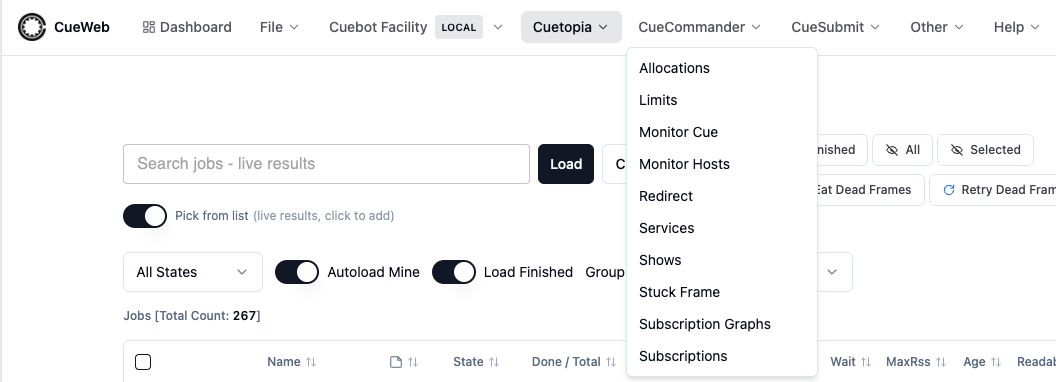

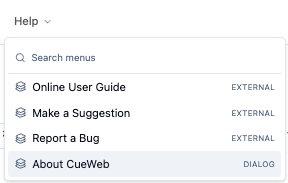
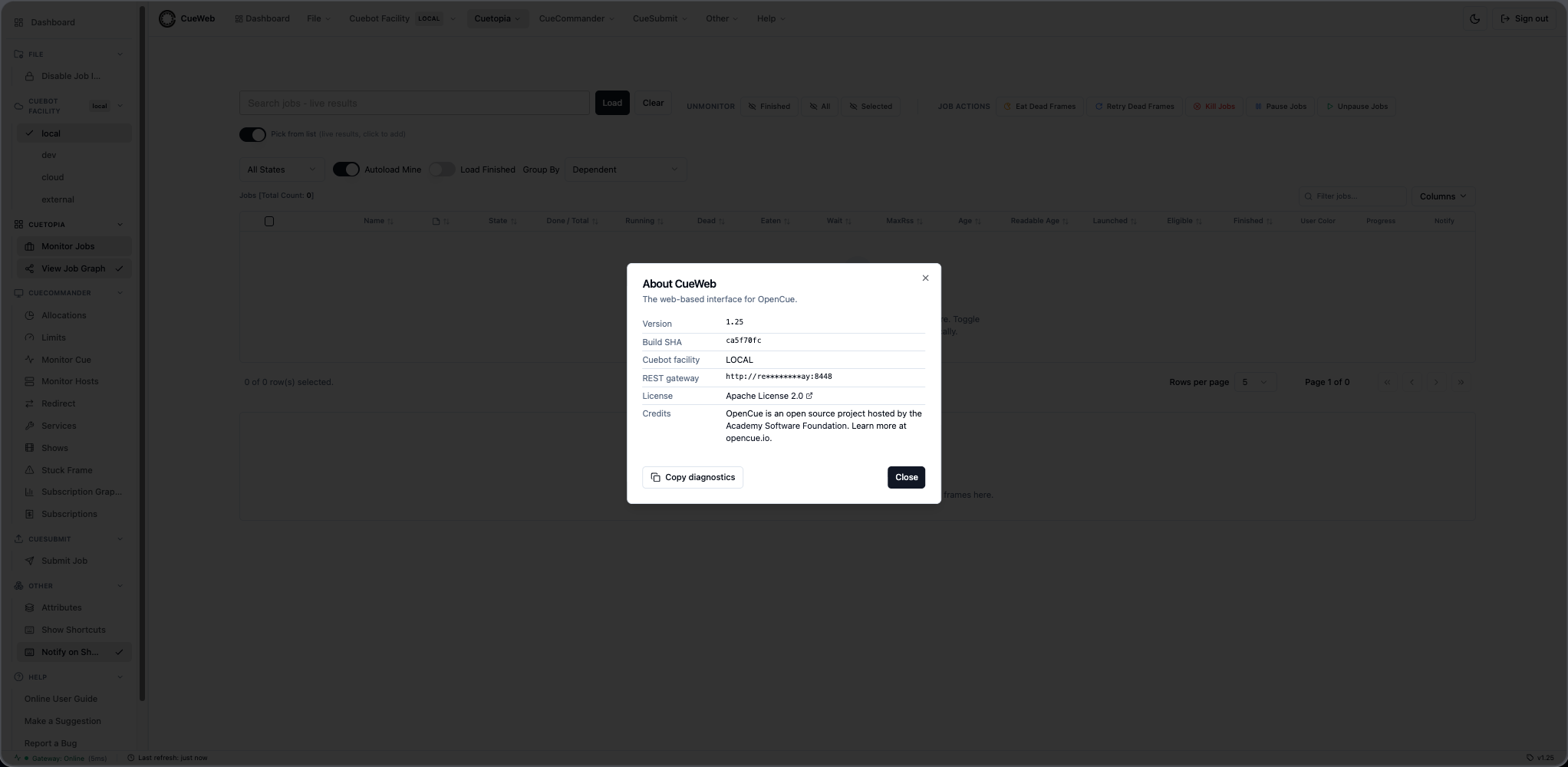
The bottom status bar:

Left Sidebar
OpenCueWeb also mounts a collapsible sidebar to the left of the content area.
Implemented in components/ui/app-sidebar.tsx and hidden on /login* and
on viewports smaller than the md breakpoint.

- Same six groups as the header (File, Cuebot Facility,
Cuetopia, CueCommander, Other, Help), organized as
accordion sections built on the
Collapsibleprimitive. - The group containing the currently-active route auto-expands on navigation.
- A Collapse button at the bottom toggles between expanded
(
w-60) and icon-only (w-16). - The Other group mirrors the header’s Other menu and ships three
controls in both expanded and collapsed modes:
- Attributes (toggle, with check icon when the panel is open).
- Show Shortcuts (opens the keyboard-shortcuts overlay; same as
pressing
?or the header’s Other ▸ Show Shortcuts item). - Notify on Shortcut (toggle, with check icon when on; controls the per-shortcut toast).
- Persisted state:
cueweb.sidebar.collapsed- overall expanded vs icon-only.cueweb.sidebar.openGroups- per-group open/closed map.
Mobile Navigation
On phone-sized viewports the desktop sidebar is hidden entirely. A hamburger button appears on the LEFT of the global header instead; tapping it opens a side drawer mirroring every sidebar group.
| Aspect | Description |
|---|---|
| Trigger | Tap the hamburger button in the global header. |
| Groups | Dashboard, File (Disable Job Interaction), Cuebot Facility, Cuetopia, CueCommander, Other (Attributes / Immersive (full-screen) / Split view / Show Shortcuts / Notify on Shortcut), Help. |
| Scrolling | The drawer itself scrolls when the menu list is taller than the viewport. |
| Auto-close | Tapping any navigation link closes the drawer automatically. |
| Hidden on | /login*. |
The drawer toggles share state with the desktop sidebar - flipping Attributes or Disable Job Interaction in the drawer is reflected in the desktop sidebar when the viewport is widened again.
Per-row Actions button
To replace right-click on touch devices, every Jobs / Layers / Frames row has a small ⋮ Actions button as its leftmost cell. Tapping it opens the row’s full context menu - the same action set you’d get from desktop right-click, including Copy Job / Layer / Frame Name, View Log, View Log on <editor>, Pause / Kill / Eat / Retry, etc. The column is always visible (it can’t be hidden through the Columns dropdown).
Responsive Jobs page
| Adaptation | What changes on small screens |
|---|---|
| Search column + action toolbar | Stack vertically on small viewports instead of sitting side-by-side. |
| Monitor Jobs toolbar groups | Unmonitor and Job Actions groups stack with each label taking its own line above its buttons. The vertical divider between groups is hidden. |
| Data table containers | Horizontally swipeable so the wide grids can be navigated without forcing page-level scroll. |
| Shortcuts overlay | Caps its width and height so the dialog never bleeds past the viewport, and scrolls internally if the contents overflow. |
LAN access
By default the client builds same-origin relative URLs for every API call, so the same image works whether the browser reaches it at localhost on the dev machine or at a LAN IP from a phone on the same network. The build-time NEXT_PUBLIC_URL env var defaults to an empty string for this reason.
| Caveat | Workaround |
|---|---|
The modern browser clipboard API is restricted to secure contexts (HTTPS / localhost). On plain-HTTP LAN access it’s either unavailable or rejected. |
OpenCueWeb automatically falls back to a legacy copy path outside secure contexts, including iOS Safari. Copy Job Name / Copy Layer Name / Copy Frame Name / Copy Log Path still work. |
| Desktop notification popups also require a secure context. Subscribe to Job still works on LAN HTTP - the in-app toast always fires - but the optional OS-level notification banner is skipped. | Serve OpenCueWeb over HTTPS (self-signed cert is enough for LAN testing) to enable the desktop popup. |
Disable Job Interaction (safety mode)
Header File ▸ Disable Job Interaction (and the sidebar’s File group)
toggle a single global flag persisted under
localStorage["cueweb.safety.disable-job-interaction"]. The
useDisableJobInteraction hook
(app/utils/use_disable_job_interaction.ts) keeps every consumer in sync
via a cueweb:disable-job-interaction-changed CustomEvent (same tab) and
the browser’s storage event (cross-tab).
When the flag is on:
- A
ReadOnlyBanner(components/ui/read-only-banner.tsx) renders an amber strip just under the header with a Re-enable button. - The jobs toolbar action buttons (Eat Dead Frames, Retry Dead Frames, Pause, Unpause, Kill) disable themselves visually and ignore clicks. Unmonitor is non-destructive and remains active.
- The right-click context menus on job, layer, and frame rows
dim every destructive item (Pause / Unpause / Retry / Retry Dead Frames
/ Eat / Eat Dead Frames / Kill). The Pause/Unpause entry is a single
toggle whose label flips on
isPaused- both flavors are dimmed the same way. Unmonitor and Comments on the job menu remain active.
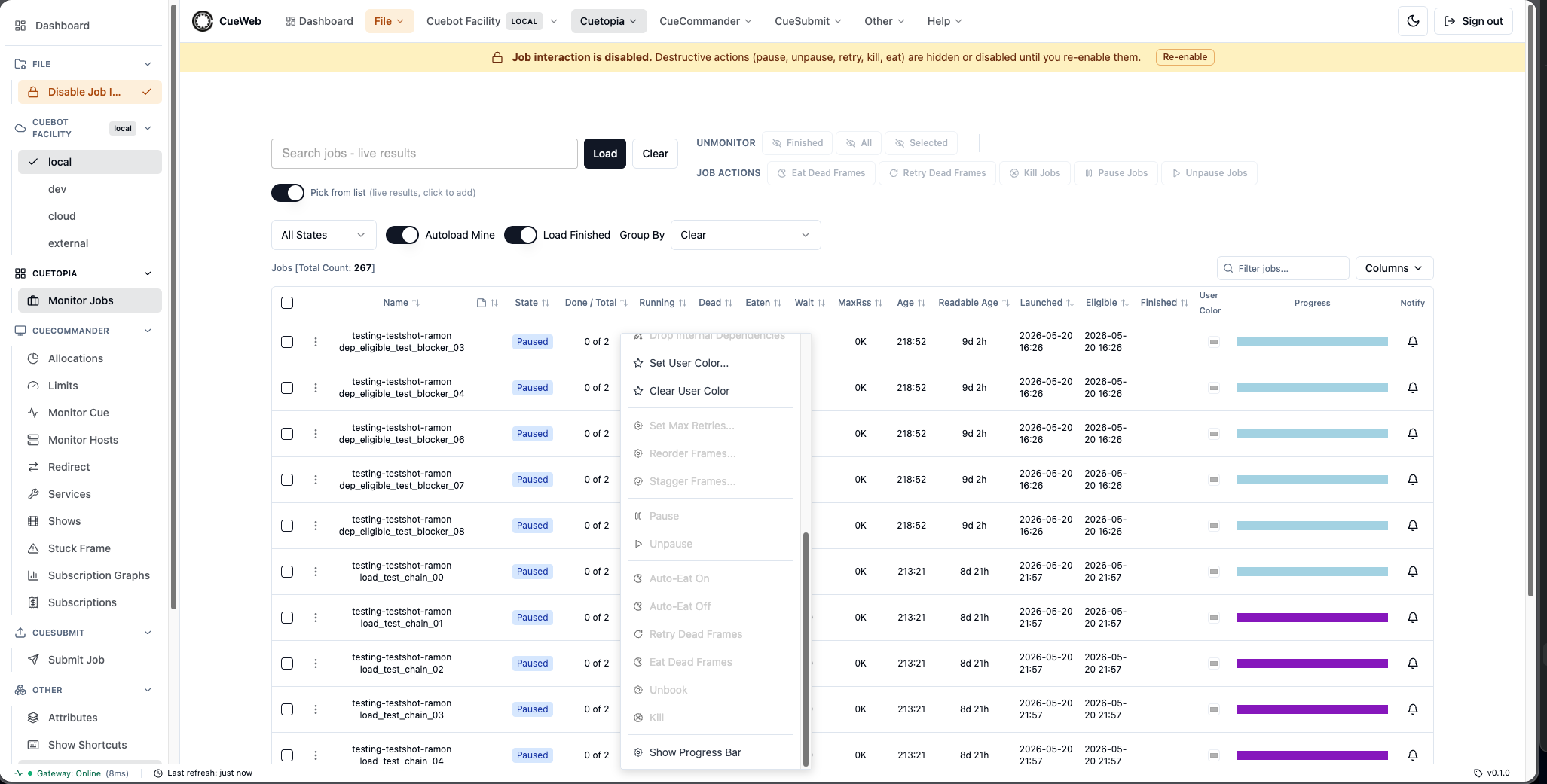
Attributes Panel
Other ▸ Attributes (header or sidebar) toggles a docked drawer
implemented in components/ui/attributes-panel.tsx.
- Selection: clicking any row in the jobs table fires
setAttributeSelection({...})fromapp/utils/use_attribute_selection.ts. The panel listens via theuseAttributeSelectionhook and re-renders for the new entity. - Position: a dock-position picker in the title bar lets users place
the panel on the right (default), bottom, left, or top
of the viewport. Persisted under
cueweb.attributes.position. - Open state: persisted under
cueweb.attributes.open(and synced across consumers viacueweb:attributes-panel-changed). - Filter input: narrows the key/value tree live; parent groups stay visible whenever any descendant matches.
The Attributes panel for a selected job and for a selected layer:
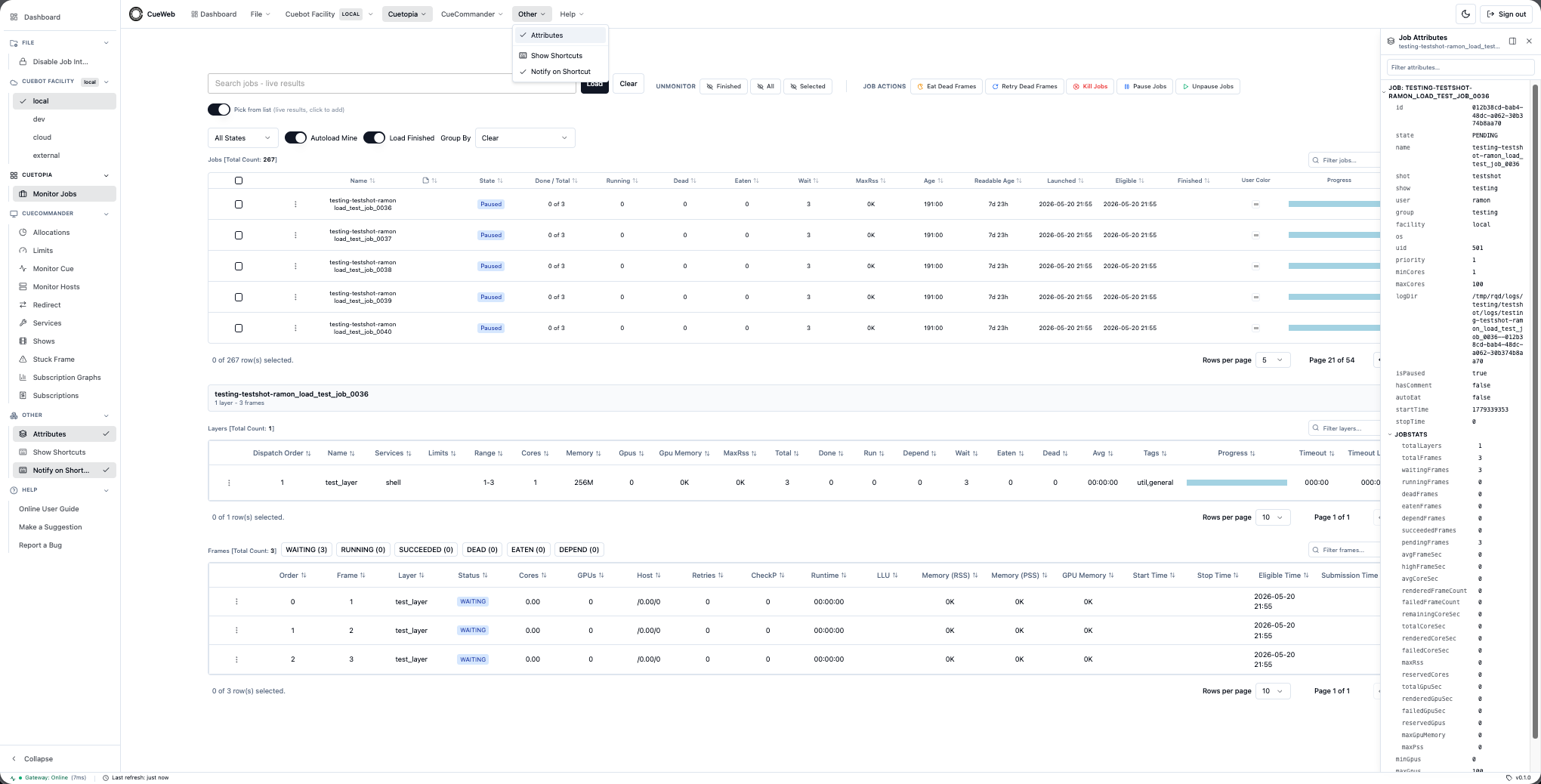
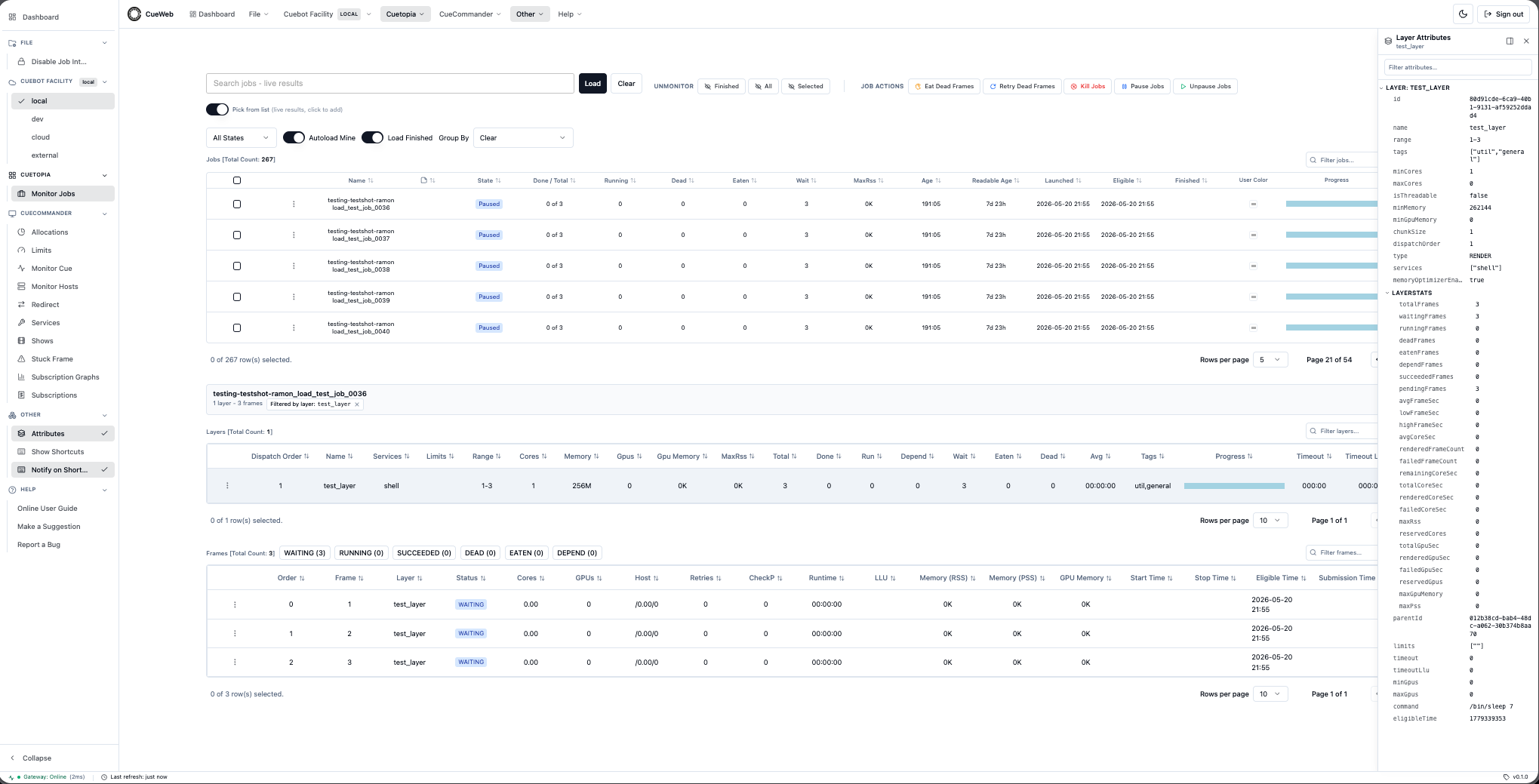
The panel docked on each edge of the viewport - right, bottom, left, and top:
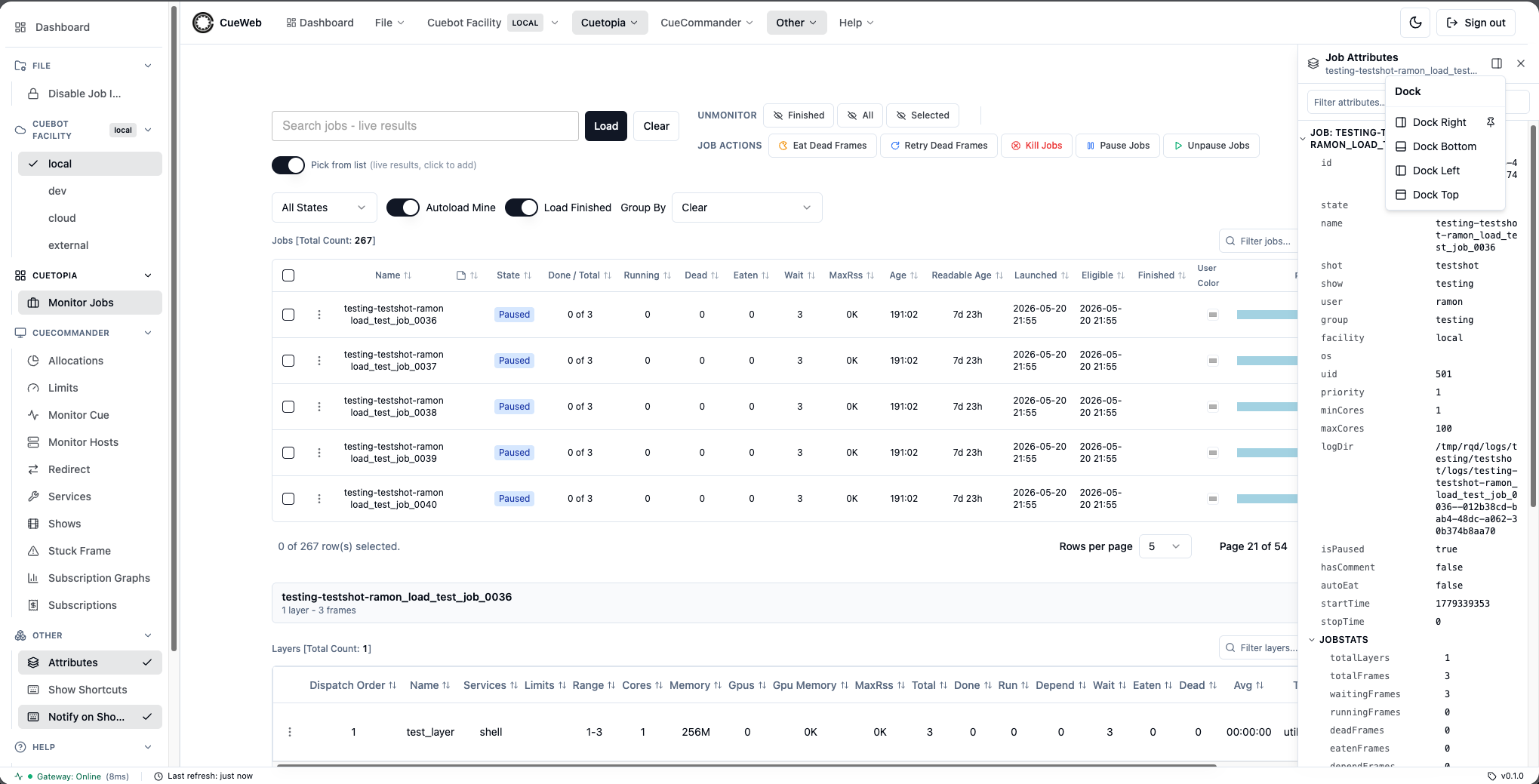
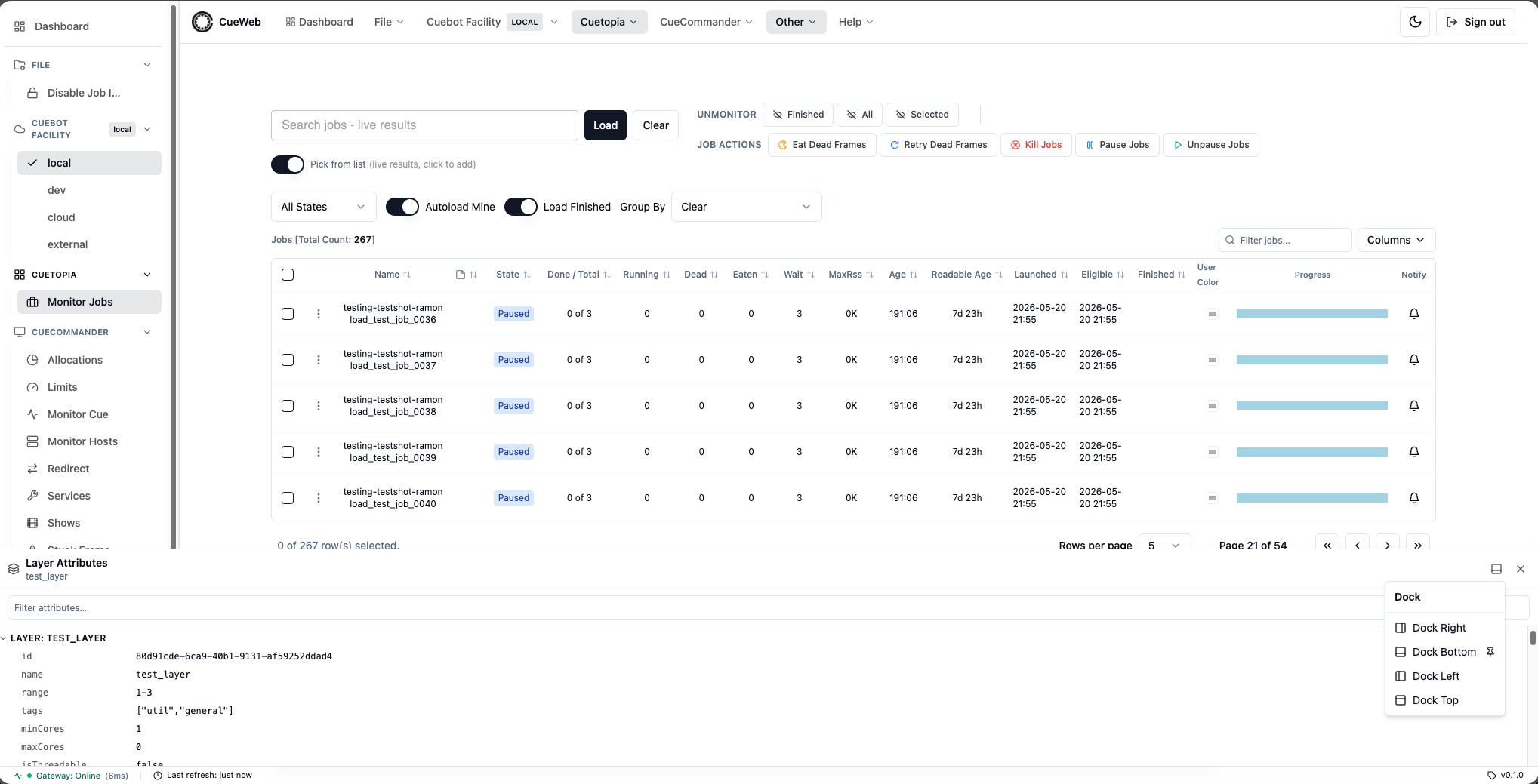
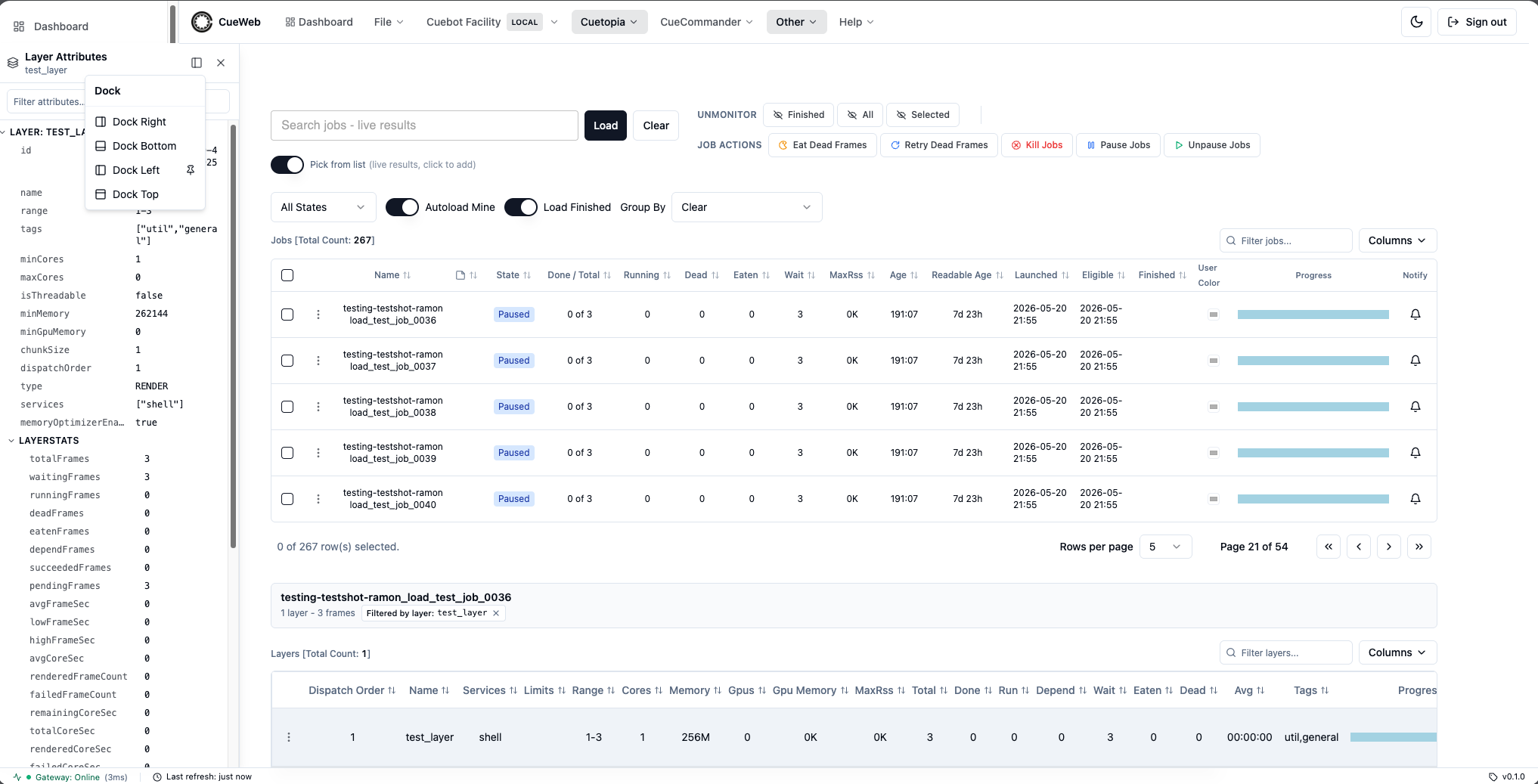
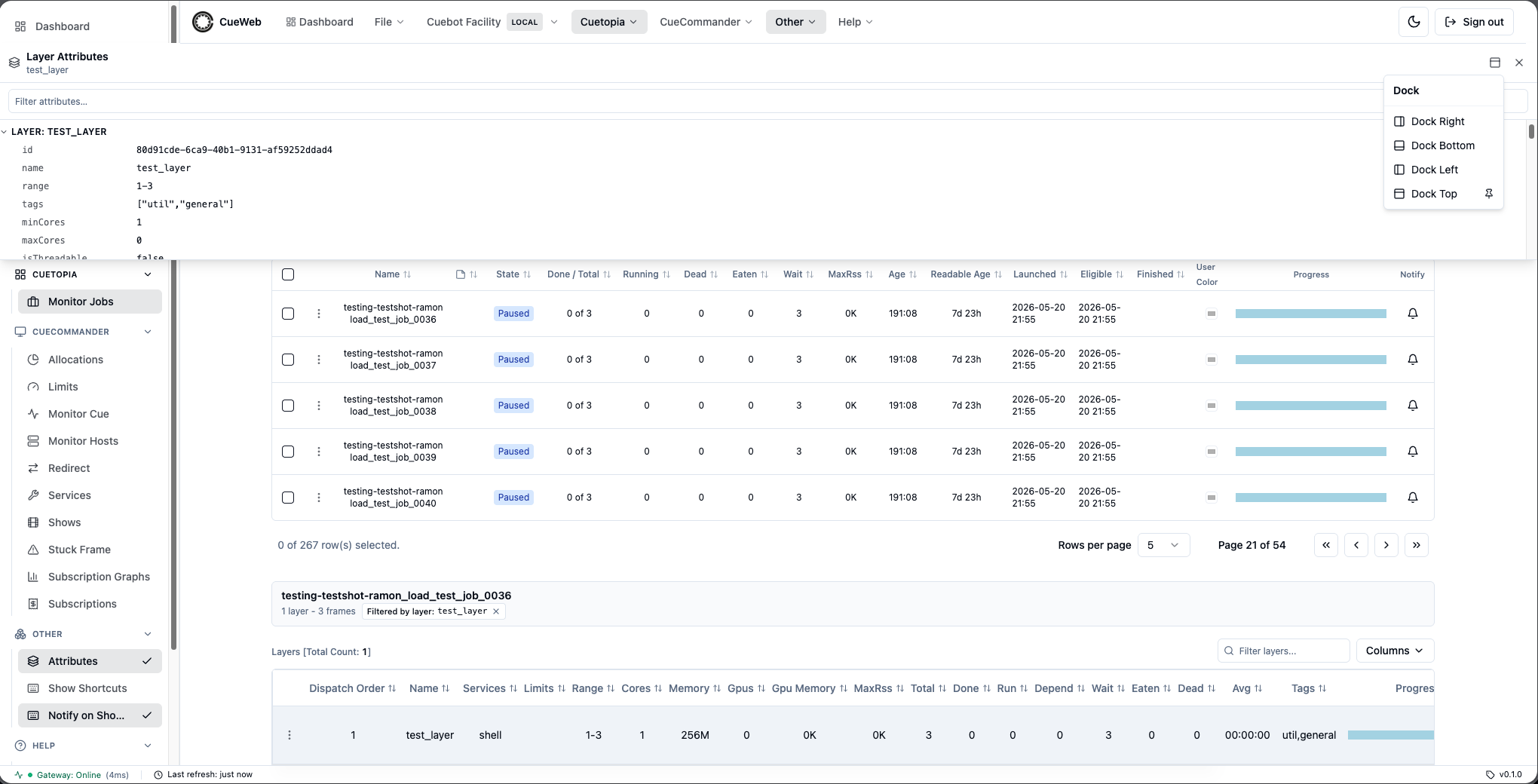
Breadcrumbs
Reusable primitive at components/ui/breadcrumbs.tsx, accepting
Array<{ label, href?, title? }>. Renders a Home icon segment (/) by
default, separates segments with ChevronRight, and gives the last
segment aria-current="page". Labels are wrapped in a Radix Tooltip
with max-w-[40ch] truncate, so over-long names collapse with an
ellipsis and the full text is recoverable on hover.
Currently mounted on every detail view (non-last segments are
next/links; segments without an href render as plain text):
/frames/[frame-name]->Home > Jobs > <jobName> > <layerName> > <frameName>- The job name is parsed from the
frameLogDirquery parameter (RQD logs are named<jobName>.<frameName>.rqlog). - The layer name and frame name come from the loaded
Framepayload, falling back to the route param while the fetch is pending.
- The job name is parsed from the
/jobs/[job-name]/comments->Home > Jobs > <jobName> > Comments
Per-job and per-layer detail pages do not exist yet, so those segments
currently render as plain text; once those routes land they can be
upgraded to clickable links by setting the href field on the
corresponding BreadcrumbItem.
Status Bar
OpenCueWeb mounts an IDE-style fixed status bar at the bottom of every
authenticated route. Implemented in components/ui/status-bar.tsx and
hidden on /login*. Three metrics, each with a tooltip:
- Gateway (left): a colored dot, the literal
Online/Offline, and the last round-trip latency in milliseconds when online.- Polled every 10s by
fetch('/api/health'). The probe POSTs{}toshow.ShowInterface/GetActiveShowswith a 5sAbortControllertimeout and reports{ gatewayOnline, status, latencyMs, checkedAt, error? }. - When the gateway is unreachable, the whole bar’s surface turns red so the failure is visible at a glance.
- Polled every 10s by
- Last refresh (center): live relative timestamp (“just now”,
“Ns ago”, …). Updated whenever the jobs table fires a
cueweb:jobs-refreshedCustomEvent (every 5s while the table is mounted). Re-renders once per second so the timestamp stays accurate between events. - Version (right):
v<NEXT_PUBLIC_APP_VERSION>. Resolved at build time innext.config.js(first hit wins):- The
NEXT_PUBLIC_APP_VERSIONenv /--build-arg(CI passes the generated OpenCue version or a build tag). cueweb/OVERRIDE_CUEWEB_VERSION.in: theVERSION.insentinel (default) reads the repo-rootVERSION.in- OpenCue’s shared version, also read by cuebot / cuegui; any other value pins an explicit OpenCueWeb version. In the Docker image the rootVERSION.inis supplied via aproject_rootnamed build context (seedocker-compose.yml).- The
versionfield incueweb/package.json(last-resort fallback).- The Dockerfile exposes a matching
ARG NEXT_PUBLIC_APP_VERSION, so CI can override it directly. The About OpenCueWeb dialog shows the same version plus the build SHA (NEXT_PUBLIC_GIT_SHA).
- The Dockerfile exposes a matching
- The
GET /api/health
Cheap reachability check used by the status bar. Returns a 200 with the following body in both the healthy and unhealthy cases (so the UI can render the offline state without surfacing a network-tab error):
{
  "gatewayOnline": true,
  "status": 200,
  "latencyMs": 30,
  "checkedAt": "2026-05-20T07:58:51.098Z"
}
When gatewayOnline is false, the response additionally includes an
error field with a short human-readable hint.
GET /api/facility/health
Probes every configured facility’s REST gateway in parallel and returns a per-facility status array. The Cuebot Facility menu polls this every 30s to draw each facility’s green/red dot and to disable a facility whose gateway is down.
{
  "facilities": [
    { "name": "local", "ok": true, "latencyMs": 8 },
    { "name": "dev", "ok": false, "latencyMs": 5005, "error": "Gateway probe failed" }
  ],
  "checkedAt": "2026-06-18T00:18:31.661Z"
}
Per-facility health and runtime config
The Manage facilities… item in the Cuebot Facility menu opens
/settings/facilities (app/settings/facilities/page.tsx), an admin screen for
editing each facility’s REST gateway URL and JWT secret at runtime, without a
redeploy.
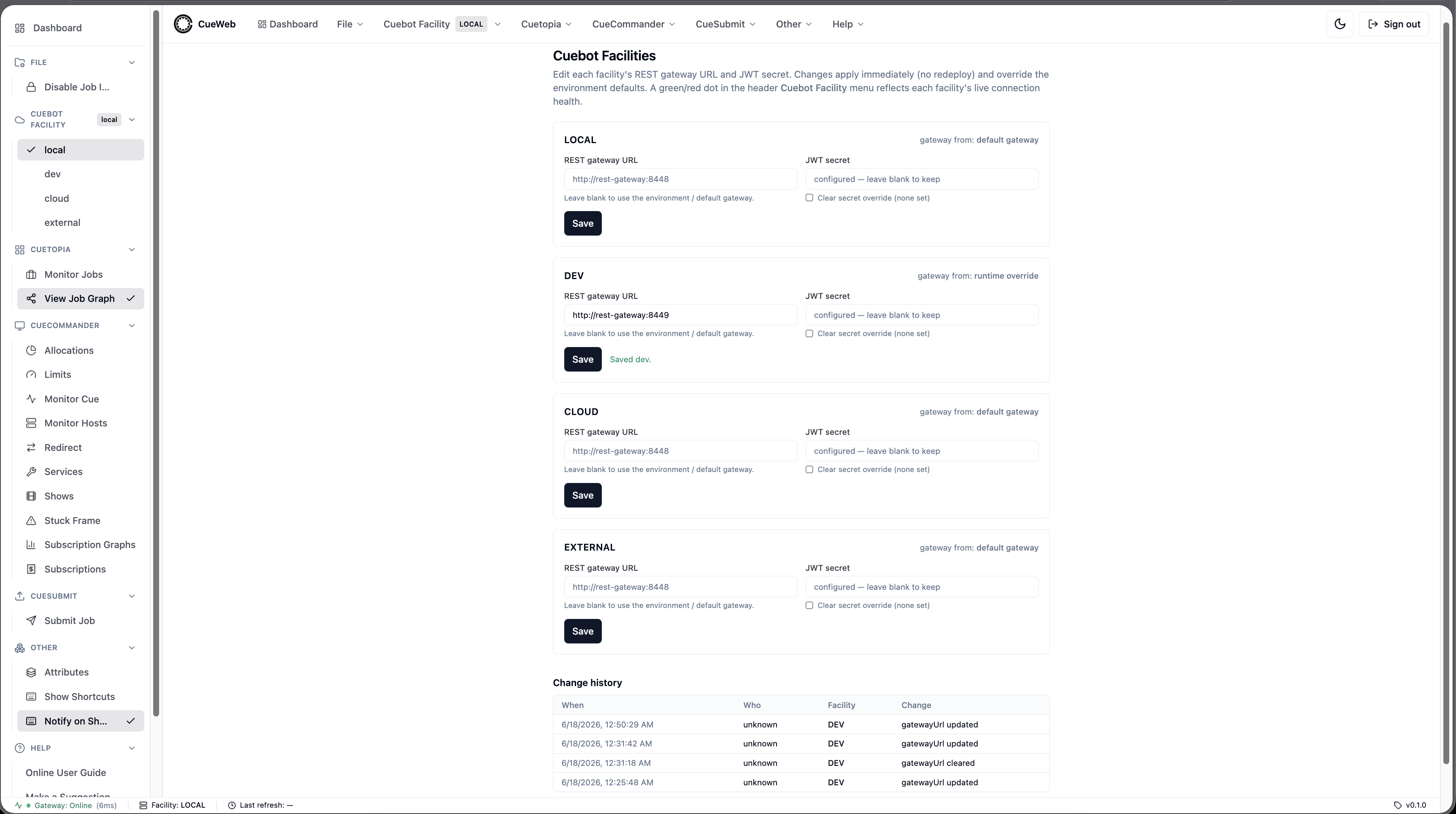
| Behavior | Description |
|---|---|
| Resolution order | Per facility, the effective gateway URL + secret are resolved override → env (CUEBOT_<NAME>_*) → legacy default (NEXT_PUBLIC_OPENCUE_ENDPOINT / NEXT_JWT_SECRET). An empty override store reproduces the env-only behavior exactly. |
| Override store | Edits are persisted to a JSON file at CUEWEB_FACILITY_STORE (defaults to the OS temp dir) by a "use server" action; a short in-process cache makes the change take effect within a few seconds. Point the var at a mounted volume to persist across restarts. The JWT secret is written 0600 and never returned to the client. |
| Audit log | Every change appends an entry ({ at, actor, facility, changes }) to a .audit.jsonl file next to the store; the secret value is never recorded. The screen shows a change-history table. |
| Concurrency | Writes are serialized through an in-process queue so concurrent saves can’t lose updates (single Node process). |
| Authorization | Fail-closed when authentication is configured (a signed-in user is required); open when auth is disabled (the sandbox default), matching the rest of OpenCueWeb. When the group authorization gate is active, /settings/facilities is one of the admin paths restricted to CUEWEB_ADMIN_GROUPS, and the Manage facilities… menu item is hidden from non-admins. |
The override-aware resolution lives in the server-only lib/facility-server.ts
(layered over the client-safe lib/facility.ts) and the filesystem store in
lib/facility-store.ts; the gateway proxy helpers live in the server-only
app/utils/gateway_server.ts.
Plugins
A minimal plugin system (cueweb/lib/plugins.ts + cueweb/app/plugins/), the browser equivalent of CueGUI’s plugin loader. A plugin is a manifest plus a lazily-loaded React component mounted on its own route.
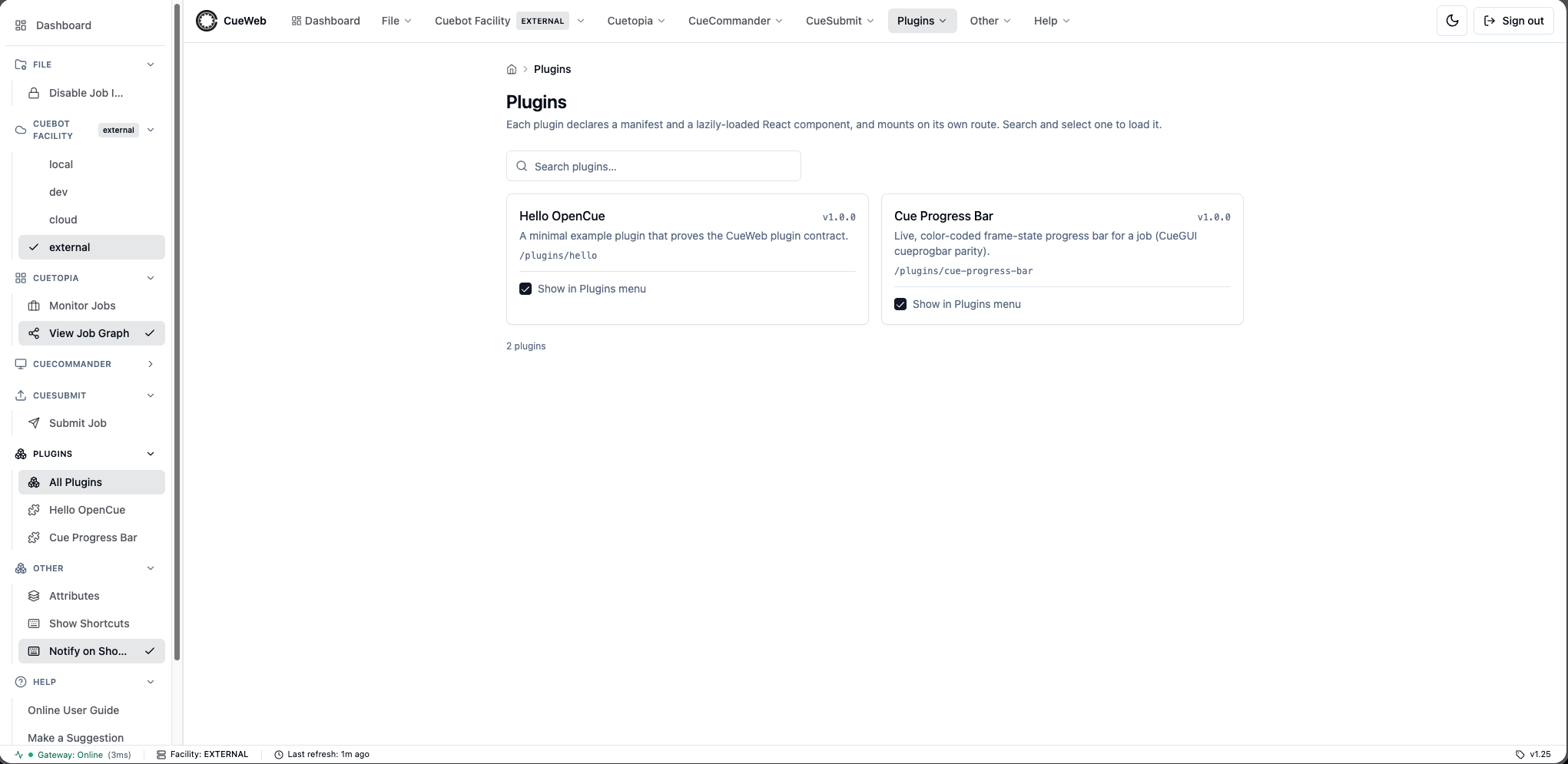
| Behavior | Description |
|---|---|
| Contract | PluginManifest (name = URL-safe id/route segment, title, version, route, optional description) and PluginModule (manifest + a load thunk returning () => import("./<component>"), kept a static import() so the bundler code-splits each plugin into its own chunk). Components receive PluginComponentProps (the resolved manifest). |
| Discovery | PLUGIN_REGISTRY in lib/plugins.ts is the registry; getPlugins() / getPlugin(name) read it. |
| Routing | app/plugins/[plugin-name]/page.tsx (server) resolves the manifest by name, sets metadata, and notFound()s unknown names; generateStaticParams() pre-renders one page per plugin. The client plugin-host.tsx loads the component with next/dynamic({ ssr: false }) (Next.js 15 disallows ssr:false in server components). app/plugins/page.tsx + plugins-browser.tsx render the searchable, paginated index. |
| Settings | registerSetting({ key, label, kind, default, plugin }) with SSR-guarded get/set/reset helpers and a change event; values persist to localStorage["cueweb.plugin-settings.<key>"]. components/ui/settings-dialog.tsx is a shared, plugin-scoped PluginSettingsDialog (mounted once in the layout, opened via openPluginSettings()); usePluginSetting is a reactive read hook. |
| Menu selection | Checkboxes on /plugins choose which plugins appear in the Plugins menu (header/sidebar, right of CueSubmit). The set persists to localStorage["cueweb.plugin-menu.enabled"], seeds from each manifest’s defaultEnabled, and syncs across components/tabs via use_plugin_menu.ts. |
| Samples | hello (Hello OpenCue) - minimal contract example registering greeting/shout/emoji settings, off by default. cue-progress-bar - a port of CueGUI’s cueprogbar: a live color-coded frame-state bar (done/total/running) with pause / unpause / kill / retry-dead controls, polling Cuebot on a configurable interval, on by default. |
Theming
Theme Toggle
OpenCueWeb supports light and dark themes:
- Light Mode: Default theme with light backgrounds
- Dark Mode: Dark theme for reduced eye strain
Toggle via the sun/moon button in the global header (or press t). The choice persists across sessions. Every view has a dark equivalent; for example, the Monitor Jobs page in dark mode:
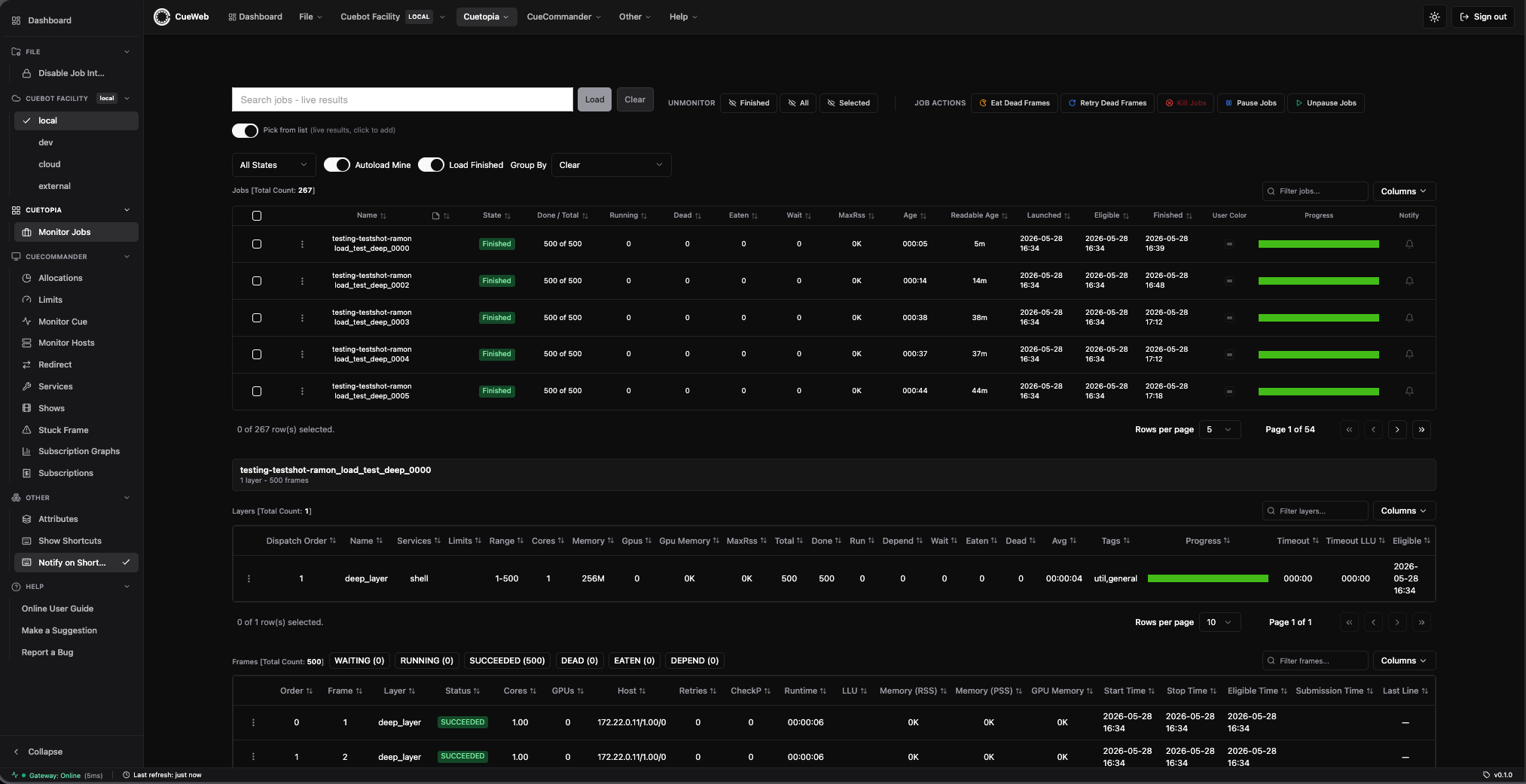
CSS Variables
Key theme variables (defined in Tailwind config):
/* Light theme */
--background: 0 0% 100%;
--foreground: 222.2 84% 4.9%;

/* Dark theme */
--background: 222.2 84% 4.9%;
--foreground: 210 40% 98%;
Performance Optimization
Auto-refresh
- Default refresh interval: 5 seconds
- Tables auto-update without full page reload
- Configurable per-table refresh rates
Virtualization
- Large job lists use virtual scrolling
- Only visible rows are rendered
- Improves performance with 1000+ jobs
Web Workers
- Filtering operations run in background threads
- Main thread remains responsive during searches
- Reduces UI blocking
Troubleshooting
Common Issues
“Failed to fetch jobs”
Cause: Cannot connect to REST Gateway
Solution:
- Verify REST Gateway is running
- Check
NEXT_PUBLIC_OPENCUE_ENDPOINTis correct - Verify network connectivity
- Check browser console for CORS errors
Authentication Loop
Cause: OAuth configuration mismatch
Solution:
- Verify
NEXTAUTH_URLmatches actual URL - Check OAuth provider callback URLs
- Ensure
NEXTAUTH_SECRETis set
JWT Token Errors
Cause: Secret mismatch between OpenCueWeb and REST Gateway
Solution:
- Ensure
NEXT_JWT_SECRETmatches REST Gateway’sJWT_SECRET - Check token expiration settings
Blank Page on Load
Cause: Build-time environment variables not set
Solution:
- Rebuild with correct environment variables
- Check
NEXT_PUBLIC_*variables are set during build
Debug Mode
Enable verbose logging:
# Set in environment
DEBUG=cueweb:* npm run dev
Browser Console
Check browser developer tools for:
- Network request failures
- JavaScript errors
- WebSocket connection issues
File Structure
cueweb/
├── app/                              # Next.js app directory
│   ├── api/                          # API proxy routes
│   │   ├── comment/action/save/      # CommentInterface/Save
│   │   ├── comment/action/delete/    # CommentInterface/Delete
│   │   └── job/
│   │       ├── action/addcomment/    # JobInterface/AddComment
│   │       └── getcomments/          # JobInterface/GetComments
│   ├── jobs/                         # Jobs pages
│   │   └── [job-name]/comments/      # Per-job Comments page
│   ├── utils/                        # Client helpers
│   │   ├── action_utils.ts           # add/save/delete comment helpers
│   │   ├── get_utils.ts              # getJobComments
│   │   └── comment_macros.ts         # Predefined-macro localStorage CRUD
│   ├── login/                        # Login page
│   └── page.tsx                      # Main page
├── components/                       # React components
│   └── ui/                           # Shadcn UI components
├── lib/                              # Utility libraries
│   └── auth.ts                       # Authentication config
├── public/                           # Static assets
├── Dockerfile                        # Container configuration
├── next.config.js                    # Next.js configuration
├── package.json                      # Dependencies (incl. react-markdown, rehype-sanitize)
└── tailwind.config.js                # Tailwind CSS config
Related Documentation
- OpenCueWeb Quick Start - Getting started guide
- OpenCueWeb User Guide - Complete usage guide
- OpenCueWeb Tutorial - Step-by-step tutorial
- OpenCueWeb Developer Guide - Development reference
- REST API Reference - API documentation
- Deploying OpenCueWeb - Deployment guide